CodeBuddy
Download
Focus Mode
Font Size
CodeBuddy is an AI-assisted programming tool launched by Tencent Cloud, available in two forms: CodeBuddy IDE and CodeBuddy Code. This document describes how to configure and use Tencent Cloud CMR through the CodeBuddy IDE graphical interface and the CodeBuddy Code command line, respectively.
Installing CodeBuddy
Visit the official CodeBuddy IDE website, and download and install the version that matches your operating system and processor. CodeBuddy IDE supports Windows and macOS.
Install CodeBuddy Code according to your local environment. For detailed operations, see CodeBuddy Code Installation. If CodeBuddy Code is already installed, you can skip this step.
Obtaining an API Key
Log in to the CMR console and create a CMR API Key. For detailed instructions, see Creating a CMR Access Key.
Attention:
After creation, make sure to copy and securely store the API Key. Once you close the success dialog, you will not be able to view the complete API Key again.
Configuring CodeBuddy IDE
CodeBuddy IDE supports adding OpenAI-compatible models through its graphical interface, eliminating the need to manually edit configuration files.
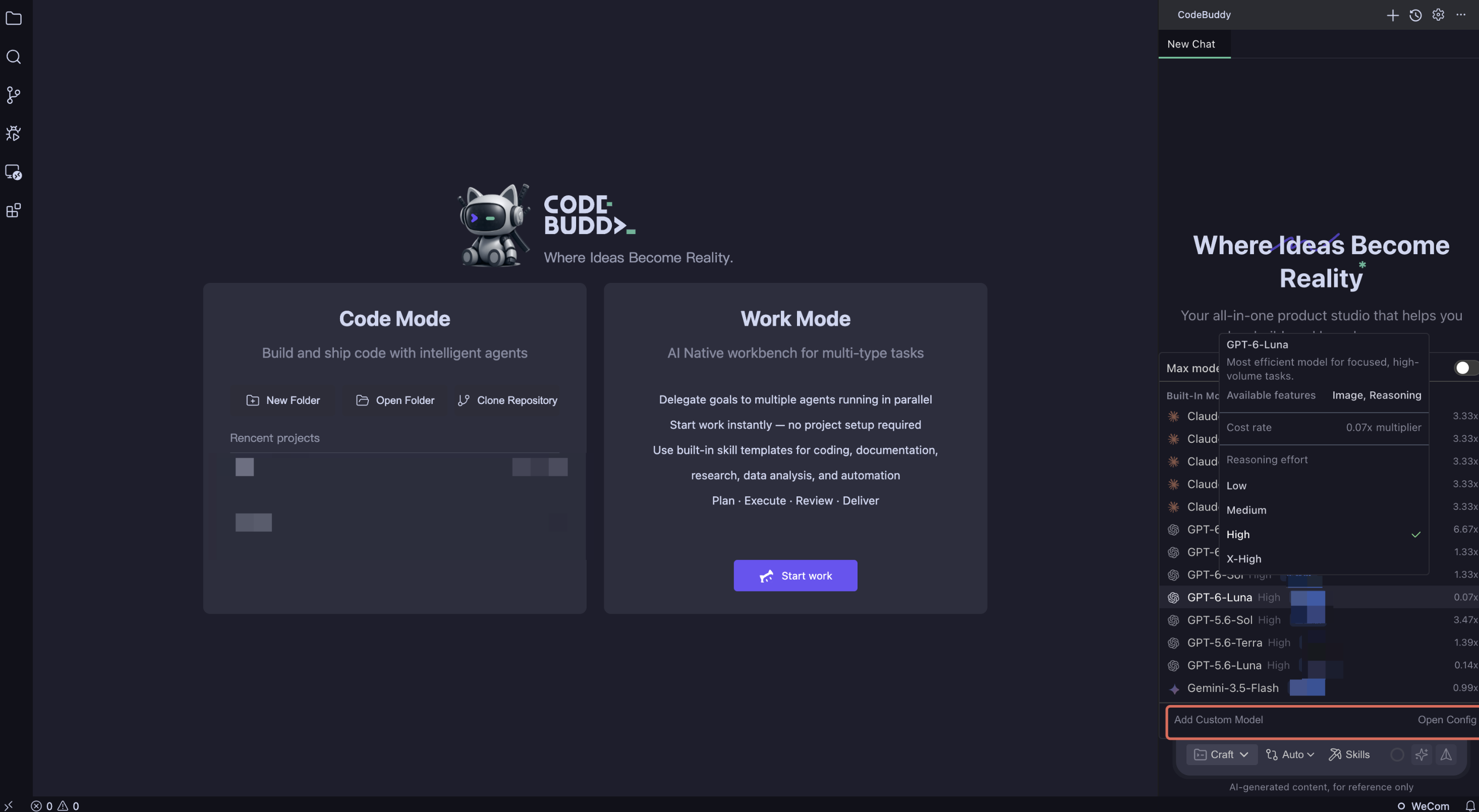
1. Launch CodeBuddy IDE. Click the model selection box below the conversation panel, and then click Configure Custom Model.
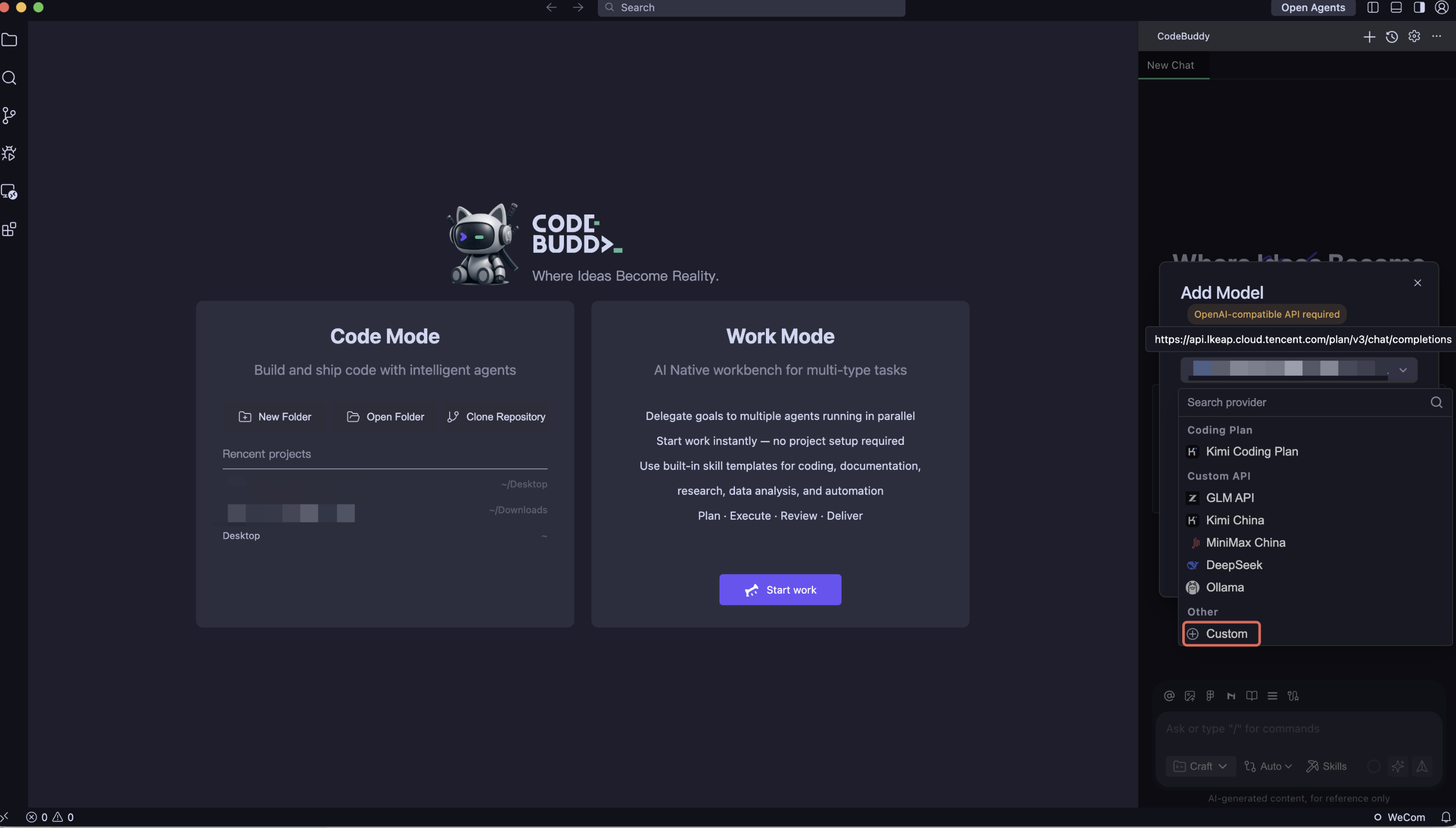
2. On the Add Model page, set Provider to Custom.
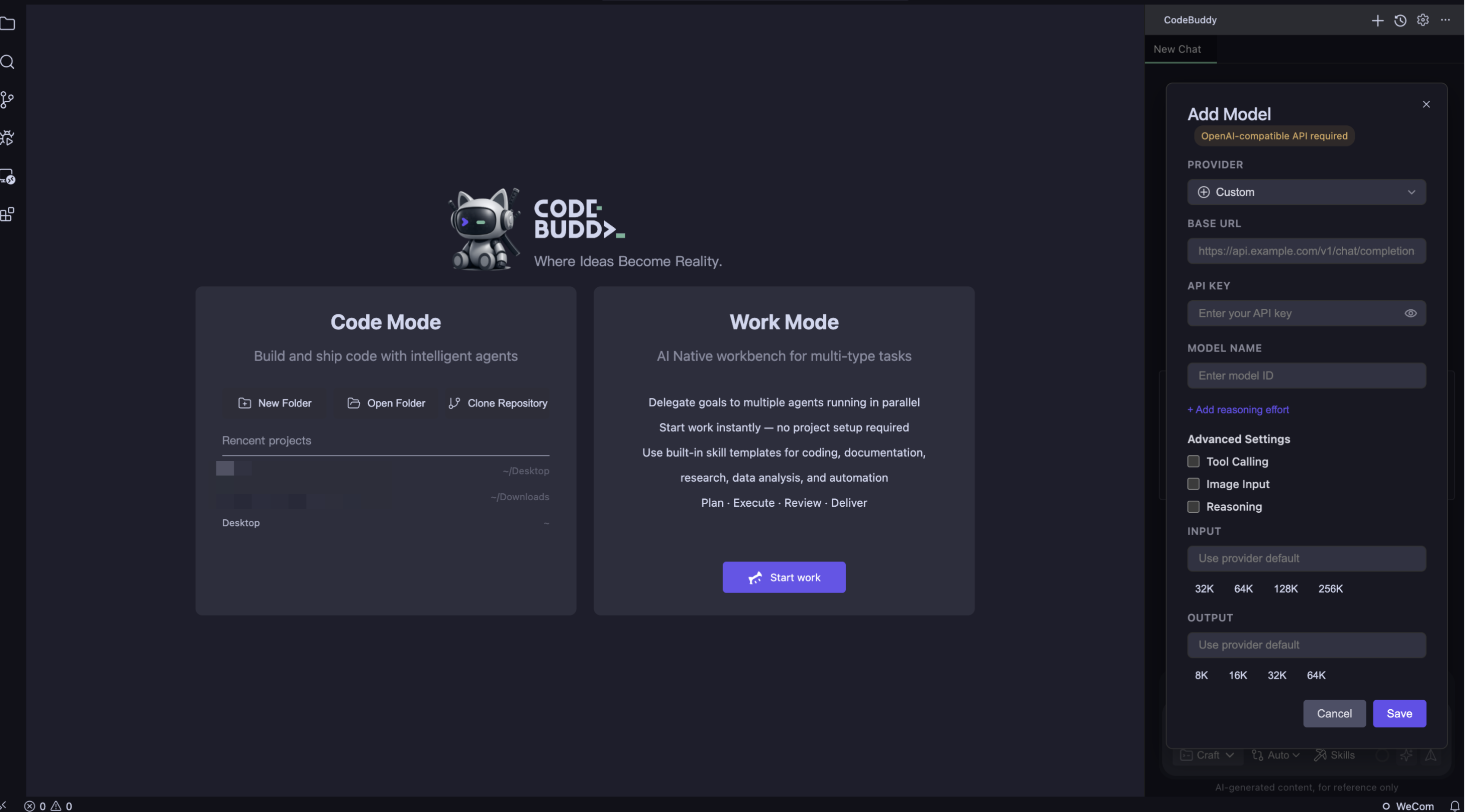
3. Fill in the following configuration and click Save.
Configuration Item | Value |
Base URL | https://<user domain>/v1/chat/completions |
API Key | CMR API Key |
Model Name | Enter the model name or intent route name that can be called by the current API Key. Default: ModelRouter/auto. |
Advanced Settings | Select as needed. |
4. Return to the conversation panel, open the model selection box, and select the added model under Custom Models to start using it.
Configuring CodeBuddy Code
1. CodeBuddy Code configures custom models through
models.json. The configuration file path is as follows. If the configuration file does not exist, create one.Windows:
C:\\Users\\<username>\\.codebuddy\\models.jsonmacOS/Linux:
~/.codebuddy/models.json2. Copy the following configuration to
models.json, and replace <USER_API_KEY> and <user domain> with the actual configuration information of the current CMR instance.{"models": [{"id": "ModelRouter/auto","name": "Tencent Cloud CMR","vendor": "Tencent Cloud","apiKey": "<USER_API_KEY>","url": "https://<user domain>/v1/chat/completions"}]}
Note:
ModelRouter/auto indicates that an available model is selected based on the L1 CMR policy. You can also replace the value in id with a model name or intent route name already associated with the current instance. name is the display name of the model in CodeBuddy.If
models.json already exists, append the above models to models. For more configuration options, see CodeBuddy Code Model Configuration.Using Tikit
1. Run the following command to start CodeBuddy Code.
codebuddy
Running Environment
Operating System: Ubuntu 24.04.3 LTS / x86_64
Runtime Version: GNU bash, version 5.2.21(1)-release (x86_64-pc-linux-gnu)
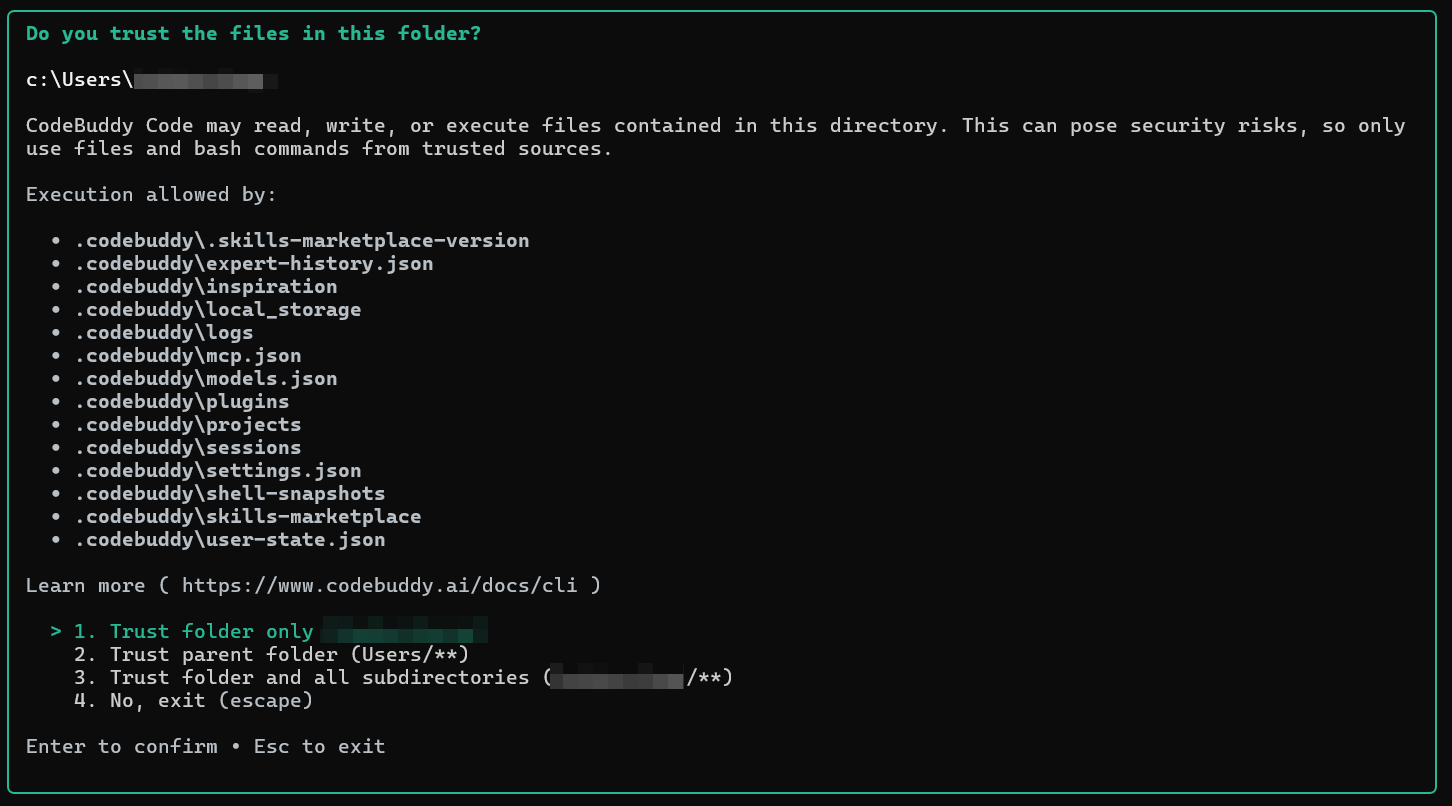
2. When you use CodeBuddy Code for the first time, confirm whether to trust the current working directory as prompted on the page. Select trust and continue only if you trust all files in the directory.
3. Select a login method based on your actual scenario, and press Enter to complete authentication.
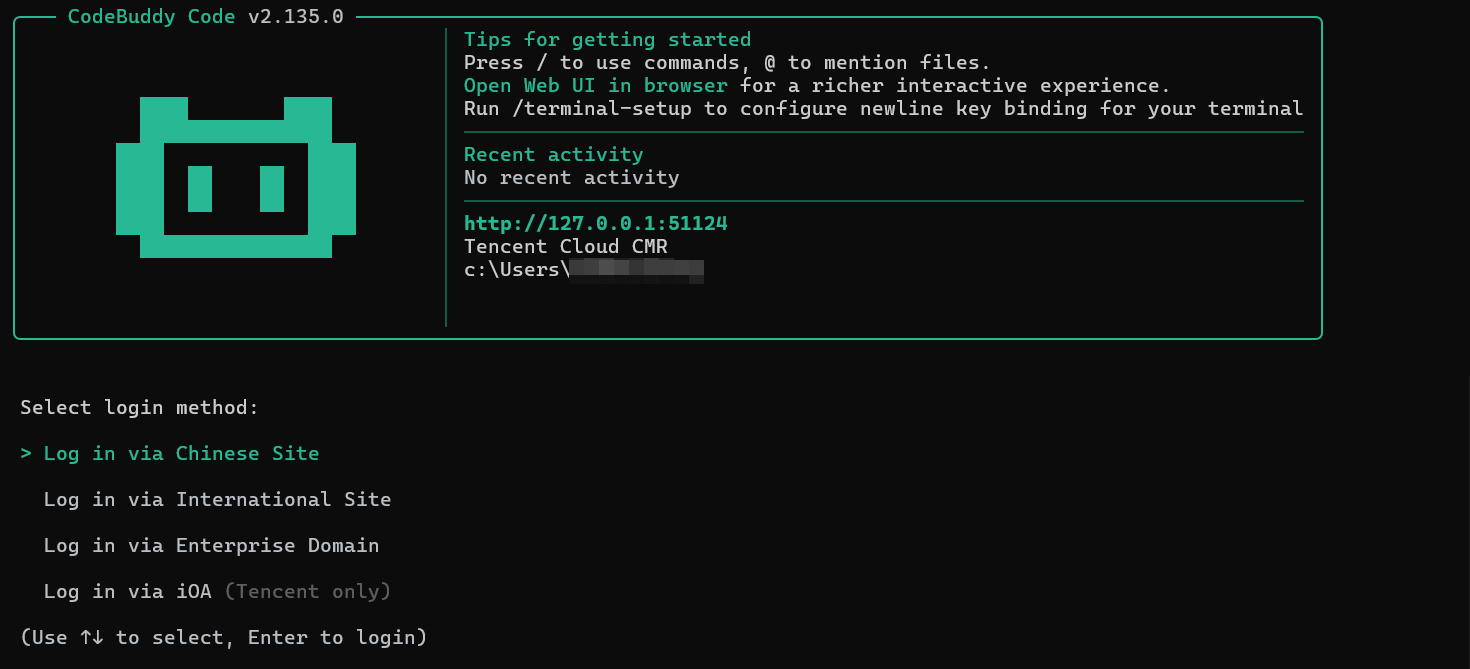
The login methods are described as follows:
Login Method | Scenario | Description |
Chinese Site | China site user | Authenticate through Tencent Cloud China site (copilot.tencent.com). It supports mainstream models in China. |
International Site | International site user | Authenticate through Tencent Cloud International site (codebuddy.ai). It supports mainstream models outside China. |
Enterprise Domain | Dedicated/private deployment | Connect to the enterprise dedicated or self-hosted CodeBuddy service. Enter the service address provided by the enterprise. |
iOA | Tencent internal employee | Authenticate through Tencent iOA zero trust system. It is available only to Tencent internal employees. |
4. Return to the
CodeBuddy Code CLI, type /model, and press Enter.5. Select Tencent Cloud CMR from the model list to start using it.

Warning:
Do not disclose your API Key, or commit configuration files or Shell configurations that contain the actual API Key to code repositories.
Help and Support
Was this page helpful?
You can also Contact sales or Submit a Ticket for help.
Help us improve! Rate your documentation experience in 5 mins.
Feedback