Purchase Methods
Download
Focus Mode
Font Size
Tencent Cloud allows you to purchase Cloud Model Routing (CMR) on its official website. This document details how to make a purchase.
Making a Purchase on the Official Website
All users can purchase CMR instances on the Tencent Cloud official website.
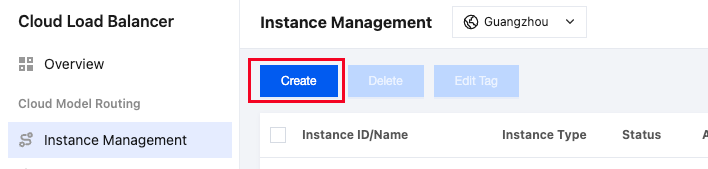
1. Log in to the Tencent Cloud CMR instance list page and click Create to go to the CMR purchase page.
Note:
We recommend that you purchase resource packages first. Using CMR resource packages to deduct usage is more cost-effective. For details, see Resource Package Introduction.
2. Select the following configurations as needed.
Parameter | Description |
Region | Select a region for the CMR instance as needed. |
Network Type | Select Public network or Private network. A public network instance provides services directly over the Internet. A private network instance provides services only within a VPC and is suitable for internal system interconnection. |
Listening Protocol | Select HTTP or HTTPS. |
Certificate | Required only when HTTPS is selected. You can select an existing certificate from the SSL Certificates platform or upload a new certificate. |
Network | Select a VPC. A VPC is a logically isolated network space that you create in Tencent Cloud. Within a VPC, you can freely define CIDR blocks, IP addresses, and routing policies. |
Billing Mode | Select Pay-by-specification or Pay-as-you-go. Pay-by-specification: Fees vary depending on the CMR instance specification. Rate limiting is automatically triggered when the specification limit is exceeded. Pay-as-you-go: If no calls exist, no fees are generated. If the usage is high, a large bill may be generated. |
Resource Package Deduction | Pay-by-specification: You can determine whether to use a resource package for fee deduction. If yes, fees are charged on an hourly postpaid basis after the resource package is exhausted. Pay-as-you-go: Only resource package deduction is supported. After your resource package is exhausted, the instance is suspended. Please renew it in time to ensure business continuity. |
Specification | If Pay-by-specification is selected, select a specification as needed. For details about TPM rate limiting values and fees for different specifications, see Billing Overview. |
Limit Type | Select TPM or RPM. By default, TPM and RPM are supported. You can also select an appropriate credit budget. For pay-by-specification instances, the TPM rate limiting value defaults to the upper limit of the selected specification and cannot be modified. |
Instance Name | Enter up to 255 characters, including letters, digits, periods, underscores, and hyphens. If it is left empty, a name is automatically generated. |
Tag |
3. After the above parameters are set, select Service Agreement and click OK to create an instance.
Subsequent Operation Steps
After the purchase is successful, configure an API key and associate models for the CMR instance before you can use it normally.
To create an API key, you can refer to Creating a CMR Access Key.
To associate models, you can refer to Configuring Model Scheduling Management.
References
Help and Support
Was this page helpful?
You can also Contact sales or Submit a Ticket for help.
Help us improve! Rate your documentation experience in 5 mins.
Feedback