Refined Management of Enterprise Models
Download
Focus Mode
Font Size
Overview
When large model capabilities expand from a single team's pilot to company-wide shared infrastructure, management complexity rises nonlinearly. Multiple business lines, teams, employees, and automated tasks consuming models simultaneously will introduce the following issues:
Key management is difficult. Using a single key to cover all calls means that if the key is leaked, the entire system is compromised.
Usage is difficult to break down. The bill is a single total amount and cannot be allocated to specific business lines.
Costs are difficult to control. Budget constraints are lacking, and overspending is often not detected until the end of the month.
Vendors are difficult to replace. Business code hardcodes model names, so changing the underlying vendor requires modifying a large amount of business code.
Many enterprises build their own gateways to centrally handle authentication, routing, and statistics. However, self-built solutions require continuous R&D and Ops investment, and their features are often incomplete, especially in governance capabilities such as cost control and usage attribution, which are difficult to implement in depth. CMR is positioned to replace such self-built solutions with an out-of-the-box managed gateway, consolidating the four issues above into a unified governance model: managing available users with separate keys, controlling request models through scheduling, providing cost observability through usage statistics, and constraining excessive usage with credit budgets.
Solution Value
The value of governance capabilities lies in transforming a series of post-event problems into pre-event governance, and in turning large models from a fluctuating expense that is difficult to account for into an enterprise resource that is budgetable, allocable, and auditable. Finance can obtain clear consumption data by business line, managers can set quota limits for each business line, security teams can ensure credentials are not leaked, and architecture teams retain the autonomy to change underlying models at any time. Internally, it replaces self-built gateways that are costly and feature-incomplete. Externally, it enables enterprises to maintain initiative in their cooperation with model vendors.
Dimension | Customer Benefits | Implementation Mechanism |
Replace self-managed gateways | Obtain authentication, routing, rate limiting, statistics, and cost control out of the box, replace the self-developed gateway, and reduce R&D and Ops costs. | Managed unified gateway |
Key security | API Keys are separated from model keys, so personnel turnover and Key leakage do not affect real model credentials. | Dual-layer Key isolation |
Cost Control | Allocate credit budgets by business line/employee, apply rate limiting when budgets are exceeded, and shift cost control from month-end reconciliation to real-time constraints. | Model coefficient and credit budget |
Architecture Description
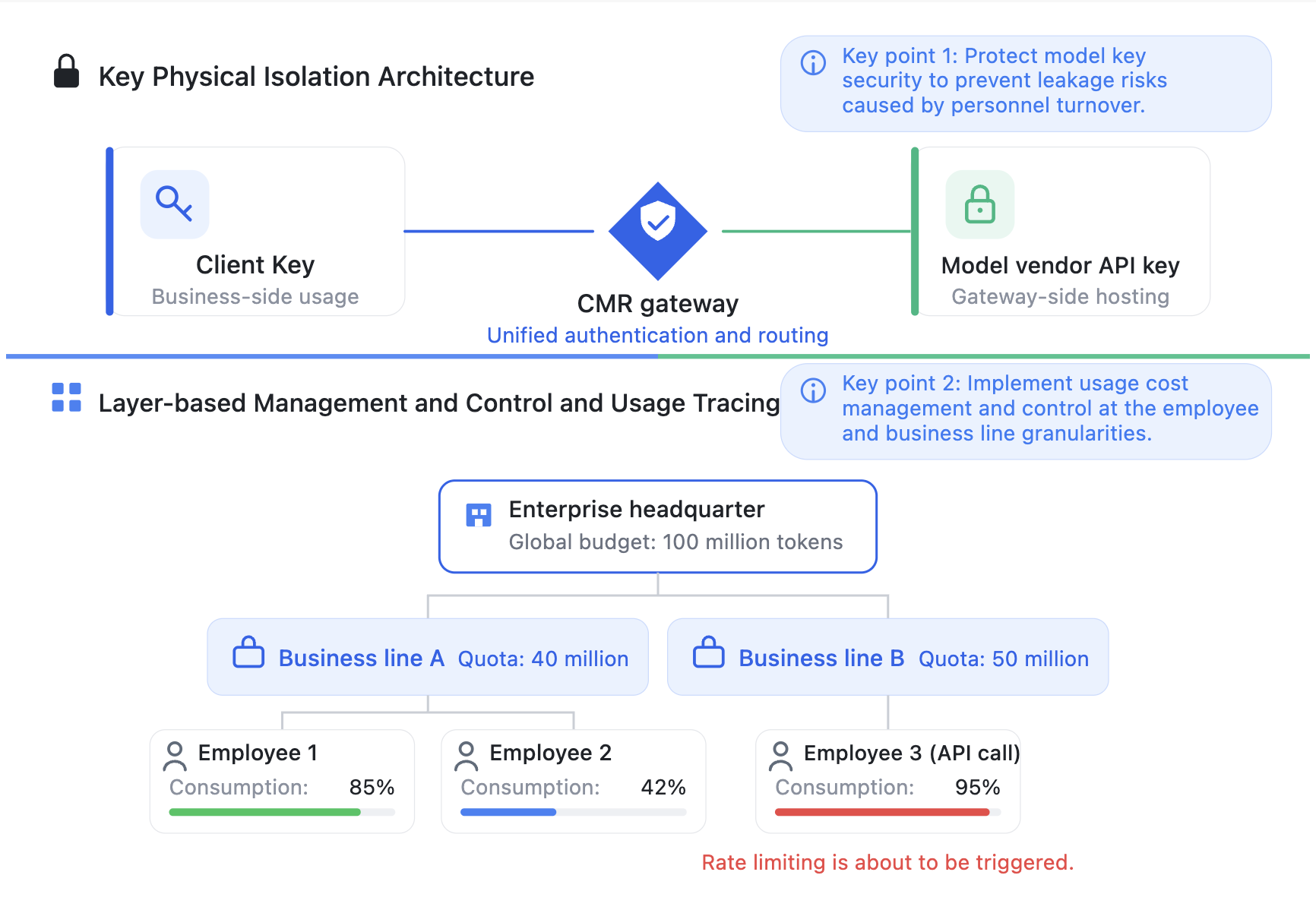
The architecture is centered on the CMR gateway, which centrally manages business-side API keys and gateway-side managed model keys. Business-side API keys are held separately by business lines, employees, and Agents. Gateway-side managed model keys include real credentials such as original vendor models, third-party proxies, and self-built models, and are centrally hosted on the gateway side, remaining invisible to business users. In terms of cost control, credits serve as the intermediate unit of measurement that connects "Token consumption" with "budget constraints." The gateway configures coefficients for each model to convert models with different unit prices into a unified credit standard, and then sets quotas for instances or specified API keys through credit budgets. When a quota is exhausted, rate limiting is automatically triggered. As a result, a tiered cost control structure of "enterprise quota → business line quota → employee Key quota" is established, with consistent standards across all tiers.
Prerequisites
1. A CMR instance has been created. For detailed instructions, see Creating a CMR Instance.
2. A CMR access key has been created. For detailed instructions, see Creating a CMR Access Key.
3. A BYOK instance has been created. For detailed instructions, see Managing a BYOK Instance.
4. To control credit consumption or call rates, create the corresponding credit budget in advance. For detailed instructions, see Configuring a Credit Budget.
Operation Steps
Step 1: Creating a Credit Budget
1. Log in to the CMR console and select Credit Management in the left sidebar. On the Credit Budget page, click Create Credit Budget.

2. On the Create Credit Budget page, enter a credit budget name and configure the maximum credit quota, reset cycle, and TPM and RPM rate limits. Click Next: Associate Objects.
3. On the Associate Objects page, select the association type and instance, and click Finish.
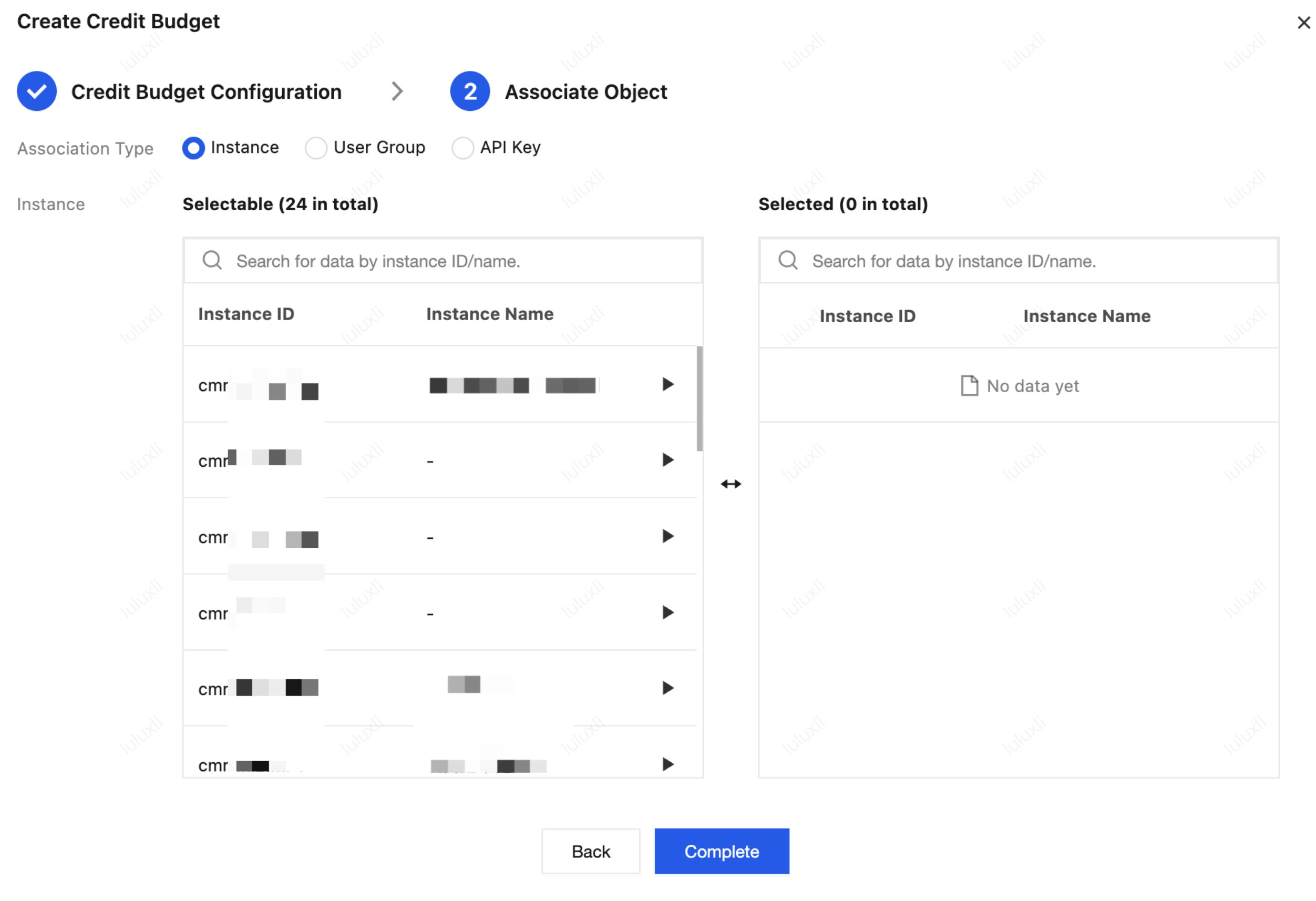
Step 2: Associating a Credit Budget with a CMR Instance
1. Log in to the CMR console. On the Instance Management page, click the target instance ID to go to the Basic Information page of the target instance.
2. In the Instance Limits module, click Edit, select Limit Type as credit budget, and associate a configured credit budget with the current CMR instance.
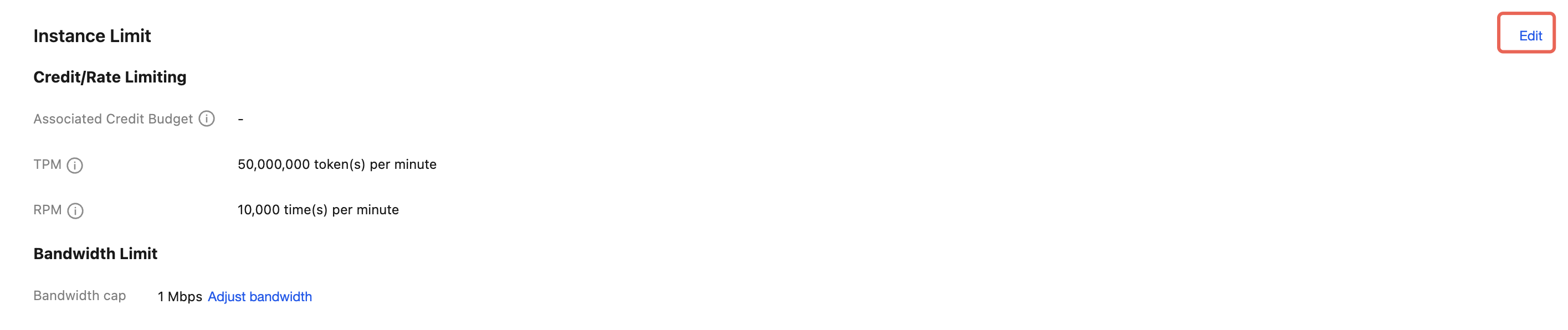
3. Confirm the budget package quota, TPM, and RPM configurations of the credit budget.
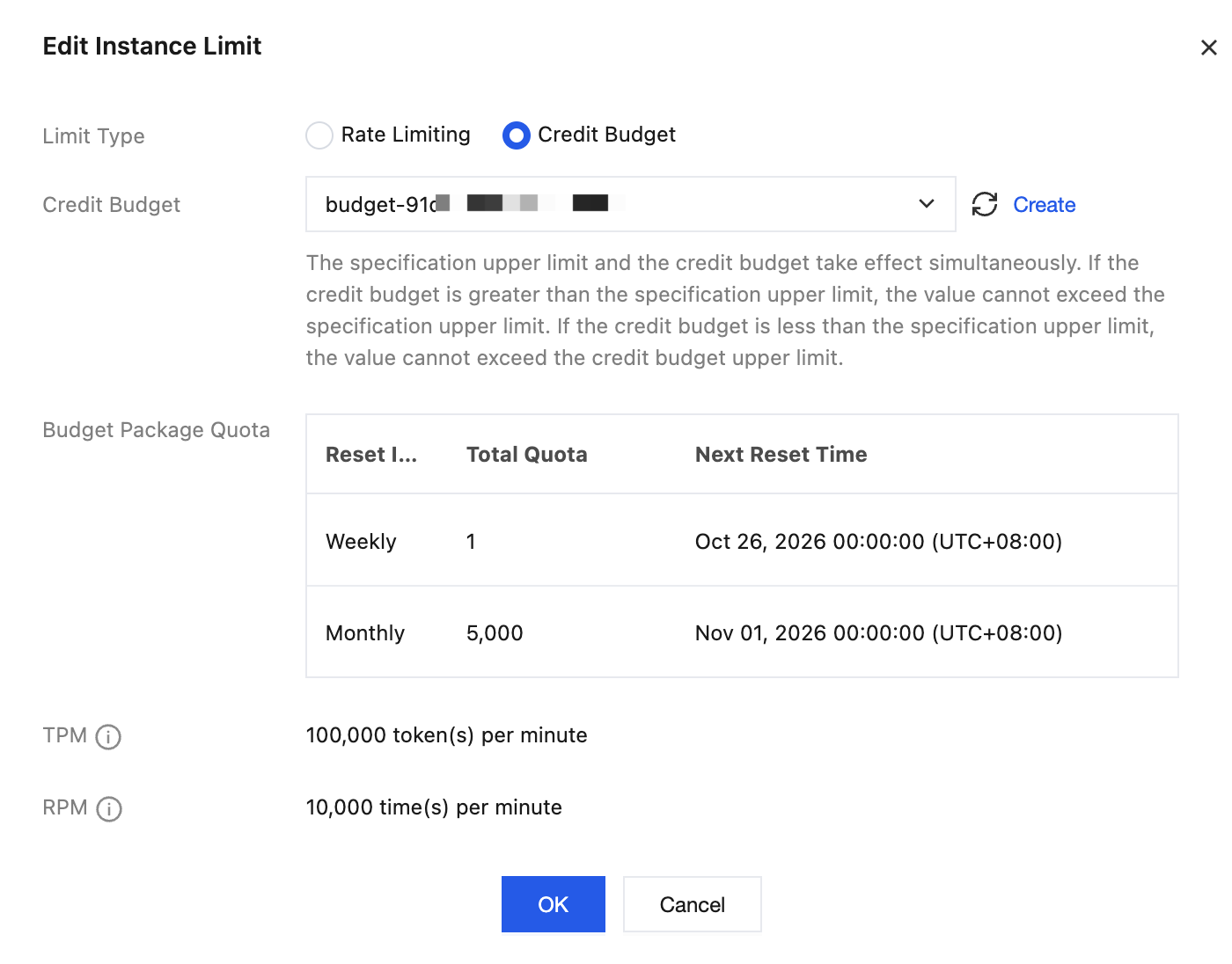
4. Click OK to complete the configuration.
Step 3: Associating a Credit Budget with a User Group
1. If a user group has been created, click Associate Credit Budget on the corresponding user group page to associate it.
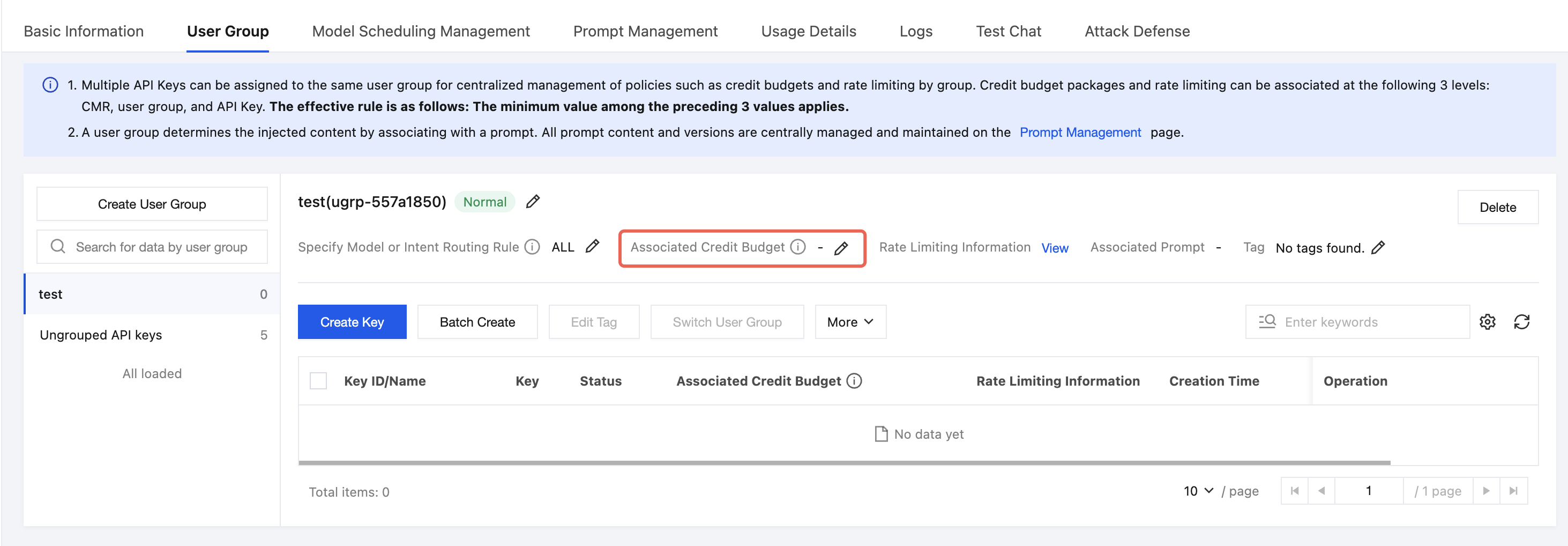
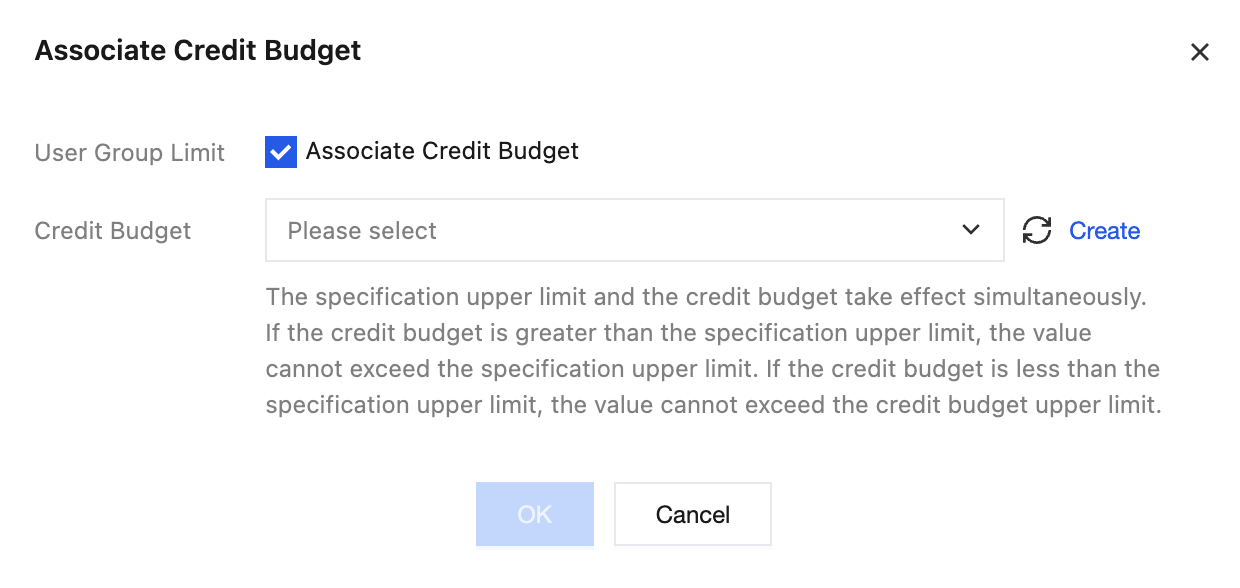
2. If no user group has been created, select the User Group tab and click Create User Group. On the Create User Group page, select Credit Budget Limit and choose a configured credit budget.

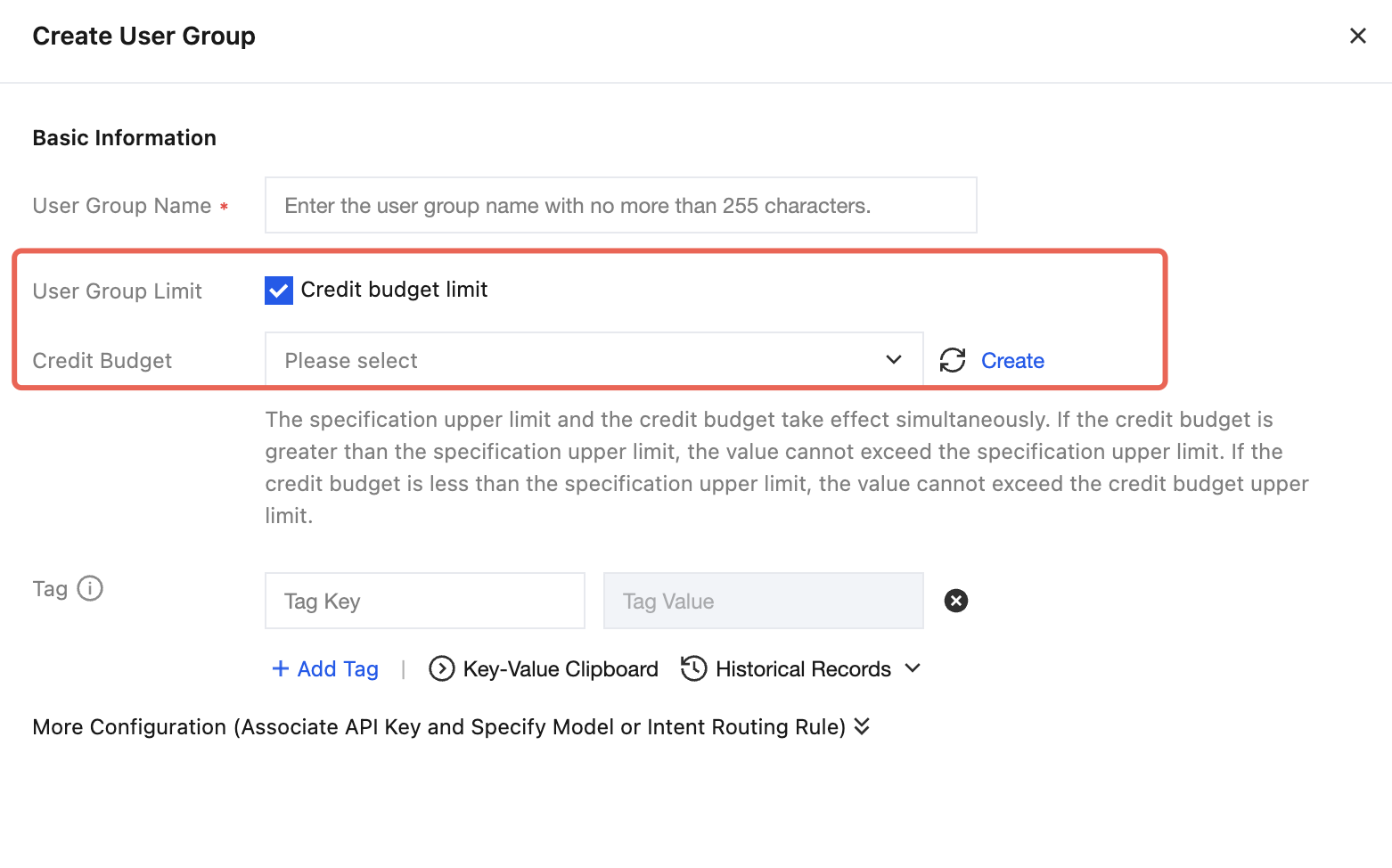
Step 4: Associating a Credit Budget with an API Key
To further control resource consumption by individual applications, employees, or scripts, you can configure a separate credit budget for an API Key.
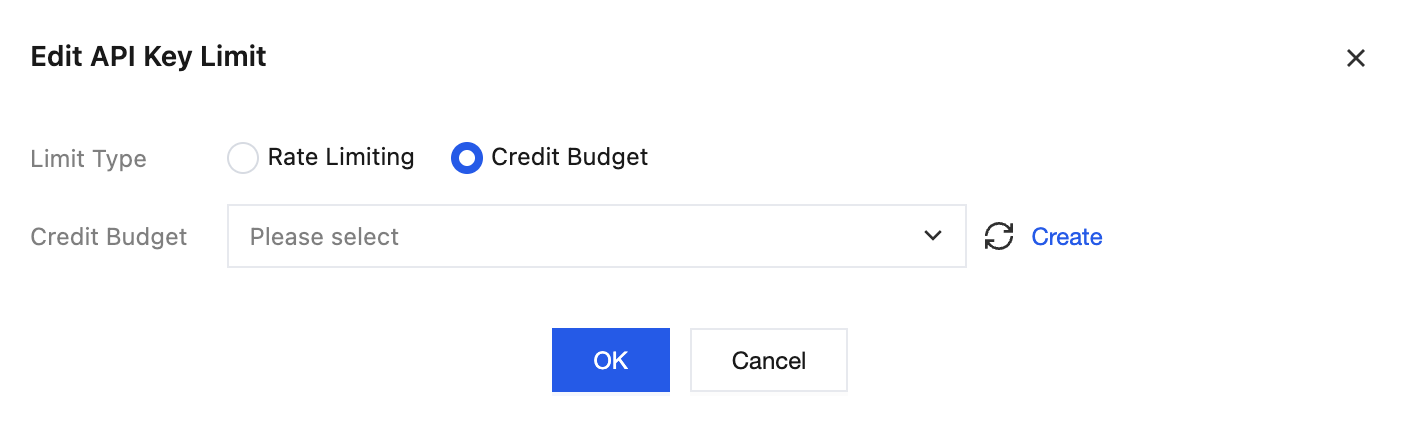
1. In the User Group API Key list or the Ungrouped API Key list, find the API Key for which you want to set credit limits, and click Edit API Key Limit.
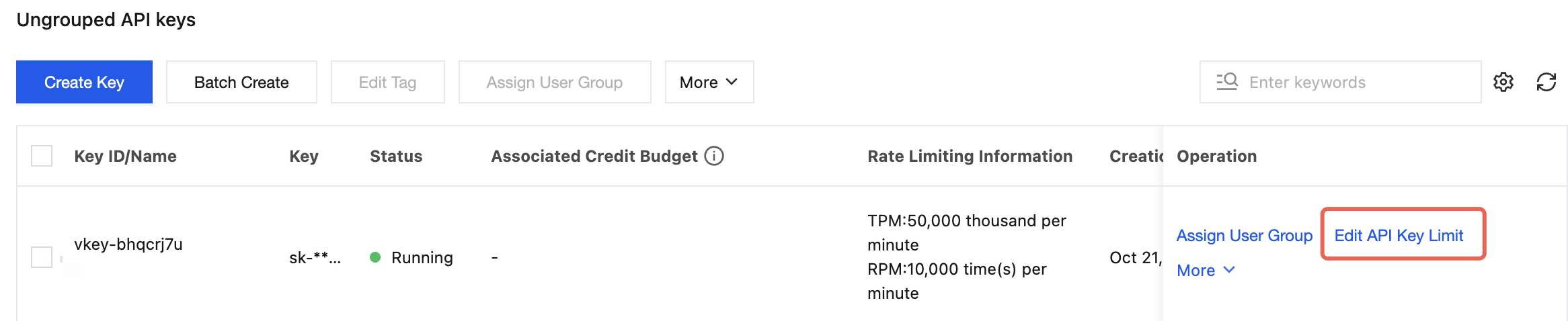
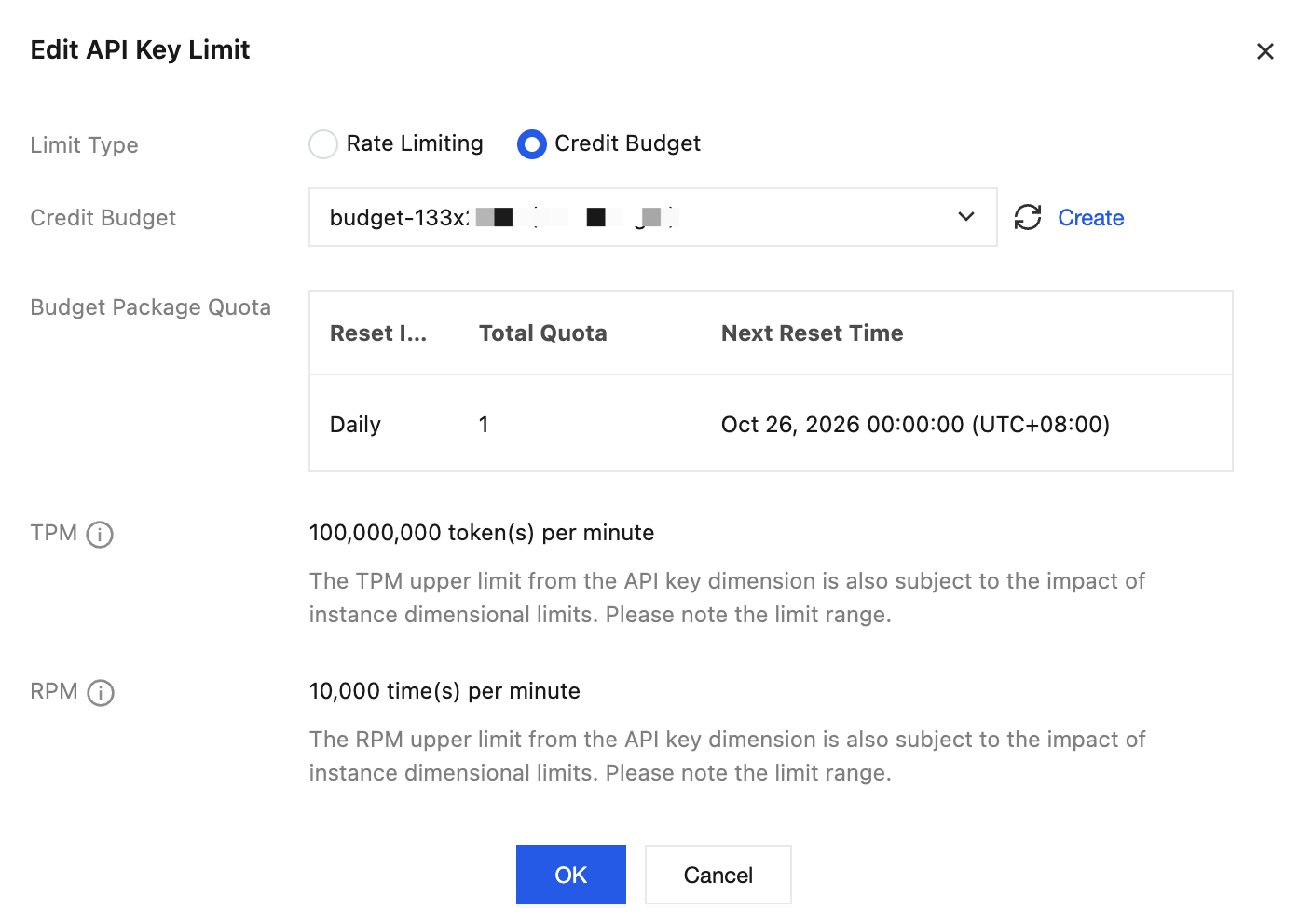
2. For Limit Type, select Credit Budget, and choose a configured credit budget for the API Key from the credit budget drop-down list.
3. Confirm the budget package quota, TPM, and RPM configurations of the credit budget.
Step 5: Verifying the Results
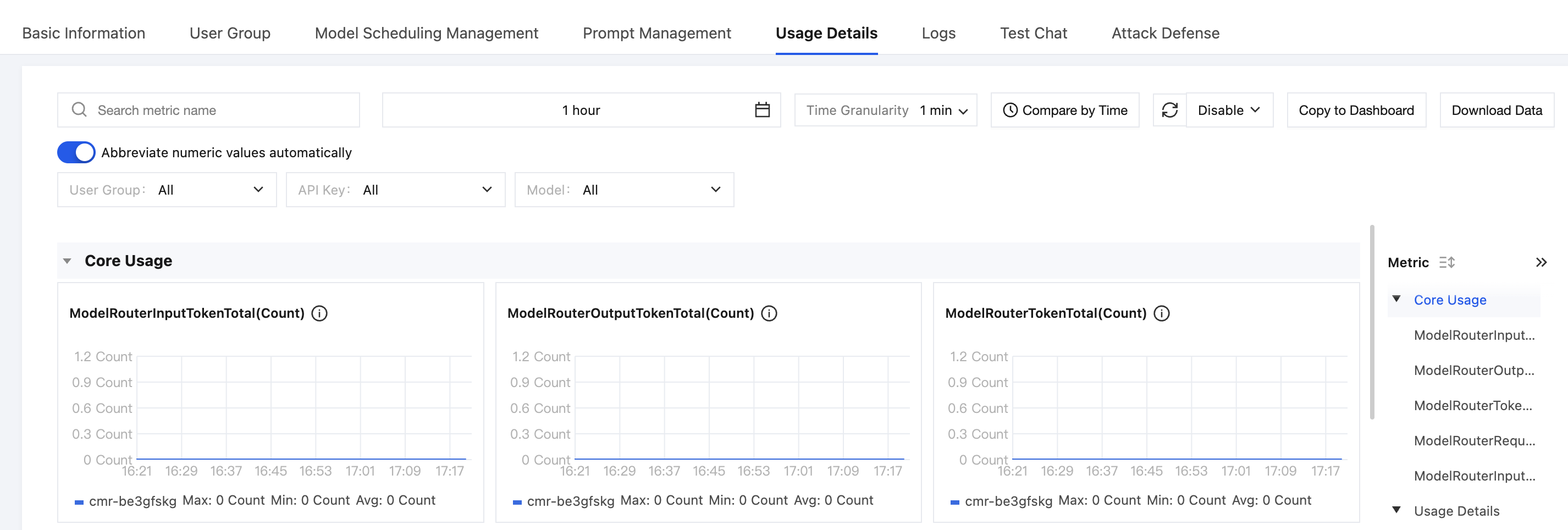
1. Different API Keys send multiple model requests consecutively through business applications or testing tools.
2. In Usage Details, view consumption by dimensions such as instance, user group, and API Key.
References
Help and Support
Was this page helpful?
You can also Contact sales or Submit a Ticket for help.
Help us improve! Rate your documentation experience in 5 mins.
Feedback