LLM Security and Traceability
Download
Focus Mode
Font Size
Large model applications introduce risk types that traditional security systems have not yet covered. These risks are no longer limited to the network layer, such as port scanning, but occur at the semantic layer: Prompt injection attempts to hijack the model's instruction boundary, sensitive information may be leaked during normal Q&A, and malicious compute consumption exhausts GPU resources through extremely long or high-frequency requests.
Single-point protection is insufficient to address the risks described above: network isolation alone cannot defend against semantic attacks. An effective approach is to build defense in depth by deploying complementary protection layers, so that an attack can succeed only after breaching multiple lines of defense, while ensuring that every request leaves a complete and traceable record. This solution centers on CMR to configure security groups and WAF large model security in place at one time, constraining large model access to a manageable, auditable, and traceable channel.
Solution Value
The value of the solution lies not in the strength of any single layer, but in the defense in depth formed by combining them: the attack surface is narrowed layer by layer, risks are mitigated at each level, and evidence is preserved throughout the entire process.
Capability | Customer Benefits |
Security group | Restrict access entry points, allow only authorized sources to reach the gateway, and prioritize blocking most illegitimate traffic. |
WAF LLM security: Prompt injection interception, sensitive word filtering, and computing power consumption protection | Defend against semantic-level attacks specific to large models, and protect core AI assets and computing power. |
Architecture Description
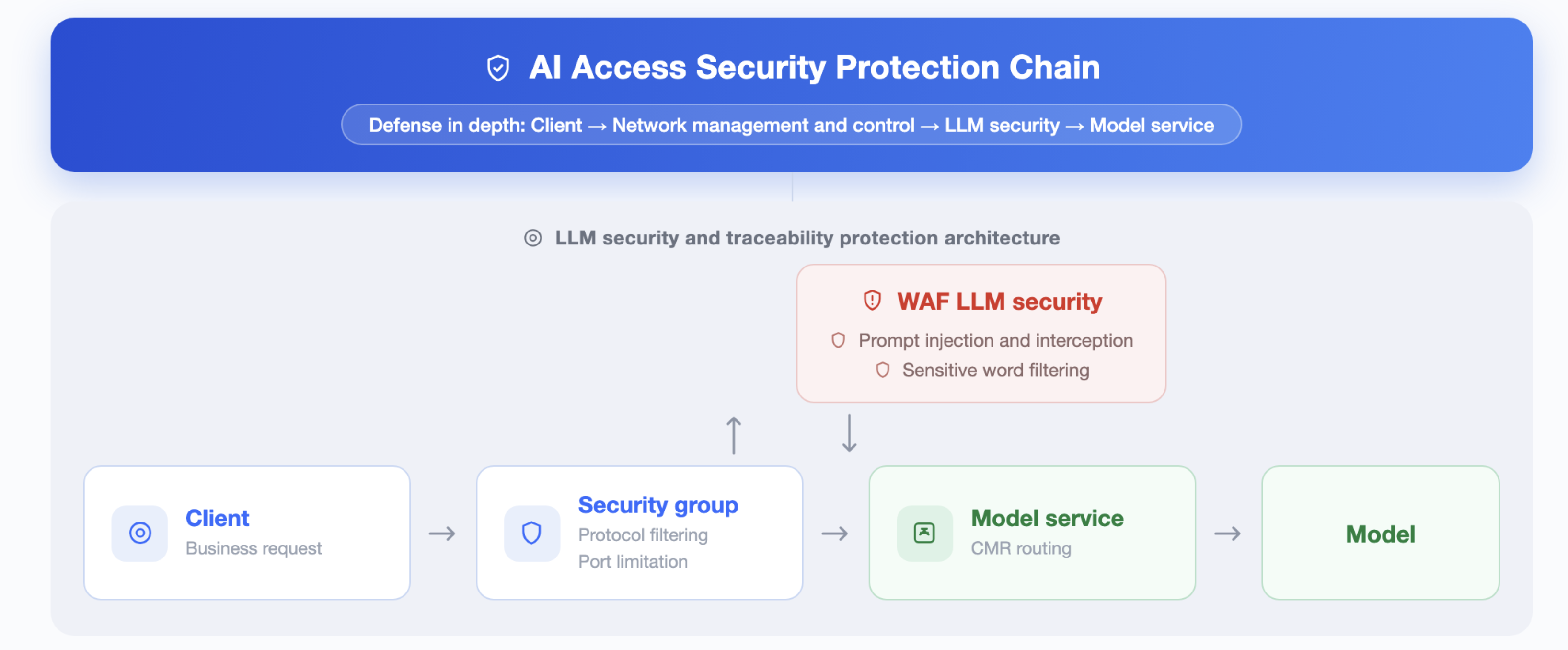
After a request is sent from the client, it is first filtered by the security group for access control, blocking most illegitimate access at the outermost layer. Then, the WAF large model performs bidirectional semantic inspection on requests and responses to identify and block Prompt injection and jailbreak attacks, filter sensitive words and non-compliant content in real time, prevent sensitive data leakage, and apply compute consumption protection against extremely long or high-frequency requests. This layer targets large model-specific threats that traditional WAFs cannot identify, serving as the core of the entire protection system while providing complete evidence for auditing and tracing. After the inspection is passed, the request is routed by CMR to the target model service for inference.
Prerequisites
1. A security group has been created, and the required security group rules have been added to it. For detailed operations, see Creating a Security Group and Adding a Security Group Rule.
2. You have purchased a WAF instance and the Large Model Security add-on feature. Ensure that WAF protection is enabled.
Operation Steps
Step 1: Creating a CMR Enterprise Instance
Log in to the CMR console and create an Enterprise instance as the access core of the three-layer protection. For detailed instructions, see Model Routing Instance Management.
Step 2: Configuring a Security Group
1. Log in to the CMR console. On the Instance Management page, click the target instance ID to go to the instance management page of the target instance.
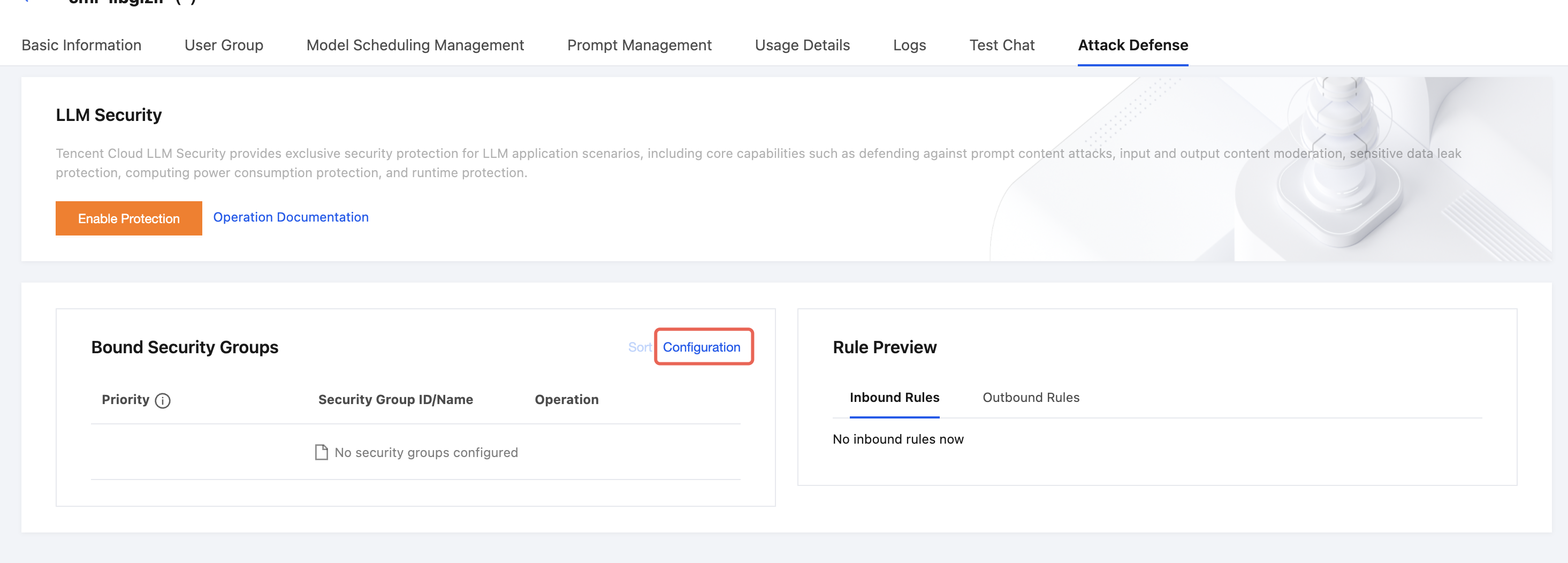
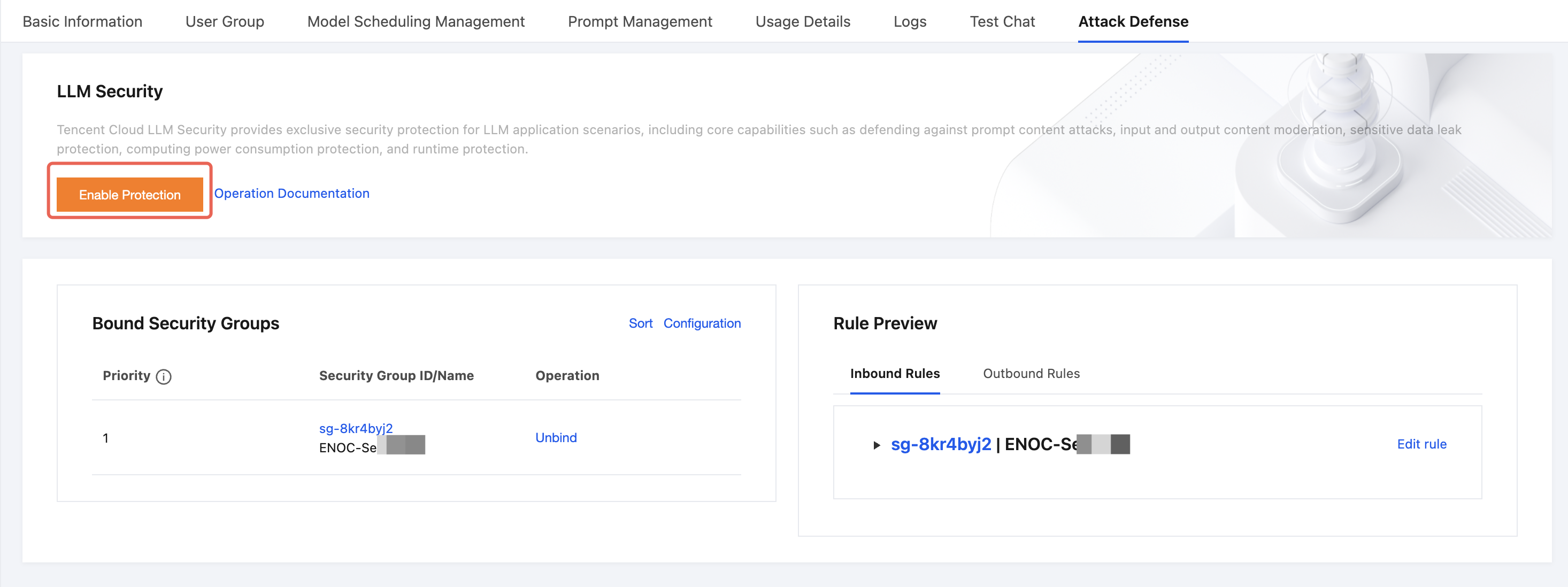
2. Go to the Security Protection tab. In the Bound Security Groups module, click Configure.
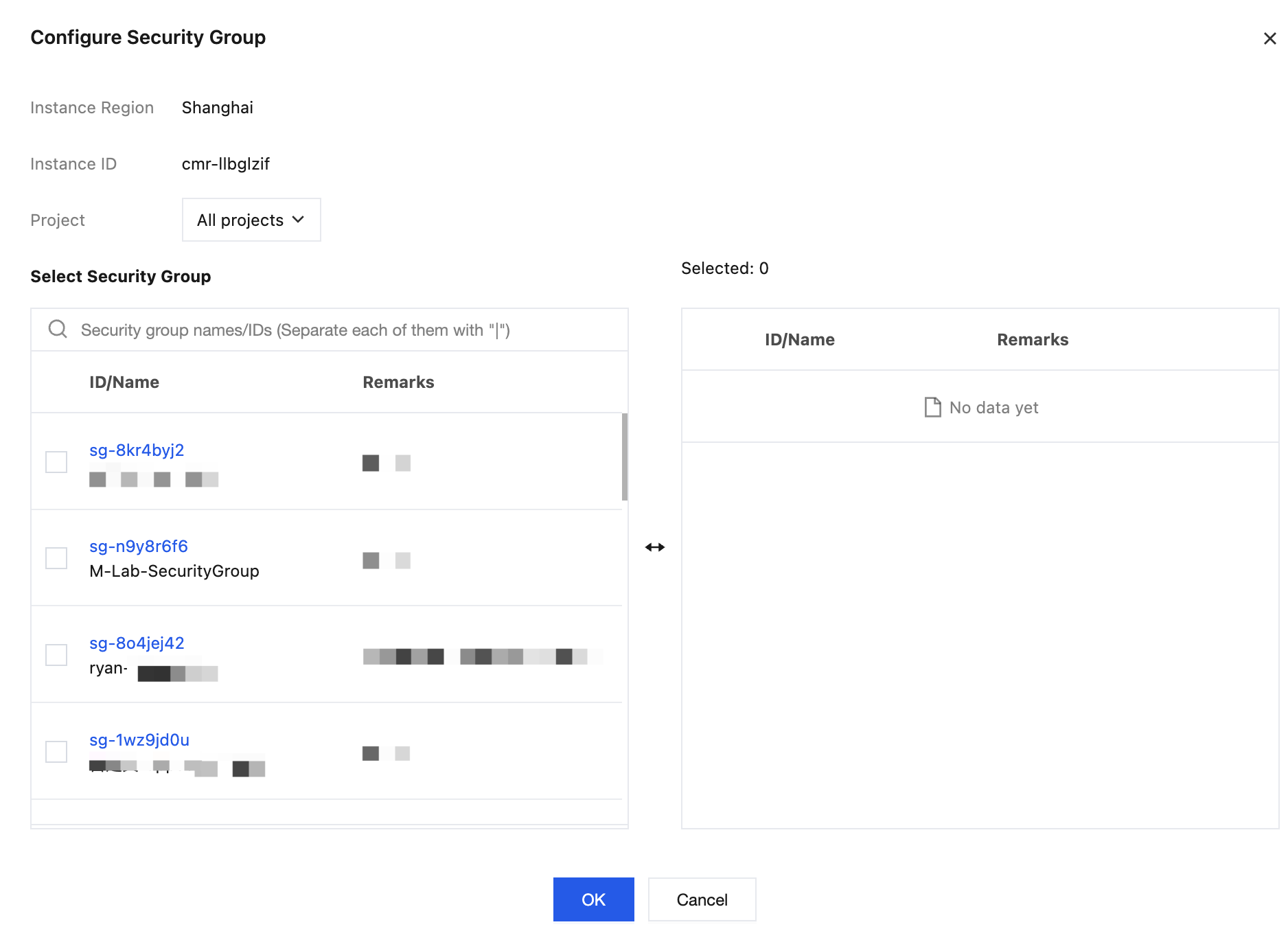
3. In the Configure Security Group dialog box, select one or more security groups and add them to the Selected list on the right. You can drag them to adjust their priority. After confirming that the configuration is correct, click OK.
Note:
Security group rules are evaluated top‑to‑bottom. Once a matching allow rule takes effect, subsequent rules are skipped and unmatched traffic is denied by default. Pay attention to the rule order. For details, see Description of Security Group Rules.
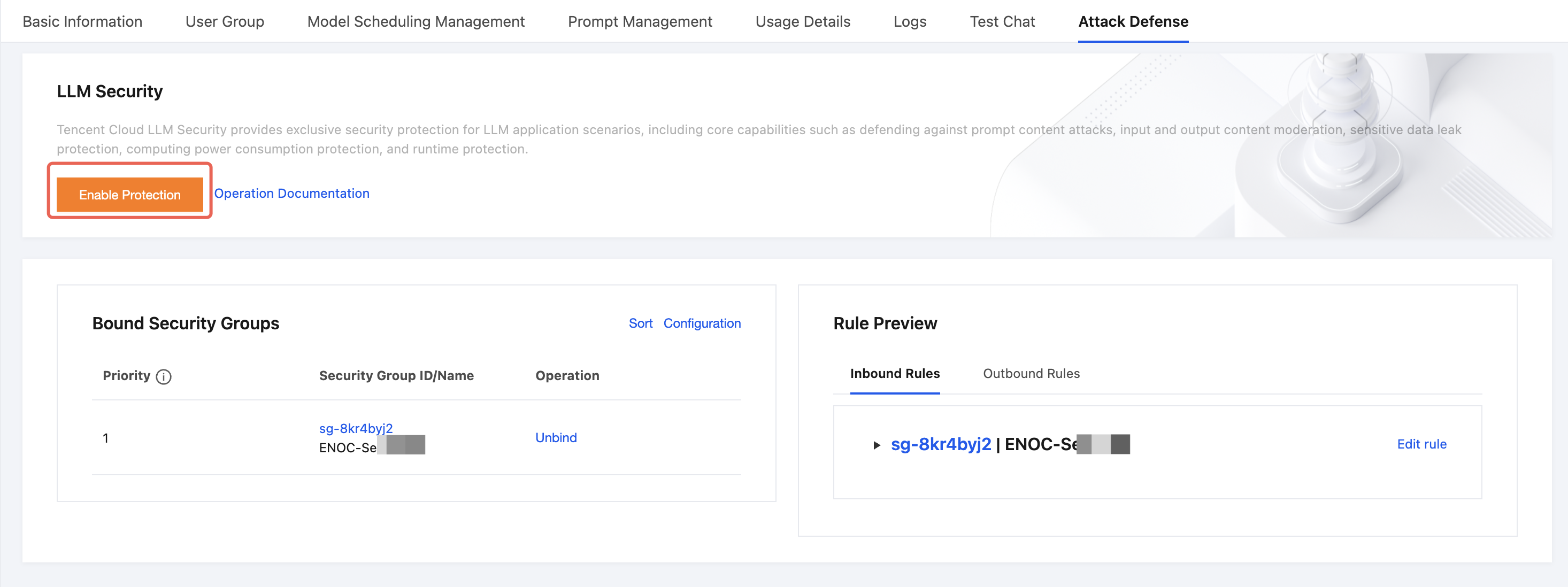
4. After binding is complete, you can view or edit the inbound rules or outbound rules of the bound security groups in the Rule Preview module on the right. Clicking Edit Rules redirects you to the security group page for further operations. For detailed operations, see Modifying Security Group Rules.
Step 3: Configuring WAF LLM Security
1. Log in to the CMR console. On the Instance Management page, click the target instance ID to go to the instance management page of the target instance.
2. Go to the Security Protection tab. In the WAF Large Model Security section, click Enable Protection.
3. In the configuration dialog box, configure the following parameters:
Parameter | Description |
WAF instance | |
Service information | Select the Service to protect. The system automatically pulls the list of Services configured under this instance. |
Maximum conversation turns for detection | Set the maximum number of turns for continuous conversation content detection. Value range: 1-20. Default value: 5. |
4. Click OK to complete the WAF security protection configuration. After the operation is complete, the security protection status of the instance will change to Enabled, indicating that the instance has been successfully connected to WAF security protection.
Attention:
After you enable WAF security protection, billing starts for the WAF instance. Ensure that your account has sufficient balance.
When you enable protection for the first time, select observation mode. After confirming that business traffic is normal, switch to interception mode to avoid affecting your business due to false positives.
If the WAF instance is not renewed upon expiration, the protection feature will automatically become invalid. Renew it in a timely manner.
Step 4: Viewing WAF LLM Security Protection Effects
Simulate requests containing sensitive information through a terminal to test the effectiveness of WAF large model prompt security protection.
1. Sensitive information requests are simulated through a terminal.
curl -k https://<CMR_VIP>/v1/chat/completions \\-H "Content-Type: application/json" \\-H "Authorization: Bearer <API_KEY>" \\-d '{"model": "<model name>","messages": [{"role": "user","content": "<simulated sensitive information>"}]}'
2. Log in to the WAF console.
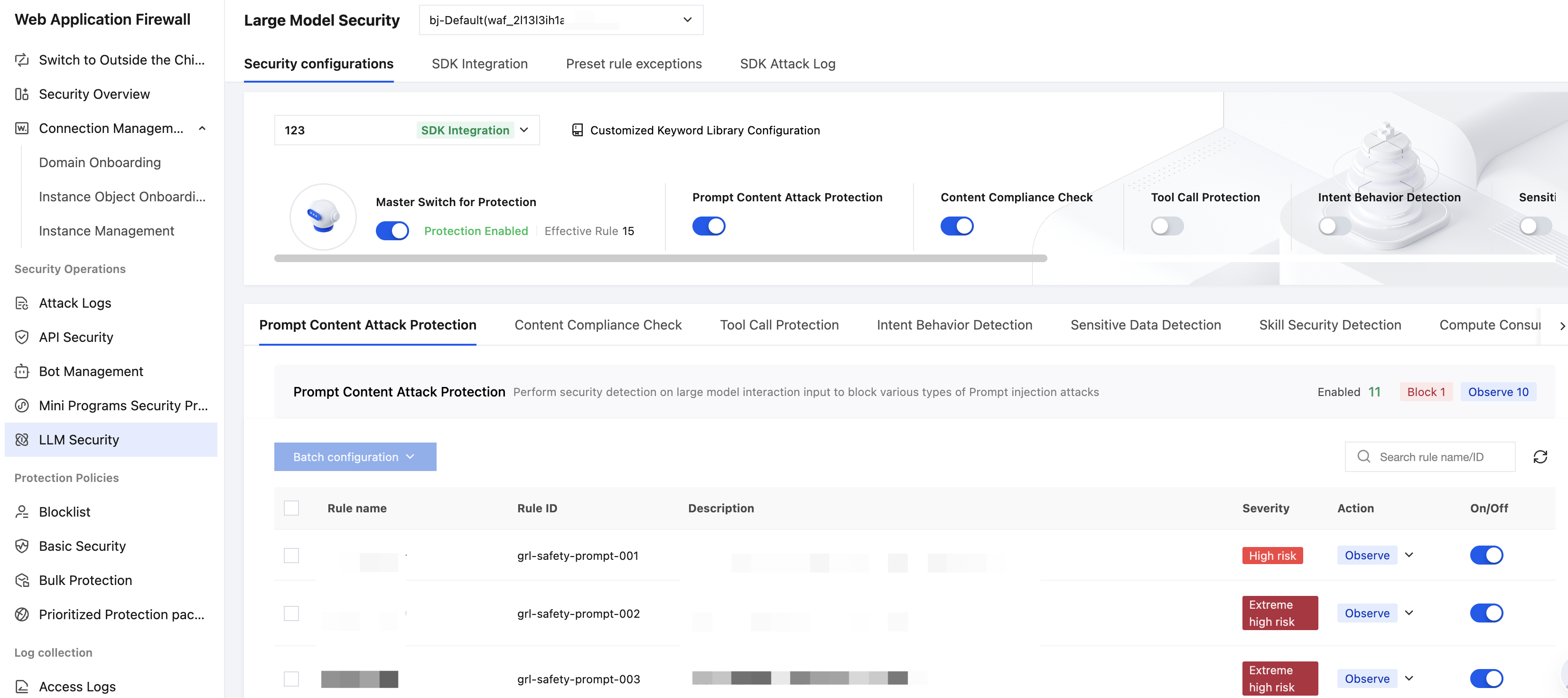
3. In the left sidebar, select Large Model Security and then select the corresponding WAF instance.
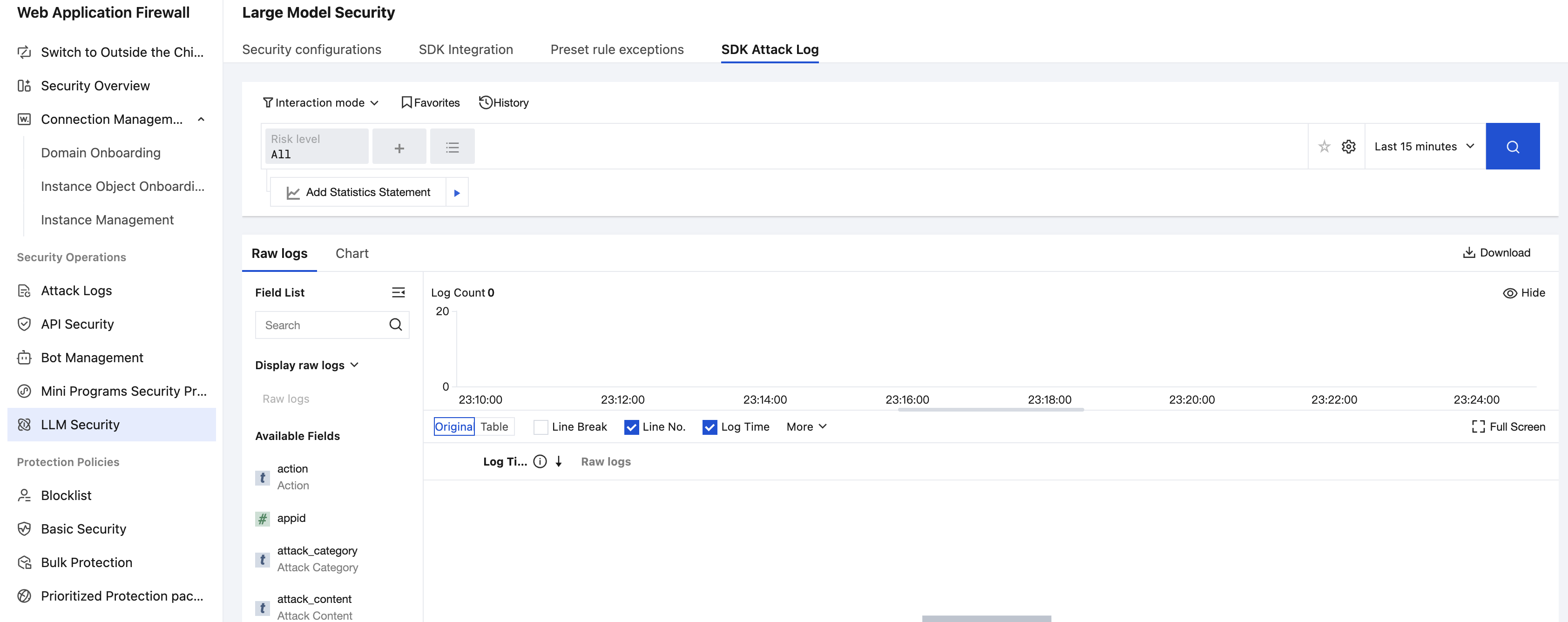
4. Switch to SDK attack logs to view detailed logs of sensitive information requests.
References
Help and Support
Was this page helpful?
You can also Contact sales or Submit a Ticket for help.
Help us improve! Rate your documentation experience in 5 mins.
Feedback