Allocating Access Keys
Download
Focus Mode
Font Size
This document describes how to assign CMR access keys (API Keys) to user groups, including individual assignment and batch assignment.
Introduction
A CMR access key (API Key) is an identity credential used by callers to access a CMR instance. Assigning it to user groups enables unified management at the user group level.
Prerequisites
1. A CMR instance has been created. For detailed instructions, see Creating a CMR Instance.
2. A CMR access key has been created or imported. For detailed instructions, see Creating a CMR Access Key.
3. A target user group has been created. For detailed instructions, see Configuring a User Group.
Operation Steps
Step 1: Allocating a Single API Key
1. Log in to the CMR console. On the Instance Management page, click the target instance ID.

2. On the instance details page, select the User Group tab.
3. In the user group list on the left side of the page, select the user group to which the target API key currently belongs. When an API key is created or imported, if no user group is specified, the API key is assigned to the "Ungrouped API Keys" user group by default.
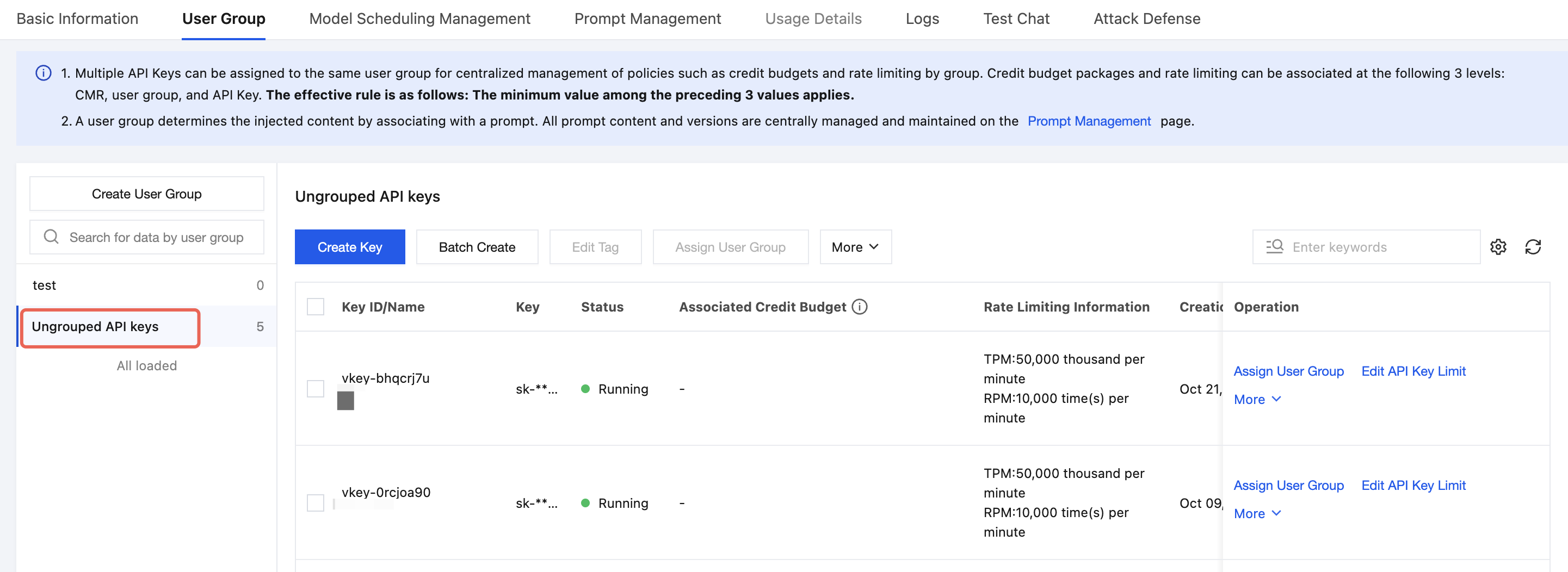
4. In the current API Key list, locate the target API Key and click Assign User Group.

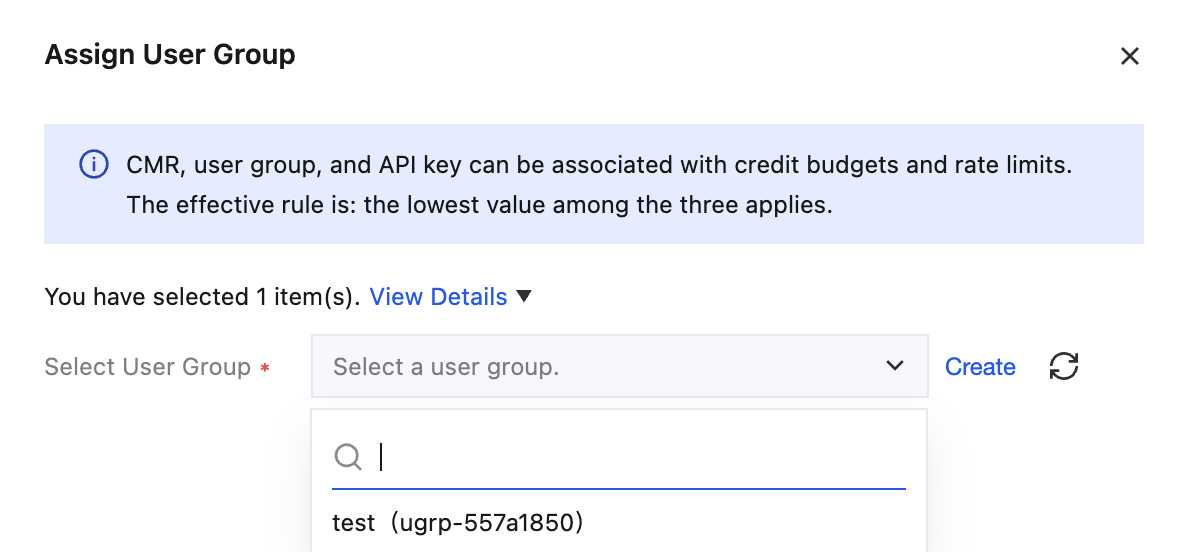
5. In the dialog box that appears, select the target user group under the current instance, and then click OK.
Step 2: Allocating API Keys in Batches
1. In the user group list on the left side of the User Group tab, select the user group to which the target API Key currently belongs.
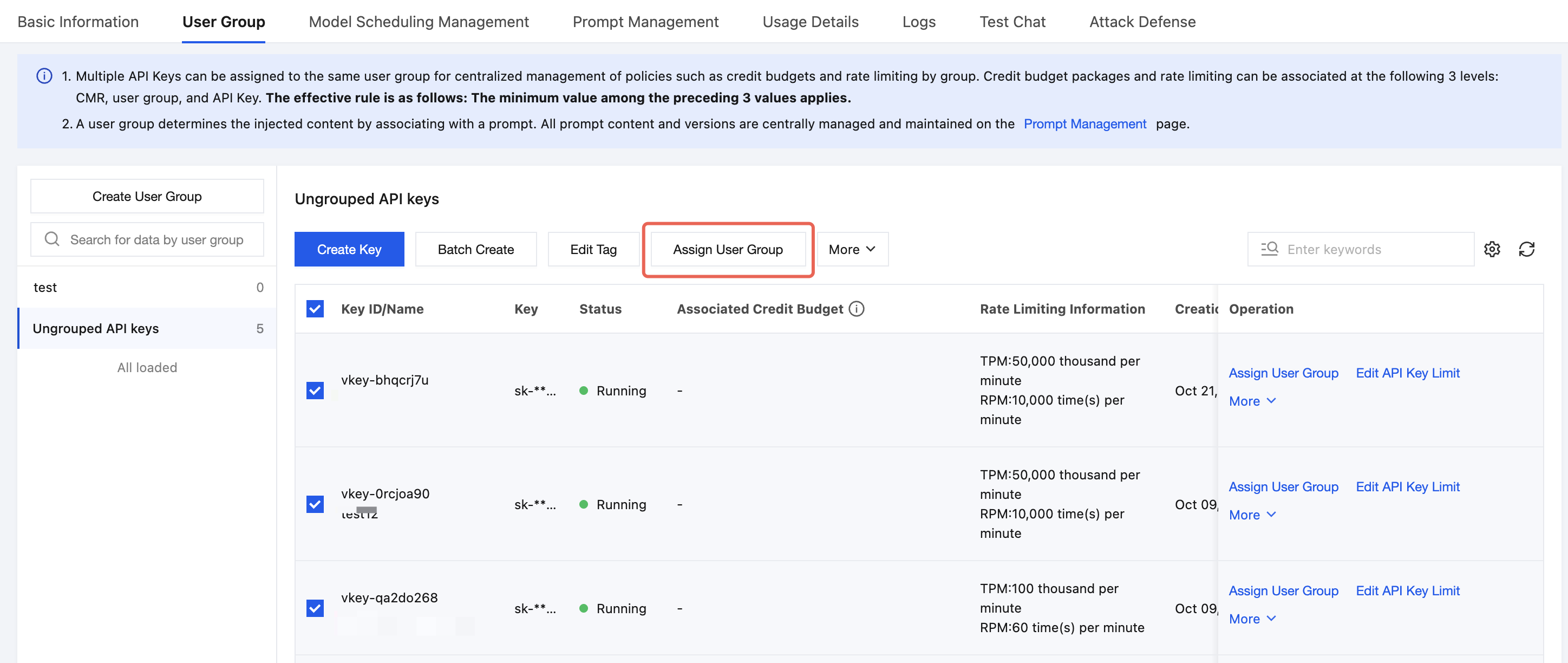
2. In the API Key list, select the multiple API Keys that need to be assigned.
3. Click Assign User Group above the list.
4. In the dialog box that appears, select the target user group under the current instance, and then click OK.
Note:
Each API Key can be assigned to only one user group under the current instance.
After an API Key is assigned to another user group, it is removed from the original user group.
After the API Key is assigned, it is subject to the model access scope, intent routing rules, credit budget, and rate limits configured for the target user group.
Help and Support
Was this page helpful?
You can also Contact sales or Submit a Ticket for help.
Help us improve! Rate your documentation experience in 5 mins.
Feedback