Claude code
Download
Focus Mode
Font Size
Claude Code is an AI coding tool that runs in the terminal and assists developers with coding, debugging, and code management through natural language. This document describes how to configure and use Tencent Cloud CMR in Claude Code.
Installing Claude Code
Install Claude Code according to your local environment. For detailed operations, see Claude Code Documentation. If Claude Code is already installed, you can skip this step.
After installation, run the following command to check the version. If the terminal displays a version number, the installation is successful.
claude --version
Obtaining an API Key
Attention:
After creation, make sure to copy and securely store the API Key. Once you close the success dialog, you will not be able to view the complete API Key again.
Configuring Claude Code
Skipping Login Verification
Edit or create
~/.claude.json (Windows path: C:\\Users\\<username>\\.claude.json), set hasCompletedOnboarding to true, and skip the official Anthropic login verification.{"hasCompletedOnboarding": true}
Creating a Configuration File
1. Edit or create the
settings.json file. The configuration file path varies by system. For details, refer to:For MacOS/Linux, the corresponding path is:
~/.claude/settings.jsonFor Windows, the corresponding path is:
user directory/.claude/settings.jsonIf the
settings.json file does not exist, you can create it manually with a text editor (such as VSCode or Notepad), or run the following command in the terminal to create it:Run the following command to create a user-level configuration file:
mkdir -p ~/.claude && touch ~/.claude/settings.json
Running Environment
Operating System: Ubuntu 24.04.3 LTS / x86_64
Runtime Version: GNU bash, version 5.2.21(1)-release (x86_64-pc-linux-gnu)
The configuration file path is
~/.claude/settings.json.Run the following command in PowerShell to create a user-level configuration file:
New-Item -ItemType Directory -Force -Path "$HOME\\.claude" | Out-Null; New-Item -ItemType File -Force -Path "$HOME\\.claude\\settings.json" | Out-Null
The configuration file path is
$HOME\\.claude\\settings.json.2. Write the following configuration to
settings.json, and replace <USER_API_KEY> and <user domain> with the actual information of the current CMR instance.{"env": {"ANTHROPIC_BASE_URL": "https://<user domain>","ANTHROPIC_AUTH_TOKEN": "<USER_API_KEY>","ANTHROPIC_MODEL": "ModelRouter/auto","ANTHROPIC_DEFAULT_OPUS_MODEL": "ModelRouter/auto","ANTHROPIC_DEFAULT_SONNET_MODEL": "ModelRouter/auto","ANTHROPIC_DEFAULT_HAIKU_MODEL": "ModelRouter/auto","CLAUDE_CODE_SUBAGENT_MODEL": "ModelRouter/auto","ENABLE_TOOL_SEARCH": "false"}}
Environment Variable | Required | Description |
ANTHROPIC_BASE_URL | Yes | API Gateway address for Claude Code requests. |
ANTHROPIC_AUTH_TOKEN | Yes | API Key used for authentication. Replace it with a real API Key created in the CMR console. Keep it secure to prevent leakage. |
ANTHROPIC_MODEL | Yes | Default model name called by Claude Code. This document uses ModelRouter/auto as an example. |
ANTHROPIC_DEFAULT_OPUS_MODEL | No | Model to which the Opus tier (high-complexity tasks) in Claude Code is mapped. |
ANTHROPIC_DEFAULT_SONNET_MODEL | No | Model to which the Sonnet tier (default daily tasks) in Claude Code is mapped. |
ANTHROPIC_DEFAULT_HAIKU_MODEL | No | Model to which the Haiku tier (lightweight/fast tasks) in Claude Code is mapped. |
CLAUDE_CODE_SUBAGENT_MODEL | No | Model used by Claude Code when it creates subtasks (subagents). |
ENABLE_TOOL_SEARCH | No | Whether to enable the built-in native web search tool in Claude Code. |
Note:
For
ANTHROPIC_BASE_URL, enter the domain name of the CMR instance. Do not append /v1/messages. Claude Code automatically constructs the Anthropic Messages request path.ModelRouter/auto indicates that an available model is selected based on the L1 CMR policy. You can also replace each model variable with a model name or intent route name already associated with the current instance.Setting Opus, Sonnet, Haiku, and the subagent model to the same value prevents Claude Code from switching to an unconfigured model across different tasks.
Claude Code prohibits third-party models from using the built-in native search tool, so set
ENABLE_TOOL_SEARCH to false. If internet search is required, configure a search MCP service as needed.3. After saving the configuration, close the current terminal and open a new terminal window for the configuration to take effect.
Verifying the Configuration
1. In the terminal, go to the project directory where you want to use Claude Code.
cd <project directory>
2. Run the following command to start Claude Code.
claude
3. After successful startup, enter
/status and press Enter to check the current configuration.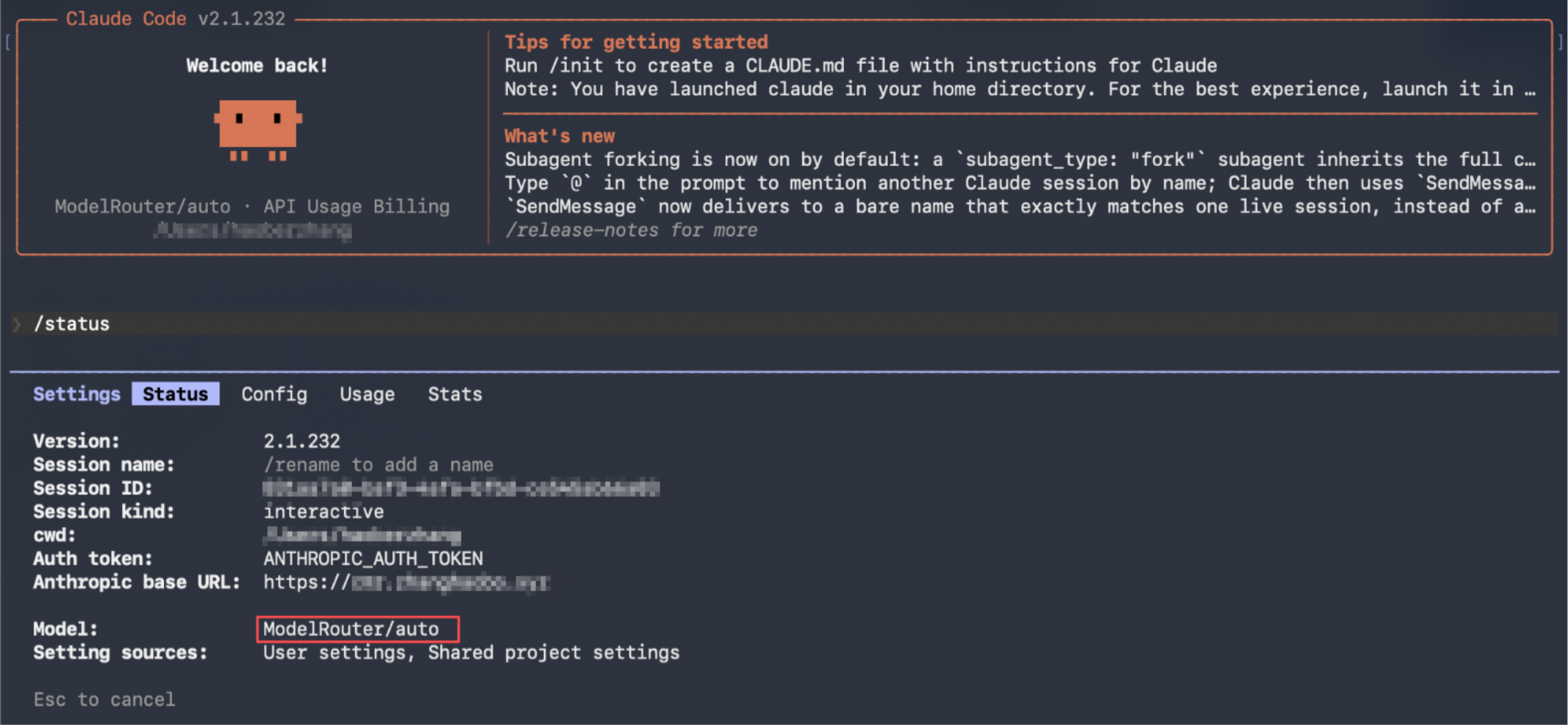
The configuration has taken effect when
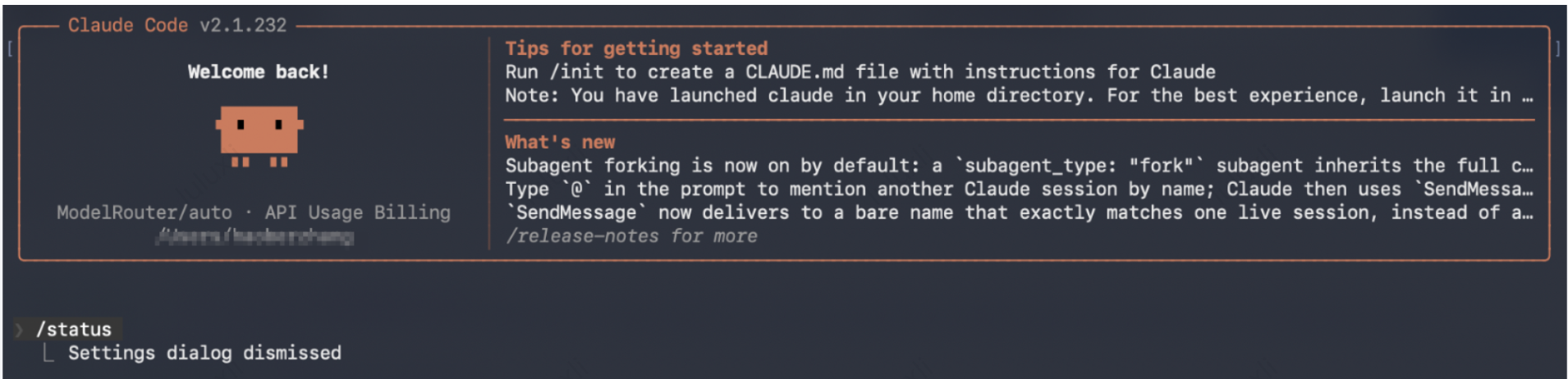
Anthropic base URL displays the CMR instance domain and Model displays ModelRouter/auto or the model name you configured.4. After confirming that the configuration has taken effect, you can start a conversation.
Help and Support
Was this page helpful?
You can also Contact sales or Submit a Ticket for help.
Help us improve! Rate your documentation experience in 5 mins.
Feedback