Granting Access Permissions for Other Cloud Products to Sub-accounts
Unduh
Mode fokus
Ukuran font
Terakhir diperbarui: 2026-01-05 09:59:37
Diterjemahkan oleh AI
The use of RabbitMQ may involve accessing the user's other cloud product resources, such as Virtual Private Cloud (VPC) and Cloud Virtual Machine (CVM). A scenario is viewing the availability zone (AZ) information of the user's subnet. Therefore, the root account needs to grant its sub-accounts appropriate permissions to call other cloud products based on actual needs.
Prerequisites
You have created sub-accounts for employees using the Tencent Cloud root account. For detailed operations, see Creating a Sub-account.
Operation Steps
Creating Custom Policies for Accessing Other Cloud Products
2. In the left sidebar, select Policies and click Create a custom policy. In the pop-up box for selecting a policy creation method, select Create according policy syntax to go to the Create by Policy Syntax page.
3. On the Create by Policy Syntax page, select Blank Template and click Next.
4. You can see the following API call table and policy syntax to grant sub-accounts appropriate permissions to call other cloud products based on actual needs. After a custom policy is generated, enter all information and click Complete.
The use of RabbitMQ involves the call of the following cloud products. The root account needs to authorize its sub-accounts separately to ensure the use of the corresponding RabbitMQ product features. The calls of cloud products involved in RabbitMQ in the custom policy are as follows:
Cloud Product
API Name
API Feature
Corresponding Role in RabbitMQ
CVM
DescribeZones
Queries availability zones (AZs).
Checks the AZ of the subnet when creating an instance.
VPC
DescribeVpcs
Queries the VPC network list.
Selects the VPC network to which the instance access address belongs when creating an instance.
VPC
DescribeSubnets
Queries the VPC network list.
Selects the subnet to which the instance access address belongs when creating an instance.
Tencent Cloud Observability Platform
(Monitor)
GetMonitorData
Pulls metric monitoring data.
Views monitoring data in RabbitMQ.
Tencent Cloud Observability Platform
(Monitor)
DescribeDashboardMetricData
Pulls metric monitoring data.
Views monitoring data in RabbitMQ.
Tencent Cloud Observability Platform
(Monitor)
DescribeBaseMetrics
Pulls a metric monitoring list.
Views the RabbitMQ monitoring list.
Tencent Cloud Observability Platform
(Monitor)
DescribeDashboardMetrics
Pulls metric monitoring dimensions.
Views monitoring dimensions in RabbitMQ.
Tencent Cloud Observability Platform
(Monitor)
DescribeMonitorProductByIds
Pulls monitoring configurations.
Queries the monitoring product list by ID.
Resource tags (Tags)
DescribeResourceTagsByResourceIds
Queries resource tags.
Views cluster resource tags.
Policy syntax example:
{
"version":"2.0",
"statement":[
{
"effect":"allow",
"action":[
"cvm:DescribeZones",
"vpc:DescribeVpcs",
"vpc:DescribeSubnets",
"monitor:GetMonitorData",
"monitor:DescribeDashboardMetricData",
"monitor:DescribeBaseMetrics",
"monitor:DescribeDashboardMetrics",
"monitor:DescribeMonitorProductByIds",
"monitor:DescribeOneClickAlarmConfigs",
"tag:DescribeResourceTagsByResourceIds",
],
"resource":[
"*"
]
}
]
}
Associating a Custom Policy with a Sub-account
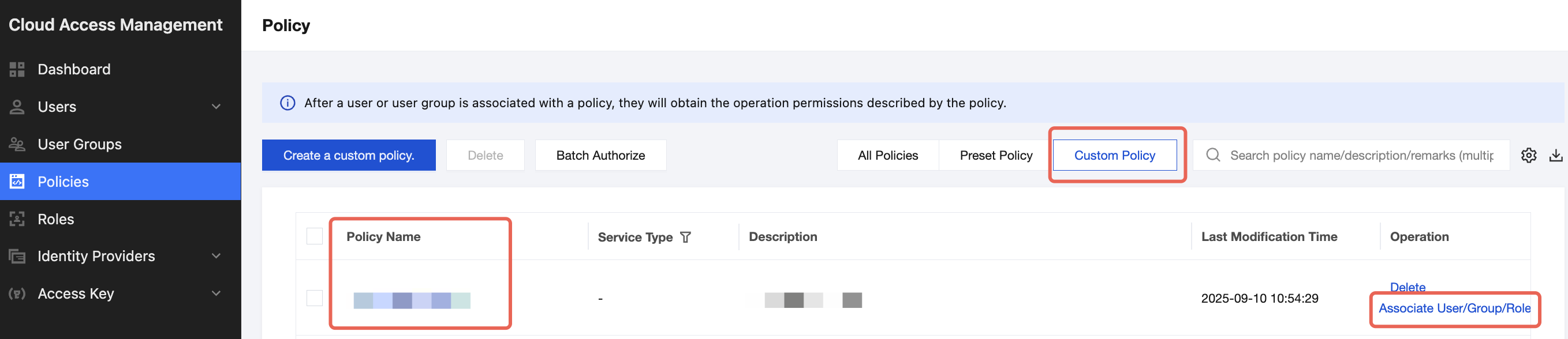
1. On the policy management list page, click Custom Policy to filter, locate the created custom policy, and click Associate User/Group/Role in the Operation column.
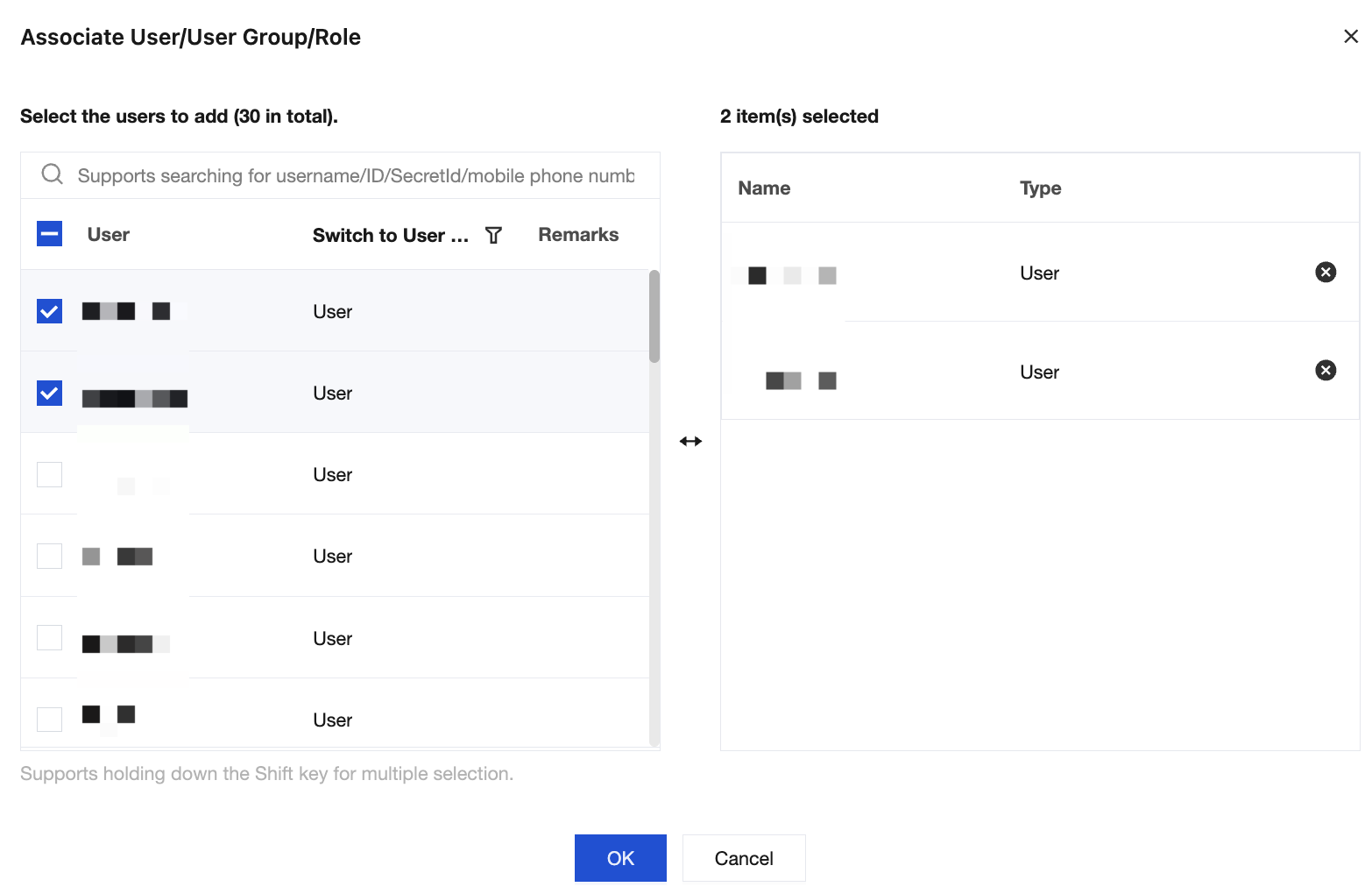
2. Select the sub-account to be granted this permission, and click OK to complete the authorization.
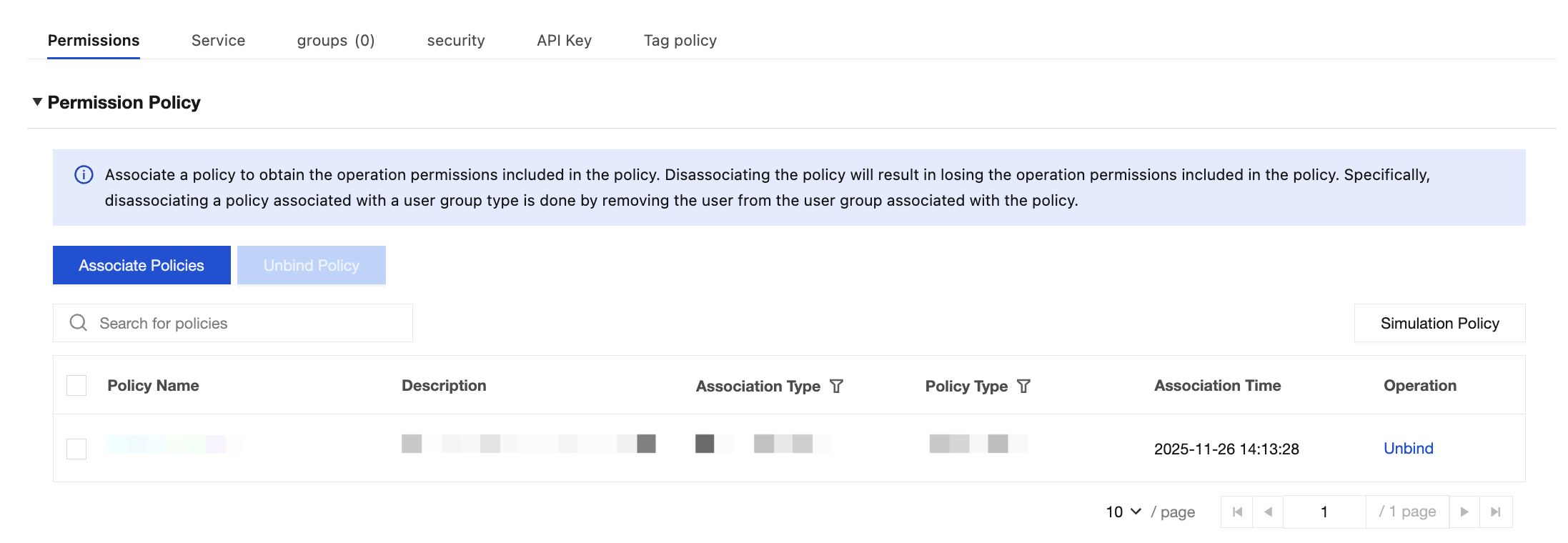
3. On the User List page, click the sub-account name to go to the User Details page. This policy will be displayed in the user's policy list.