This document introduces the operation steps for migrating services from an existing RabbitMQ cluster to a TDMQ for RabbitMQ cluster using the dual-write and dual-consumption method.
Prerequisites
1. You have purchased a TDMQ for RabbitMQ cluster.
2. You have migrated the metadata from an existing RabbitMQ cluster to the TDMQ for RabbitMQ cluster.
Operation Steps
1. Add new consumers to the new RabbitMQ cluster to prepare for consuming messages from the cluster.
2. Add new producers to the new RabbitMQ cluster, and gradually shift production traffic to it through a grayscale release. Afterward, take the producers of the existing RabbitMQ cluster offline while keeping the existing consumers active to continue consuming messages from that cluster. To avoid message duplication or loss, implement idempotent logic for message consumption in advance.
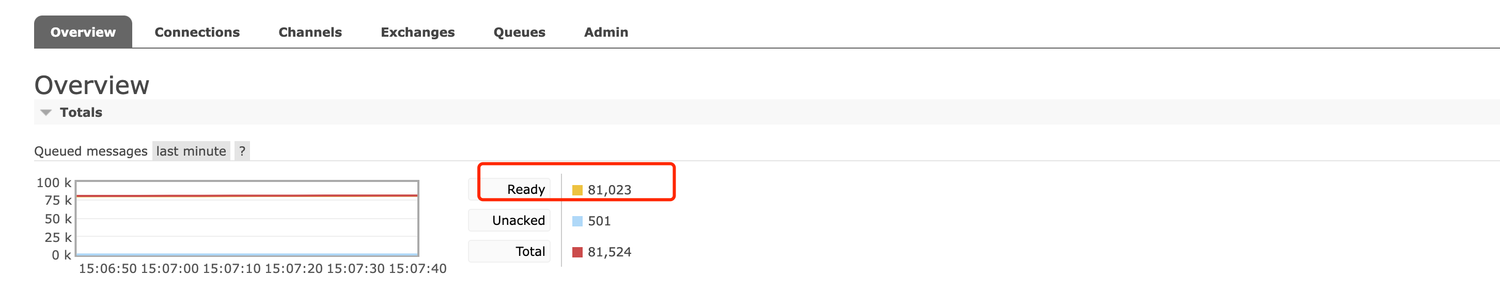
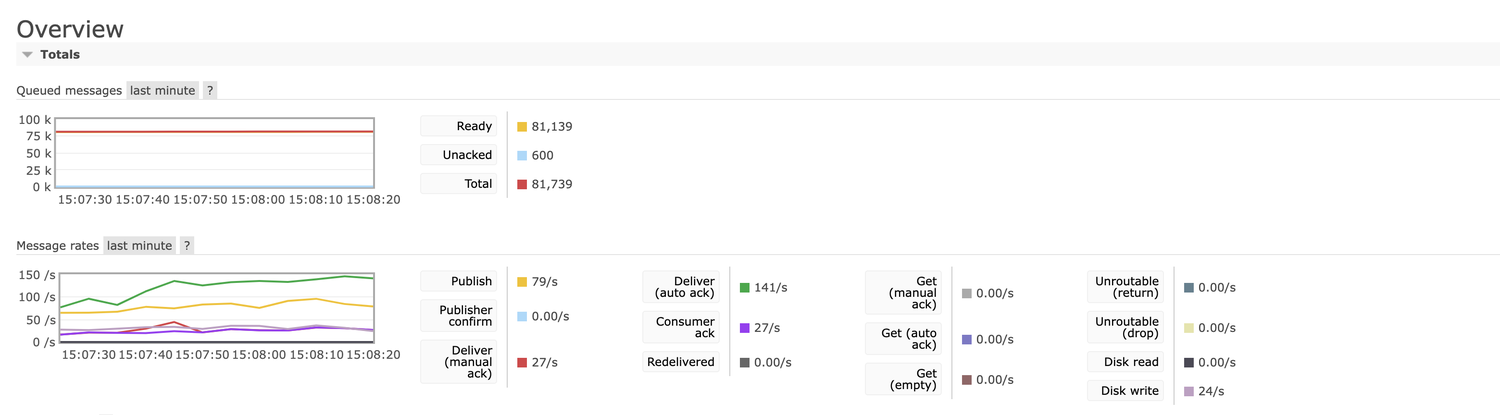
Tip 1: In the RabbitMQ community management console of the existing cluster, verify that production traffic to the self-built RabbitMQ cluster has stopped.
Tip 2: In the RabbitMQ community management console of the existing cluster, check whether the number of backlogged messages in the self-built RabbitMQ cluster is decreasing.
3. Confirm that no unconsumed messages remain. After ensuring that all messages have been fully processed by the consumers of the existing RabbitMQ cluster, decommission the consumers and the cluster to complete the data flow migration.
Tip: Confirm that messages are produced and consumed on the Tencent Cloud RabbitMQ cluster, and no message backlog occurs.
Note:
If you do not follow the above steps (such as switching producers before consumers), it may lead to message loss.
Before you switch the remaining consumers, ensure that all messages in the original RabbitMQ cluster have been fully consumed; otherwise, it may result in unconsumed messages.
Possible Issues
Order Issues
Due to the cluster switch, the order of messages cannot be guaranteed during the switch process. The switch may cause partial out-of-order.
Message Duplication
Theoretically, duplication should not occur, but it may happen in extreme cases. For example, during the switch, a consumer consumes a message but has not yet sent an acknowledgment to the server (the original RabbitMQ cluster). This causes the message to enter the retry queue, leading to duplicate consumption. Implementing idempotency processing logic for messages can avoid this issue.
Consumption Delay
During the read-write switch process, the reallocation of partitions requires rebalancing between queues and consumer clients, which may cause temporary consumption delays. No additional action is required if this occurs. Normal consumption will resume after the switch is complete.