tencent cloud

TDSQL-C for MySQL

Service Agreement
Service Level Agreement
Terms of Service
TDSQL-C 정책
개인 정보 보호 정책
데이터 처리 및 보안 계약
문서TDSQL-C for MySQL

How to Authorize Sub-Users to View Monitoring Data

포커스 모드
폰트 크기
마지막 업데이트 시간: 2024-06-07 14:23:46

Operation Scenarios

By default, the root account is the owner of the resources and has access permissions to all its resources. Sub-users do not have access permissions to any resources by default and require the root account to grant them the relevant access permissions. Only then can a sub-user normally access the relevant resources. Therefore, for a sub-user to be able to log in and access the monitoring and alarm features of the TDSQL-C for MySQL cluster, the root account must first authorize the sub-user.
When an unauthorized sub-user account is used to log in to the console, you cannot query instance monitoring information, or access TCOP and set alarms.

Prerequisites

To authorize a sub-user, you need to log in to the CAM console with the root account. Contact the root account holder in advance to assist with the authorization operation.

Directions

1. Log in to the CAM console with the root account.
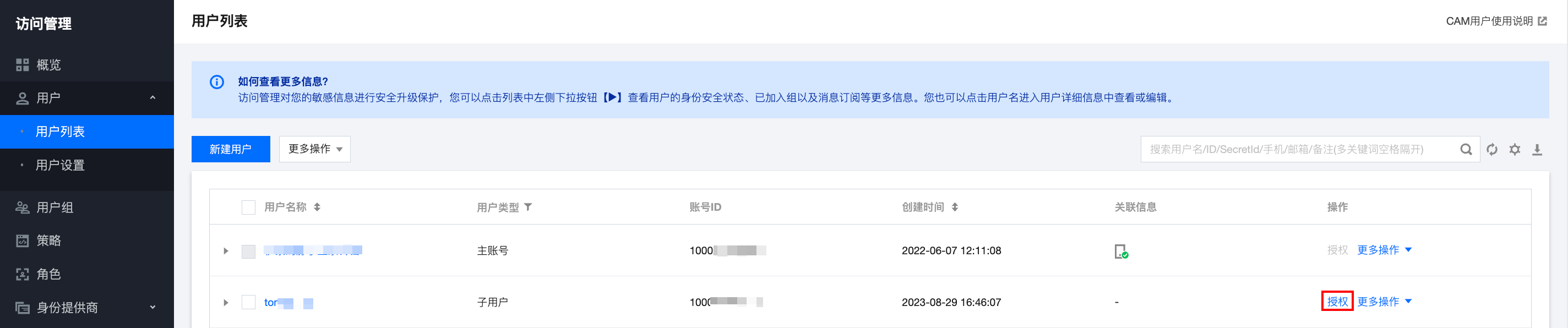
2. In the left navigation pane, choose Users > User List.
3. In the user list, find the target sub-user, and click Authorize in the Operation column.

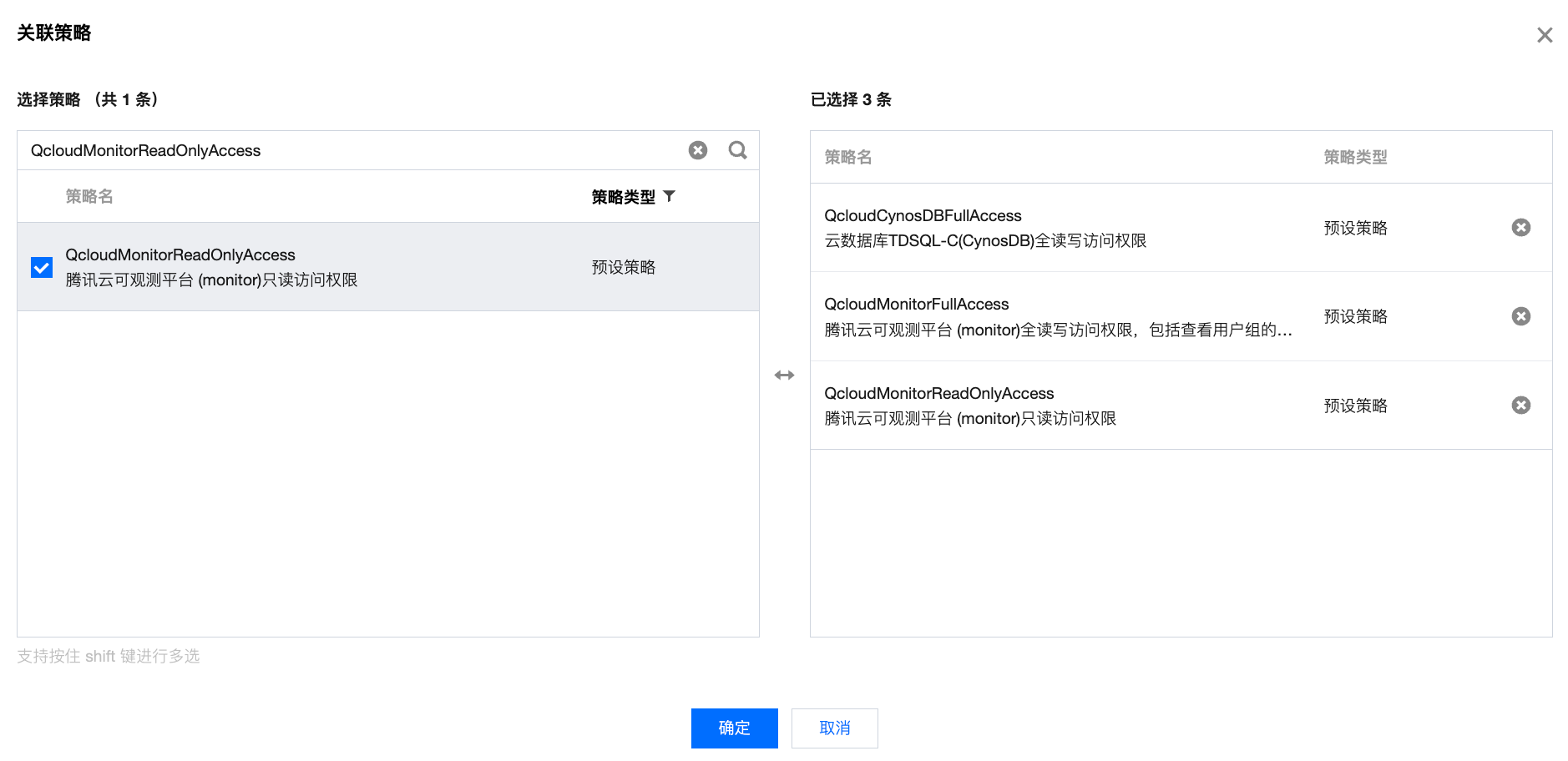
4. In the pop-up window, find and select the relevant policies (see table below), and click OK.

Policy Name
Description
QcloudCynosDBFullAccess
For full read-write access to TDSQL-C for CynosDB, the authorized sub-user can view the TDSQL-C for MySQL clusters under the root account and has full read-write access to the clusters.
QcloudCynosDBReadOnlyAccess
For read-only access to TDSQL-C for CynosDB, the authorized sub-user can view the TDSQL-C for MySQL clusters under the root account and has read-only access to the clusters.
QcloudMonitorFullAccess
Full read-write access to TCOP (Monitor), including the permission to view user groups.
QcloudMonitorReadOnlyAccess
Read-only access to TCOP (Monitor).
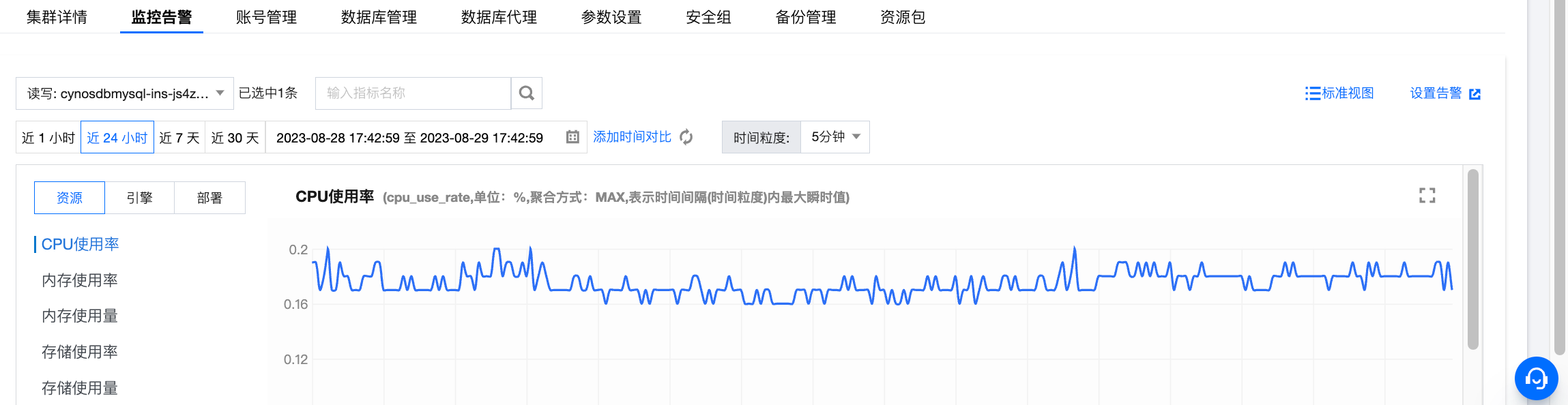
5. After authorization, the sub-user can log in to the TDSQL-C for MySQL console to view monitoring information and set alarms for the relevant clusters.


도움말 및 지원

문제 해결에 도움이 되었나요?

피드백