Modifying Audit Rule
Unduh
Mode fokus
Ukuran font
This document describes how to modify audit rules in the console.
Prerequisites
Feature Overview
Audit rules support switching from full audit to rule-based audit, and also support switching from rule-based audit to full audit.
After audit rules are modified, the selected instances will have their audit rules adjusted according to the modified rules.
Modifying audit rules includes changes to the audit type and rule templates.
Modifying Audit Rules for a Single Instance
1. Log in to the TDSQL-C for MySQL console.
2. In the left sidebar, select SQL Insight (Database Audit).
3. After selecting a region at the top, go to the Audit Instance page. Click Audit Log Storage Status and select Enabled to filter out instances with audit enabled.
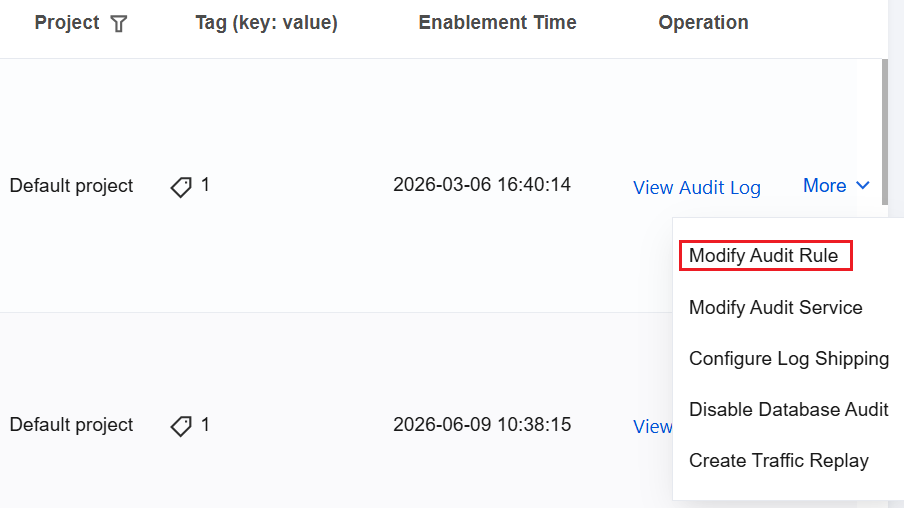
4. Locate the target cluster/instance in the audit instance list (you can also quickly find it by filtering with resource attributes in the search box). In its Operation column, choose More > Modify Audit Rule.
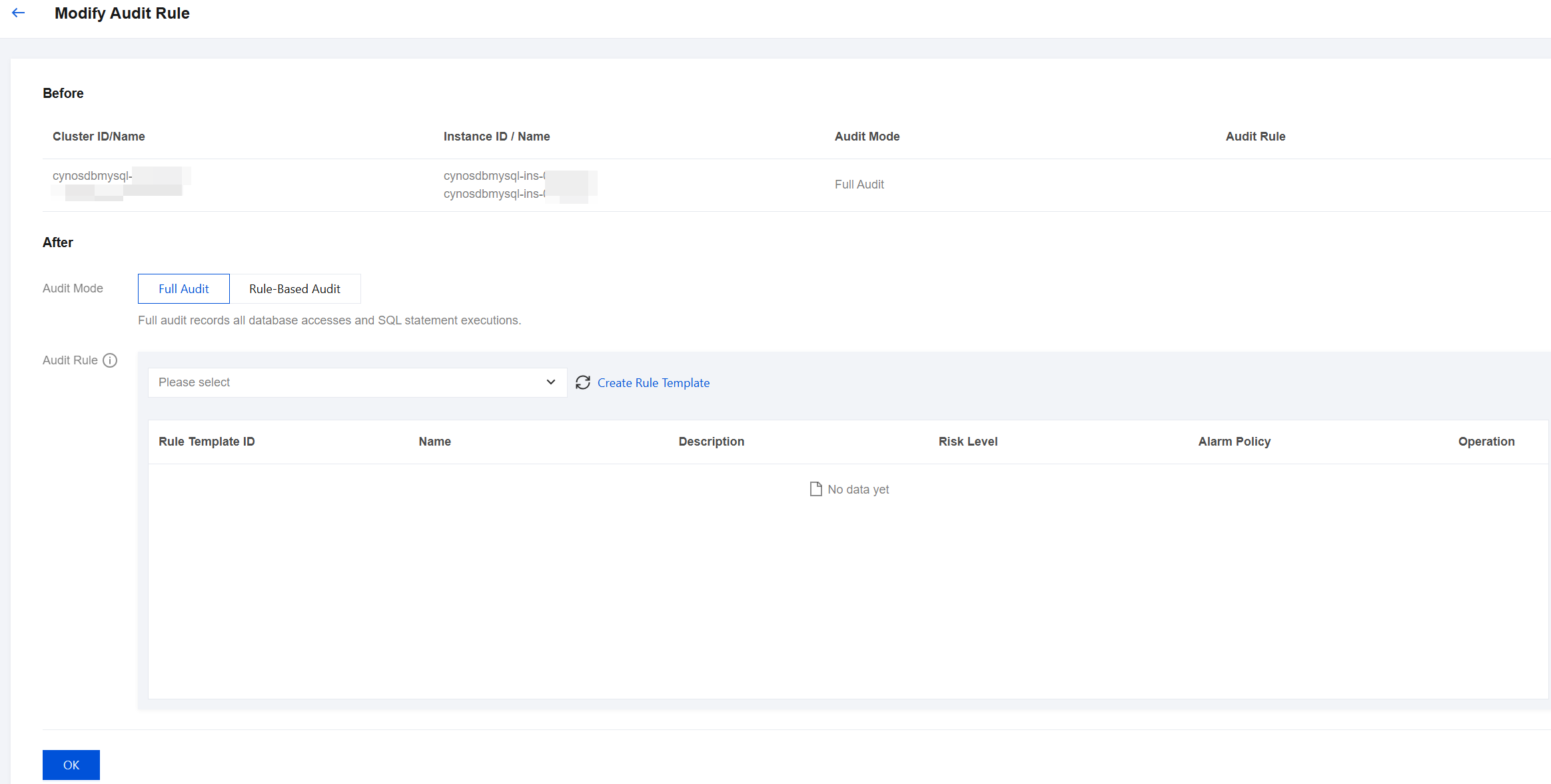
5. In the Modify Audit Rules window, complete the required modifications (audit type or audit rules) and click OK.
Modifying Audit Rules in Batches
Note:
Audit rules support switching from full audit to rule-based audit, and also support switching from rule-based audit to full audit.
After audit rules are modified in batches, the selected instances will have their audit rules uniformly adjusted according to the modified rules.
Modifying audit rules includes changes to the audit type and rule templates.
1. Log in to the TDSQL-C for MySQL console.
2. In the left sidebar, select SQL Insight (Database Audit).
3. After selecting a region at the top, go to the Audit Instance page. Click Audit Log Storage Status and select Enabled to filter out instances with audit enabled.
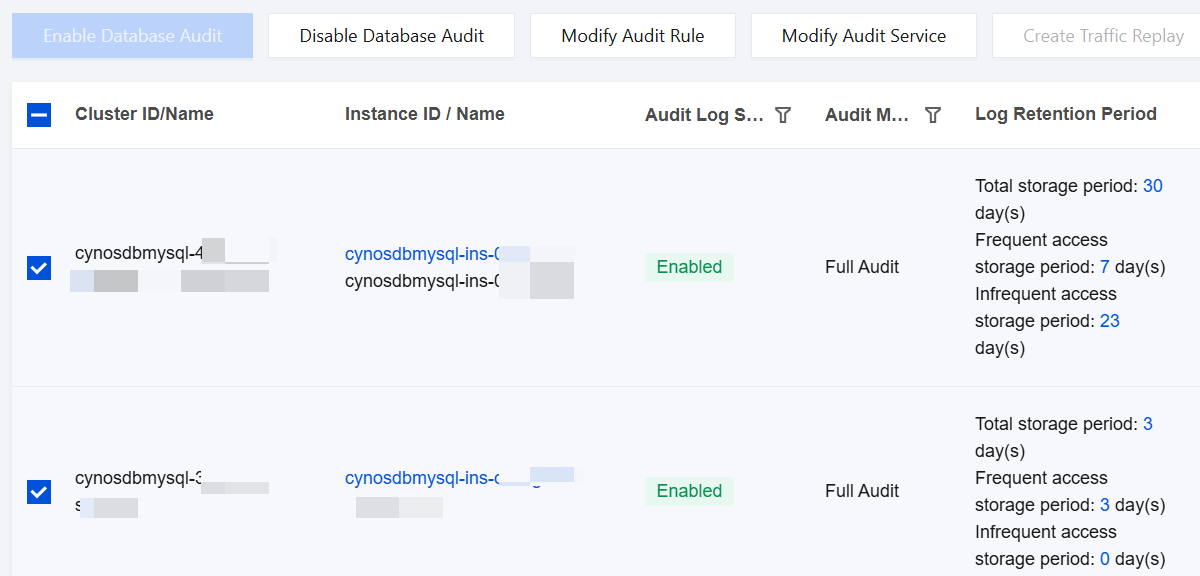
4. Locate the target cluster/instance in the audit instance list (you can also quickly find it by filtering with resource attributes in the search box). On the Audit Instance List page, select multiple target instances and click Modify Audit Rule at the top.
5. In the Modify Audit Rules window, complete the required modifications (audit type or audit rules) and click OK.
Related APIs
API | Description |
This interface (DescribeAuditRuleWithInstanceIds) is used to obtain the audit rules of an instance. | |
This API (ModifyAuditService) is used to modify service configurations for the cloud database, such as the retention period for audit logs and audit rules. |
Bantuan dan Dukungan
Apakah halaman ini membantu?
Anda juga dapat Menghubungi Penjualan atau Mengirimkan Tiket untuk meminta bantuan.
masukan