Description of Trial Plan Experience Benefits
Download
Focus Mode
Font Size
In order to enable you to experience more features of EdgeOne and choose the plan type that best matches your service, EdgeOne offers a free trial plan. After claiming it, you can quickly try all features aligned with the features of the standard plan.
Notes on Restrictions
Coverage: Both new and existing EdgeOne users can claim the trial plan, but each user can claim it only once. The trial package can only be claimed by the master account, and sub-accounts of the master account are not eligible to claim it.
Billing mode: Prepaid plan, free of charge.
Plan usage: The trial plan includes 10 GB of security acceleration traffic, 100,000 security acceleration requests, and 10 value-added service usage units.
Deduction limit: The deduction logic for all usages is consistent with other prepaid types (personal/basic/standard).
Security acceleration traffic needs to be deducted in proportion. For details, refer to the deduction logic on the plan cost page.
Security acceleration requests are deducted on a 1:1 basis.
Value-added service usage units are deducted based on the total after conversion.
Plan duration: The duration of the trial plan is 14 days, starting from the time of successful claim, with the expiration time being +14 days after the start time. For example, if you claim the trial plan at 19:00:00, July 1, 2024, the expiration time will be 18:59:59, July 15, 2024.
Duration limit: After the trial plan expires, the plan will be placed in isolated status, the site will be deactivated, and all services will be terminated.
Overpayment: The trial plan is for feature experience only. If the usage exceeds the limit (10 GB of security acceleration traffic, 100,000 security acceleration requests, or 10 value-added service usage units), additional fees may be incurred. The deduction logic is consistent with the overall EdgeOne usage priority: plan quota usage > incremental package usage > incremental package with shorter expiration time > incremental package with smaller specification > postpaid.
Note:
The trial plan is solely for experiencing the product features of EdgeOne. It offers a 14-day trial period and does not support renewal. After the trial expires, the site will be deactivated, and the services will be terminated. Do not connect actual online services to the trial plan to avoid service disruptions.
Feature Description
The capability configuration of the trial plan is fully aligned with the standard plan. For details on the capabilities of the standard plan, refer to the capabilities of the standard plan in the plan selection and comparison document. However, the trial plan has certain adjustments in some usages, rule quotas and indicators, mainly as follows:
Comparison item | Trial plan | |
Price | | 0 USD/month |
Plan usage | Security acceleration traffic | 10 GB |
| Security acceleration request | 100,000 times |
| Value-added service usage unit | 10 units |
| Number of accessible subdomains | 10 per site |
Application layer security protection feature | User-defined rule - exact matching policy | 1 rule can be configured |
| Rate limiting rule | 1 rule can be configured |
| Rate limiting rule - processing duration | Minimum: 1 second Maximum: 120 seconds |
| Rate limiting rule - statistical window duration | 10 seconds |
L7 (application layer) acceleration | Maximum file upload size | 800 MB |
| Rule count of rule engine | 20 items |
| Rule engine - embedded IF rule count | 3 items/rule |
| Rule engine - embedded ELSE IF rule count | 5 items/IF branch |
| Origin server group count | 20 per site |
Data and log | Maximum query time range for data analysis | 31 days |
Claim Description
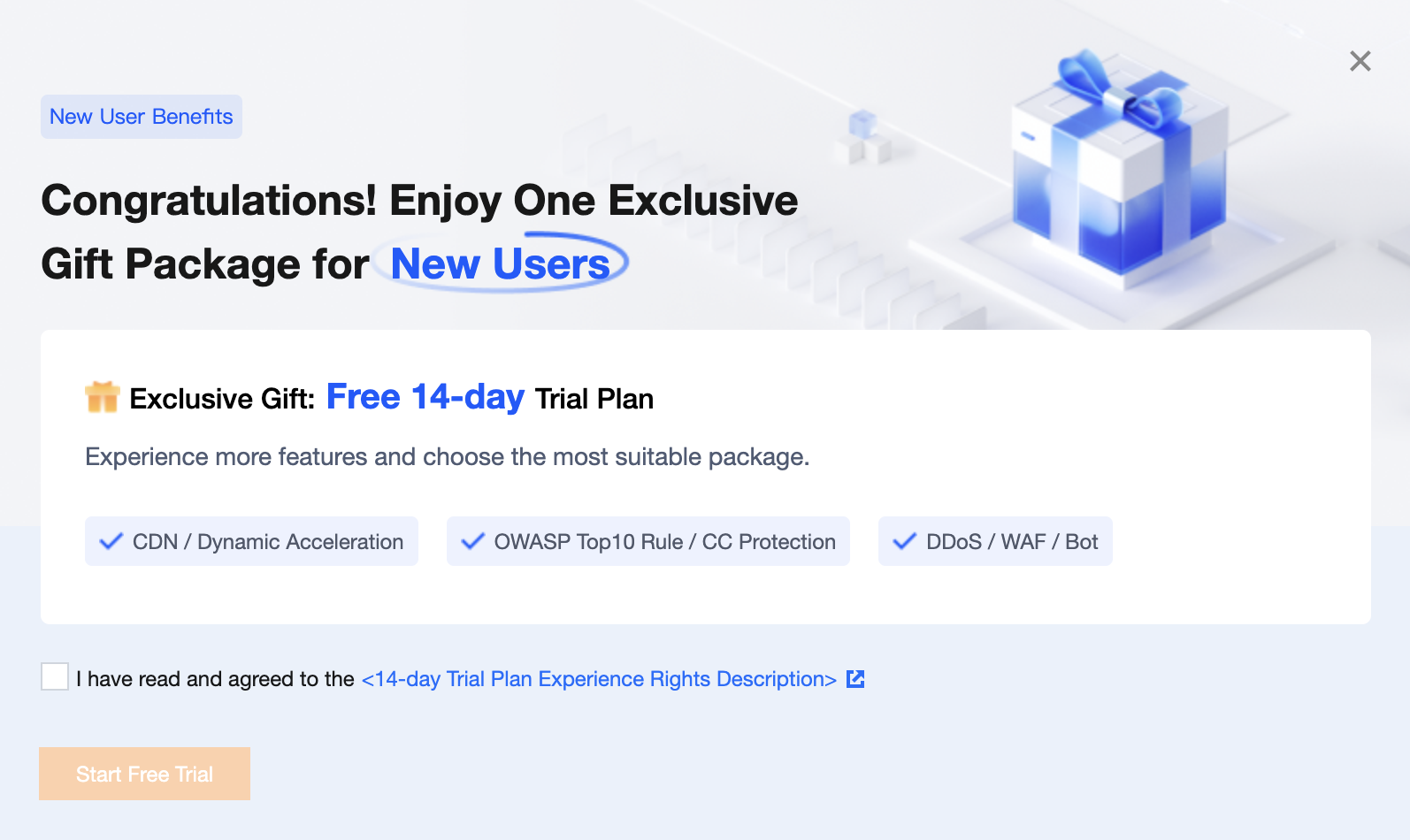
Log in to the EdgeOne console. If your account has never purchased an EdgeOne plan, a window will pop up for you to claim a trial plan for experience.
Upgrade Description
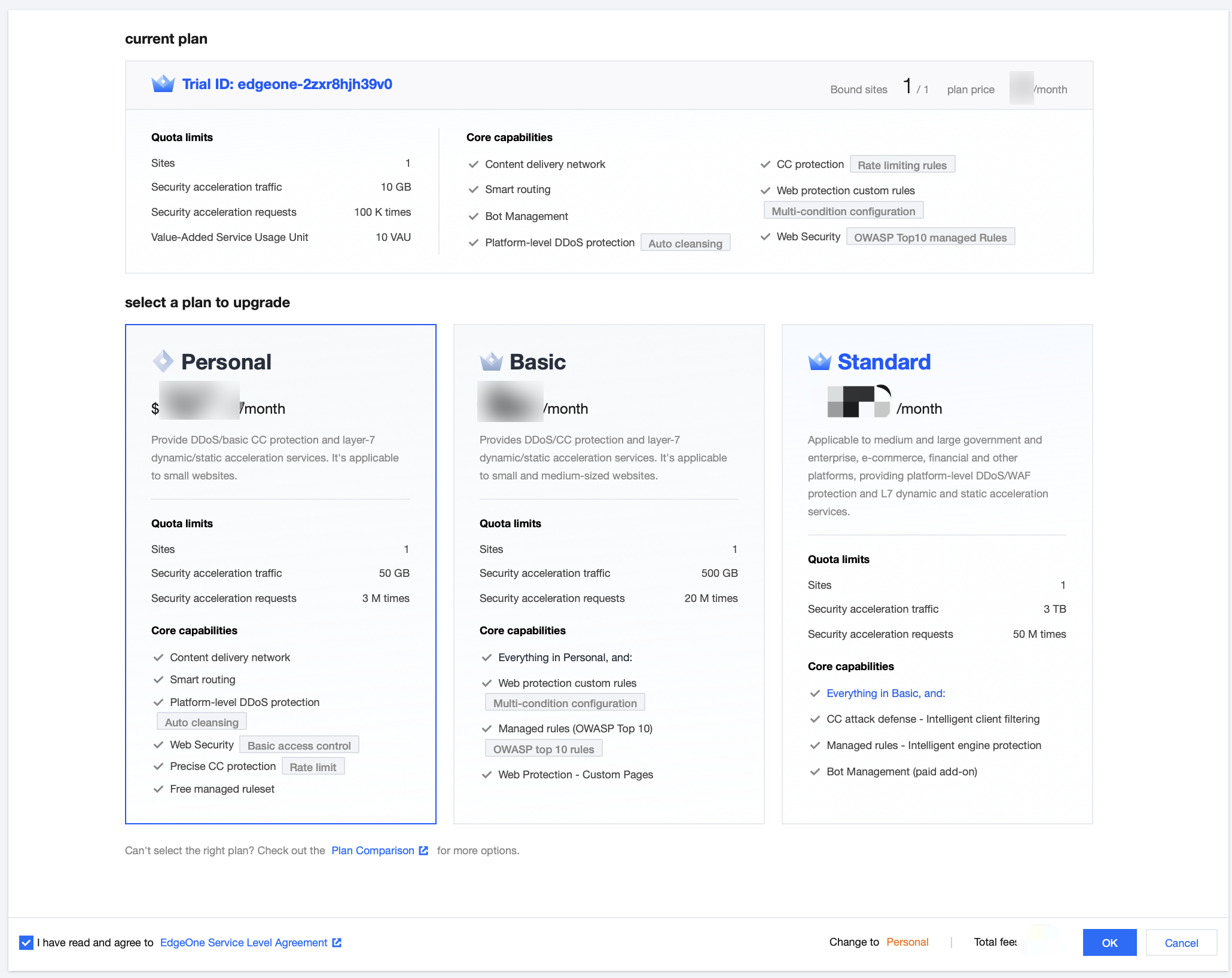
During the trial period, as long as the trial plan has not been destroyed, you can upgrade the trial plan at any time. You can choose to upgrade to a paid version: Personal Edition, Basic, or Standard. Once the switch is successful, you will receive the official EdgeOne service. For example, if you need to upgrade to the Basic plan during the trial, you can refer to the following steps:
1. Log in to the EdgeOne console, and click Plan Management in the left sidebar.
2. On the Plan Management page, select the Trial plan and click Plan Upgrade.

3. On the Plan Upgrade page, select the Basic plan, check Agree to the Service Agreement , and click OK.
4. The backend will enter the configuration scan stage to check if the existing configuration matches the features of the plan to be upgraded. If the scan results show that the configuration does not match completely, the configuration items to be disabled will be displayed.
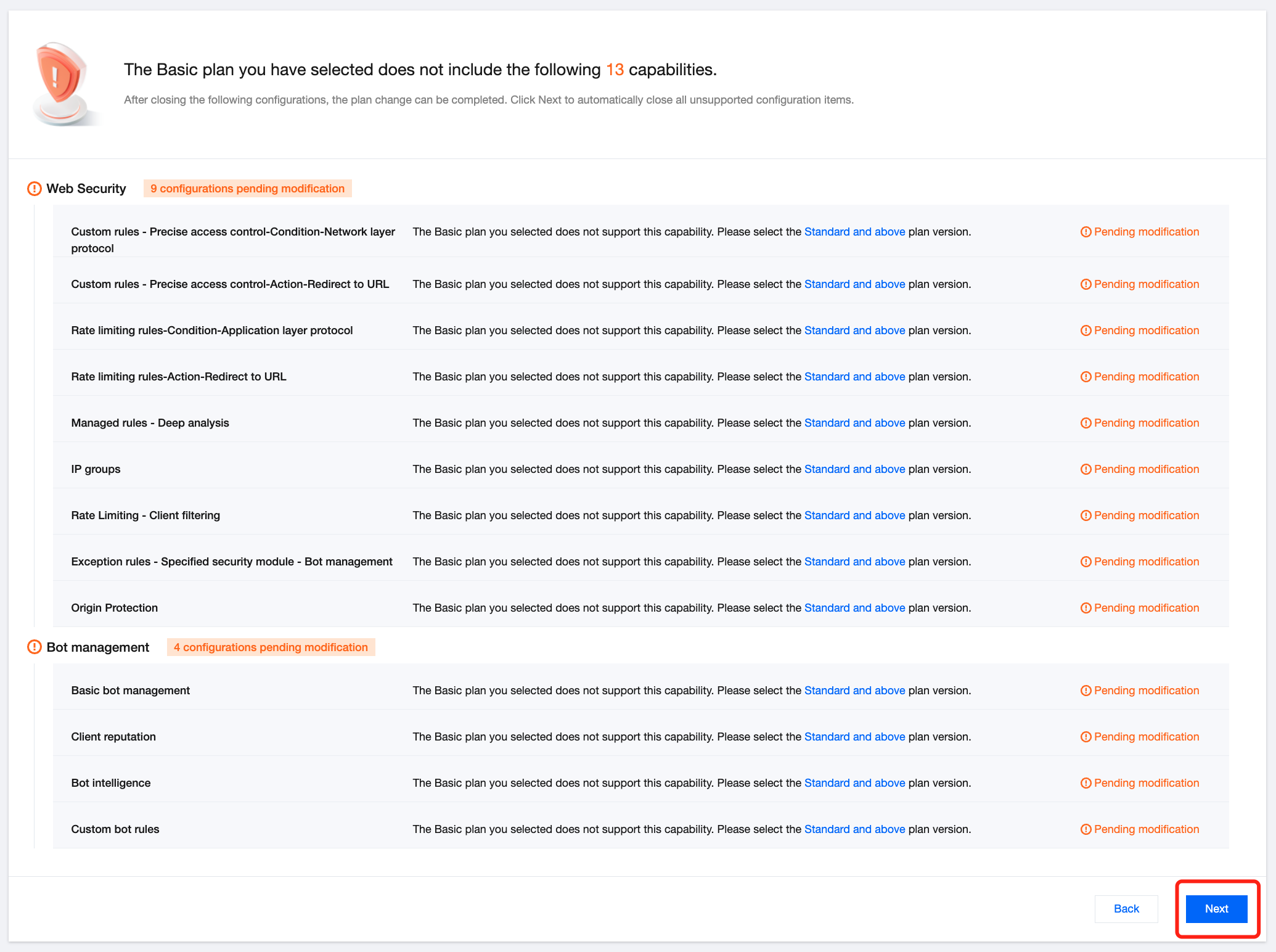
5. Click Next . Secondary confirmation is needed to check if the configuration is disabled. Unsupported features and configuration will be automatically cleared and disabled.
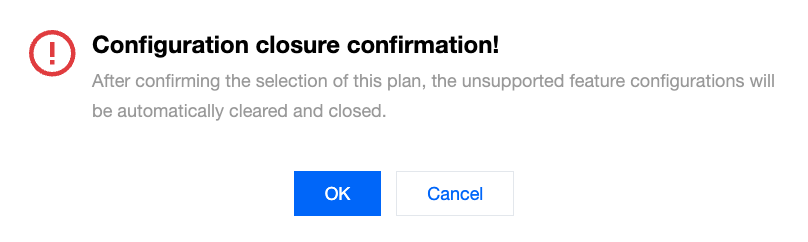
6. Click OK and the backend will enter the configuration clearing stage.
7. Once the configuration is completely disabled, it will automatically redirect to the order information confirmation page. If promo vouchers are available, you can check to use them and then click Submit Order.
8. After submitting the order, select the appropriate payment method to make the payment. Once the payment is completed, return to the console to complete the plan upgrade.
Note:
The console only allows self-service upgrade to the Personal, Basic, and Standard. If you need to upgrade to the Enterprise, please contact us.
In Step 4, if the scan results show that the current configuration fully matches the features of the selected plan, it will directly go to Step 7 to confirm the order information. If everything is correct, you can directly submit the order.
Help and Support
Was this page helpful?
You can also Contact sales or Submit a Ticket for help.
Help us improve! Rate your documentation experience in 5 mins.
Feedback