クライアントの地理的特性情報の取得
ダウンロード
フォーカスモード
フォントサイズ
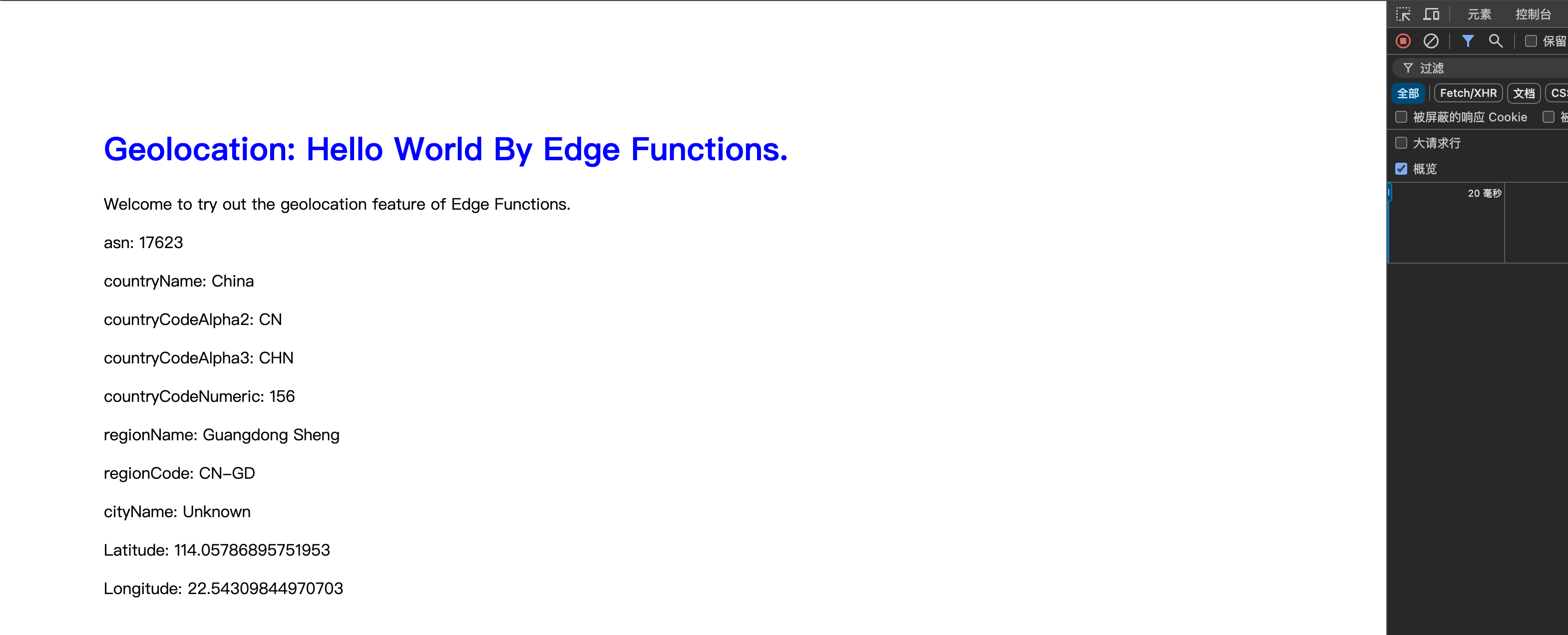
この例では、HTTP リクエストをキャプチャし、ユーザーの地理位置情報に応答して、ASN、国、地域、都市、緯度経度を含む HTML ページを生成します。デバッグや地理位置情報の表示に利用できます。
サンプルコード
fetchイベントリスナーを追加し、リクエストが入るとトリガーされ、handleRequest関数を使用してリクエストを処理し、レスポンスを返します。addEventListener('fetch', event => {event.respondWith(handleRequest(event.request));});// 非同期関数handleRequestを定義し、受信したリクエストを処理するために使用します。async function handleRequest(request) {// HTML内容を格納するために空の文字列を初期化します。let html_content = "";// HTMLのスタイルを定義します。let html_style = "body{padding:6em; font-family: sans-serif;} h1{color:#0000ff;}";// ユーザーの地理位置情報を取得します。html_content += "<p> asn: " + request.eo.geo.asn + "</p>"; // 自律システム番号html_content += "<p> countryName: " + request.eo.geo.countryName + "</p>"; // 国名html_content += "<p> countryCodeAlpha2: " + request.eo.geo.countryCodeAlpha2 + "</p>"; // 国名2文字コードhtml_content += "<p> countryCodeAlpha3: " + request.eo.geo.countryCodeAlpha3 + "</p>"; // 国名3文字コードhtml_content += "<p> countryCodeNumeric: " + request.eo.geo.countryCodeNumeric + "</p>"; // 国数値コードhtml_content += "<p> regionName: " + request.eo.geo.regionName + "</p>"; // 地域名html_content += "<p> regionCode: " + request.eo.geo.regionCode + "</p>"; // 地域コードhtml_content += "<p> cityName: " + request.eo.geo.cityName + "</p>"; // 都市名html_content += "<p> Latitude: " + request.eo.geo.latitude + "</p>"; // 緯度html_content += "<p> Longitude: " + request.eo.geo.longitude + "</p>"; // 経度// HTMLレスポンス内容を構築します。let html = `<!DOCTYPE html><head><title> Geolocation: Hello World By Edge Functions.</title><style> ${html_style} </style></head><body><h1>Geolocation: Hello World By Edge Functions.</h1><p> Welcome to try out the geolocation feature of Edge Functions.</p>${html_content}</body>`;// HTMLコンテンツと対応するheadersを含む新しいResponseオブジェクトを返します。return new Response(html, {headers: {"content-type": "text/html;charset=UTF-8", // レスポンスのContent-Typeヘッダーを設定し、返却内容をHTMLとして指定します。},});}
サンプルプレビュー
ブラウザのアドレスバーにエッジ関数のトリガールールに一致するURLを入力すると、サンプル効果をプレビューできます。
関連参考
フィードバック