Viewing the Total Bandwidth for Single-Region Traffic Billing
Unduh
Mode fokus
Ukuran font
Terakhir diperbarui: 2026-08-04 18:14:53
Diterjemahkan oleh AI
In a single region, the peak of the total bandwidth of all the bill-by-traffic instances during actual running cannot exceed 5 Gbps. The peak bandwidth for the hourly traffic billing only serves as a bandwidth limit, not as a committed metric. When there is competition for bandwidth resources, the peak bandwidth might be limited.
To facilitate your observation of the bandwidth for single-region hourly traffic in real time, this document provides a monitoring view of the total outbound and inbound bandwidth for single-region hourly traffic. You can also configure alarms to promptly monitor whether the bandwidth exceeds the limit.
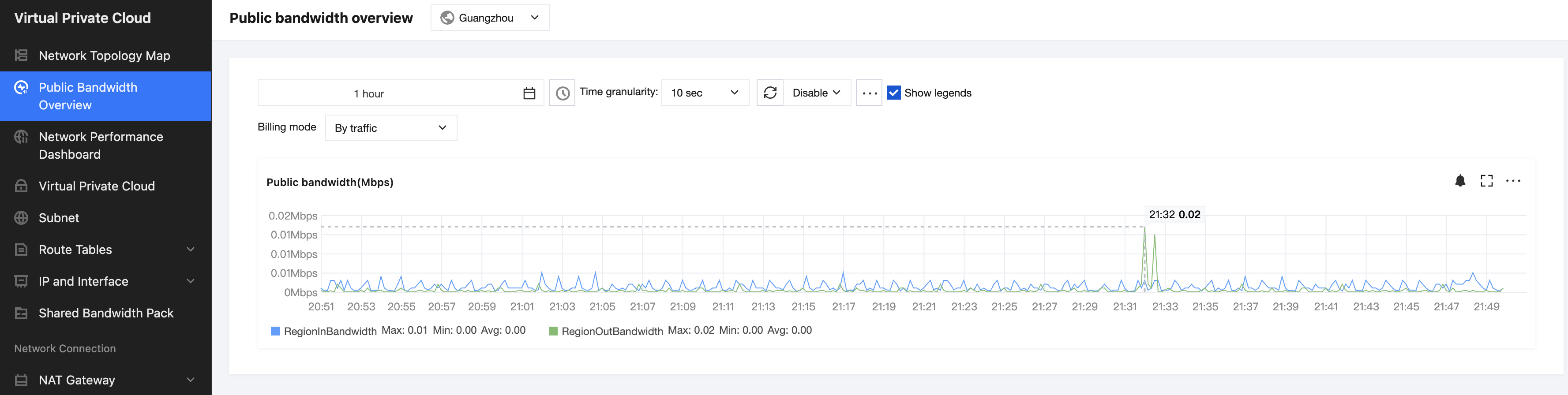
2. Select the information you want to view, such as the region and time range, and you can view the outbound and inbound bandwidth metrics for the hourly traffic billing mode in the current region.
Metric Description:
Single-region public network outbound bandwidth: Represents the total public network outbound bandwidth for resources in the hourly traffic billing mode in a selected region.
Single-region public network inbound bandwidth: Represents the total public network inbound bandwidth for resources in the hourly traffic billing mode in a specified region.
Configuring Alarm
1. Click the alarm icon
, and the interface will jump to the Creating Alarm Policy interface on Tencent Cloud Observability Platform (TCOP).
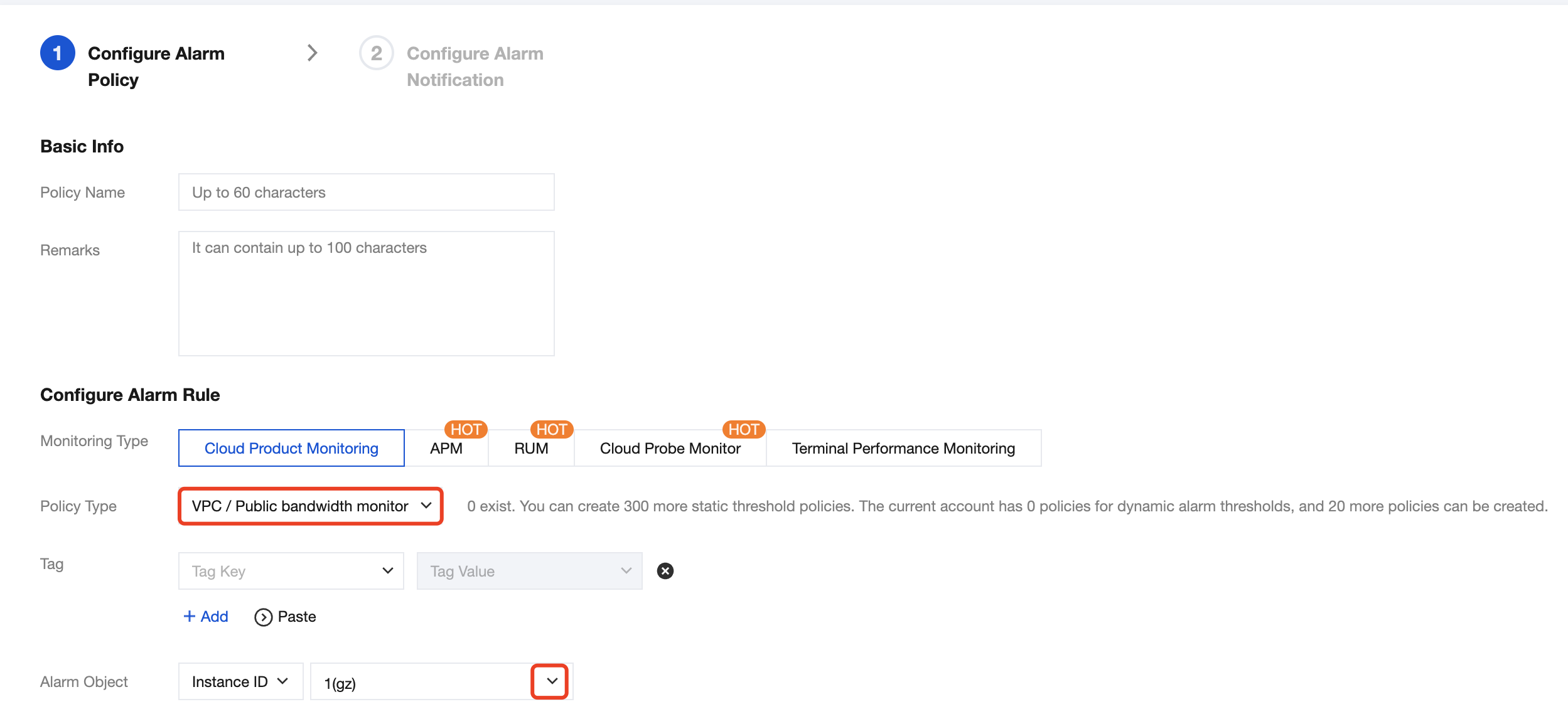
2. Enter the Policy Name, set Monitoring Type to Cloud Product Monitoring, set Policy Type to VPC/Public bandwidth monitor , set Alarm Object to the ID of the region to be monitored, and check the Pay-by-Traffic Billing Mode for the region. You can configure multiple regions. After completion, click OK.
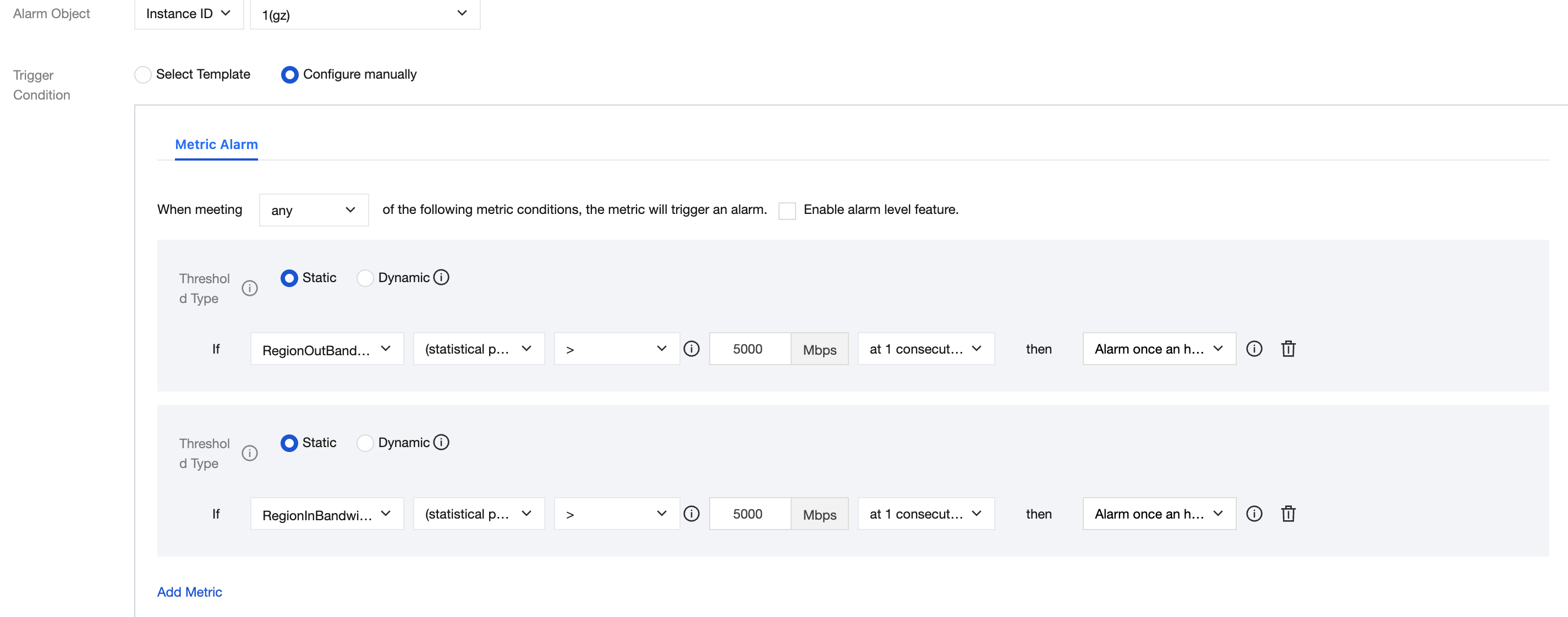
3. In Configure Alarm Rules, continue to configure the alarm trigger conditions, select the metric names, and click Next: Configure Alarm Notification.
Metric Description:
Single-region public network outbound bandwidth: Represents the total public network outbound bandwidth for resources in the hourly traffic billing mode in a selected region.
Single-region public network inbound bandwidth: Represents the total public network inbound bandwidth for resources in the hourly traffic billing mode in a specified region.
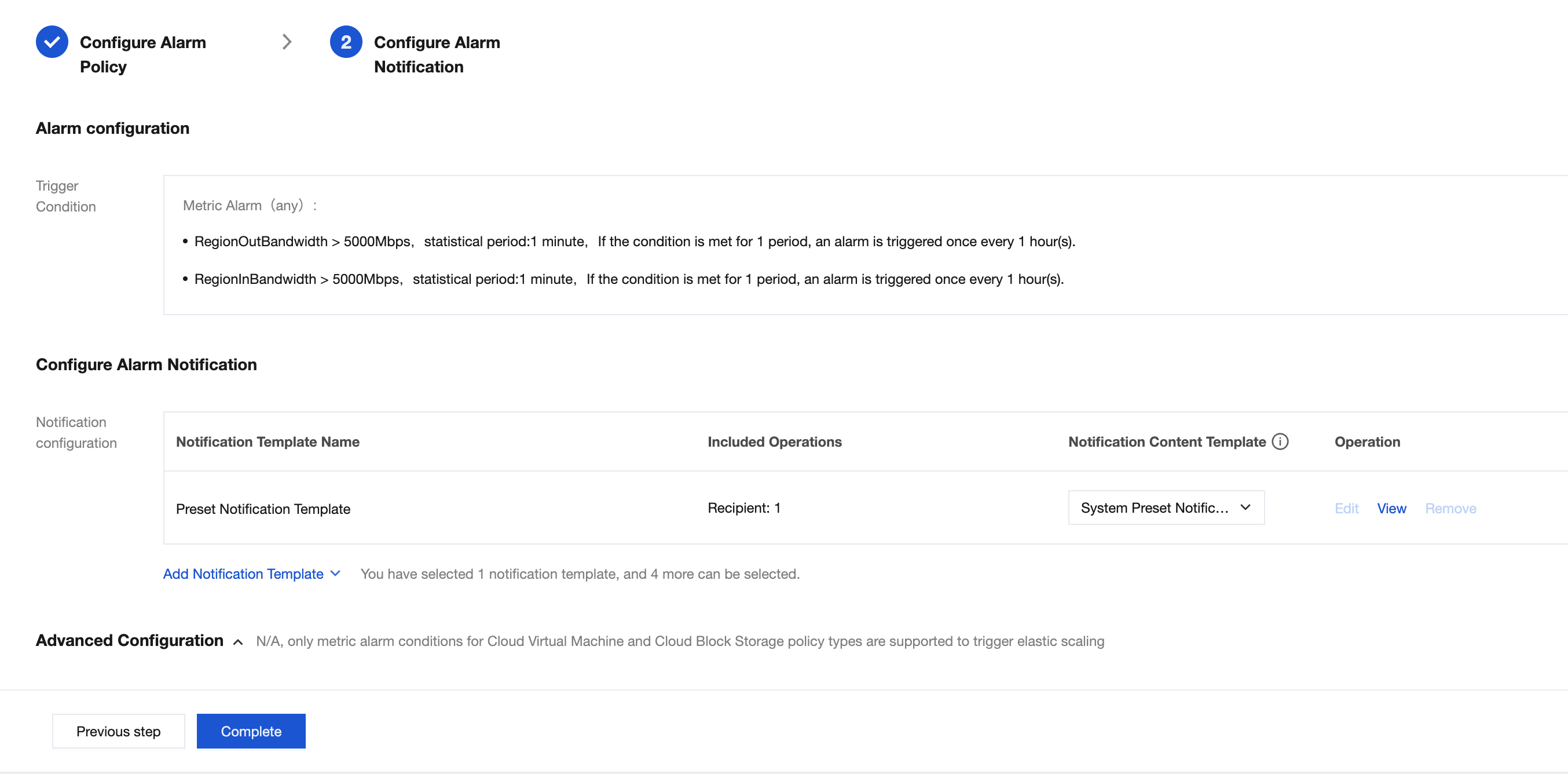
4. On the Configure Alarm Notification page, you can select an existing template or create a new one. For the notification template, you need to set the template name, recipient objects, notification cycle, and receiving channels. After completing the settings, click Confirm. After completing all alarm configurations, click Complete.
After the configuration is successful, you can view it in the alarm policy.