Returning a Common Public IP Address
Unduh
Mode fokus
Ukuran font
If you do not need to use a common public IP address on a CVM, you can perform the operation of returning a public IP address. Based on the network billing mode of the CVM, you can select the corresponding return operation.
Note:
Scenario 1:
When the network billing mode on a CVM is billed by traffic, postpaid billing by hour, or BWP, you can directly return the common public IP address by following the steps below.
Directions
1. Log in to the CVM console.
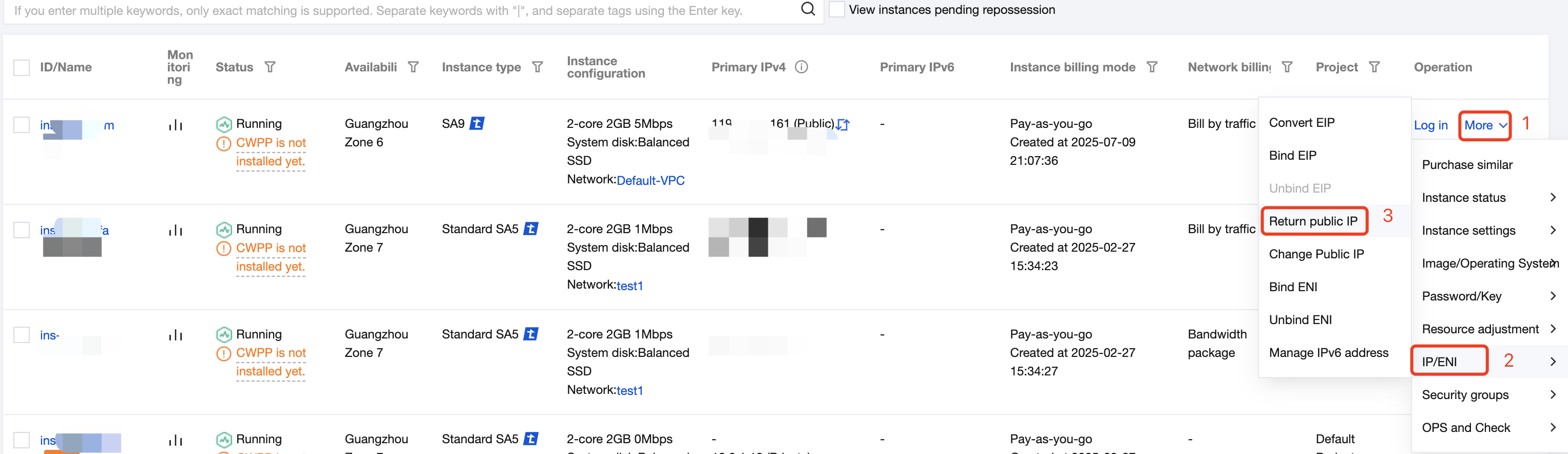
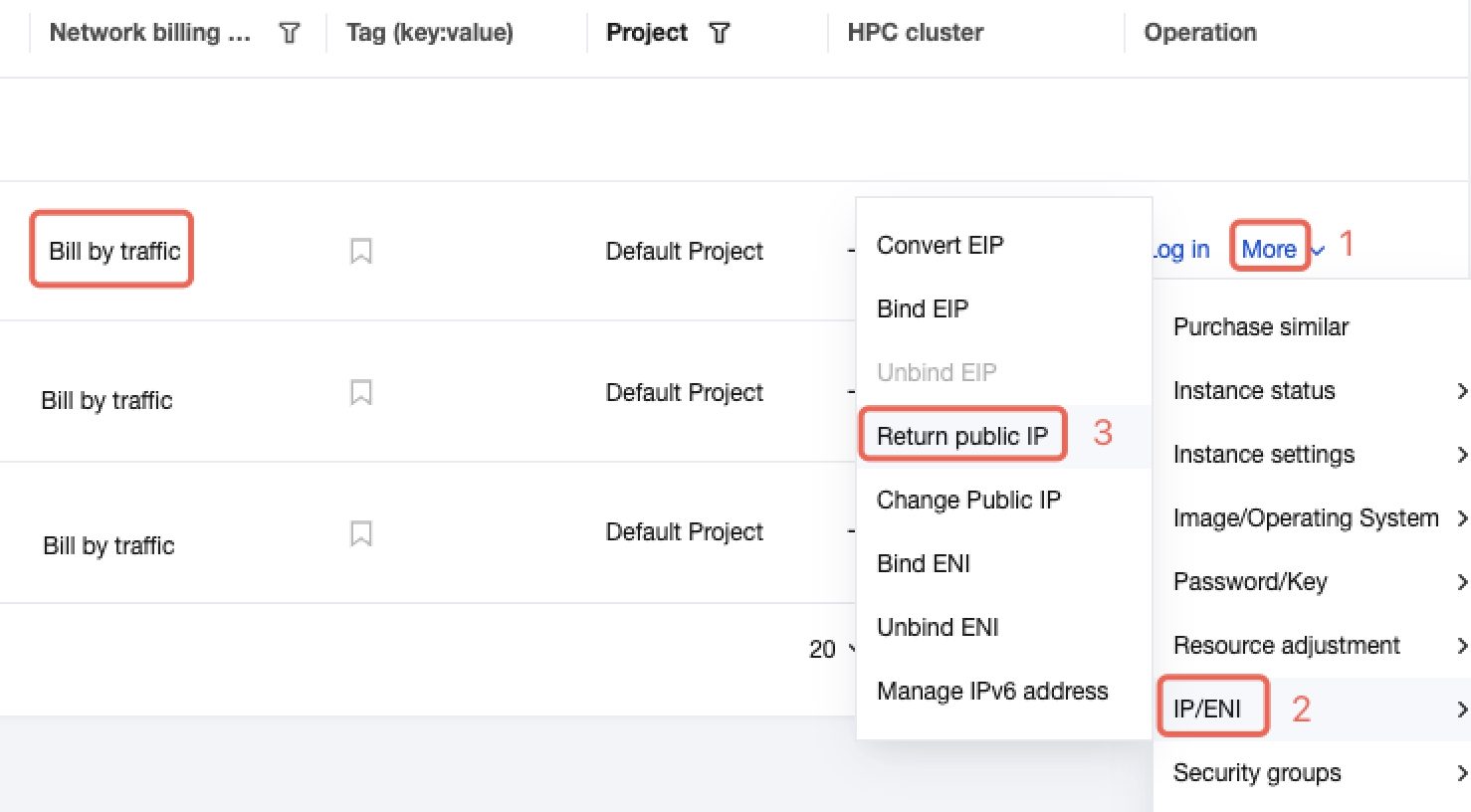
2. In the row of the instance for which you need to return the public IP address, choose More > IP/ENI > Return Public IP Address in the Operation column.
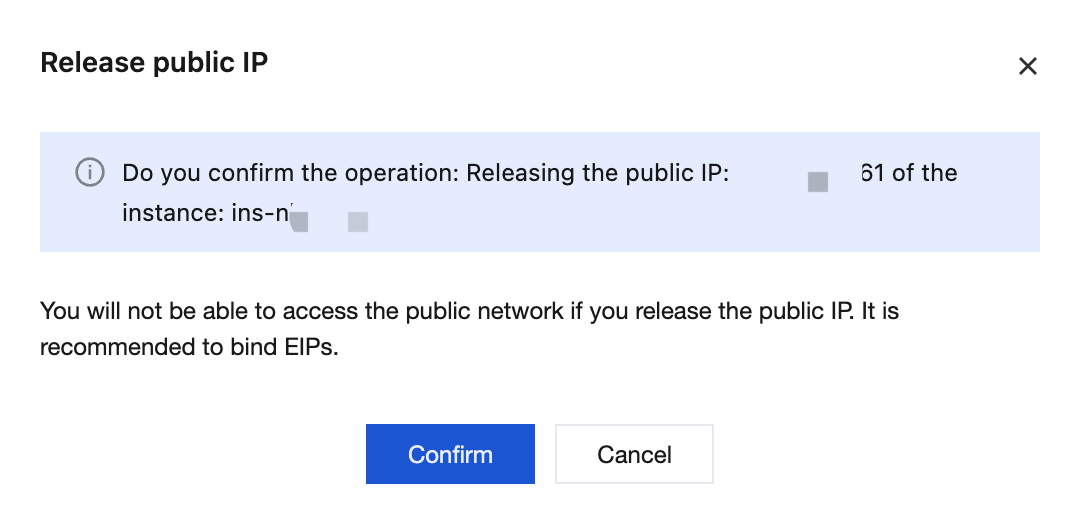
3. In the pop-up Release public IP dialog box, confirm the impact of releasing the public IP address. Then, click Confirm.
Scenario 2:
When the network billing mode on a CVM is yearly/monthly subscription for bandwidth, direct return of the public IP address is not supported. You can follow the steps below to first switch the network billing mode to billed by traffic and then proceed with the return.
Directions
1. Log in to the CVM console.
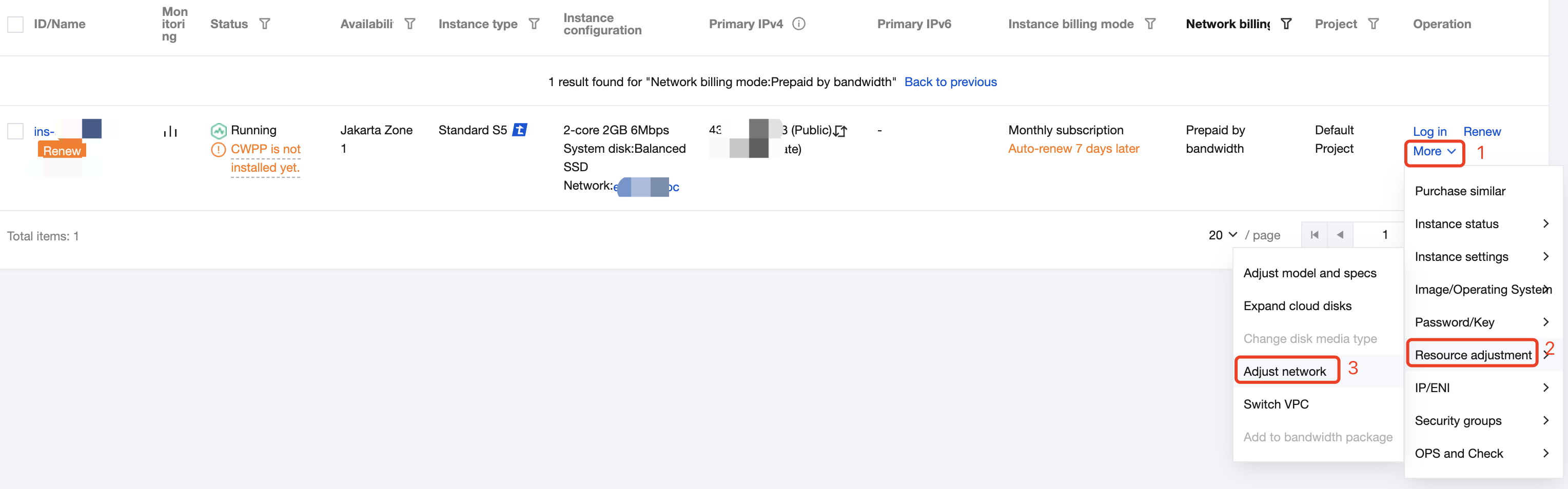
2. In the row of the instance for which you need to return the public IP address, choose More > Resource Adjustment > Adjust Network in the Operation column.
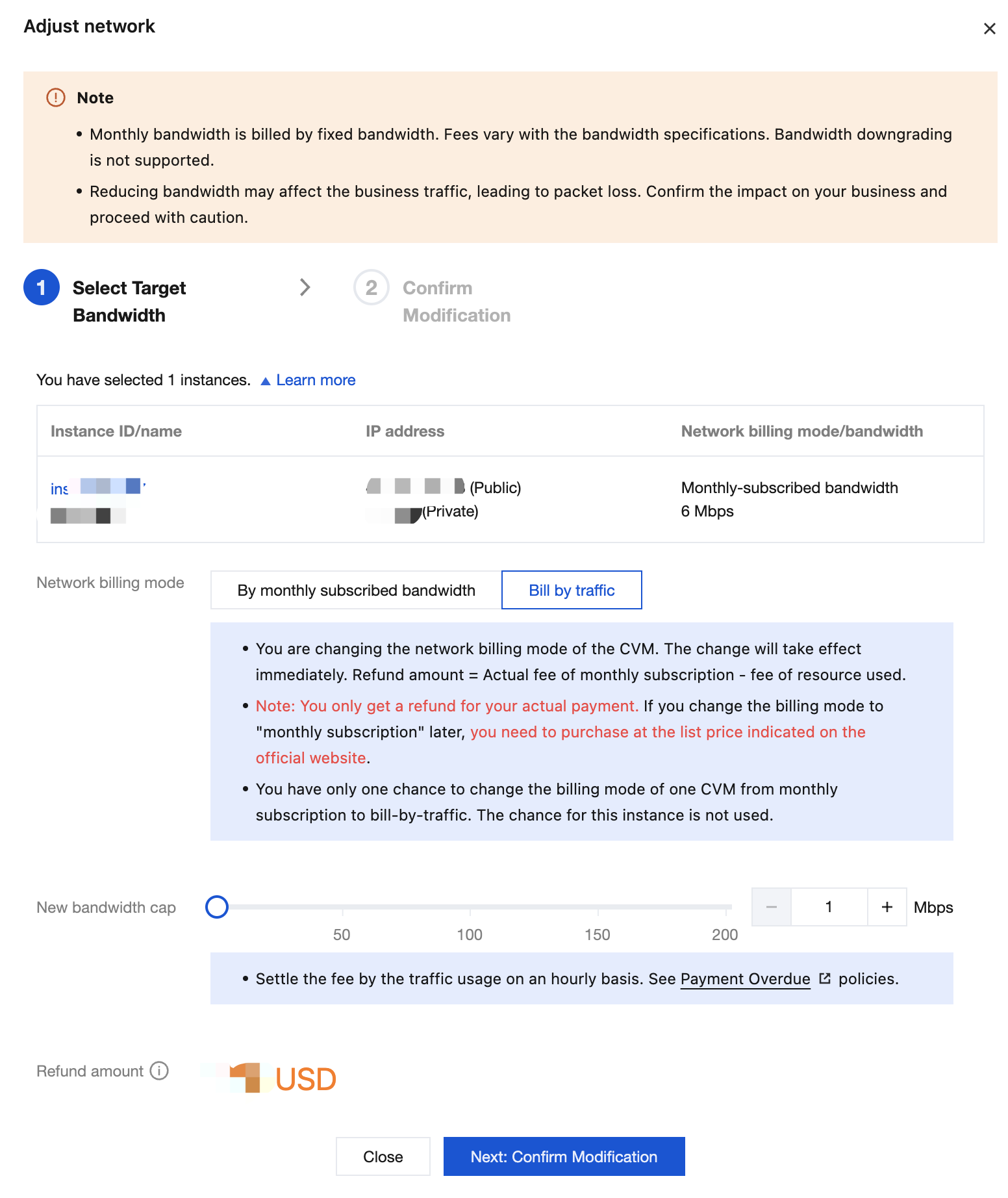
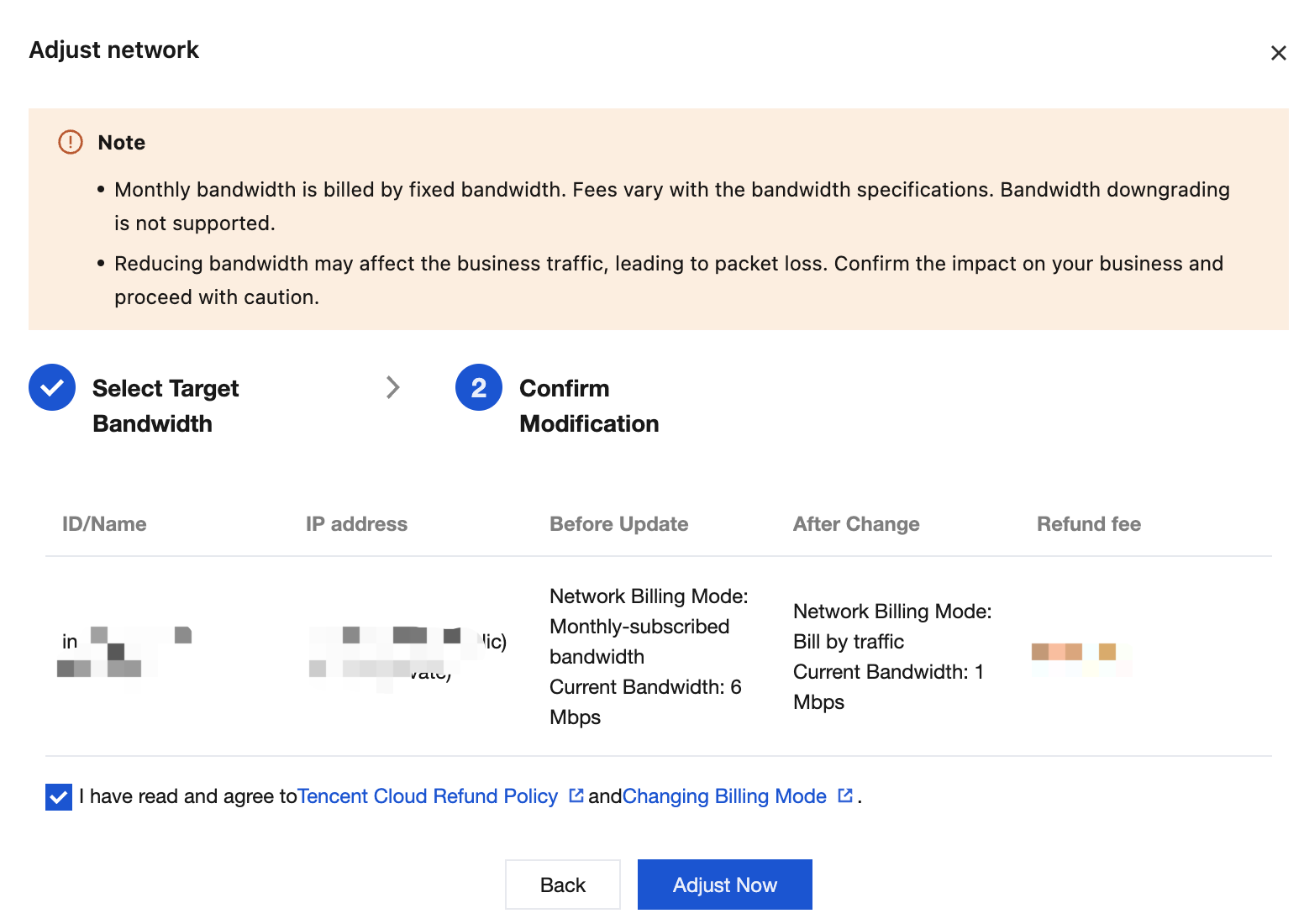
3. On the network network page, switch the network billing mode to billed by traffic. Confirm the information before and after the modification, and then click Adjust Now.
4. After the network billing mode is changed to Billed by traffic, choose More > IP/ENI > Return Public IP in the Operation column to complete the return of the common public IP address.
Bantuan dan Dukungan
Apakah halaman ini membantu?
Anda juga dapat Menghubungi Penjualan atau Mengirimkan Tiket untuk meminta bantuan.
masukan