Stream Real-Time Monitoring
Download
Focus Mode
Font Size
In the StreamLive channel, we provide the following features to assist users in monitoring live streams: Preview, Alerts, Health.
Preview
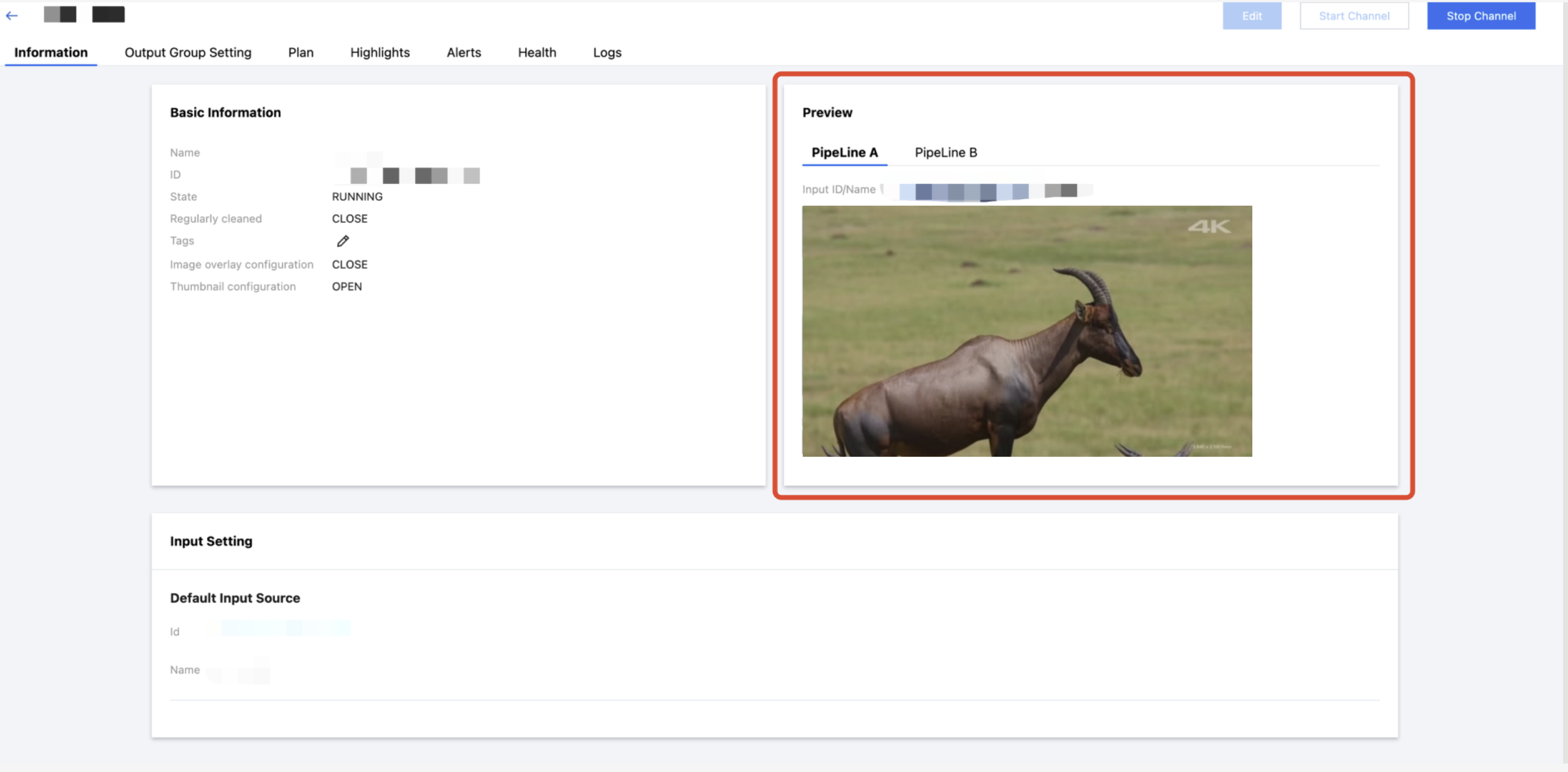
For the channel's input stream, the Preview feature captures I-frame images from the input stream and displays them in the console, allowing users to quickly check whether the input stream is normal. The steps are as follows:
1. Log in to the StreamLive Console.
2. In the General Setting of the channel, enable the Thumbnail Configuration feature, as shown below:
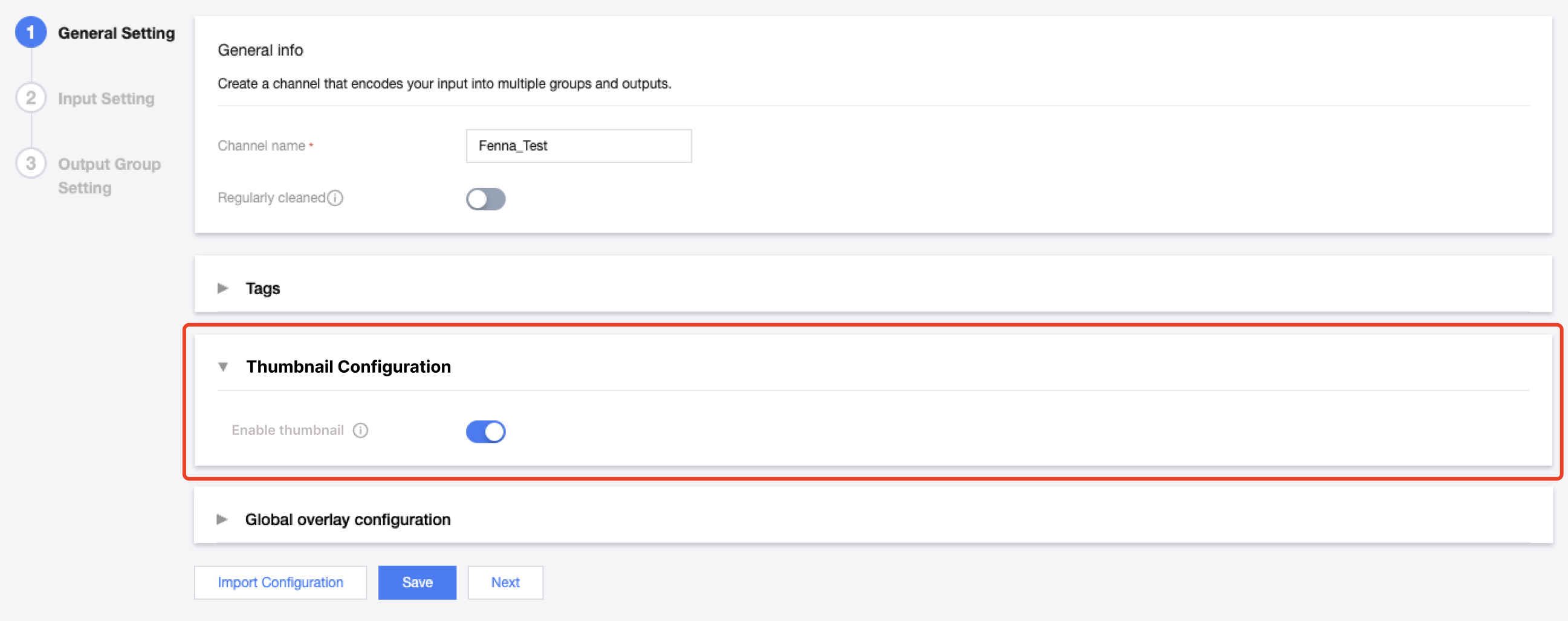
3. After the channel is started, you can enter the channel details page, view the input stream's I-frame preview in Information. And the corresponding Input ID/Name will also be displayed above the preview image, as shown below:
Alerts and Health Information
1. After the channel is started, log in to the StreamLive Console, enter the channel details page, and view the alert information in Alerts section.
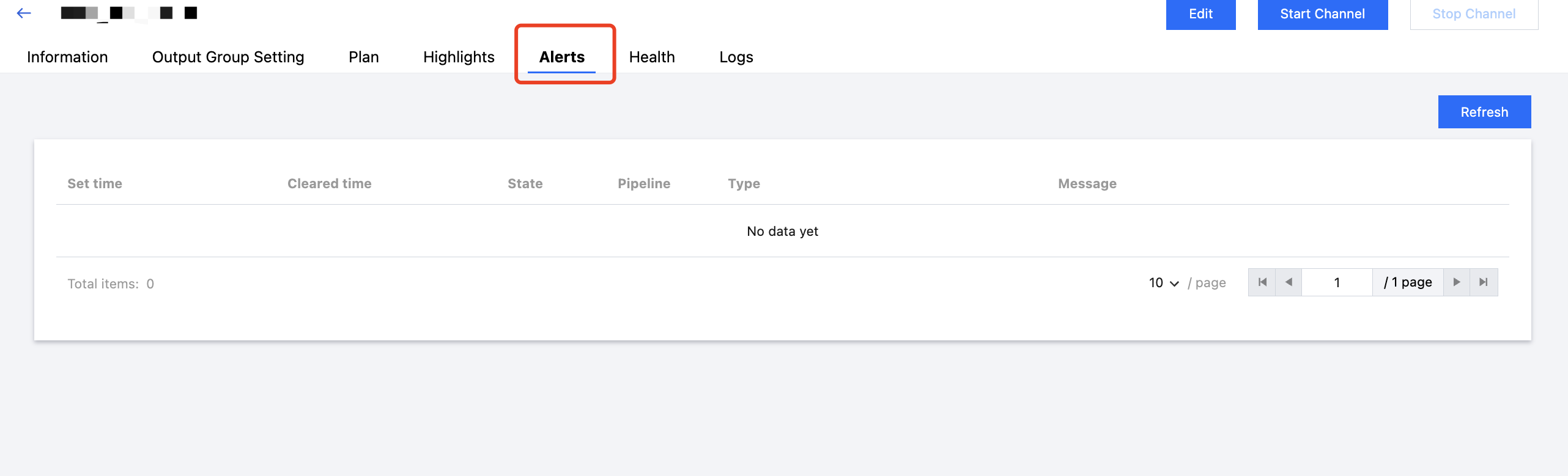
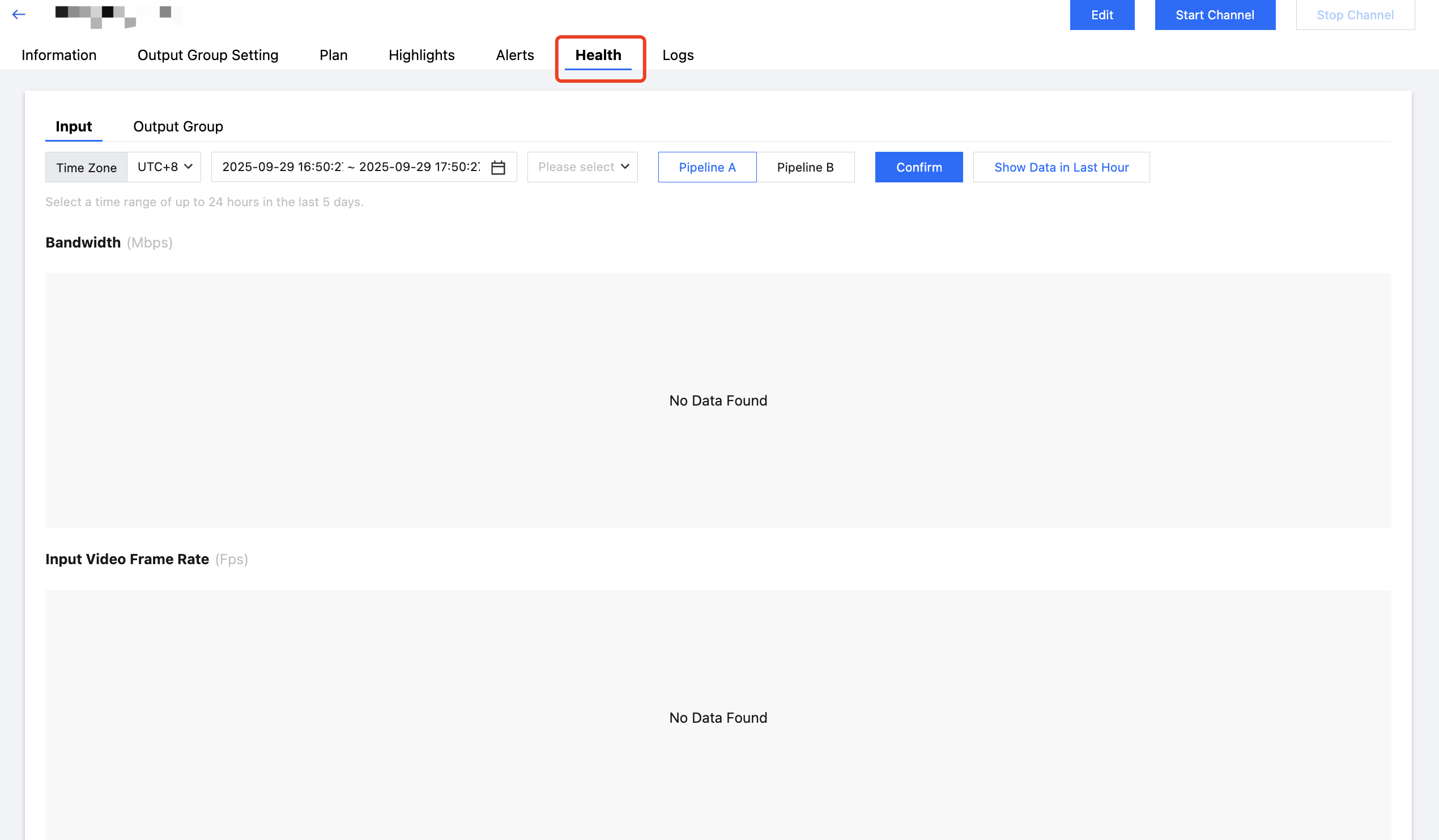
2. In Health section, you can view the monitoring data related to both input and output streams.
Help and Support
Was this page helpful?
You can also Contact sales or Submit a Ticket for help.
Help us improve! Rate your documentation experience in 5 mins.
Feedback