Managing the Billing of EIPs
Baixar
Modo Foco
Tamanho da Fonte
Based on the billing mode of an Elastic IP (EIP), you can perform the following operations as needed:
Prerequisites
Your account type should be the Standard Account Type. If you cannot confirm your account type, see Determining the Account Type.
Adjusting the Billing Mode
Note:
You can only adjust the billing mode of general BGP EIPs.
When you adjust the billing mode, only two switches between a non-monthly bandwidth subscription billing mode (the traffic billing mode or the hourly bandwidth billing mode) and the monthly bandwidth subscription billing mode are allowed for each EIP. After using up the quota of switches, you cannot switch the billing mode anymore.
When you adjust the billing mode, the allowed number of switches between the traffic billing mode and the hourly bandwidth billing mode for each EIP is unlimited.
For a common public IP address, you need to go to the CVM console to adjust the bandwidth.
1. Log in to the public IP address console.
2. On the public IP address instance list page, select the region of the EIP you want to adjust the bandwidth for. In the Operate column on the right of the target EIP instance, click Adjust Network.
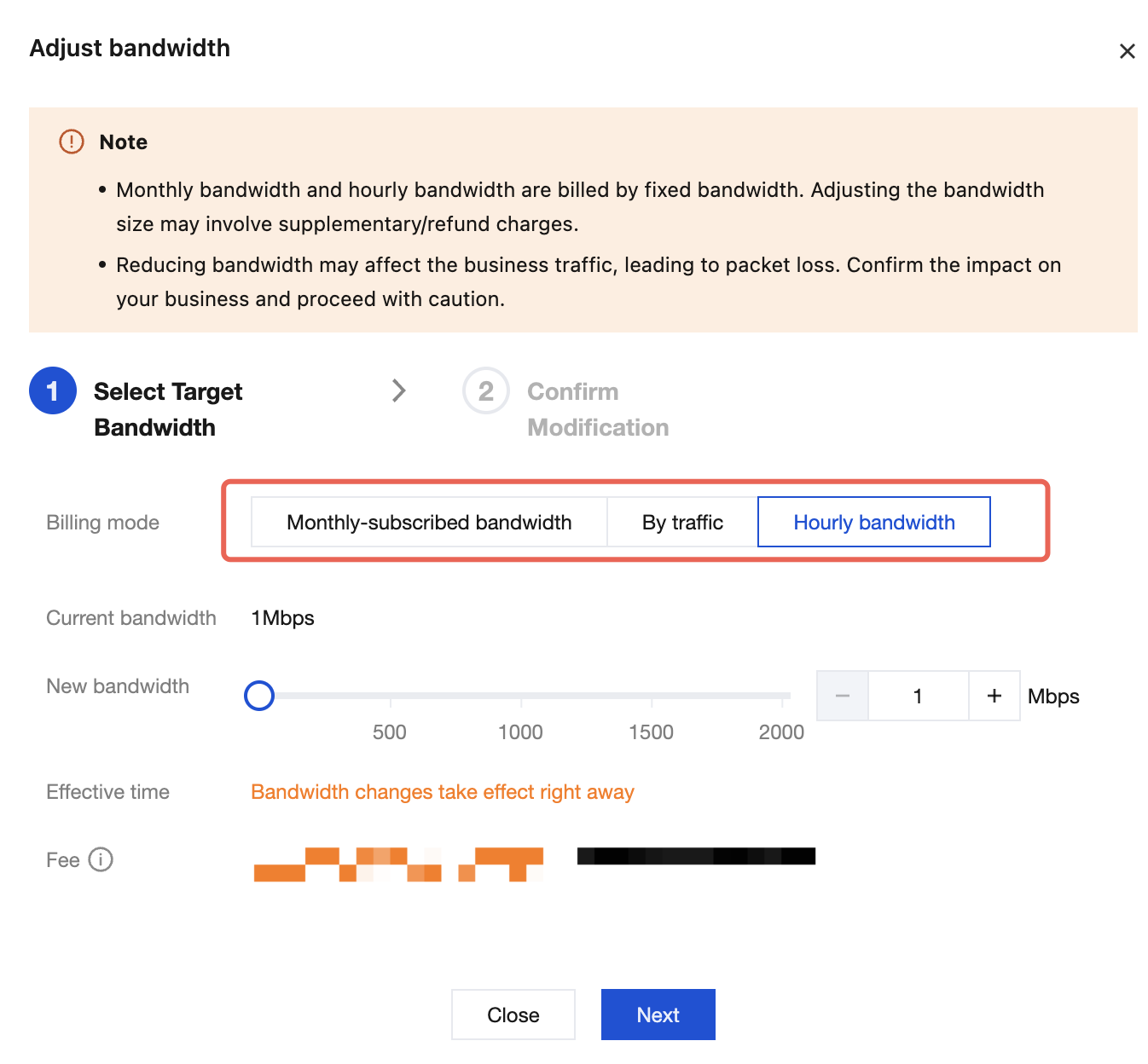
3. In the pop-up Adjust bandwidth dialog box, select the target billing mode to be changed, and click Next.
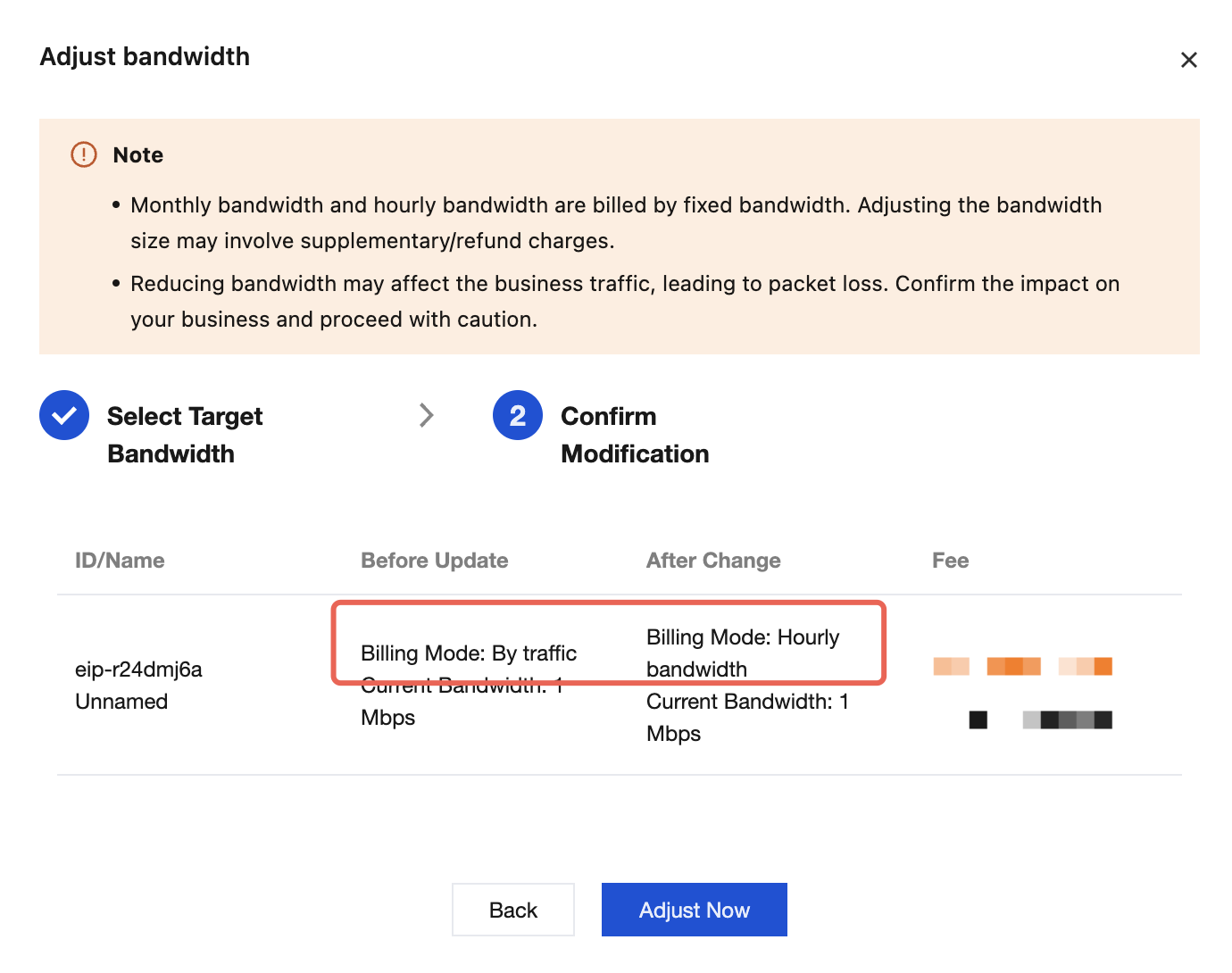
4. Confirm the billing mode before and after the change. After confirming that everything is correct, click Adjust Now.
Renewing a Monthly Bandwidth Subscription EIP
By performing the renewal operation, you can postpone the expiration time of a monthly bandwidth subscription EIP or recover an expired monthly bandwidth subscription EIP in the pending recycling status.
1. Log in to the public IP address console.
2. At the top of the public IP address page, select the region of the monthly bandwidth subscription EIP to be renewed, and then select More > Renew in the Operate column on the right of the target EIP.
Note:
If the monthly bandwidth subscription EIP is in the pending recycling status, click Renew in the Operation column on the right.
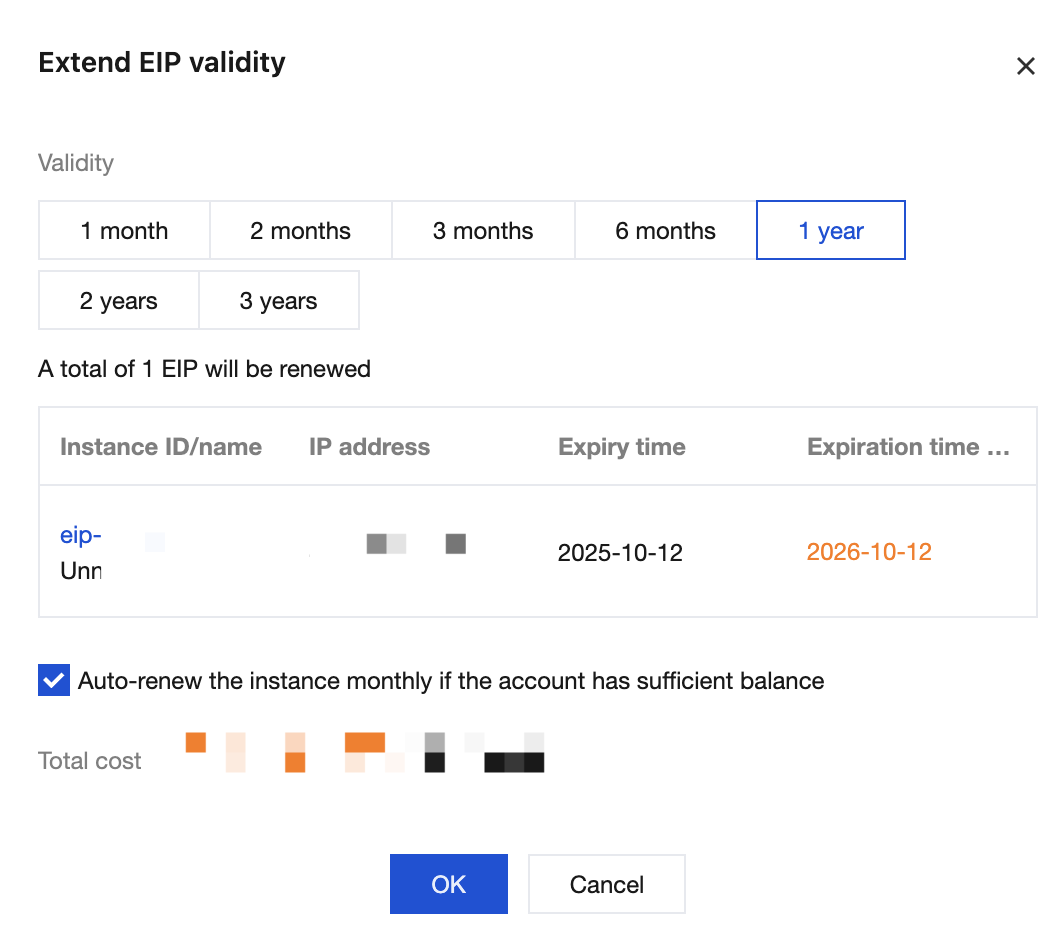
3. In the pop-up Extend EIP validity dialog box, select a renewal duration, check Auto-Renew Monthly when Account Balance is Sufficient after the Instance Expires as needed, and click OK.
4. On the Confirm Product Information page, confirm the information on the product to be renewed. After confirming that everything is correct, click Go to Pay, and select a payment method on the payment order page to complete the fee payment.
Returning a Monthly Bandwidth Subscription EIP
You can return a monthly bandwidth subscription EIP that is idle and unbound to save fees. After it is returned, the EIP will be in the recycling status and retained for 7 days. If you fail to renew it in this period, the EIP will be automatically released in 7 days.
Note:
If this is not the first return of the monthly bandwidth subscription EIP, that is, if it was renewed while in the pending recycling status and is now being returned again, ensure that the time interval between the renewal and this subsequent return is at least 30 minutes. Otherwise, the return cannot be processed.
1. Log in to the public IP address console.
2. At the top of the public IP address page, select the region of the monthly bandwidth subscription EIP to be returned, and then select More > Terminate/Return in the Operate column on the right of the target EIP.
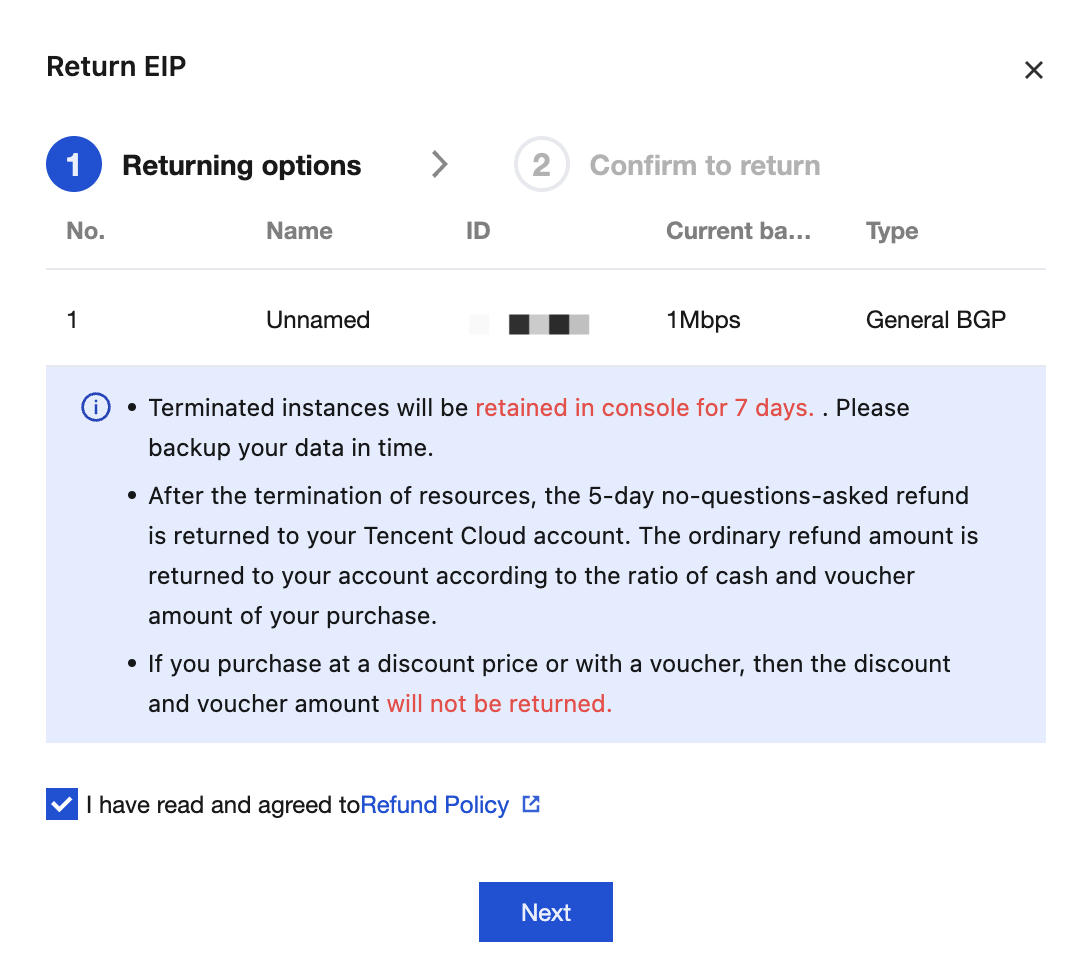
3. In the pop-up Return EIP dialog box, learn about the related instructions for instance termination. If you agree to them, check I have read and agreed to Refund Policy, and click Next.
4. After confirming that the information on the resource to be returned is correct, click Confirm refund info.
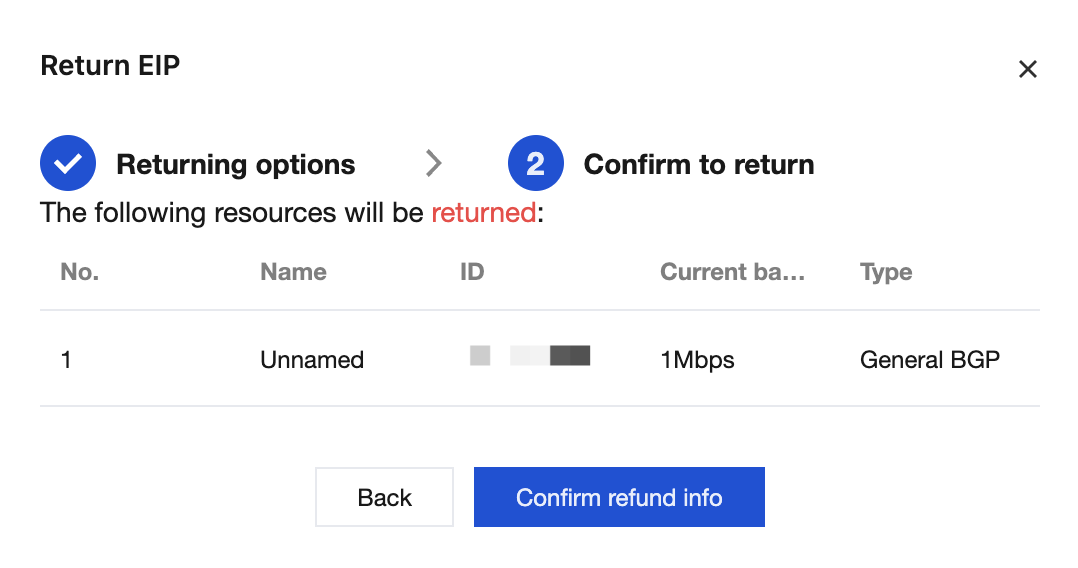
5. On the Please confirm the refund information below page, after confirming that the refund information is correct, click Confirm Refund.
6. After confirming that the refund method and amount are correct again, click Confirm Refund.
Ajuda e Suporte
Esta página foi útil?
Você também pode entrar em contato com a Equipe de vendas ou Enviar um tíquete em caso de ajuda.
comentários