Removing an EIP from an IP Bandwidth Package
Baixar
Modo Foco
Tamanho da Fonte
An EIP can be removed from an IP bandwidth package. After the removal, the billing mode will change to billing by traffic.
Prerequisites
You have purchased a BWP in advance. You can directly purchase prepaid and postpaid BWPs in the BWP console.
Ensure that your account type is: the Standard Account Type. If you cannot confirm your account type, see Determining the Account Type.
You have added an EIP resource to the BWP.
Restrictions
You can only manually add or remove bill-by-traffic and bill-by-hourly bandwidth general IP addresses among EIPs to/from an IP bandwidth package, but cannot add monthly bandwidth subscription general IP addresses to an IP bandwidth package. After the removal, the billing mode of the IP address resource will change to billing by traffic, and the bandwidth limit cannot exceed the maximum limit for billing by traffic. Therefore, confirm the impacts on your businesses.
You cannot manually add or remove accelerated IP addresses among EIPs to/from an IP bandwidth package. When you create an accelerated IP address, an Anycast acceleration bandwidth package (deemed as an IP bandwidth package here) will be automatically created on the backend. When you delete an accelerated IP address, this IP address will be automatically removed from the corresponding bandwidth package on the backend.
You cannot remove Anti-DDoS EIPs or dedicated BGP EIPs among EIPs from a bandwidth package, but you can migrate them to other BWPs of the same line type for use. Deleting an Anti-DDoS EIP or dedicated BGP EIP will automatically unbind it from the bandwidth package.
Directions
1. Log in to the VPC console and click BWP in the left sidebar.
2. Select Region at the top of the page, find the target IP bandwidth package instance in the list, and click the Instance ID to go to the details page.
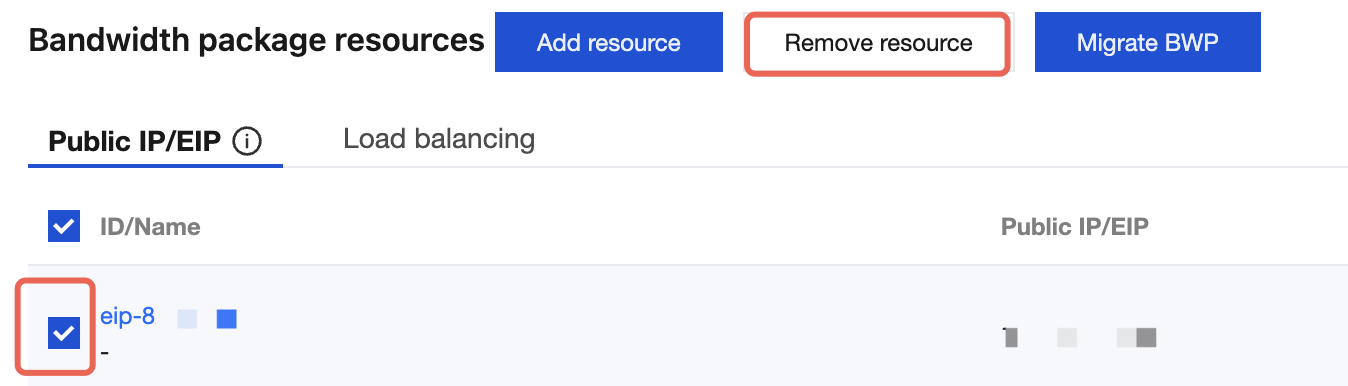
3. In the Bandwidth package resources module on the details page, select the ID of the resource you want to remove, and click Remove resource.
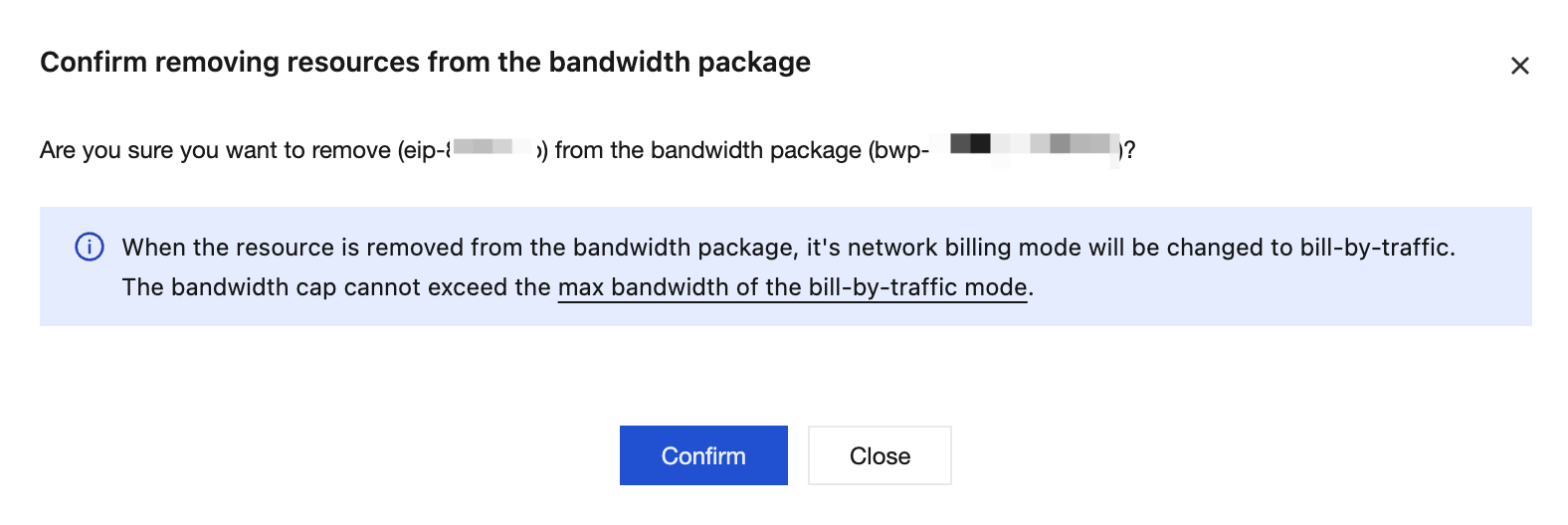
4. Confirm the impacts of the changes in the billing mode and bandwidth limit of the IP address resources after removing the bandwidth package. After confirming that everything is correct, click Confirm.
Ajuda e Suporte
Esta página foi útil?
Você também pode entrar em contato com a Equipe de vendas ou Enviar um tíquete em caso de ajuda.
comentários