Modify Consumption Site offset
Unduh
Mode fokus
Ukuran font
Overview
This operation guides you through modifying the consumption offset.
Operation Steps
1. Log in to the DTS Console, select Data Subscription in the left sidebar to go to the Data Subscription page.
2. In the data subscription list, select the data subscription you want to view, and click the Subscription ID or View Subscription Details in the Operation column to go to the subscription management page.
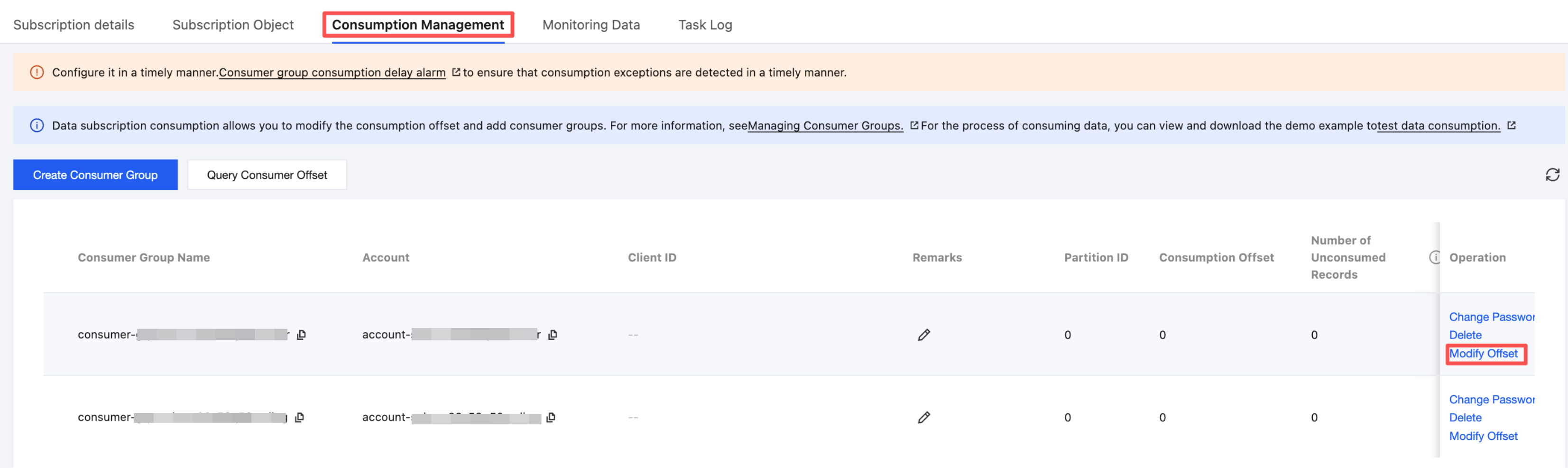
3. On the subscription management page, select the Consumption Management tab, select the target consumer group, and click Modify offset.
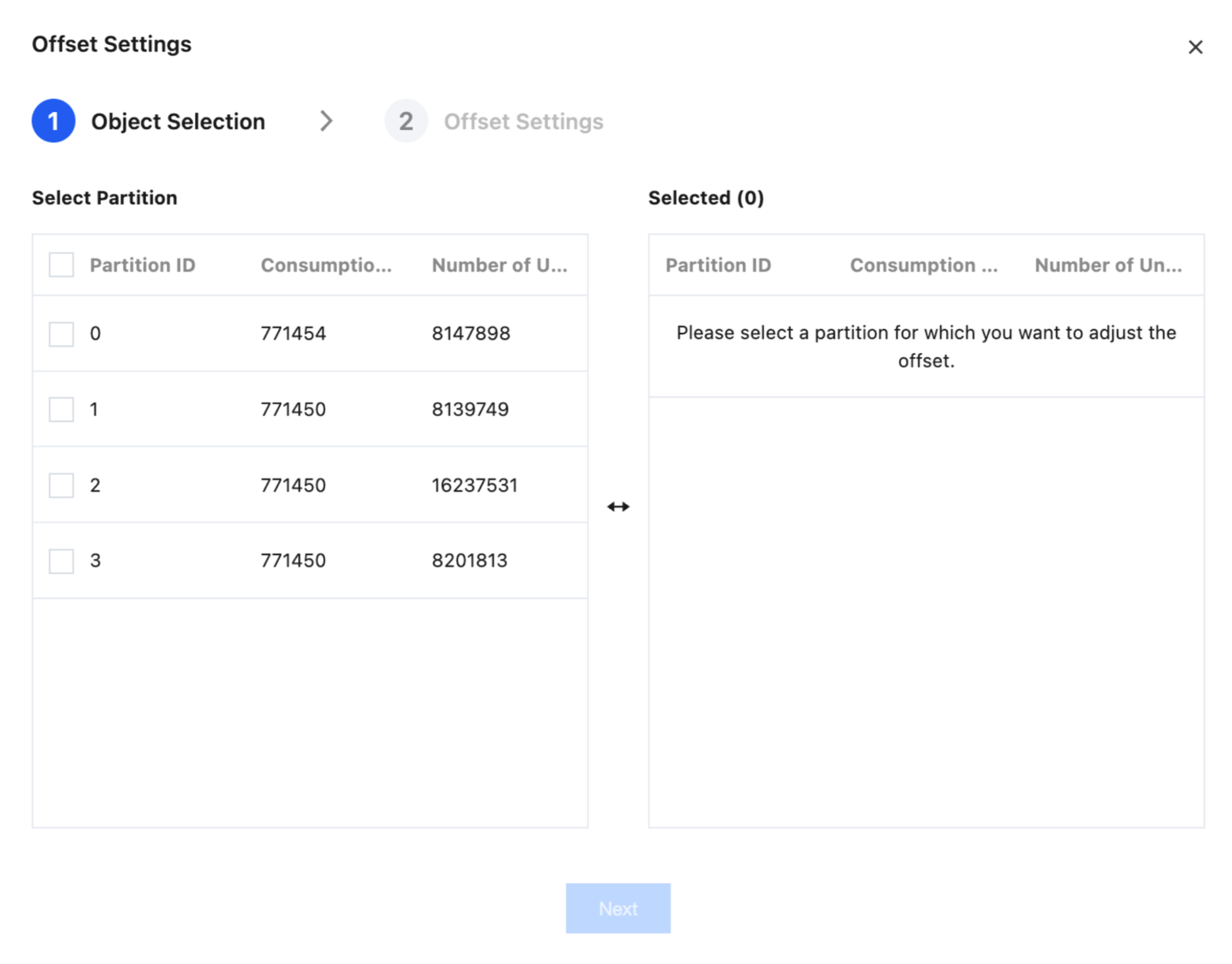
4. In the pop-up dialog box, select the offset object and click Next.
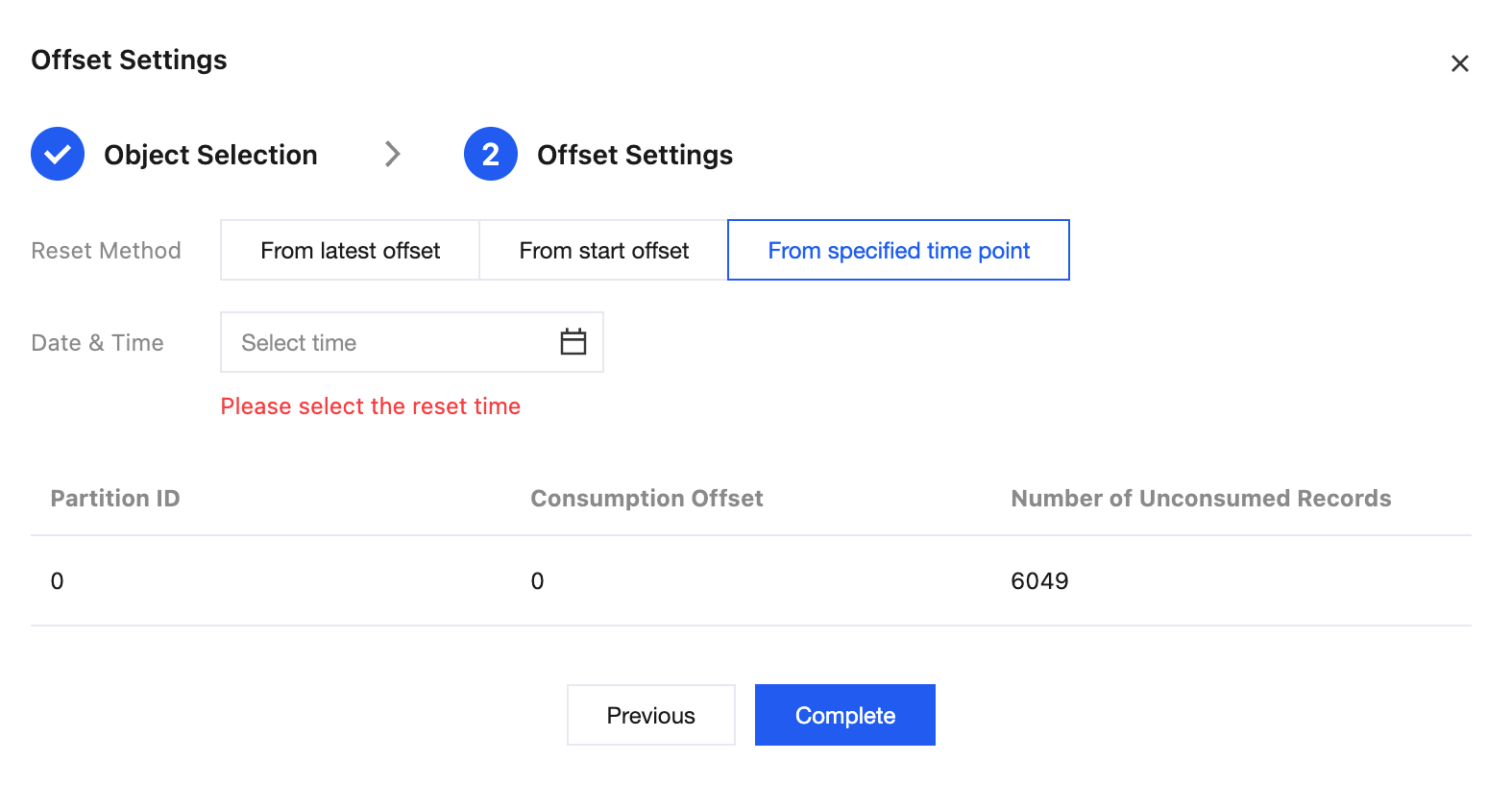
5. Set the reset method for the consumption data, and then click Complete.
Start consumption from the latest position: the consumption offset is changed to the latest offset of the Kafka message.
Start consumption from the earliest position: the consumption offset is changed to the earliest stored offset of the Kafka message.
Reset the consumption position by time: the user enters a specific time, and DTS locates the consumption offset corresponding to the entered time and starts consumption from that offset.
If the specified time is later than the time of the Kafka messages, the consumption offset is set to the maximum offset in the Kafka messages. If the specified time is earlier than the time of the Kafka messages, the consumption offset is set to the minimum offset in the Kafka messages.
Bantuan dan Dukungan
Apakah halaman ini membantu?
Anda juga dapat Menghubungi Penjualan atau Mengirimkan Tiket untuk meminta bantuan.
masukan