DTS Data Subscription 2.0 Upgrade Notes
Unduh
Mode fokus
Ukuran font
Upgrade Overview
Dear customers, the Tencent Cloud DTS team has released Data Subscription 2.0 to provide you with higher-quality and more stable data subscription services. The new version has been comprehensively upgraded in architecture, stability, and Ops capabilities. We sincerely recommend that you upgrade your existing Data Subscription 1.0 to 2.0.
Differences and Advantages of Subscription 2.0 over 1.0
Core Architecture Differences
Dimension | 1.0 | 2.0 |
Kafka architecture | Region-shared self-built Kafka cluster | Cloud-native CKafka (single-user isolation) |
Resource isolation | Multiple users share the same cluster. | Each user has an independent CKafka instance, with complete isolation. |
High availability | Requires manual configuration. | Automatic deployment across multiple AZs |
Access Mode | Domain name + NodePort | Private network access point IP:Port |
Core Advantages of Subscription 2.0
1. Stronger resource isolation: Each user has an independent CKafka instance, which completely eliminates the "noisy neighbor" effect and prevents traffic spikes from other users from affecting your data subscription performance.
2. Enhanced observability: Built-in rich monitoring metrics and alarm capabilities allow you to monitor the health status of the subscription link in real time.
3. Higher availability: The system is automatically deployed across multiple AZs, providing inherent cross-AZ disaster recovery capabilities.
Impact on Customer Business (Minimal)
The Only Configuration That Needs Modification
After an upgrade to 2.0 is performed, your consumer program only needs to modify one configuration:
Configuration Item | Modification Required or Not | Description |
bootstrap.servers | ✔ Modification required. | Switch to the new CKafka private network access point address of 2.0. |
topic | ✖ Unchanged | 2.0 automatically creates a Topic with the same name as 1.0. |
group.id | ✖ Unchanged | The platform pre-creates a consumer group with the same name on 2.0 CKafka. |
username | ✖ Unchanged | Keep the original username unchanged. |
password | ✖ Unchanged | The password is synchronized to the 2.0 CKafka account. |
sasl.mechanism | ✖ Unchanged | Keep SCRAM-SHA-512. |
Summary: Except for the change to the bootstrap.servers access address, your consumer code, topics, account passwords, and authentication methods all remain unchanged, with minimal business modifications required.
Subscription 2.0 Purchase Instructions
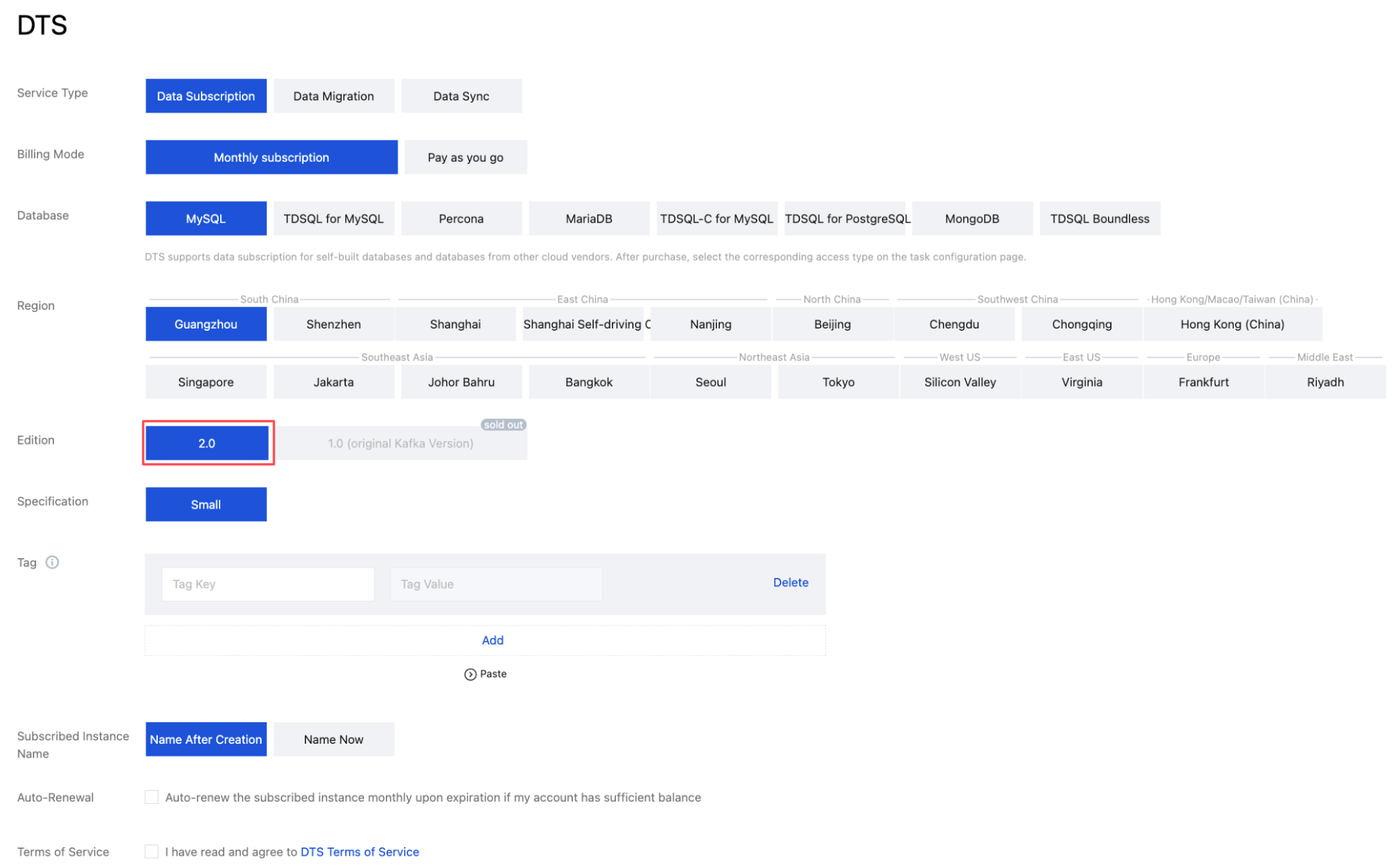
1. Log in to the DTS console, select Data Subscription in the left sidebar, and click Create Subscription.
2. On the Create Subscription page, select the corresponding configuration, and click Buy Now.
Configuration Differences Requiring Extra Attention
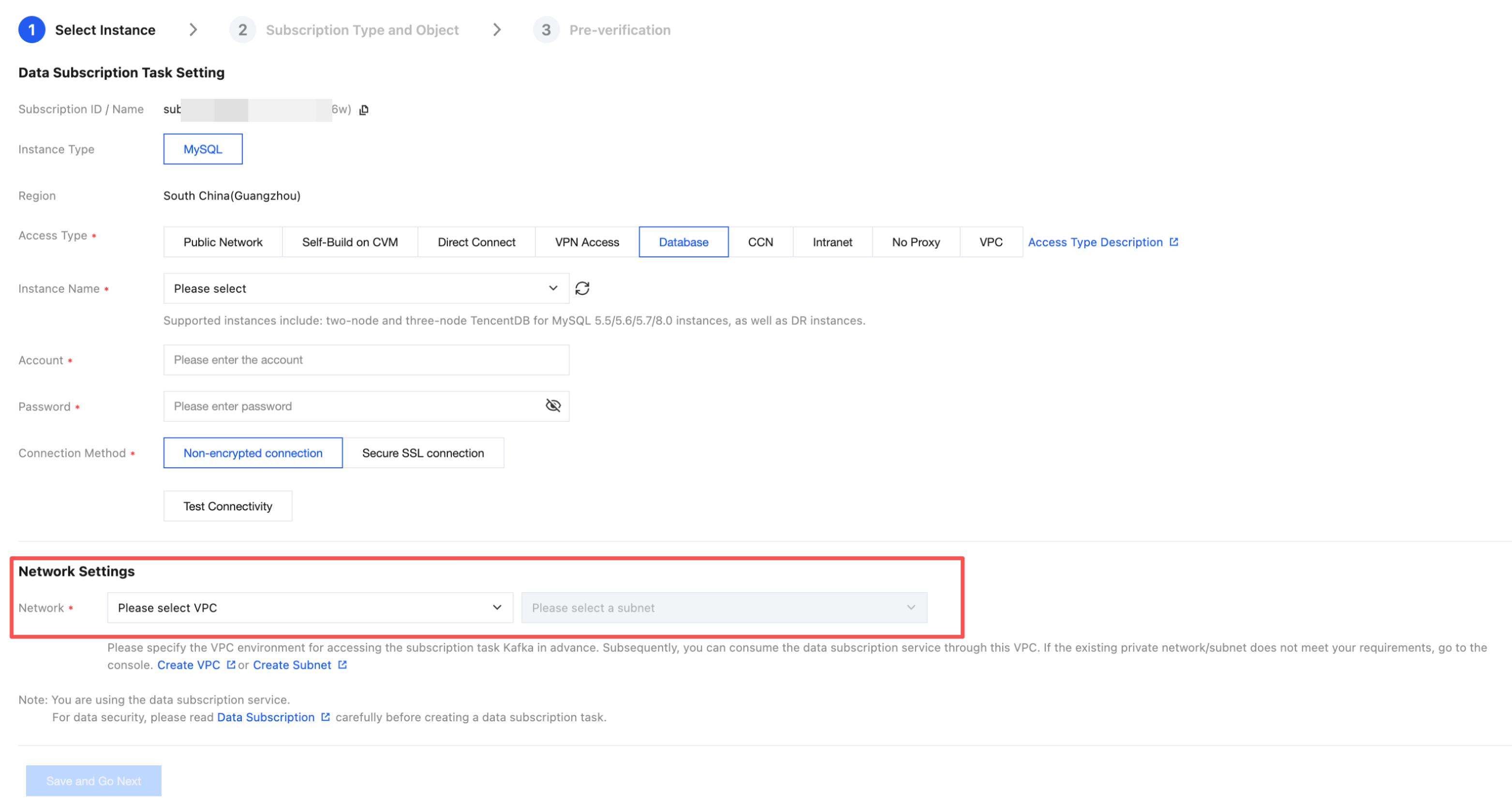
Subscription 2.0 has a new requirement during configuration:
Attention:
You need to specify the specific VPC and subnet IDs.
During configuration: When creating or upgrading a subscription task, you need to specify the VPC ID and subnet ID where the consumer resides.
During use:
Access within the same VPC: All CVMs in the same VPC can access subscription data normally without additional configuration.
Cross-VPC access: If the consumer CVM is in another VPC, you need to configure CCN to enable cross-VPC access.
Upgrade Plan for Existing Subscription 1.0 Tasks
We are progressively productizing the upgrade process from Subscription 1.0 to Subscription 2.0, and will provide a one-click console upgrade capability to further reduce the complexity of upgrade operations.
Productized Upgrade Plan Support
Automated position mapping ensures consumption continuity.
Ensuring data consistency during the parallel operation of old and new links.
A 7-day rollback protection window.
The price remains exactly the same before and after the upgrade, with no additional fees.
Upgrade Process Overview
Upgrade to 2.0 notice

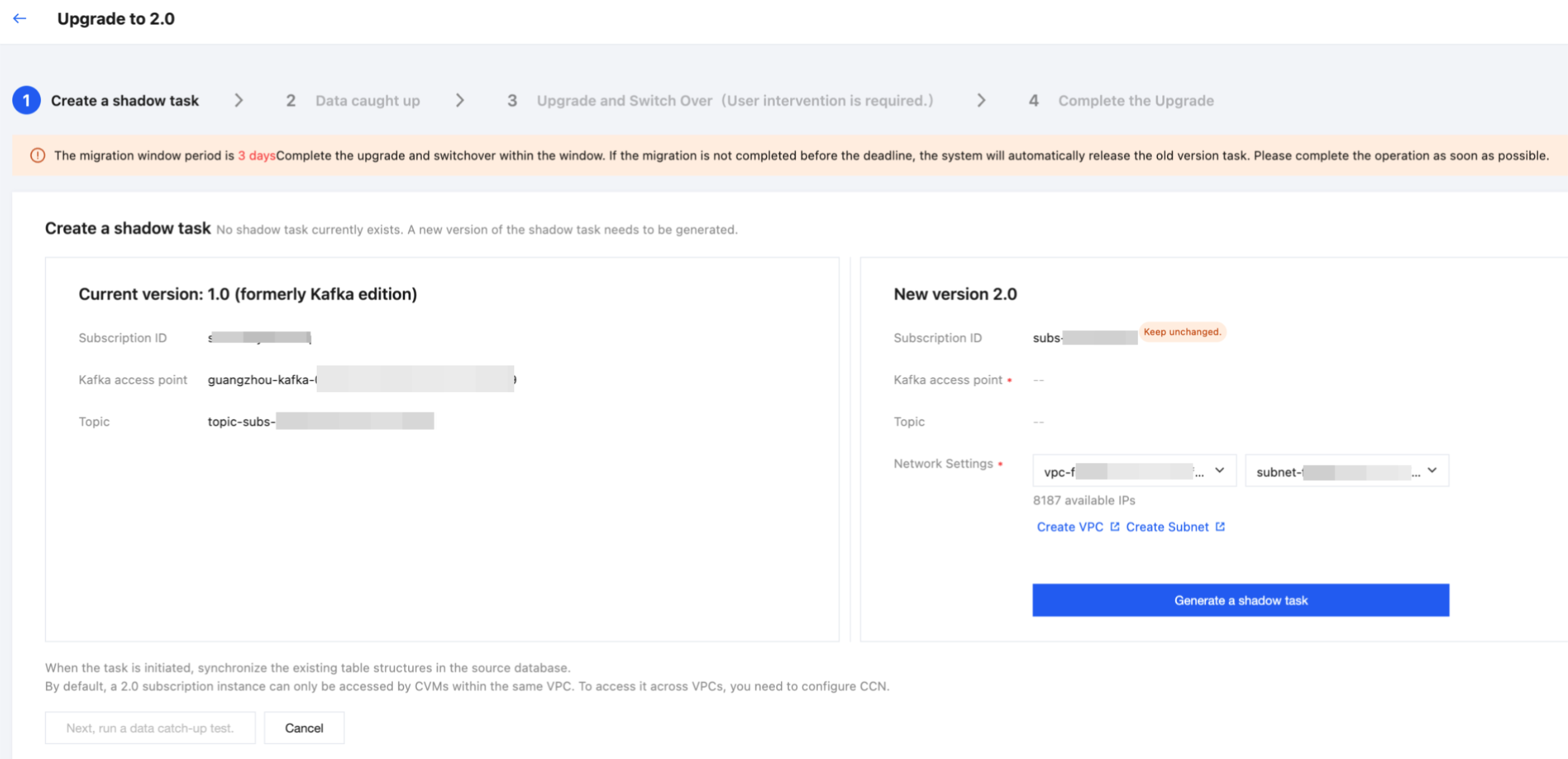
Upgrade Process 1 - Create a Shadow Task
Upgrade Process 2 - Data Catch-up
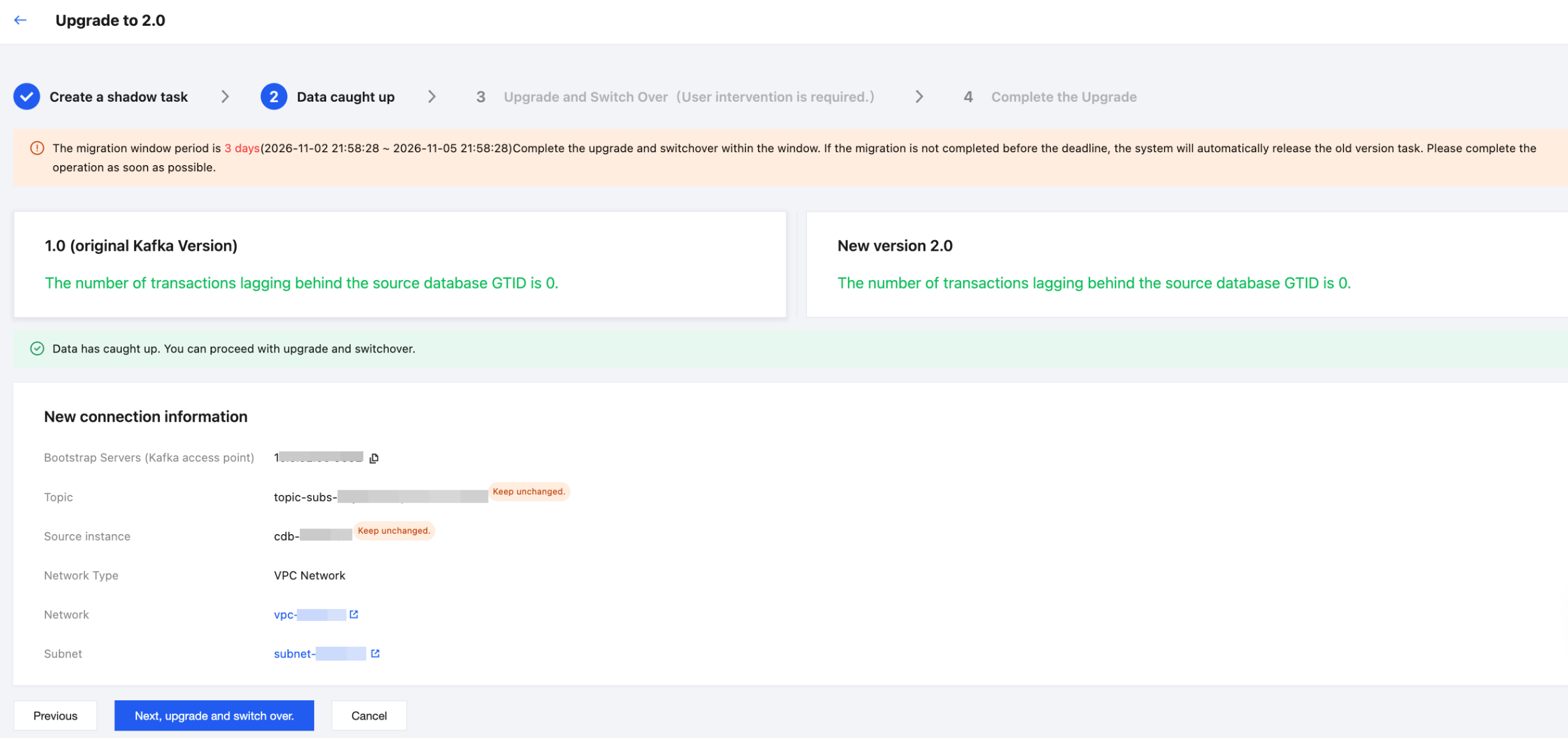
Upgrade Process 3 - Upgrade Cutover
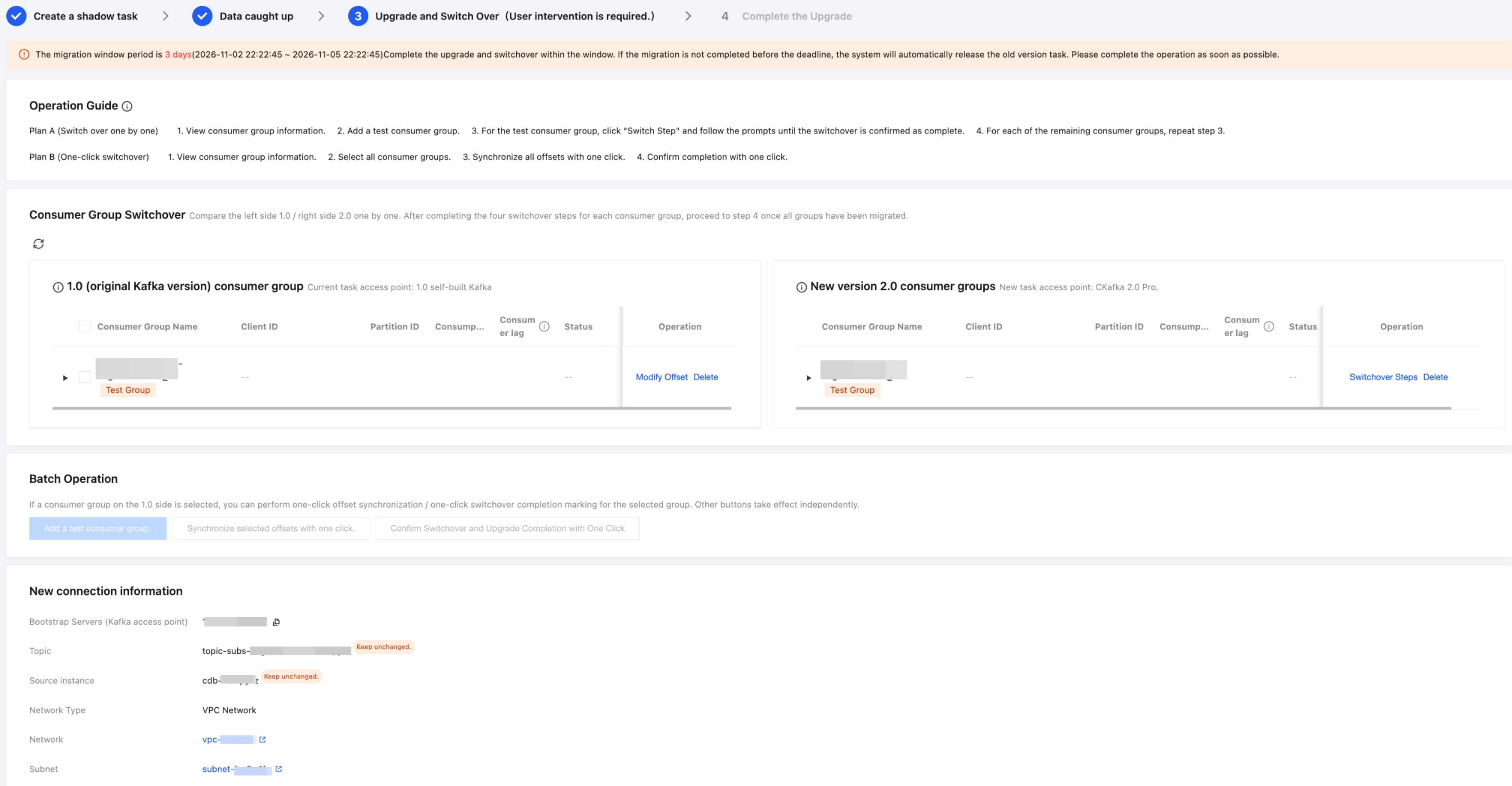
Upgrade Process 3 - Consumer Group-Level Cutover Steps
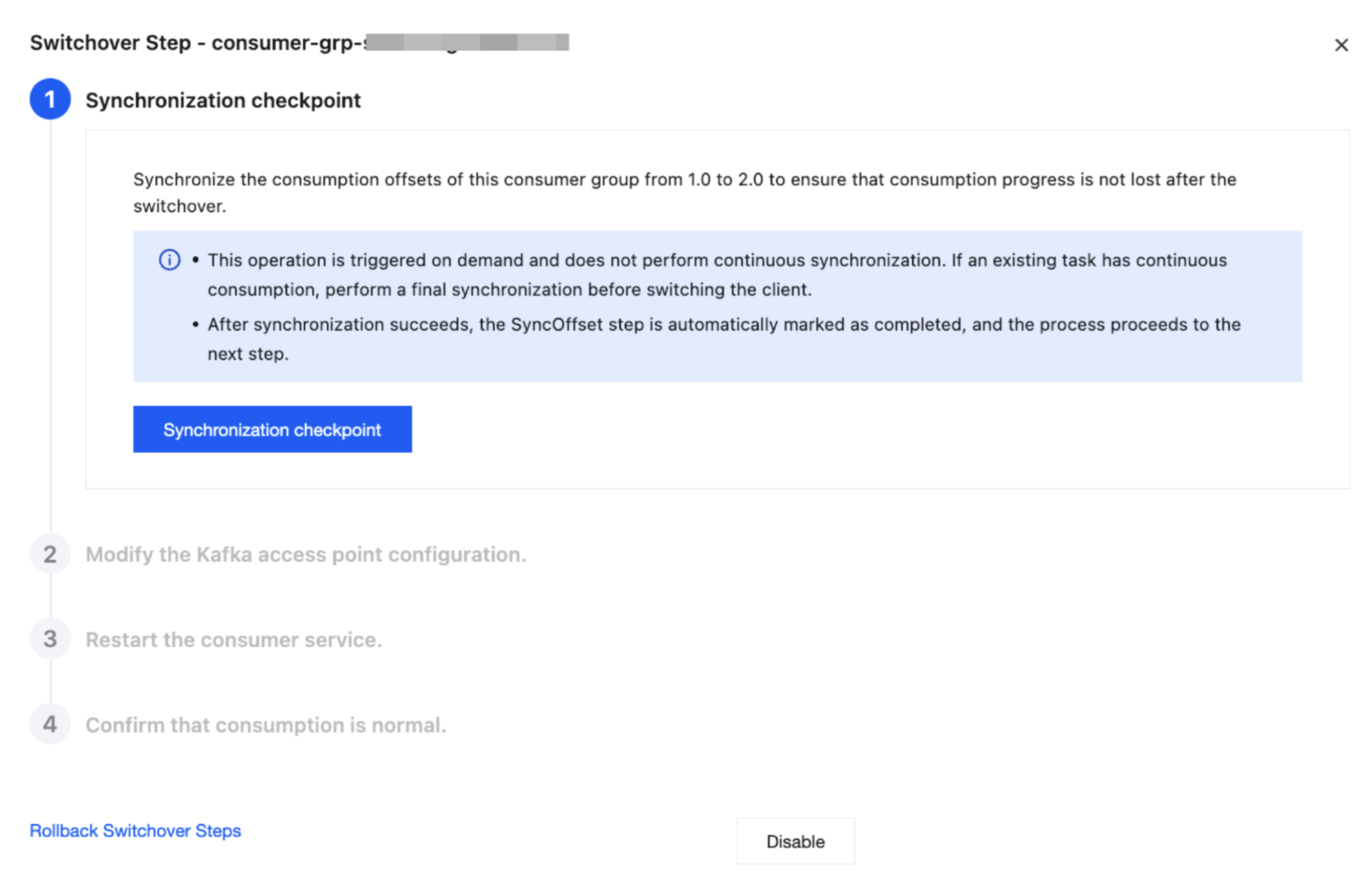
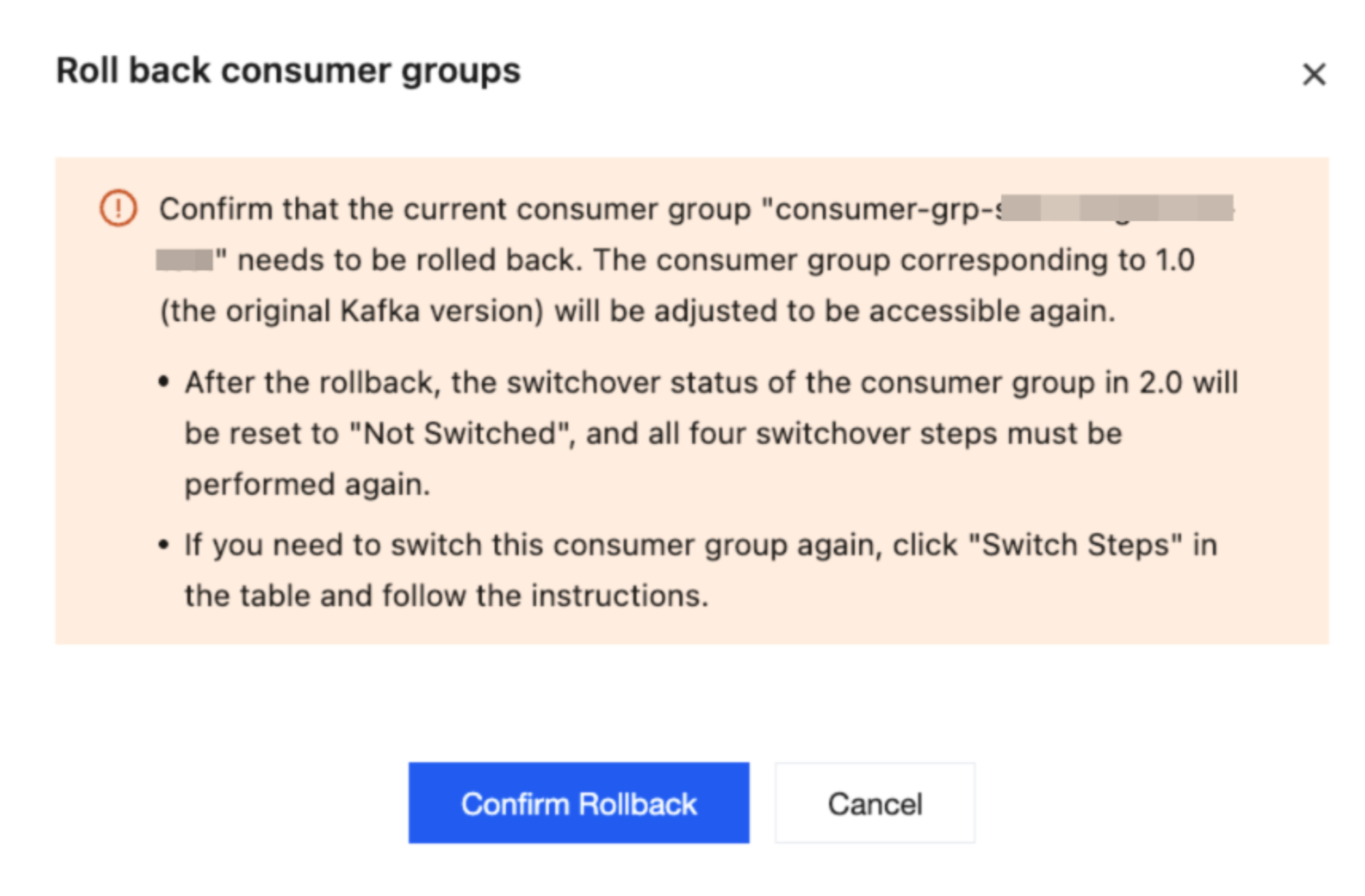
Upgrade Process 3 - Consumer Group-Level Rollback Operations
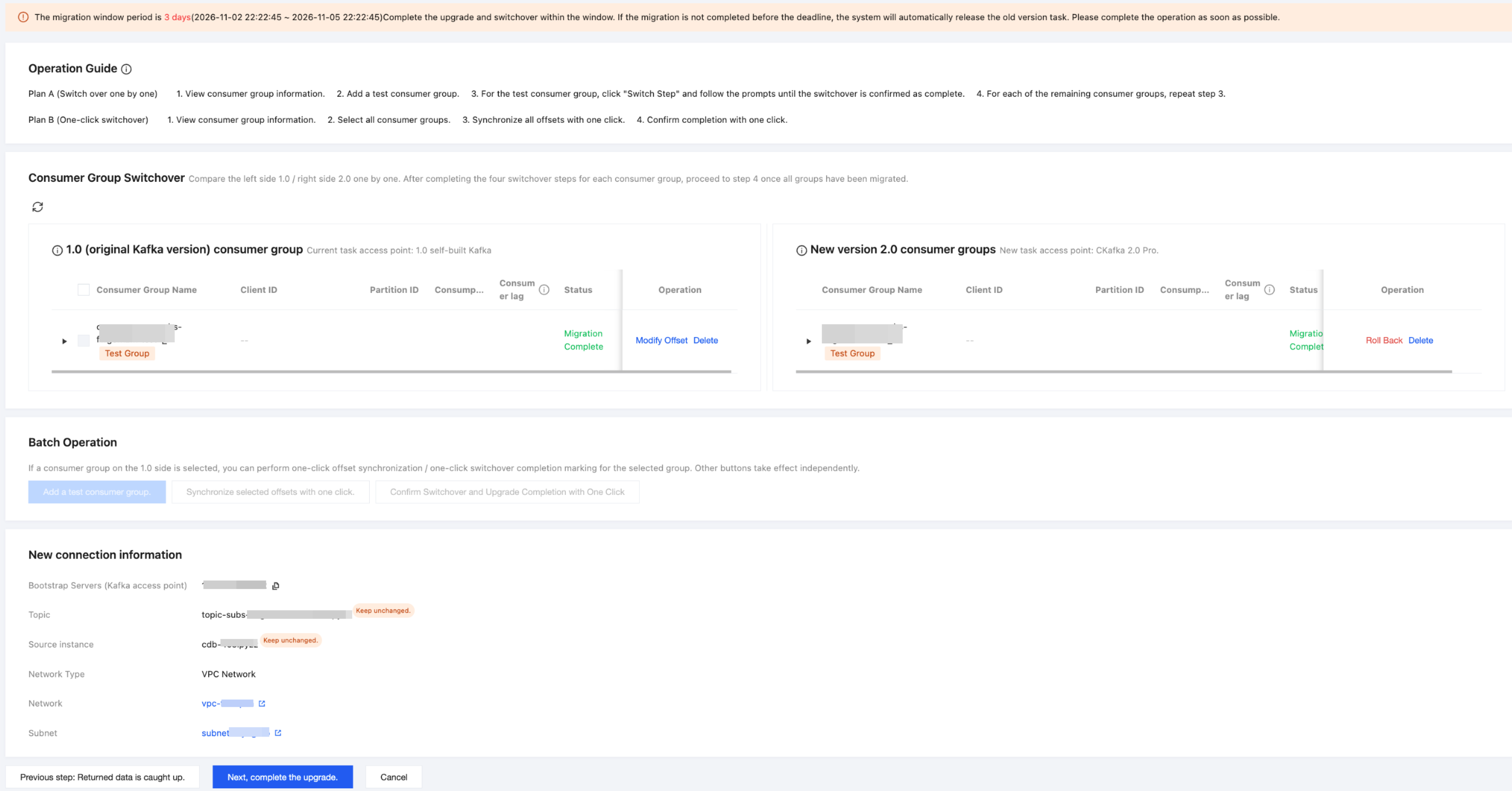
Upgrade Process 4 - Complete the Upgrade
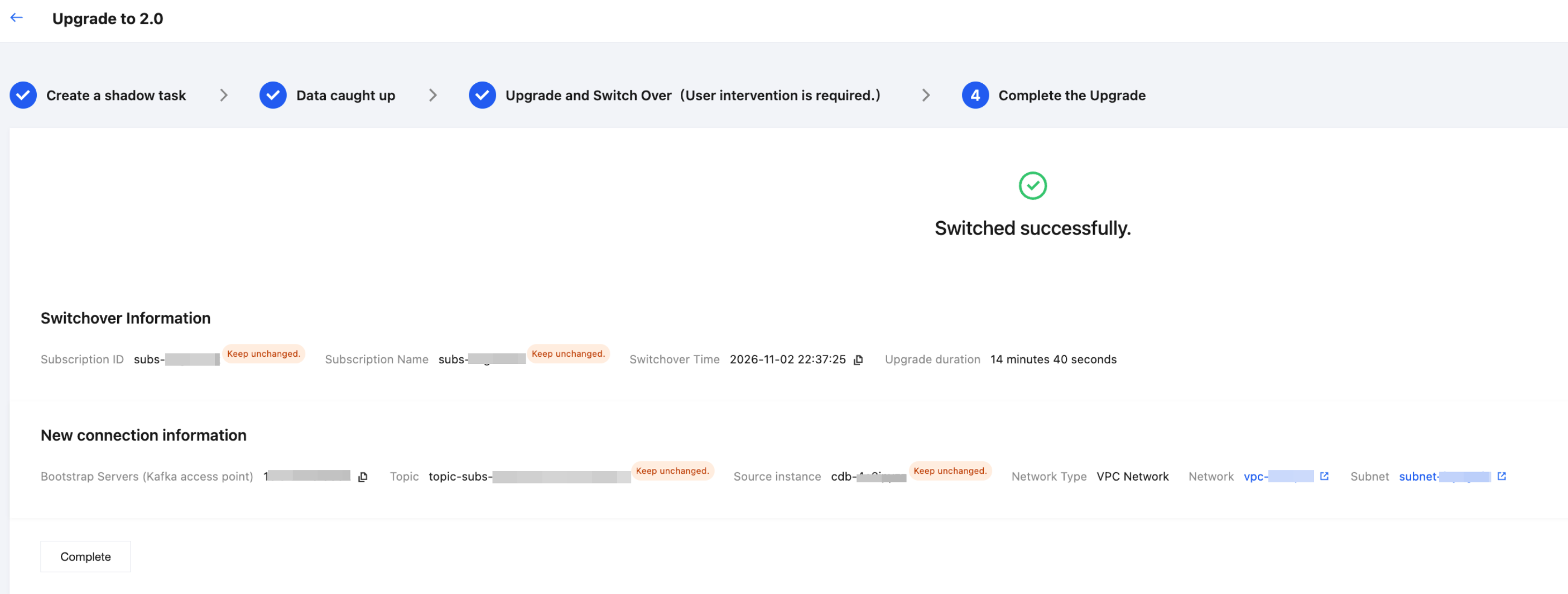
Must-Knows
Cross-VPC access: If the consumer CVM is in another VPC, configure CCN to enable cross-VPC access.
Consumer Group-Level Switchover and Rollback: After the business is successfully switched to the 2.0 consumer group, 1.0 automatically performs access control. If an exception occurs, click to roll back the consumer group switchover.
Upgrade Window: After the 2.0 upgrade migration is triggered, you have a 3-day upgrade window. Complete the business switchover and upgrade within this window as soon as possible. If the window expires, the 1.0 instance will be automatically taken offline. We will send a notification before taking the 1.0 instance offline.
Contact Us
If you have upgrade intentions or any questions, feel free to contact the DTS team by ticket at any time. We will provide you with dedicated upgrade support services.
Bantuan dan Dukungan
Apakah halaman ini membantu?
Anda juga dapat Menghubungi Penjualan atau Mengirimkan Tiket untuk meminta bantuan.
masukan