Modifying Subscription Objects
Unduh
Mode fokus
Ukuran font
Overview
After a subscription task starts, users can use this operation to add or remove subscription objects as needed.
The following parameter modifications are currently supported. To modify other parameters, see Reset Data Subscription.
Modify the subscription type, and add or remove subscription objects.
Modify the Kafka partitioning policy and customize the partitioning policy.
Prerequisites
Note
1. After subscription objects are modified, the original private network address remains unchanged and is still bound to the subscription task. You can view the private network address in View Subscription Details > Subscription Information.
2. After subscription objects are modified, the subscription task restarts and pauses for a few seconds. After the restart, the system identifies the Binlog interruption point in the source database and resumes subscription, ensuring data continuity.
3. For MySQL/TDSQL-C MySQL/MariaDB/Percona/TDSQL PostgreSQL subscription tasks, modifying subscription objects causes a task restart, which may result in duplicate data when users consume data from the kafka client. For MongoDB subscription tasks, no duplicate data occurs after a restart.
For MySQL/TDSQL-C MySQL/MariaDB/Percona/TDSQL PostgreSQL subscription tasks, DTS transfers data by the smallest data unit. Each marked checkpoint is a data unit. If a data unit has just been transferred when a restart occurs, no data duplication will be caused. If a data unit is still being transferred when a restart occurs, the data unit will need to be pulled again after the restart to ensure data integrity, which will cause data duplication.
MySQL/TDSQL-C MySQL currently supports data deduplication, and the consumption Demo includes deduplication logic, so no duplicate data will be generated. For MariaDB/Percona/TDSQL PostgreSQL, if you are concerned about duplicate data, configure deduplication logic when consuming data.
4. After objects are added, the subscribed data content targets the incremental data generated by the source database after the task restarts.
Operation Steps
1. Log in to the DTS Console, select Data Subscription in the left sidebar to go to the Data Subscription page.
2. In the data subscription list, select the data subscription you want to modify, and choose Operation > More > Modify subscription object to go to the Modify Subscription Objects page.
3. On the Modify Subscription Objects page, reselect the subscription type, select the subscription objects, or modify the partitioning policy, and then click Configure Task.
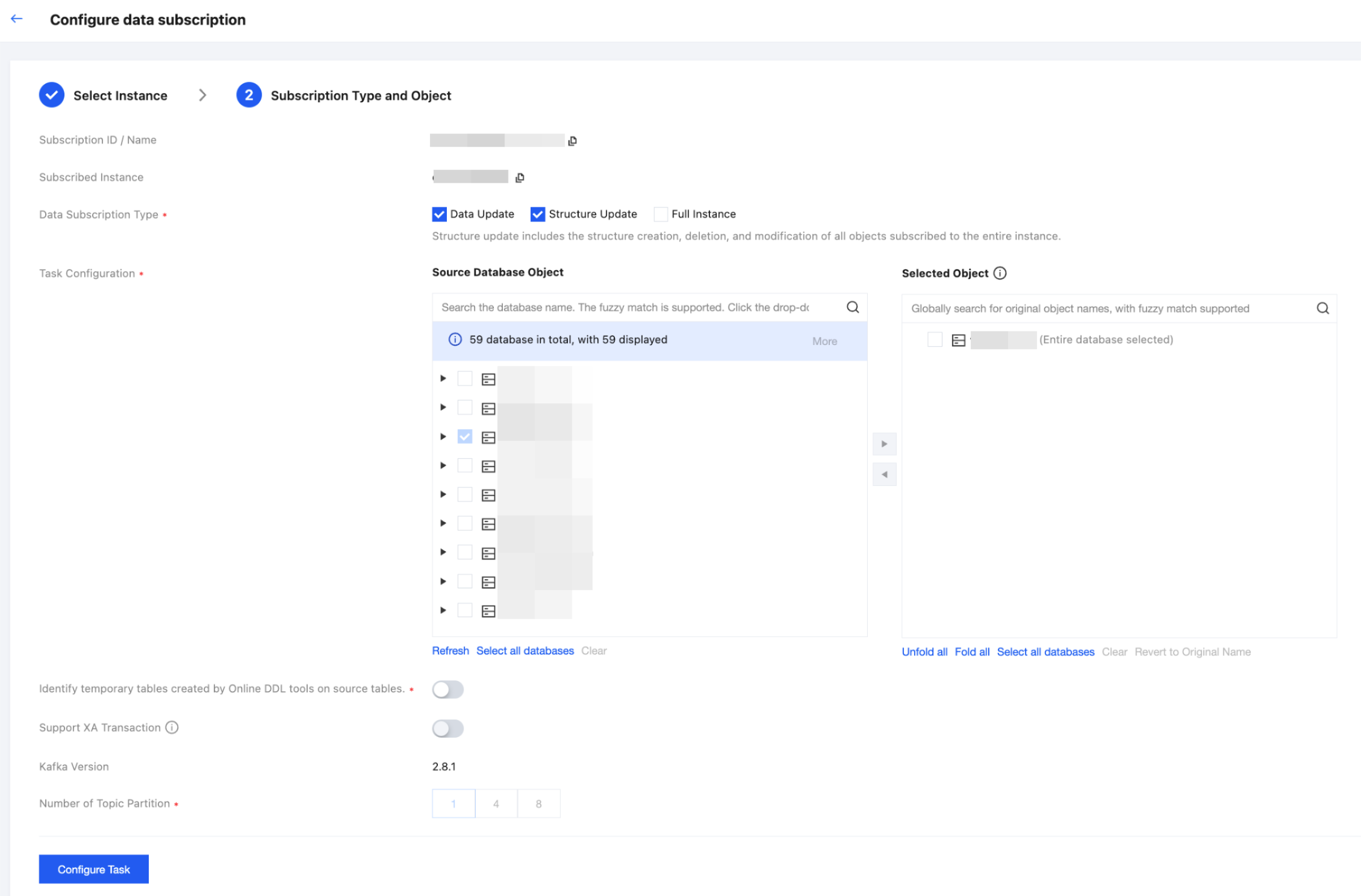
4. Return to the subscription list. The subscription task enters the Starting state, and task precheck and initialization are performed. After the startup succeeds, the subscription task enters the Running state, and you can use a Kafka client to consume subscription data.
Bantuan dan Dukungan
Apakah halaman ini membantu?
Anda juga dapat Menghubungi Penjualan atau Mengirimkan Tiket untuk meminta bantuan.
masukan