Unreal Engine
Unduh
Mode fokus
Ukuran font
Prerequisites
Before you begin, complete the push prerequisite configuration for the corresponding native platforms. See iOS Prerequisites and Android Prerequisites.
Implementation steps
Step 1: Integrate TIMPush
After manufacturer configuration for each native platform, integrate the push plugin: download TIMPush, copy it to the project
Plugins directory, and import TIMPush in the main module’s Build.cs file.Copy directory | Import the plugin |
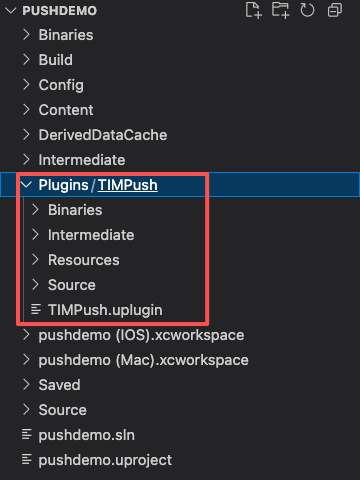 | 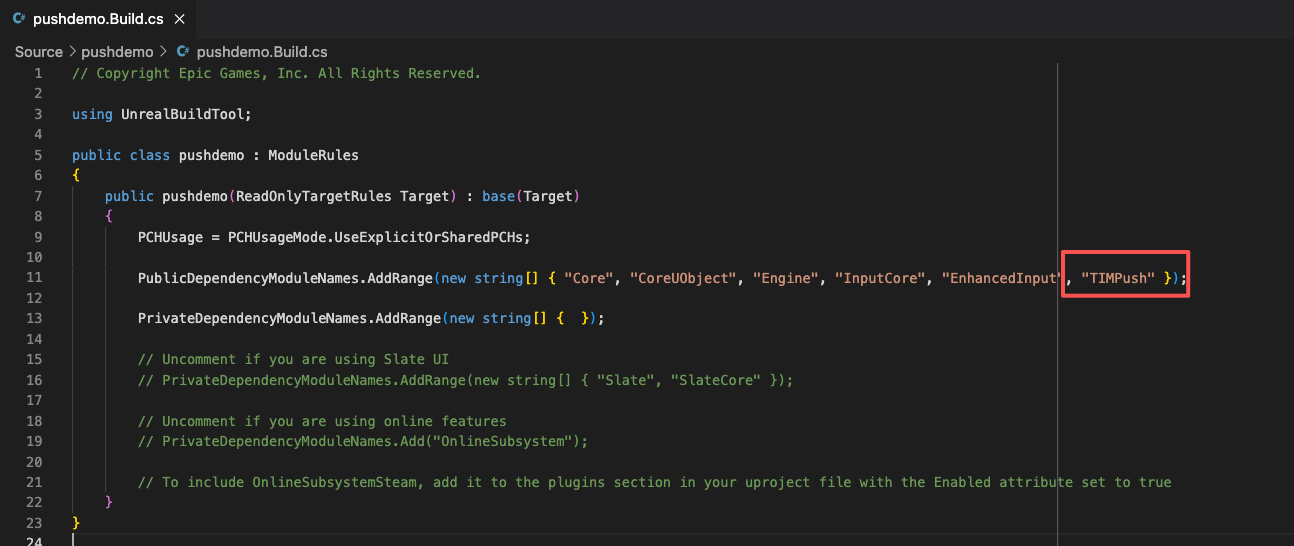 |
Step 2: Configure push parameters
1. Upload the iOS APNs push certificate obtained in Manufacturer configuration to the Console. The Console assigns a certificate ID, as shown below:
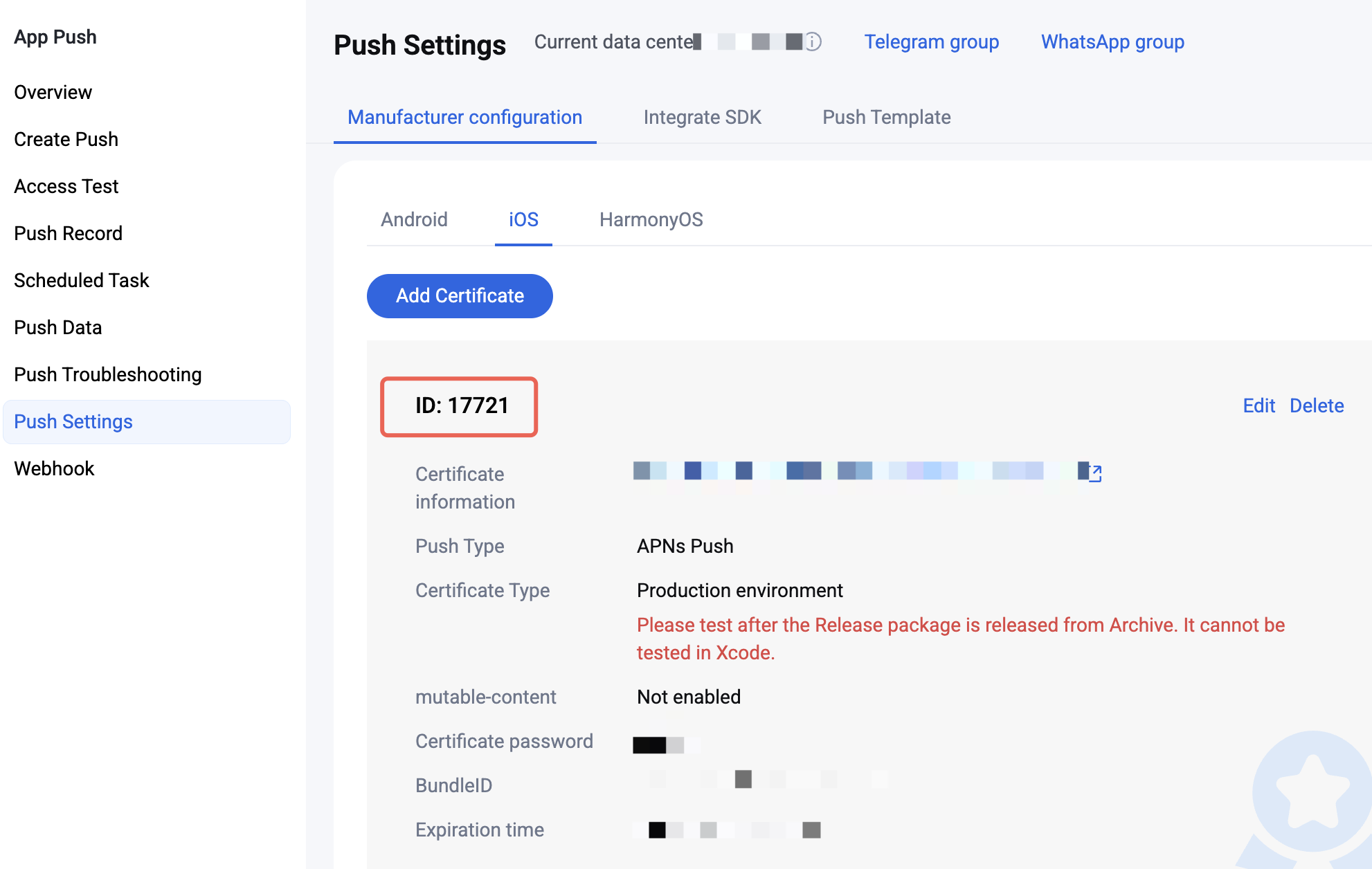
2. Set
businessID: In the UE4 Editor, open Project Settings, search for Additional Plist Data, edit the text below, and paste it into the text box. YourBusinessID is required. Modify YourGroupID only when you need to collect push delivery and click statistics.<key>businessID</key><string>YourBusinessID</string><key>TIMPushAppGroupID</key><string>YourGroupID</string>
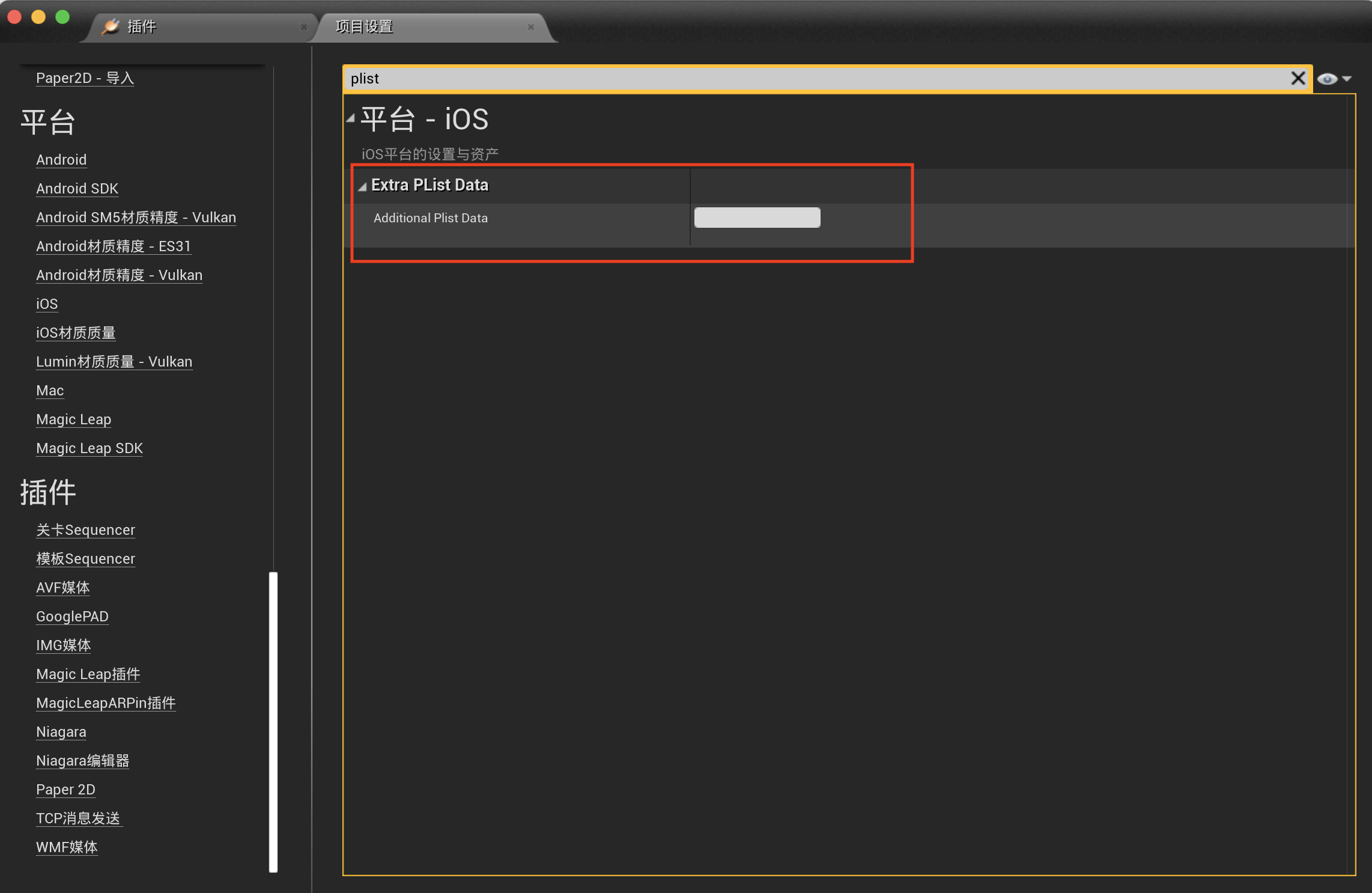
3. Enable remote notifications. After configuring the certificate ID, enable Push Notifications for the app:
If you build the UE engine from source, enable it under Project Settings > iOS by selecting Enable Remote Notifications Support;
If you download the UE engine from Epic Games, open
<proj_dir>/Config/DefaultEngine.ini and add the following under IOSRuntimeSettings:// Some code[/Script/IOSRuntimeSettings.IOSRuntimeSettings]bEnableRemoteNotificationsSupport=True
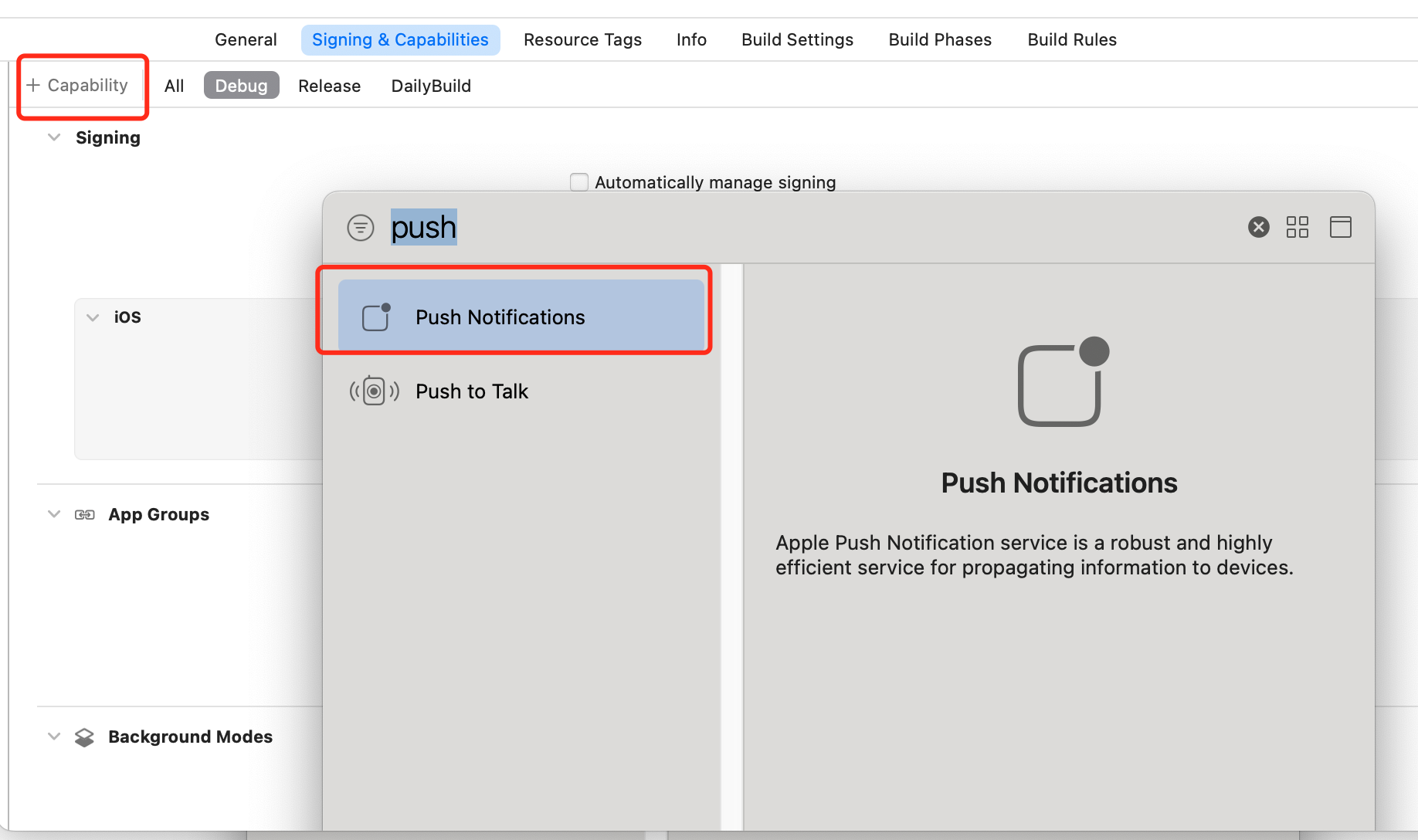
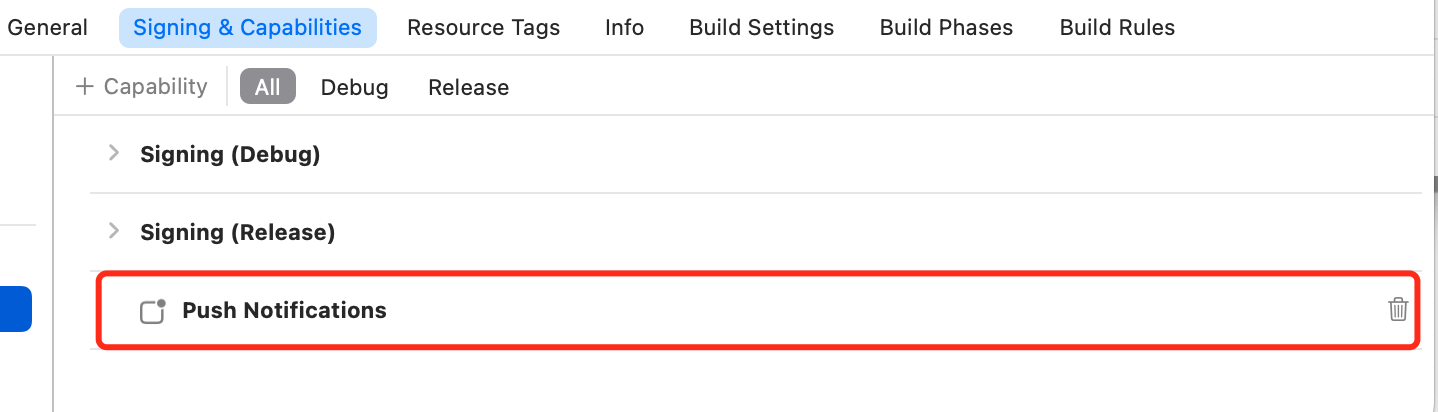
Or open the UE-generated YourProject.xcworkspace with Xcode in the project root, go to Project > Target, open Signing & Capabilities, click Capability in the upper left, search for Push Notifications, and add it to the project.
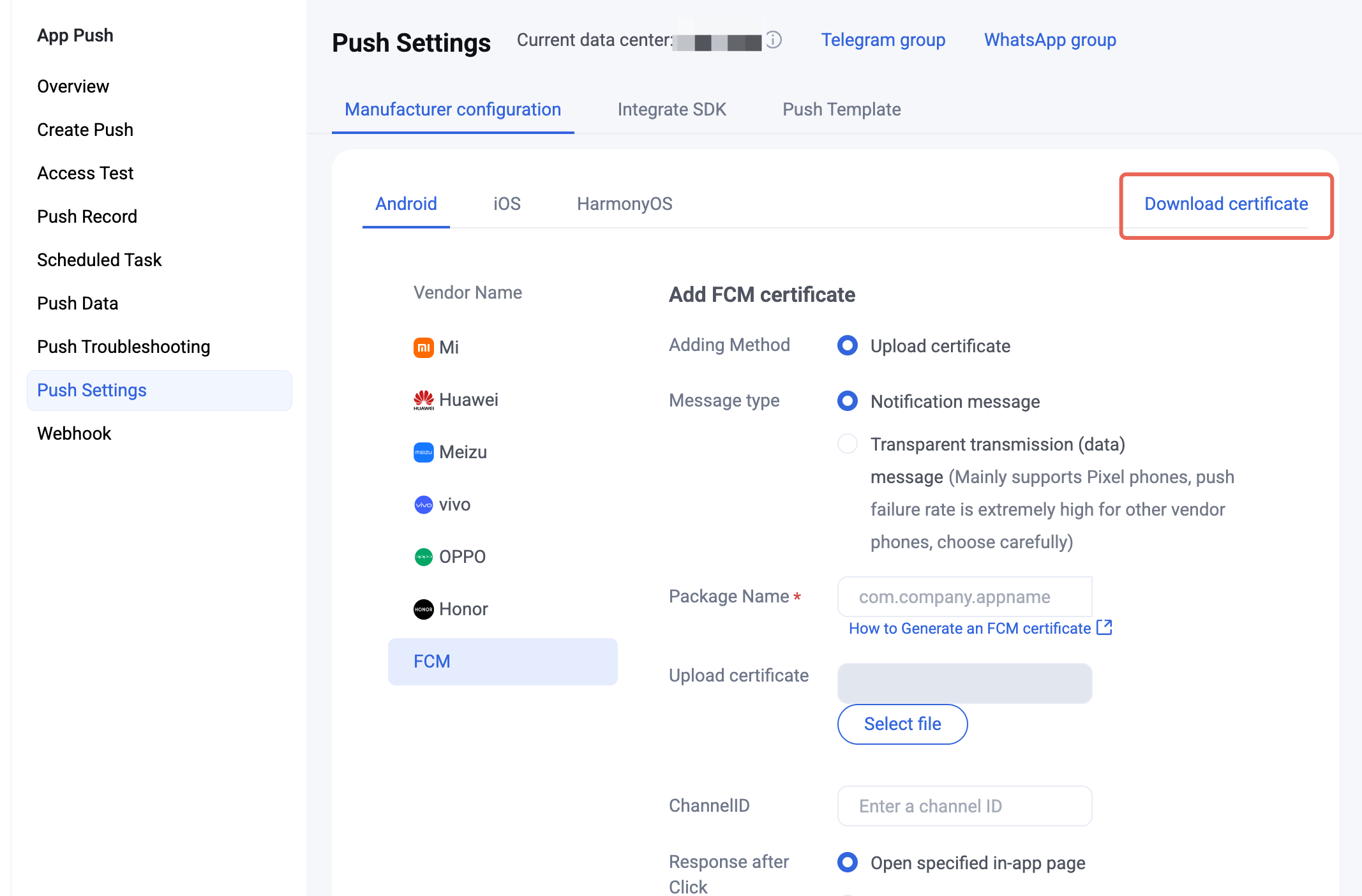
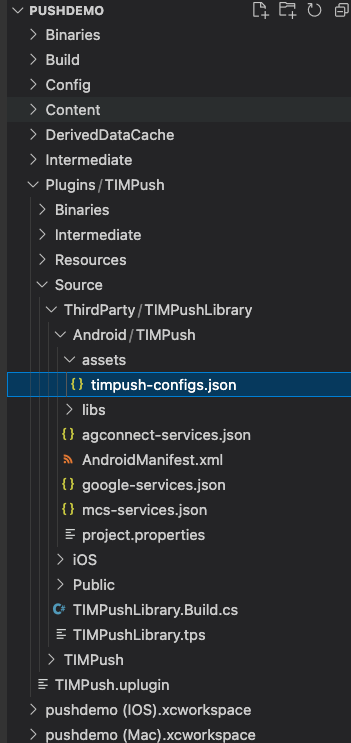
1. After completing Manufacturer configuration, download the configuration file from the Console and add it to the project. Place the downloaded
timpush-configs.json under TIMPush’s Source/ThirdParty/TIMPushLibrary/Android/TIMPush/Assets directory.Download the configuration file | Copy path |
 |  |
Step 3: Client manufacturer configuration
No action is required on iOS for this step.
APL-related configuration is already set in TIMPush. Replace it with your app’s configuration. The TIMPush_APL.xml path is:
/Plugins/TIMPush/Source/TIMPush/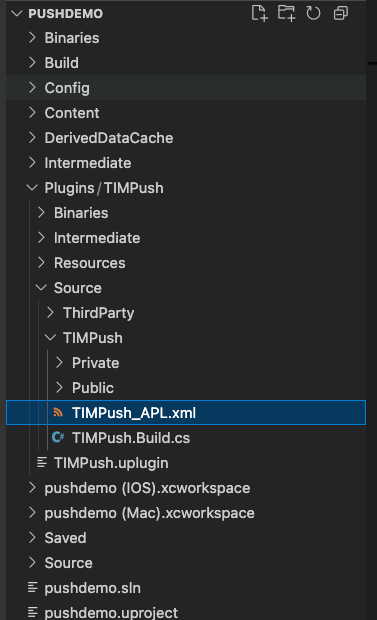
1. Push package integration
<buildGradleAdditions><insert>dependencies {// Replace VERSION with the version from Release Notes.// The main push package is requiredimplementation 'com.tencent.timpush:tpush:VERSION'// Add manufacturer packages as neededimplementation 'com.tencent.timpush:fcm:VERSION'}</insert></buildGradleAdditions>
2. Google FCM adaptation
Follow the manufacturer instructions to integrate the corresponding plugin and JSON configuration files.
3.1 Download the JSON configuration file and place it under the TIMPush plugin directory
Source/ThirdParty/TIMPushLibrary/Android/TIMPush/.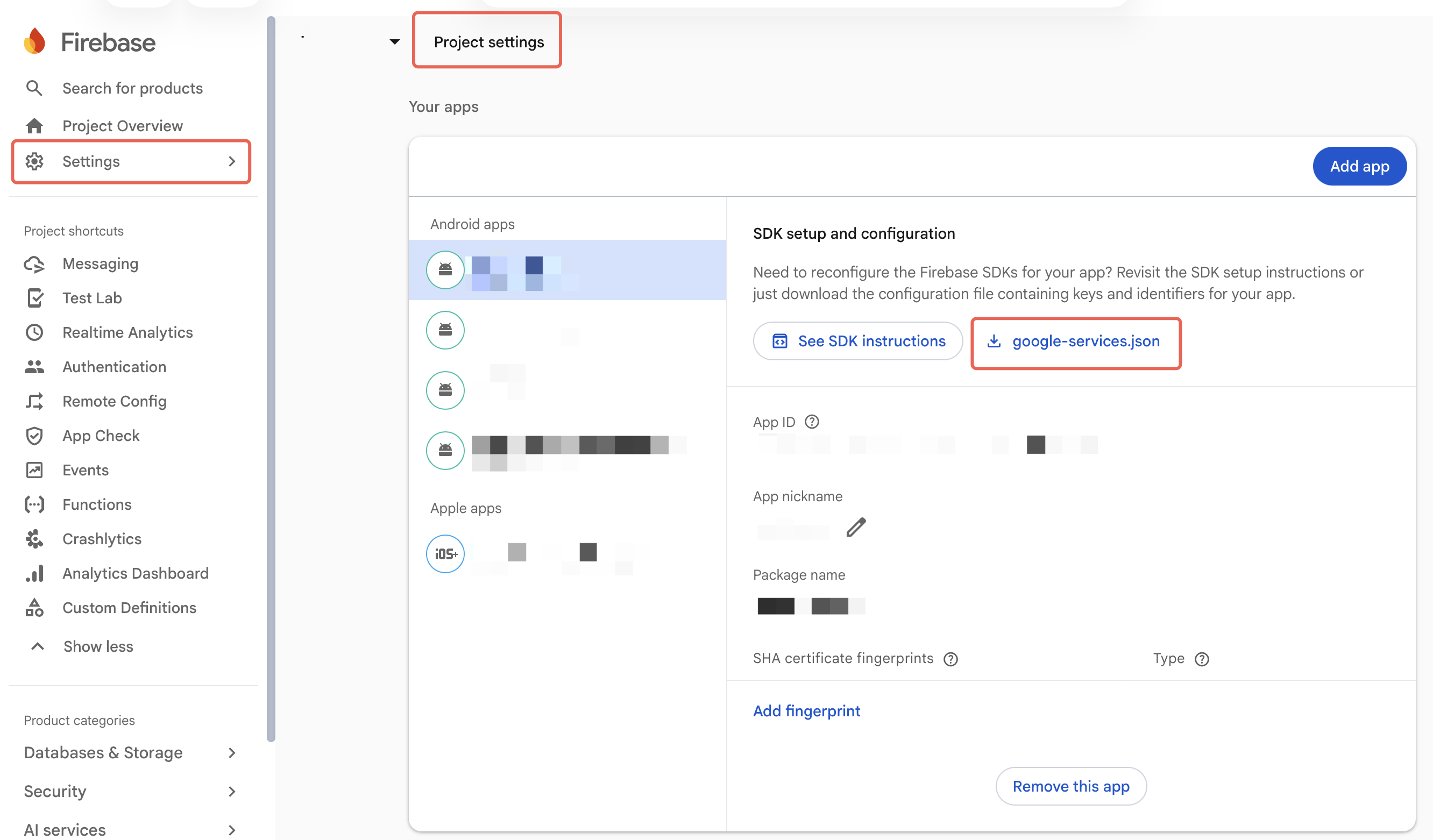
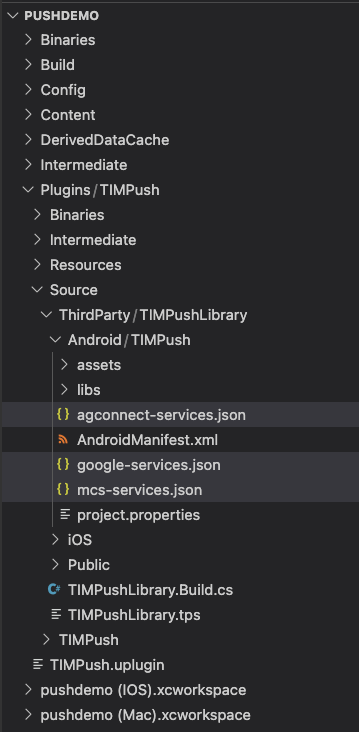
3.2 Plugin-related configuration is already prepared. Add, remove, or adjust versions as needed.
<baseBuildGradleAdditions><insert>allprojects {repositories {mavenCentral()maven { url "https://mirrors.tencent.com/nexus/repository/maven-public/" }maven { url "https://mirrors.tencent.com/repository/maven/liteavsdk/" }maven { url 'https://mirrors.tencent.com/repository/maven/SensitiveScan' }}}</insert></baseBuildGradleAdditions><buildscriptGradleAdditions><insert>repositories {mavenCentral()maven { url "https://mirrors.tencent.com/nexus/repository/maven-public/" }maven { url "https://mirrors.tencent.com/repository/maven/liteavsdk/" }maven { url 'https://mirrors.tencent.com/repository/maven/SensitiveScan' }}dependencies {classpath 'com.google.gms:google-services:4.4.3' // FCM Plugin}</insert></buildscriptGradleAdditions><buildGradleAdditions><insert>apply plugin: 'com.google.gms.google-services' // FCM Plugin</insert></buildGradleAdditions>
Step 4: Handle notification click callbacks and parse parameters
If you need to customize parsing of received remote push notifications, implement it as follows:
class DemoPushListener: public PushListener {public:using OnRecvPushMessageCallback = std::function<void(const PushMessage &)>;using OnRevokePushMessageCallback = std::function<void(const FString &)>;using OnNotificationClickedCallback = std::function<void(const FString &)>;void SetCallback(OnRecvPushMessageCallback recv_cb, OnRevokePushMessageCallback revoke_cb, OnNotificationClickedCallback clicked_cb) {on_recv_message_callback_ = std::move(recv_cb);on_revoke_message_callback_ = std::move(revoke_cb);on_notification_clicked_callback_ = std::move(clicked_cb);}void OnRecvPushMessage(const PushMessage& message) override {if (on_recv_message_callback_) {on_recv_message_callback_(message);}}void OnRevokePushMessage(const FString& messageID) override {if (on_revoke_message_callback_) {on_revoke_message_callback_(messageID);}}void OnNotificationClicked(const FString& ext) override {if (on_notification_clicked_callback_) {on_notification_clicked_callback_(ext);}}private:OnRecvPushMessageCallback on_recv_message_callback_;OnRevokePushMessageCallback on_revoke_message_callback_;OnNotificationClickedCallback on_notification_clicked_callback_;};auto listener = new DemoPushListener();listener.SetCallback([](const PushMessage& message) {UE_LOG(LogTemp, Warning, TEXT("Push Called in OnRecvPushMessage. Message title: %s, desc: %s, ext: %s, id: %s"), *message.GetTitle(), *message.GetDesc(), *message.GetExt(), *message.GetMessageID());},[](const FString& messageID) {UE_LOG(LogTemp, Warning, TEXT("Push Called in OnRevokePushMessage. Message id: %s"), *messageID);},[](const FString& ext) {UE_LOG(LogTemp, Warning, TEXT("Push Called in OnNotificationClicked. Message ext: %s"), *ext);});PushManager::GetInstance()->AddPushListener(&listener);
Note:
1. Register the callback in the program entry function.
2. For after-click action in the Console, select Open a specified in-app page, and do not change the default value.
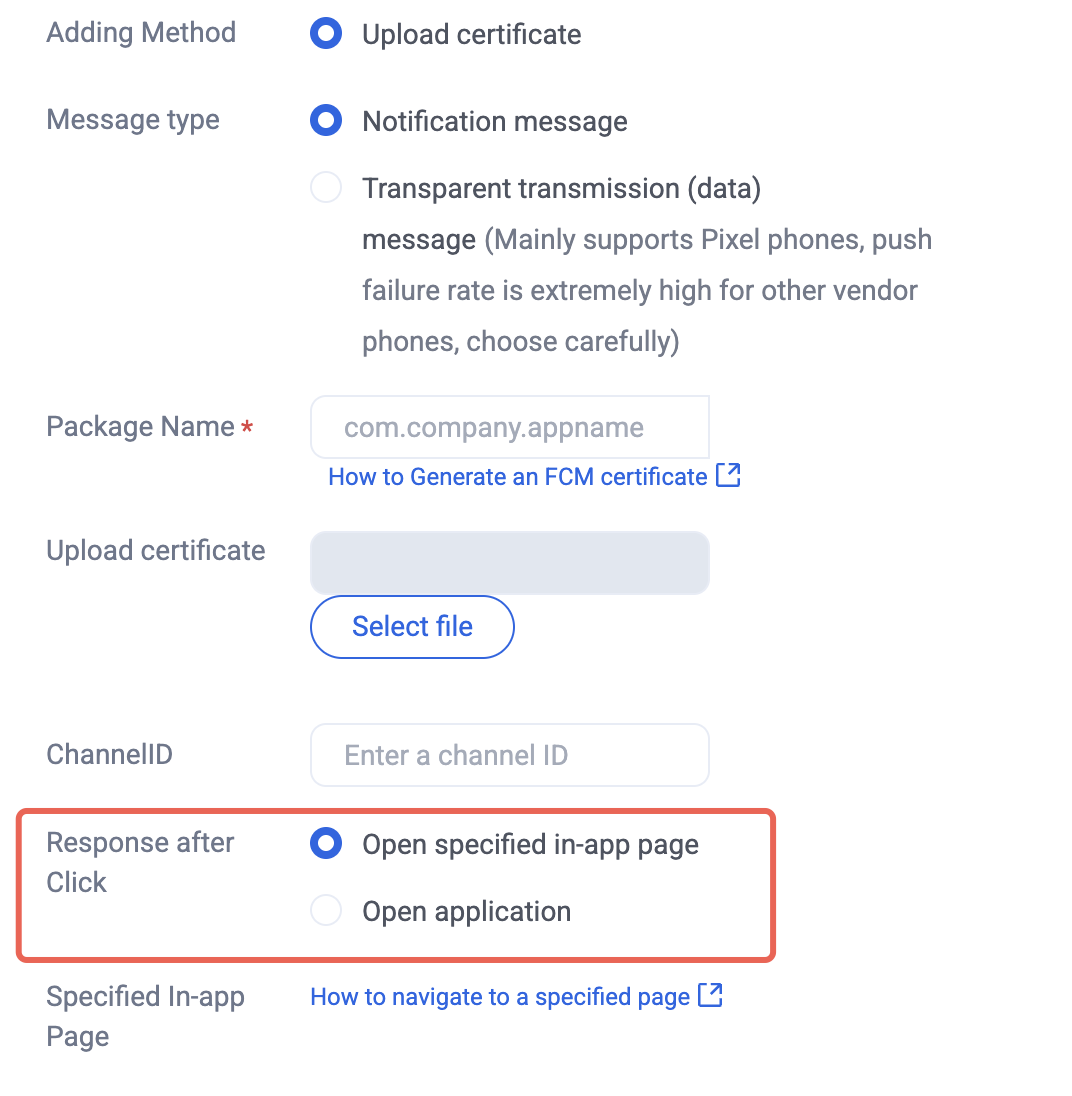
Step 5: Register the push plugin
After push registration succeeds, the app can receive offline push notifications.
template <class T>class DemoPushValueCallback : public PushValueCallback<T> {public:using SuccessCallback = std::function<void(const T &)>;using ErrorCallback = std::function<void(int, const FString &)>;DemoPushValueCallback<T>() = default;~DemoPushValueCallback() override = default;void SetCallback(SuccessCallback success_cb, ErrorCallback error_cb) {success_callback_ = std::move(success_cb);error_callback_ = std::move(error_cb);}void OnSuccess(const T &value) override {if (success_callback_) {success_callback_(value);}}void OnError(int error_code, const FString &error_message) override {if (error_callback_) {error_callback_(error_code, error_message);}}private:SuccessCallback success_callback_;ErrorCallback error_callback_;};auto callback = new DemoPushValueCallback<FString>();callback->SetCallback([=](const FString &value) {UE_LOG(LogTemp, Warning, TEXT("Push succeed, device token is %s"), *value);delete callback;},[=](int error_code, const FString &error_message) {UE_LOG(LogTemp, Warning, TEXT("Push failed erro code: %d, desc: %s"), error_code, *error_message);delete callback;});PushManager::GetInstance()->RegisterPush(yourSdkAppId, "yourAppKey", callback);
Step 6: Message push delivery statistics
Google FCM does not currently support push statistics.
If you need to collect iOS delivery statistics, follow these steps:
1. In the push parameter configuration section above, replace
YourGroupID with your App Group ID.2. Follow Configure iOS message reach statistics to complete App Group ID, Notification Service Extension, and mutable-content configuration.
3. Unzip the two framework archives under Plugins-TIMPush-Source-ThirdParty-TIMPushLibrary-iOS in the project root, and add the inner
.framework folders to your pushservice target in the Xcode project.4. In the Notification Service Extension
-didReceiveNotificationRequest:withContentHandler: method, call the push delivery statistics API:@implementation NotificationService- (void)didReceiveNotificationRequest:(UNNotificationRequest *)request withContentHandler:(void (^)(UNNotificationContent * _Nonnull))contentHandler {// appGroup identifies the App Group shared by the main app and the Extension. Configure App Groups in the main app Capability.// Format: group + [main bundleID] + key// Example: group.com.tencent.im.pushkeyNSString * appGroupID = kTIMPushAppGroupKey;__weak typeof(self) weakSelf = self;[TIMPushManager handleNotificationServiceRequest:request appGroupID:appGroupID callback:^(UNNotificationContent *content) {weakSelf.bestAttemptContent = [content mutableCopy];// Modify the notification content here...// self.bestAttemptContent.title = [NSString stringWithFormat:@"%@ [modified]", self.bestAttemptContent.title];weakSelf.contentHandler(weakSelf.bestAttemptContent);}];}@end
Integration troubleshooting
If you still cannot receive push after integration, use Push Troubleshooting to check the cause. If the issue remains, Contact us to submit feedback.
Bantuan dan Dukungan
Apakah halaman ini membantu?
Anda juga dapat Menghubungi Penjualan atau Mengirimkan Tiket untuk meminta bantuan.
masukan