Traditional notification sounds are difficult to distinguish, which can reduce the effectiveness of important push notifications. Tencent Cloud Push provides custom ringtone capabilities, allowing developers to configure dedicated sounds for different business scenarios, such as successful payments, logistics updates, and new promotions. This improves message recognition and notification open rates.
Note:
If no ringtone is configured for offline push notifications, the device's system notification settings are used by default. For example, on Huawei devices, go to Settings > Notifications > Notification management for the app > Notification sound.
Custom ringtones must be configured separately for each supported vendor platform. For details, see the methods summarized below. The configuration method varies by vendor and platform. On Android 8.0 and later, supported vendors also require a notification channel. The playback duration depends on the duration of the sound resource.
Channel support
Due to restrictions imposed by different mobile operating systems, only some channels support custom ringtones, as shown below:
Vendor
Custom ringtone support
iOS
Supported
FCM
Supported
Platform-specific implementation
Android
iOS
Flutter
uni-app
React Native
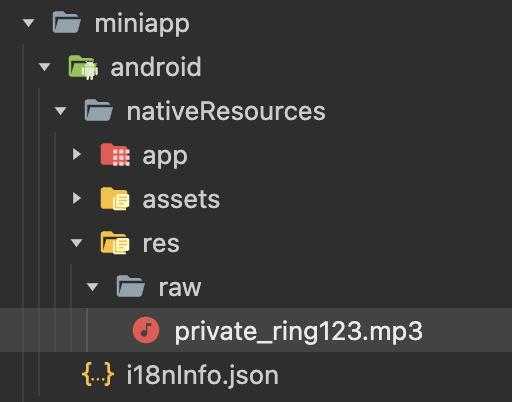
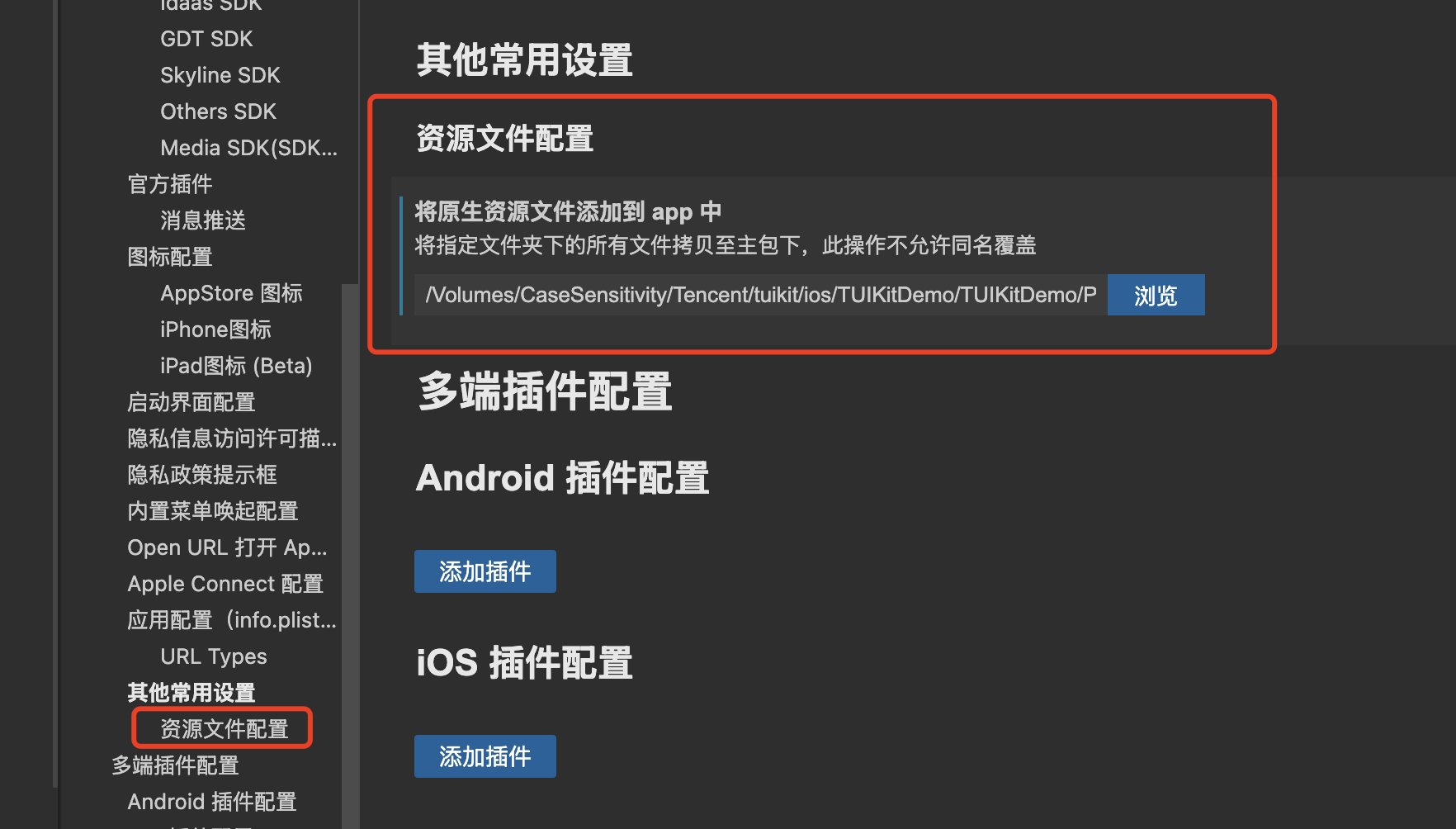
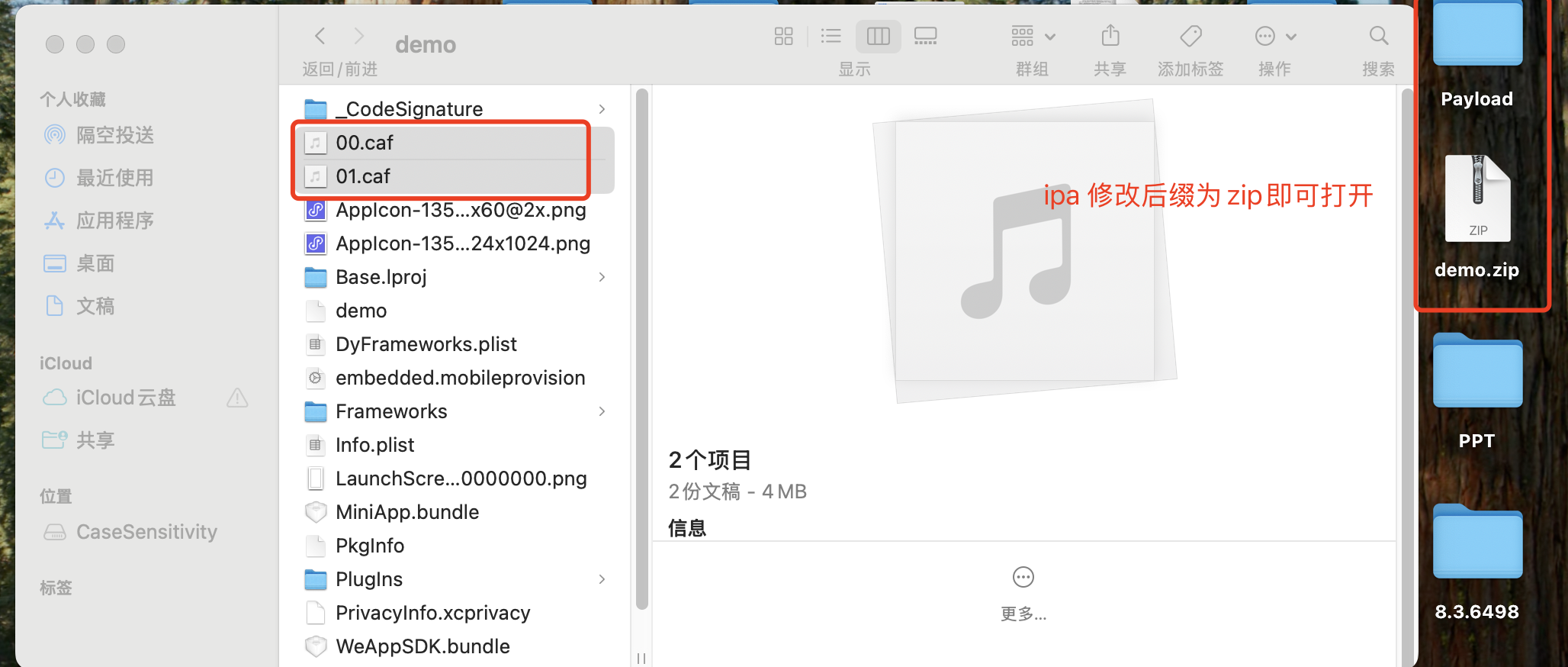
WeChat Mini Program multi-platform framework
Earlier than Android 8.0
Note:
Supported in Chat SDK version 6.1.2155 and above.
1. Add the custom ringtone resource file to the raw directory of the Android project or link it to the Xcode project for iOS.
2. Specify the custom ringtone when sending a message.
REST API
SDK API
For details, see a REST API such as Single Push. Example fields are as follows:
The offline push sound setting applies only to Android and requires Chat SDK 6.1 or later. Only Huawei and Google devices support custom notification sounds.
To use a custom AndroidSound, place the audio file in the raw directory of your Android project, and set AndroidSound to the file name (without the extension).
Add the custom ringtone resource file to the raw directory of the Android project or link it to the Xcode project for iOS.
When sending a message, set the iOSSound and androidSound fields in offlinePushInfo.
REST API
SDK API
For details, see a REST API such as Single Push. Example fields are as follows:
{
// ...
"OfflinePushInfo":{
"AndroidInfo":{
"Sound":"shake",// Without the filename extension
"XiaoMiChannelID":"test_XiaoMi_channel_id",
"OPPOChannelID":"test_OPPO_channel_id",
"GoogleChannelID":"test_Google_channel_id"
},
"ApnsInfo":{
"Sound":"apns.caf"
}
}
}
If a Chat product is integrated, set the iOSSound and androidSound fields in offlinePushInfo when calling sendMessage.
For vendor-specific configuration, see the Android and iOS sections. The Flutter Chat SDK provides methods with the same names.
To use a custom ringtone on iOS, the uni-app must be a production build.
An iOS custom ringtone cannot exceed 30 seconds.
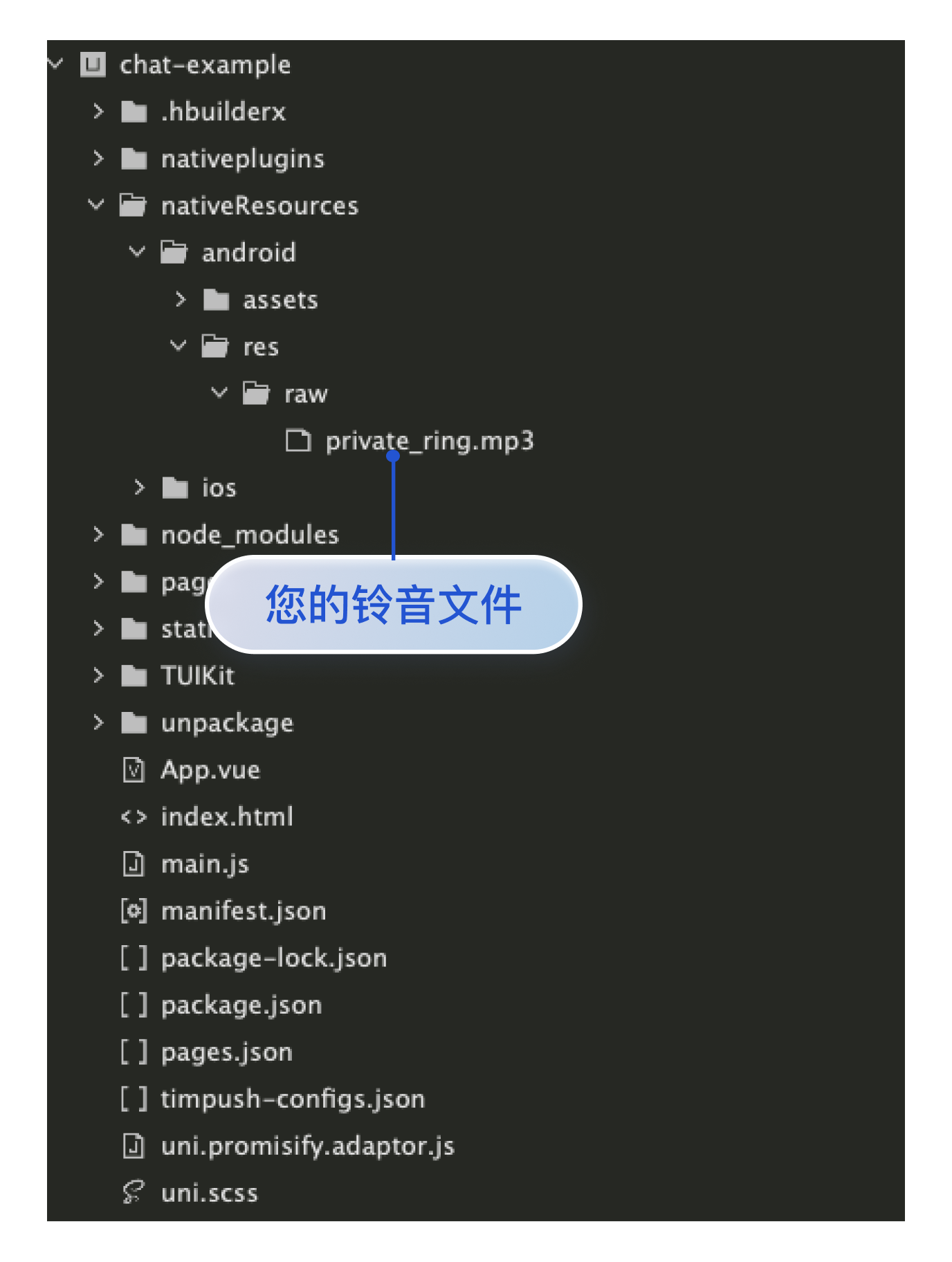
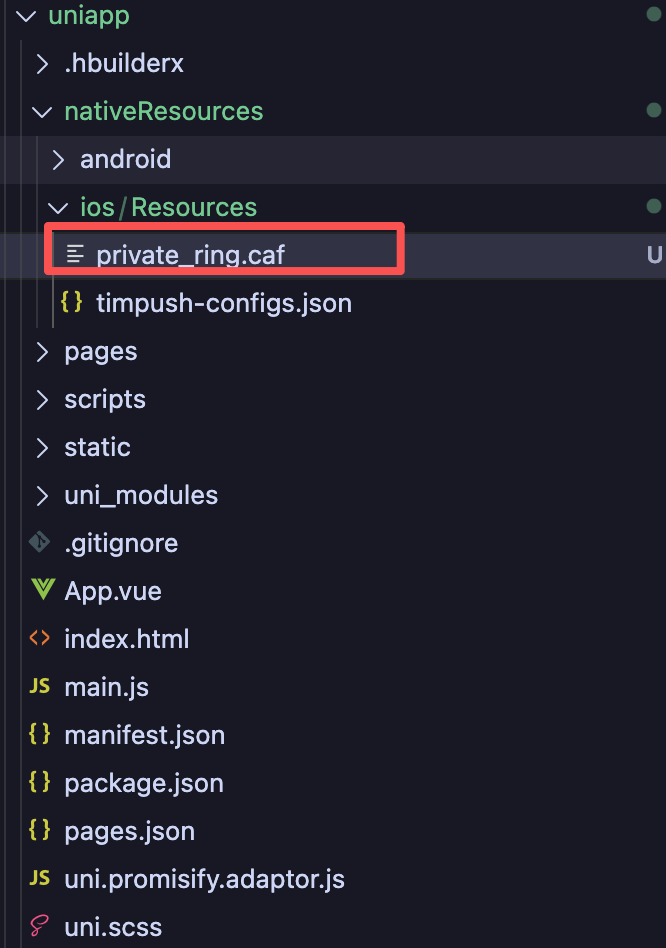
Add the custom ringtone resource file to the project's nativeResources/ios/Resources directory, as shown below:
Sending client
1. Upgrade @tencentcloud/chat to the latest version
npminstall @tencentcloud/chat@latest
web
uni-app
Mini Program
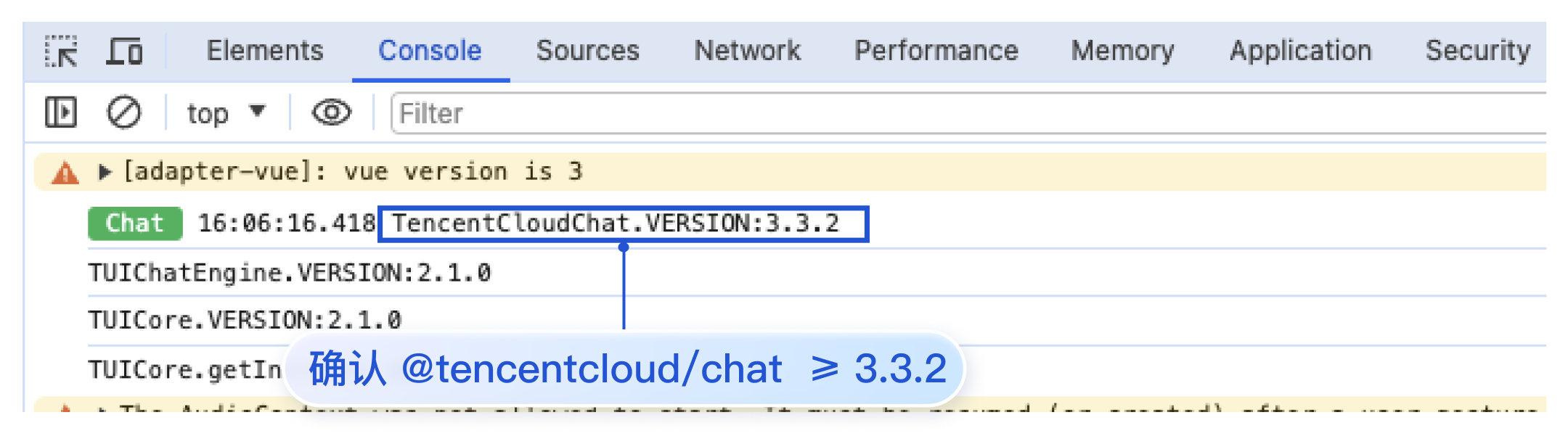
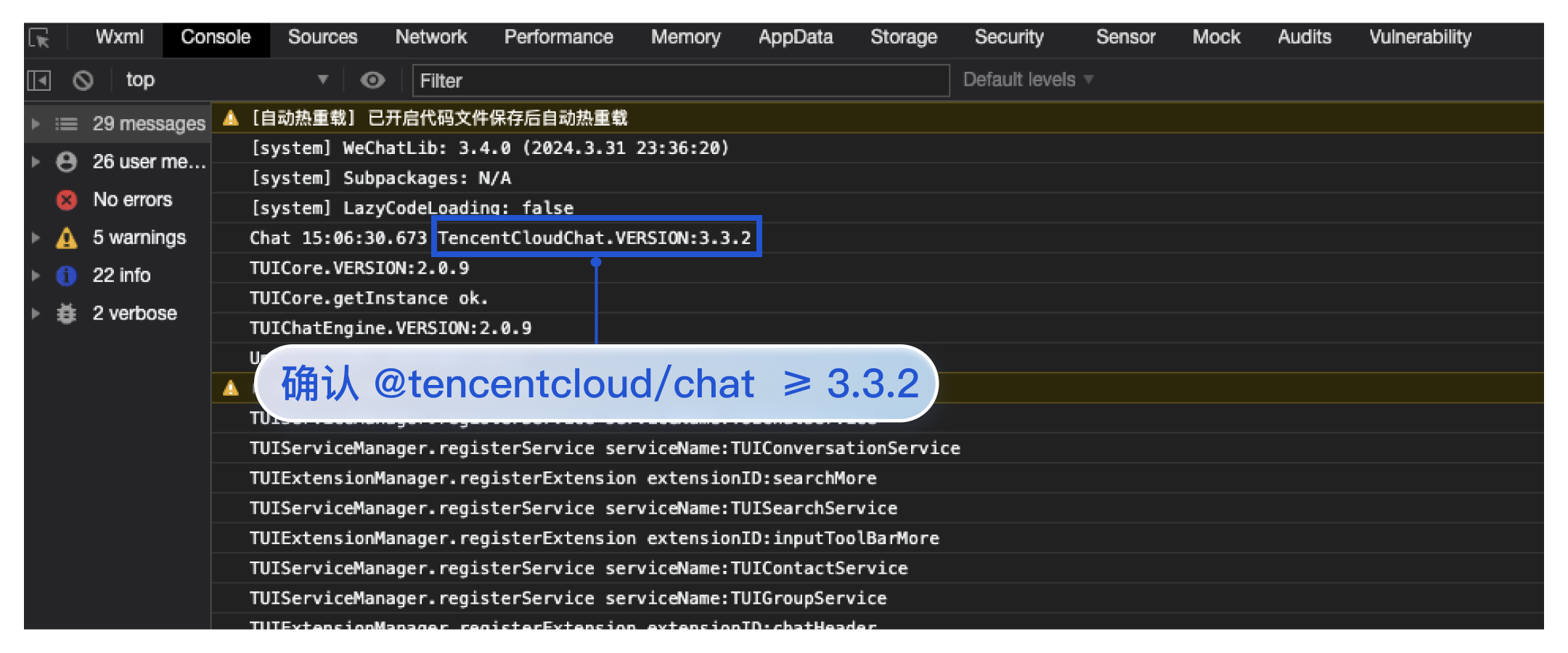
Check the TencentCloudChat.VERSION value in the browser console to confirm that @tencentcloud/chat is 3.3.2 or later, as shown below:
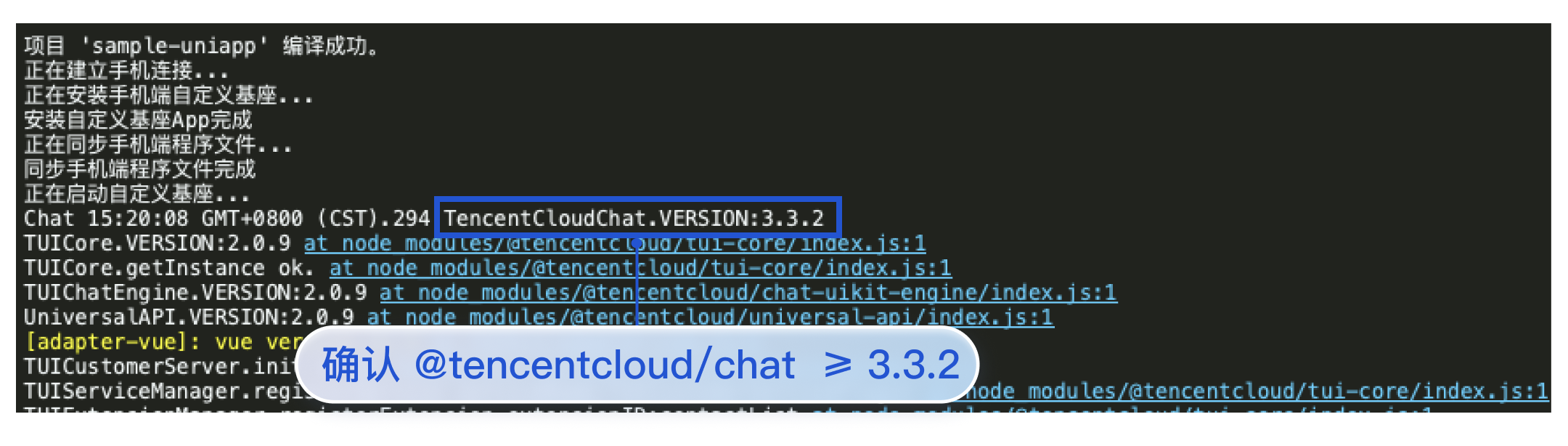
Check the TencentCloudChat.VERSION value in the HBuilder logs to confirm that @tencentcloud/chat is 3.3.2 or later, as shown below:
Check the TencentCloudChat.VERSION value in the Mini Program Developer Tools console to confirm that @tencentcloud/chat is 3.3.2 or later, as shown below:
2. Send a message and configure custom ringtone parameters in offlinePushInfo
Note:
To configure notification sounds for FCM push on Google devices running Android 8.0 or later, you must set androidInfo.FCMChannelID.
Integration with UI
Integration without UI
CallKit integration
Note:
If apnsInfo.sound = TUIChatEngine.TYPES.IOS_OFFLINE_PUSH_NO_SOUND, no sound is played when the notification is received.
If apnsInfo.sound = TUIChatEngine.TYPES.IOS_OFFLINE_PUSH_DEFAULT_SOUND, the system sound is played when the notification is received.
When using TUIChatService in UIKit to send a message, configure the relevant offlinePushInfo parameters. The following example sends a text message:
// Send a text message
let promise = TUIChatService.sendTextMessage(
{
payload:{text:'Hello world!'}
},
{
// If the recipient is offline, the message is stored for roaming and an offline push notification is sent when the recipient's app is in the background or its process has been killed. You can customize the title and content of the offline push notification.
XiaoMiChannelID:'',// Required on Xiaomi devices running Android 8.0 or later
FCMChannelID:'',// Required to configure notification sounds for FCM on Google devices running Android 8.0 or later
OPPOChannelID:'',// Required on OPPO devices
},
apnsInfo:{// APNs push configuration
// apnsInfo.sound = TUIChatEngine.TYPES.IOS_OFFLINE_PUSH_NO_SOUND: no sound is played when the notification is received.
// apnsInfo.sound = TUIChatEngine.TYPES.IOS_OFFLINE_PUSH_DEFAULT_SOUND: the system sound is played when the notification is received.
sound:'private_ring.caf',// iOS custom ringtone
}
}
}
);
promise.catch((error)=>{
// If an exception occurs, catch it with promise.catch for error handling.
});
Note:
If apnsInfo.sound = TencentCloudChat.TYPES.IOS_OFFLINE_PUSH_NO_SOUND, no sound is played when the notification is received.
If apnsInfo.sound = TencentCloudChat.TYPES.IOS_OFFLINE_PUSH_DEFAULT_SOUND, the system sound is played when the notification is received.
When using Chat to send a message, configure the relevant offlinePushInfo fields as follows:
// Message sending options
chat.sendMessage(message,{
// If the recipient is offline, the message is stored for roaming and an offline push notification is sent when the recipient's app is in the background or its process has been killed. You can customize the title and content of the offline push notification.
callMediaType:1,// Audio call (callMediaType = 1) or video call (callMediaType = 2)
callParams:{
// If the recipient is offline, an offline push notification is sent when the recipient's app is in the background or its process has been killed. You can customize the title and content of the offline push notification.
offlinePushInfo:{
title:'test-title',
description:'you have a test call',
androidSound:'private_ring',// Custom ringtone for Android offline push
iOSSound:'private_ring.caf',// Custom ringtone for iOS offline push
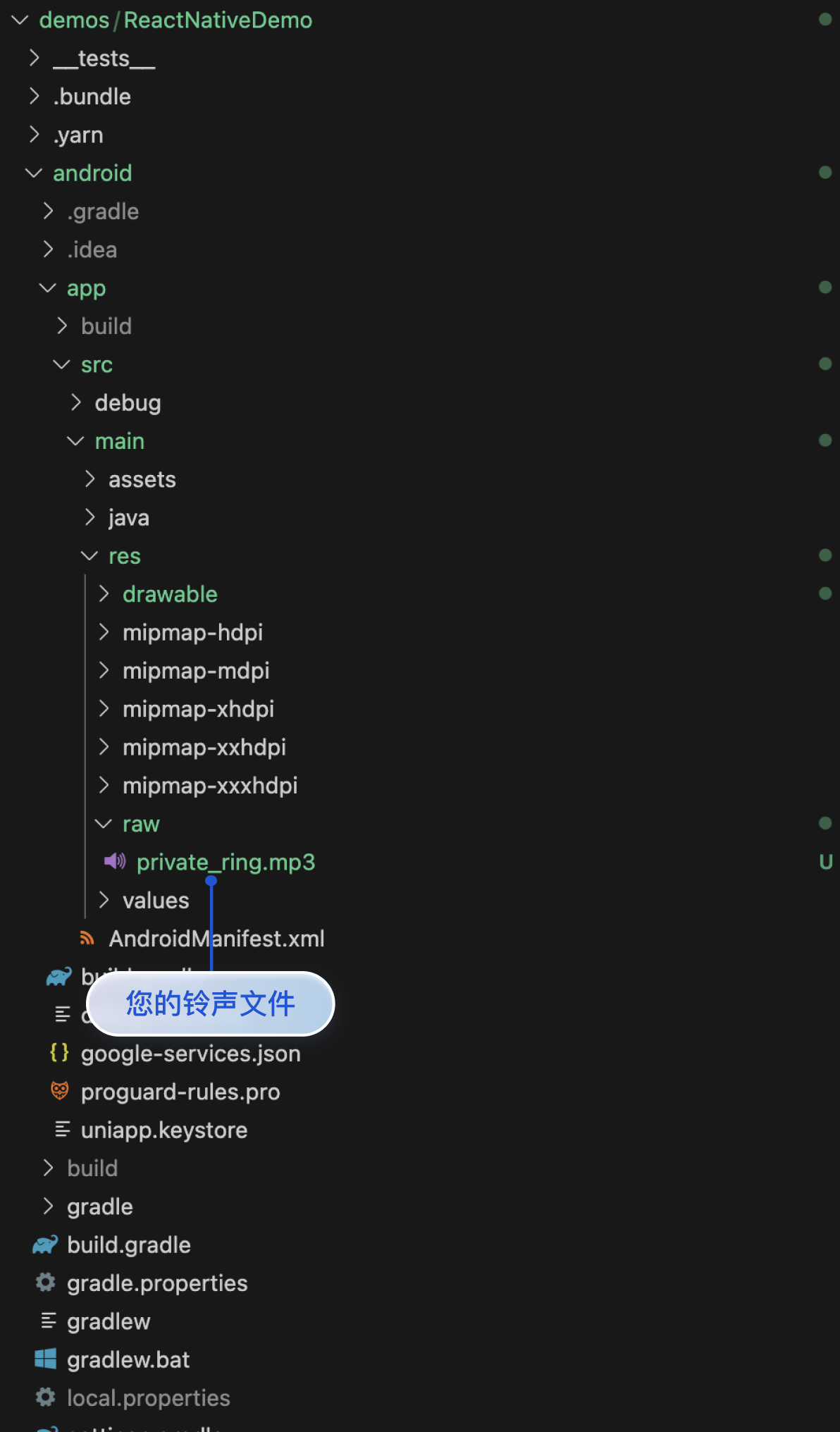
Add the custom ringtone resource file to the MyReactNativeApp/android/app/src/main/res/raw directory. If the directory does not exist, create it manually, as shown below:
Note:
An iOS custom ringtone cannot exceed 30 seconds.
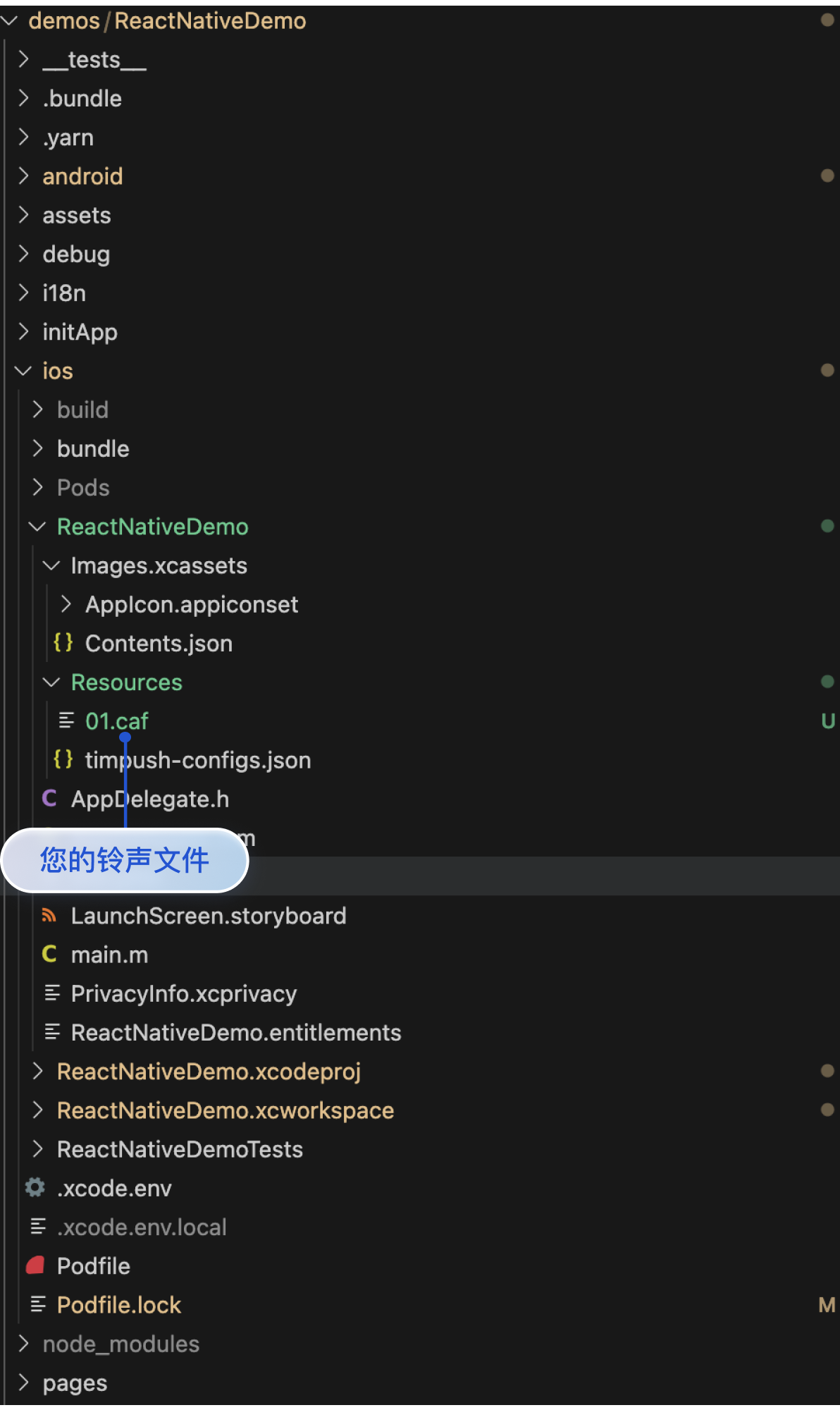
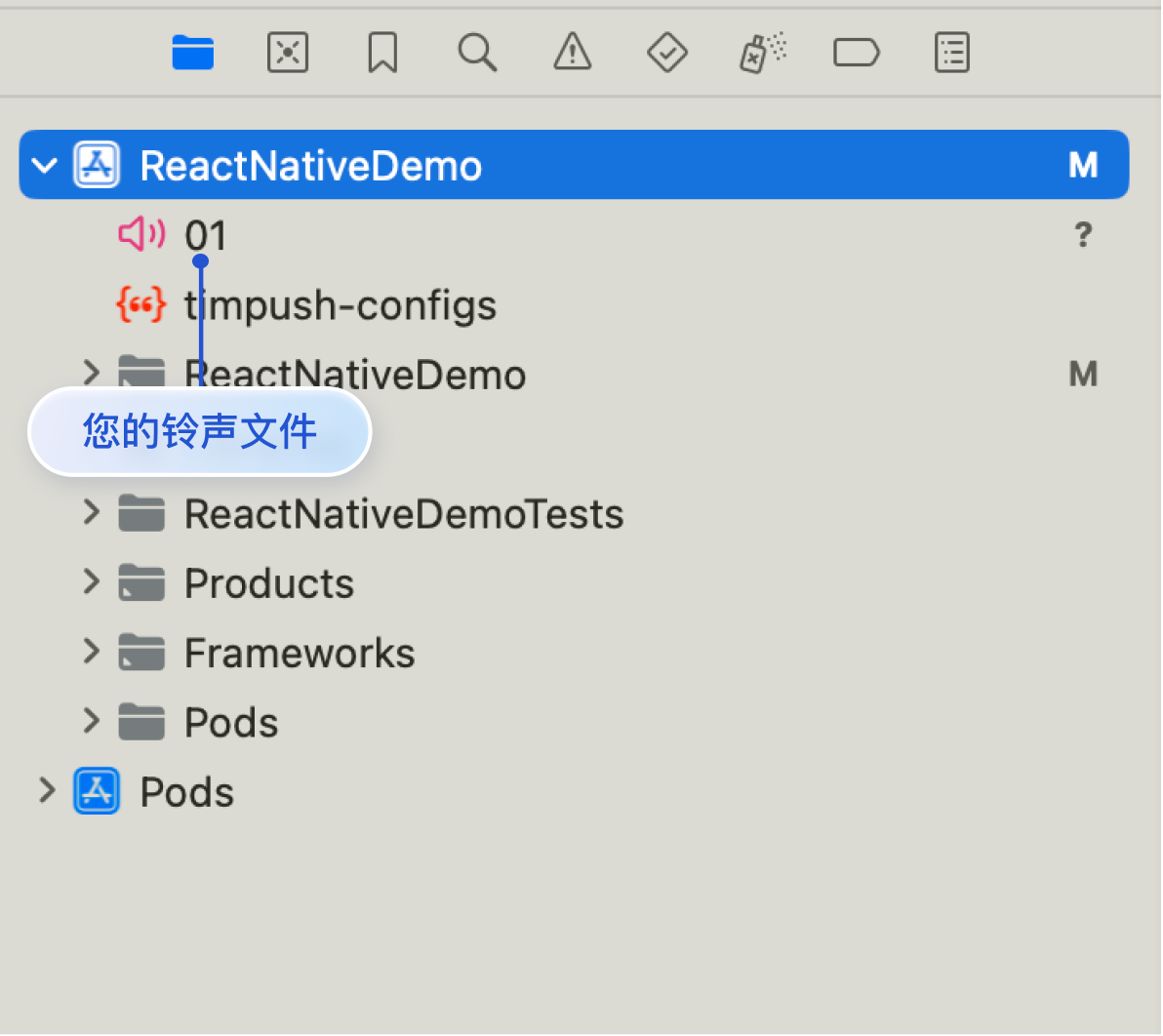
Add the custom ringtone resource file to the MyReactNativeApp/ios/MyReactNativeApp/Resources directory. Open the MyReactNativeApp project in Xcode, right-click the project, choose Add Files to "MyReactNativeApp", and add the ringtone file to the project, as shown below:
Project
Xcode
Sending client
Send a message and configure the custom ringtone parameters in offlinePushInfo.
Note:
If apnsInfo.sound = TencentCloudChat.TYPES.IOS_OFFLINE_PUSH_NO_SOUND, no sound is played when the notification is received.
If apnsInfo.sound = TencentCloudChat.TYPES.IOS_OFFLINE_PUSH_DEFAULT_SOUND, the system sound is played when the notification is received.
// Message sending options
chat.sendMessage(message,{
// If the recipient is offline, the message is stored for roaming and an offline push notification is sent when the recipient's app is in the background or its process has been killed. You can customize the title and content of the offline push notification.