This document describes how to create Free Trial apps and obtain SDKAppIDs. It also covers how to upgrade Free Trial apps to Standard or Pro edition or Pro Plus edition or Enterprise edition in the Chat console.
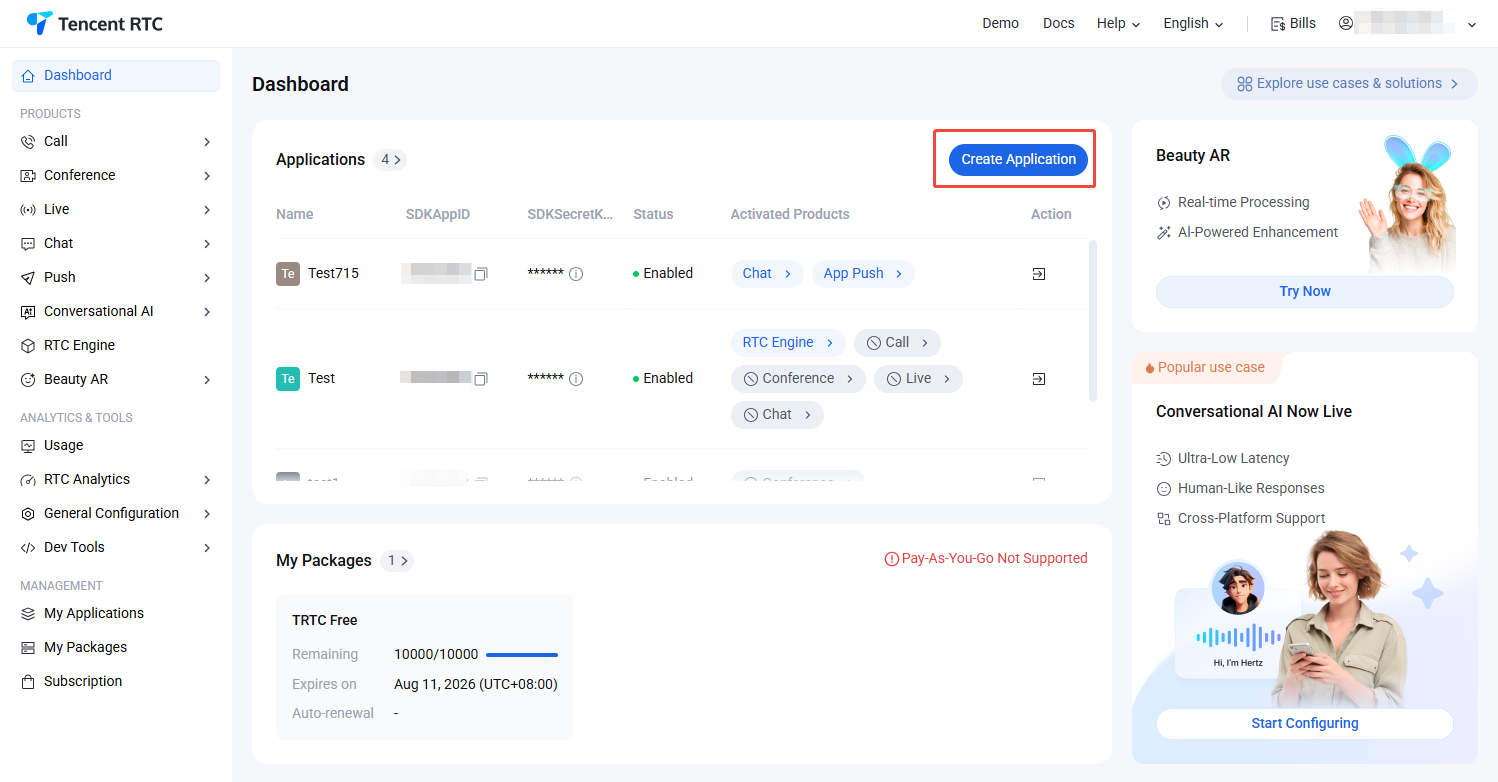
1. Log in to the Chat console. Click Create Application.
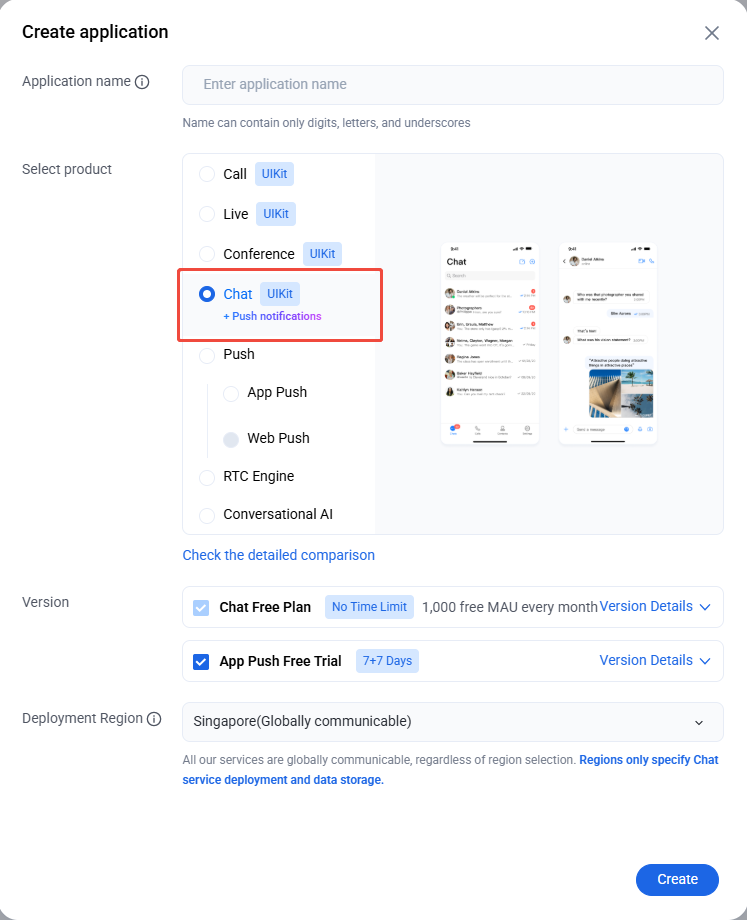
2. Enter the application name in the create pop-up window and choose Chat, select the appropriate Deployment Region, then click Create.
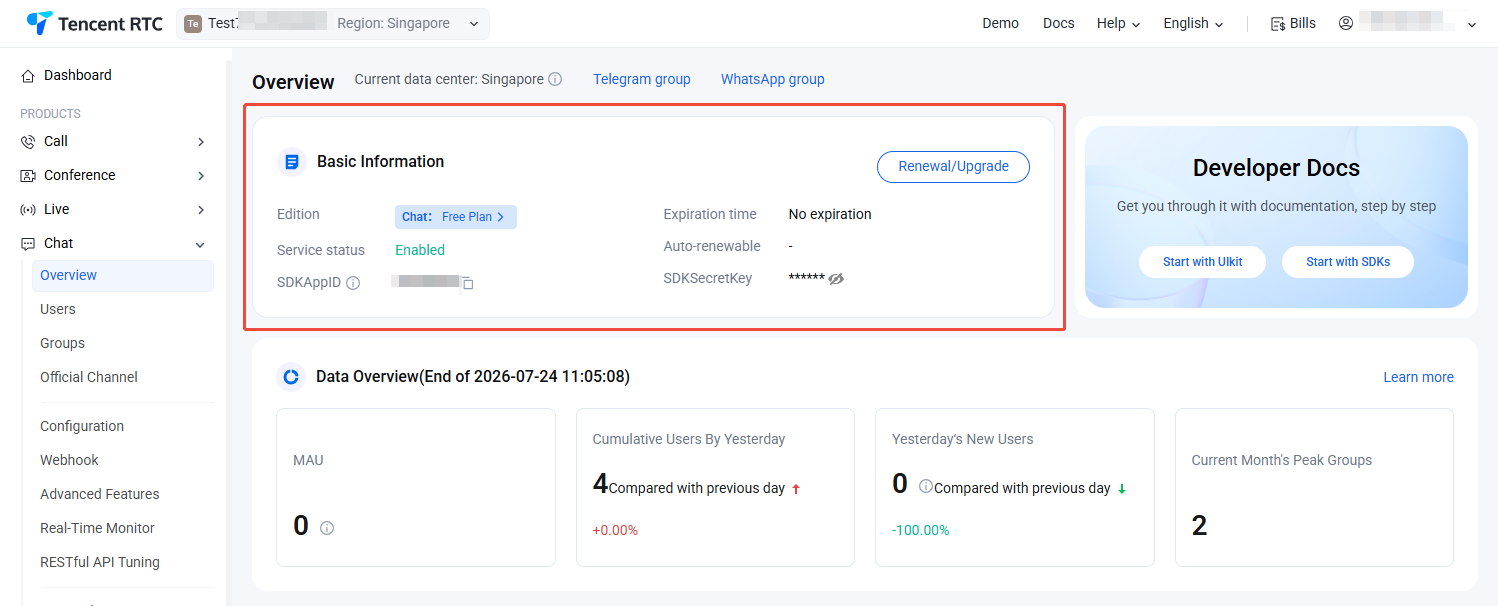
3. Upon creation, you can view the status, business version, SDKAppID, SDKSecretKey, creation time, and expiration time of the newly created application on the current Chat Product Details or My Applications.
Note:
By default, a new app is of Free Trial and enabled.
A Tencent Cloud account can create a maximum of 300 Chat apps. If you want to create a new app, disable and delete an unwanted app first. Once an app (along with its SDKAppID) is deleted, the service it provides and all its data are lost. Proceed with caution.
Upgrading an App
Note
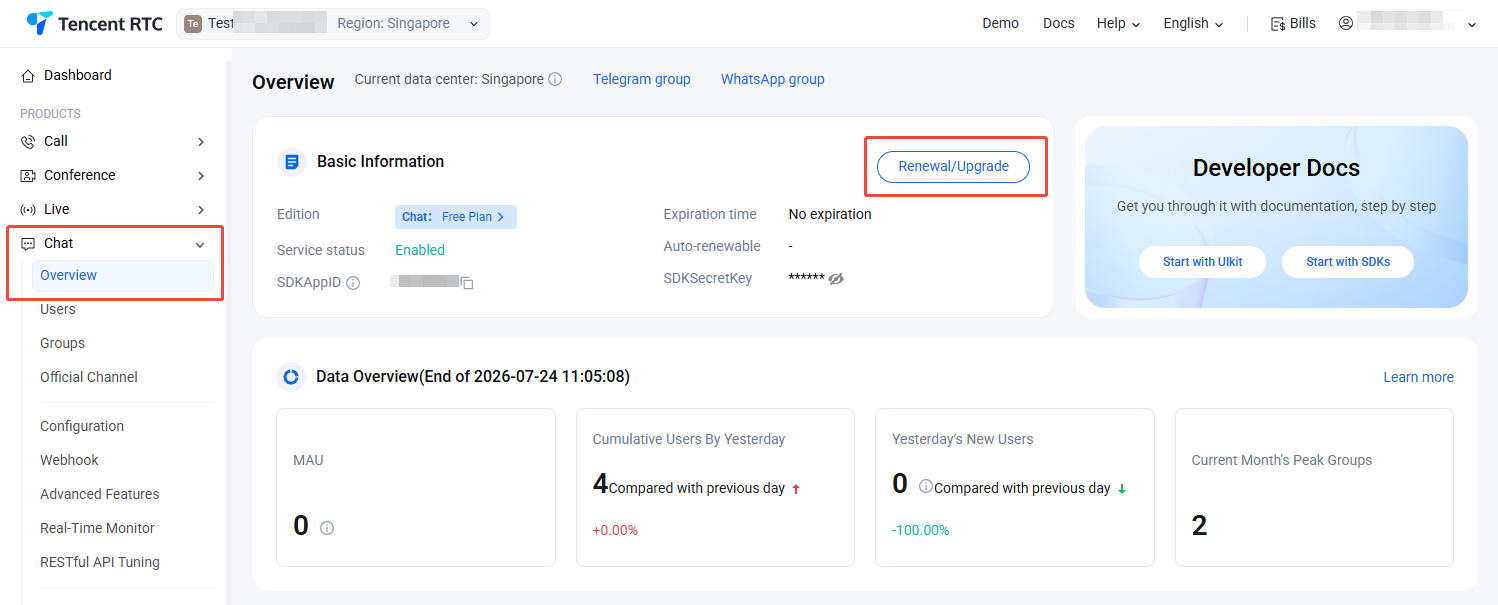
You can upgrade your app to Standard or Pro edition 、Pro Plus edition、Enterprise edition but cannot roll it back to Free Trial after the upgrade. After an app is suspended due to overdue payment or refunds, you can renew a Standard or Pro edition 、Pro Plus edition、Enterprise edition plan to resume its services. If you want to go back to the Free Trial , create a new app.
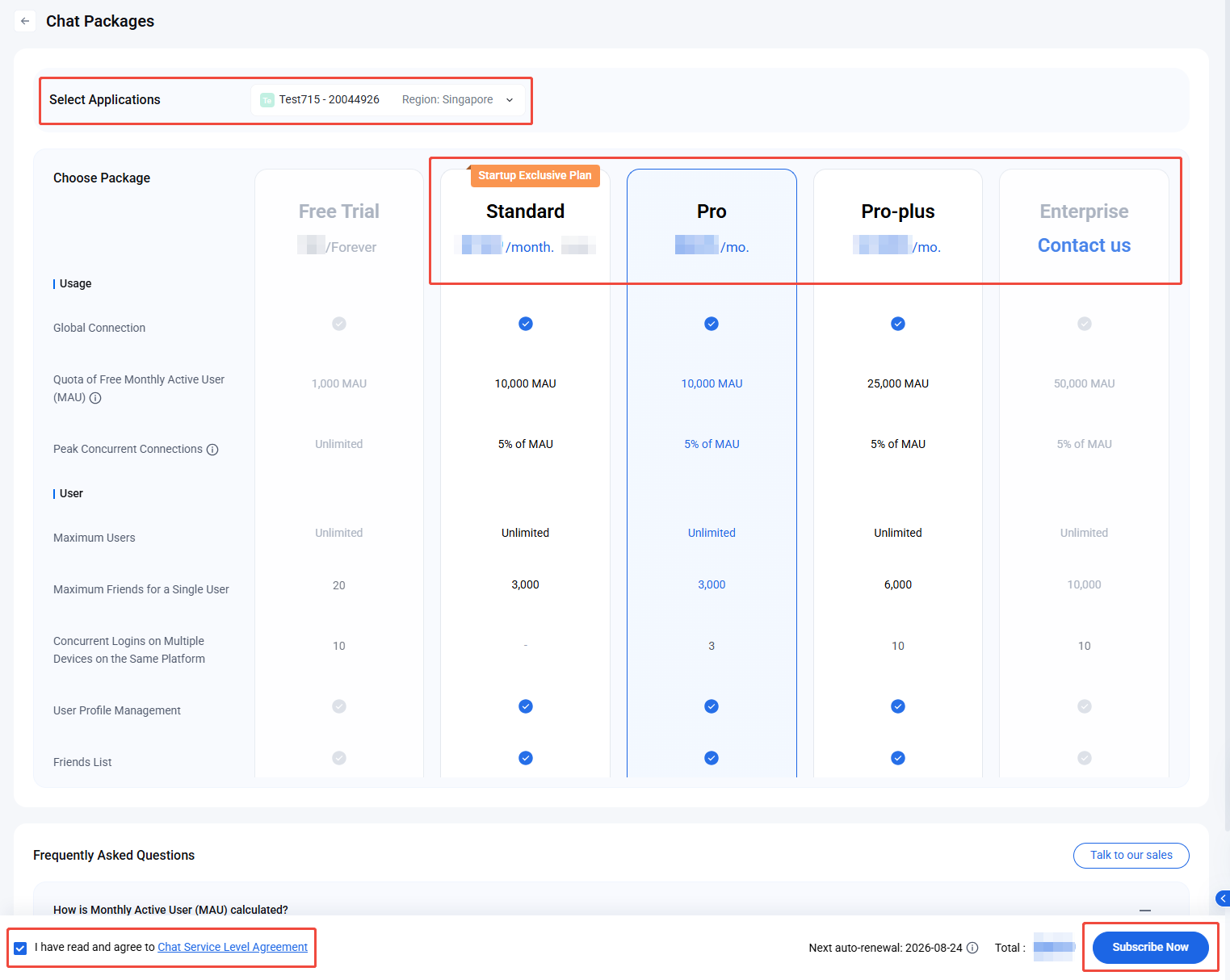
2. Go to the Chat Purchase Page, confirm the application to upgrade (SDKAppID), select an edition higher than your current package, review the purchase details, agree to the required agreements, and click Subscribe Now.
3. Complete the payment process. Once your purchase is finished, visit Chat Product Details or My Applications to view your application's current edition.