Alarm Management
다운로드
포커스 모드
폰트 크기
The ES Serverless service supports alarm management, allowing you to configure alarm policies for specific objects in the console. These policies periodically perform retrieval and analysis on indexes within monitored objects. When query results meet trigger conditions, an alarm notification is sent (currently supported via email and WeCom), enabling timely detection of issues. This feature supports keyword alarms, such as the number of the term error within logs over a specified time range, and metric monitoring, such as determining whether the maximum value of a numeric field exceeds a set threshold within a specified time range. This capability enhances observability in log analysis scenarios, enabling quick issue detection and resolution.
Operation Steps
Prerequisites
1. Log in to the ES Serverless console.
2. In the space list, click the corresponding space name.
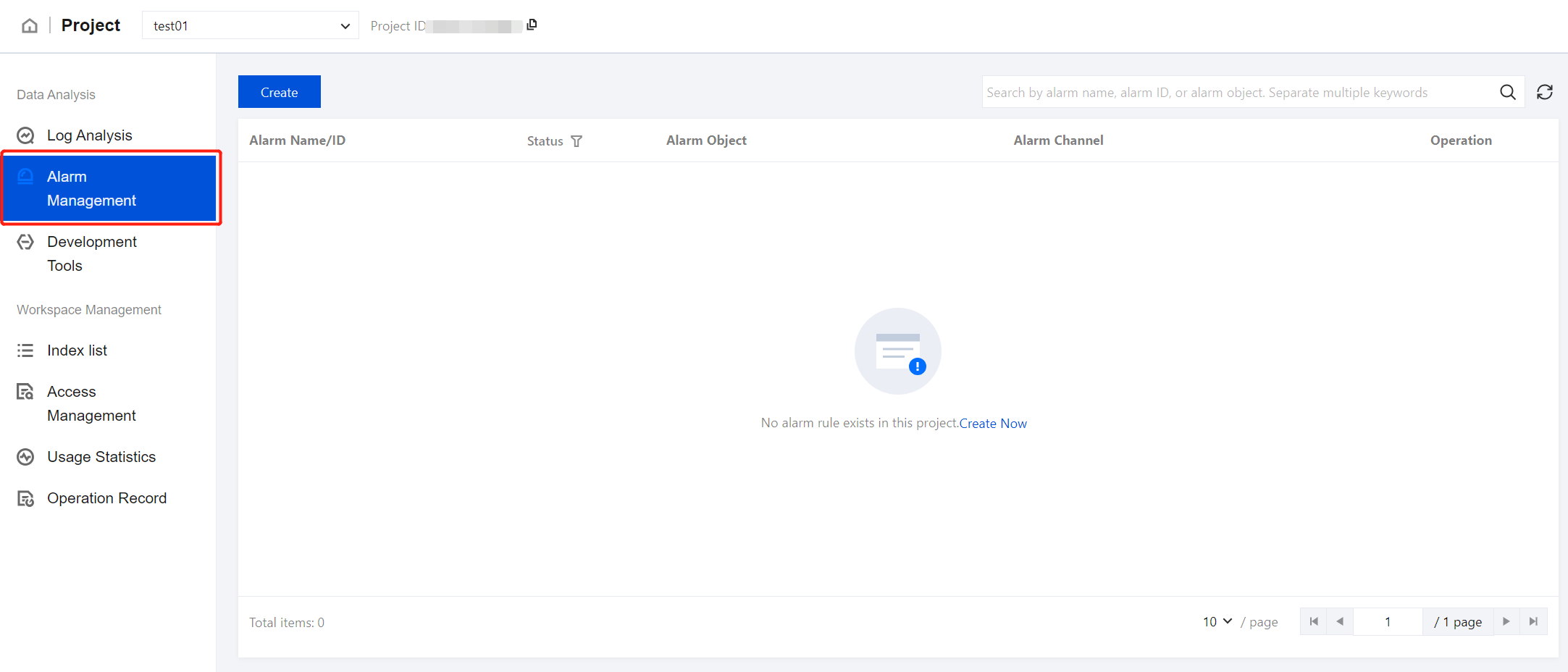
Creating an Alarm
Basic Information
1. In the left sidebar, click Alarm Management, then click Create.
2. Enter an alarm name, with a length of 1–50 characters. Digits, letters, Chinese characters, underscores, and delimiters - are supported.
3. Select an alarm object, with support for indexes within the current space.
Note:
Indexes that are still being created cannot be selected.
Alarm Rules
1. Query statement:
Supported operators include count, average, sum, max, and min, with count as the default.
When the operator is count, all fields can be selected. The expression supports equal to, not equal to, belong to, not belong to, existing, and no existing.
If the expression is equal to or not equal to, you need to enter a corresponding value, with support for a single string only.
If the expression is belong to or not belong to, you need to enter an array of values, with at least one entry, separated by commas.
When the operator is average, sum, max, or min, only numeric fields, such as long, integer, short, double, and float, can be selected.
2. Query range: Defaults to data written within the last 5 minutes. Supports units in minutes and hours.
3. Query frequency: Defaults to querying every 1 minute. Supports units in minutes and hours.
4. Trigger condition: The expression supports Greater than, Greater than or equal to, equal to, Equal to less than, Less than, and Between. The default is set to greater than, with a default value of 100.
Alarm Notification
1. Email:
To ensure the accuracy of the alarm address, enter the email address and complete a Captcha verification.
If the email address is changed, a new Captcha will need to be requested.
2. WeCom: Enter the WeCom bot webhook address.
Note:
The WeCom bot webhook address should start with the prefix
https://qyapi.weixin.qq.com.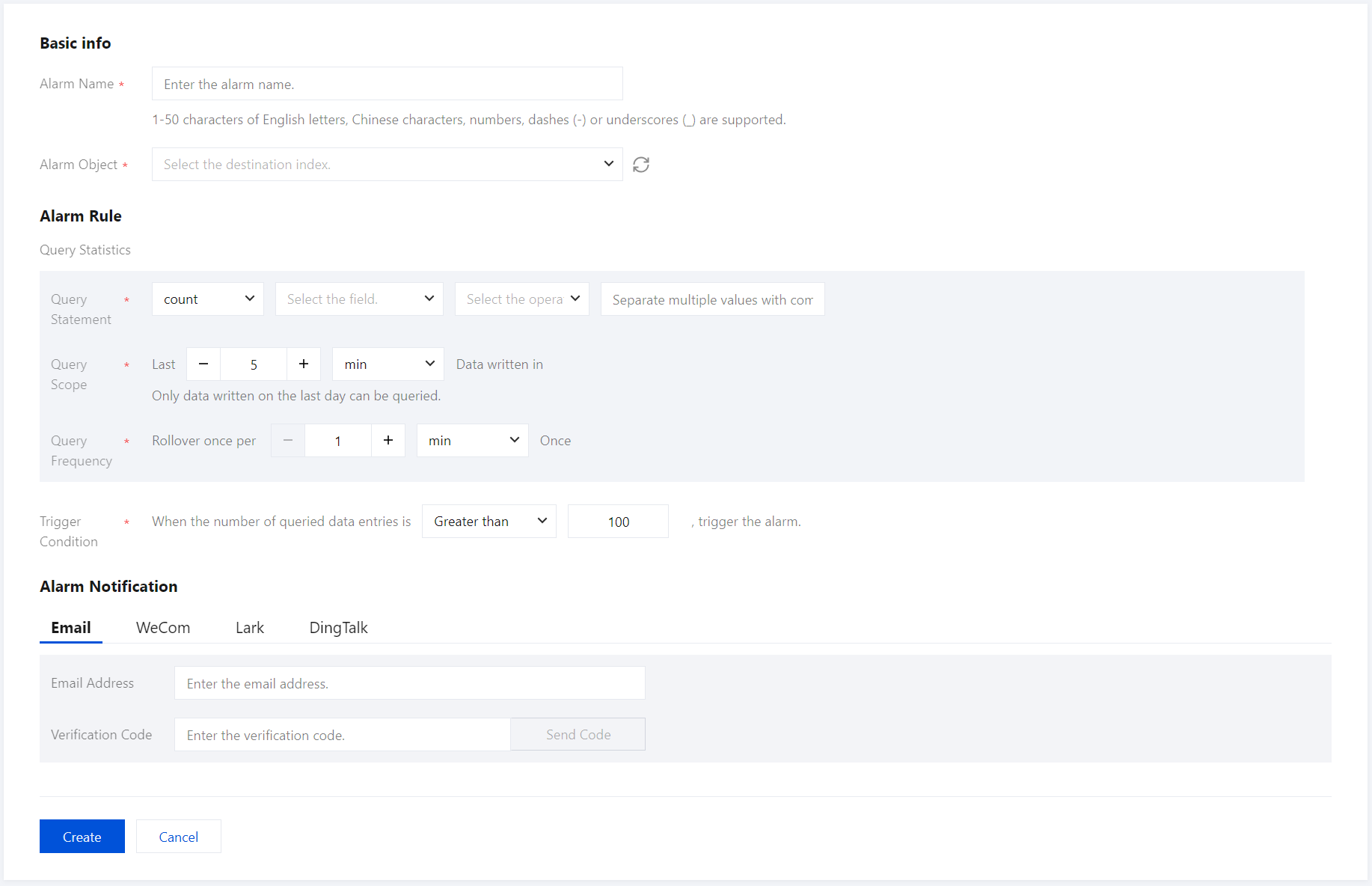
3. Once all information is verified, click Create to complete the alarm creation.
Alarm Content
When an alarm is triggered, you will receive the following information:
Title: Tencent Cloud Elasticsearch Serverless Service Alarm Triggered.
Content:
[Alarm] Dear Tencent Cloud user, your Tencent Cloud account (Account ID: xxx) using the Elasticsearch Serverless service triggered an alarm at {Time} (UTC+8).
Alarm Name: {Corresponding Alarm Name}
Alarm Object: {Corresponding Index Name}
Alarm Management
1. On the Alarm Management page, you can view details and the status of your configured alarm policies.
2. To disable or delete an alarm, click More in the operation column.
3. To edit an alarm policy, click Edit.
피드백