tencent cloud

Elasticsearch Service

User Guide
Release Notes and Announcements
Release Notes
Product Announcements
Security Announcement
Product Introduction
Overview
Elasticsearch Version Support Notes
Features
Elastic Stack (X-Pack)
Strengths
Scenarios
Capabilities and Restrictions
Related Concepts
Purchase Guide
Billing Overview
Pricing
Elasticsearch Service Serverless Pricing
Notes on Arrears
ES Kernel Enhancement
Kernel Release Notes
Targeted Routing Optimization
Compression Algorithm Optimization
FST Off-Heap Memory Optimization
Getting Started
Evaluation of Cluster Specification and Capacity Configuration
Creating Clusters
Accessing Clusters
ES Serverless Guide
Service Overview
Basic Concepts
5-Minute Quick Experience
Quick Start
Access Control
Writing Data
Data Query
Index Management
Alarm Management
ES API References
Related Issues
Data Application Guide
Data Application Overview
Data Management
Elasticsearch Guide
Managing Clusters
Access Control
Multi-AZ Cluster Deployment
Cluster Scaling
Cluster Configuration
Plugin Configuration
Monitoring and Alarming
Log Query
Data Backup
Upgrade
Practical Tutorial
Data Migration and Sync
Use Case Construction
Index Configuration
SQL Support
Receiving Watcher Alerts via WeCom Bot
API Documentation
History
Introduction
API Category
Instance APIs
Making API Requests
Data Types
Error Codes
FAQs
Product
ES Cluster
Service Level Agreement
Glossary
New Version Introduction
Elasticsearch Service July 2020 Release
Elasticsearch Service February 2020 Release
Elasticsearch Service December 2019 Release

Configuration Management

PDF
포커스 모드
폰트 크기
마지막 업데이트 시간: 2024-12-04 16:28:21
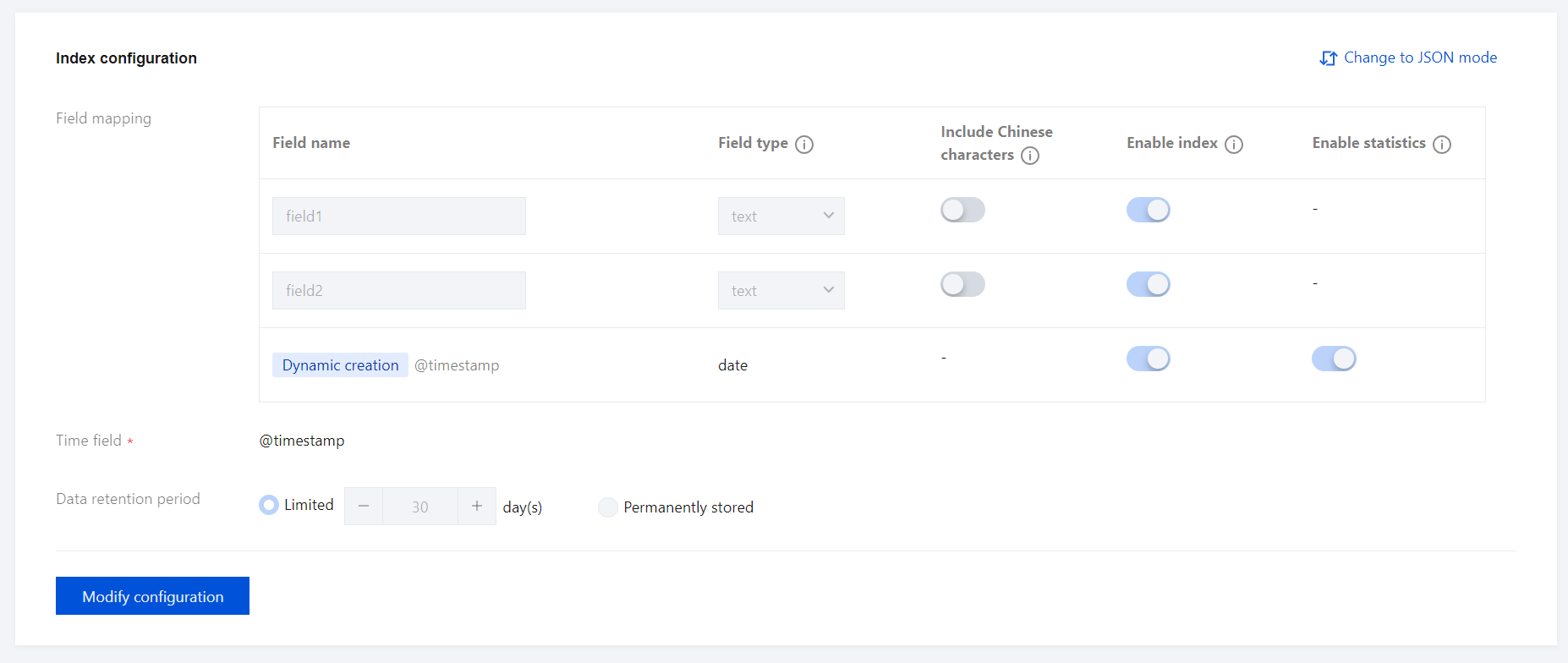
The Elasticsearch Serverless service provides configuration management features for indexes, allowing you to quickly view an index's configuration on the configuration management page. You can also modify index configurations to quickly adapt to business growth.

Viewing the Index Configuration

Upon entering this page, the default view mode displays information such as field mappings and data storage duration.


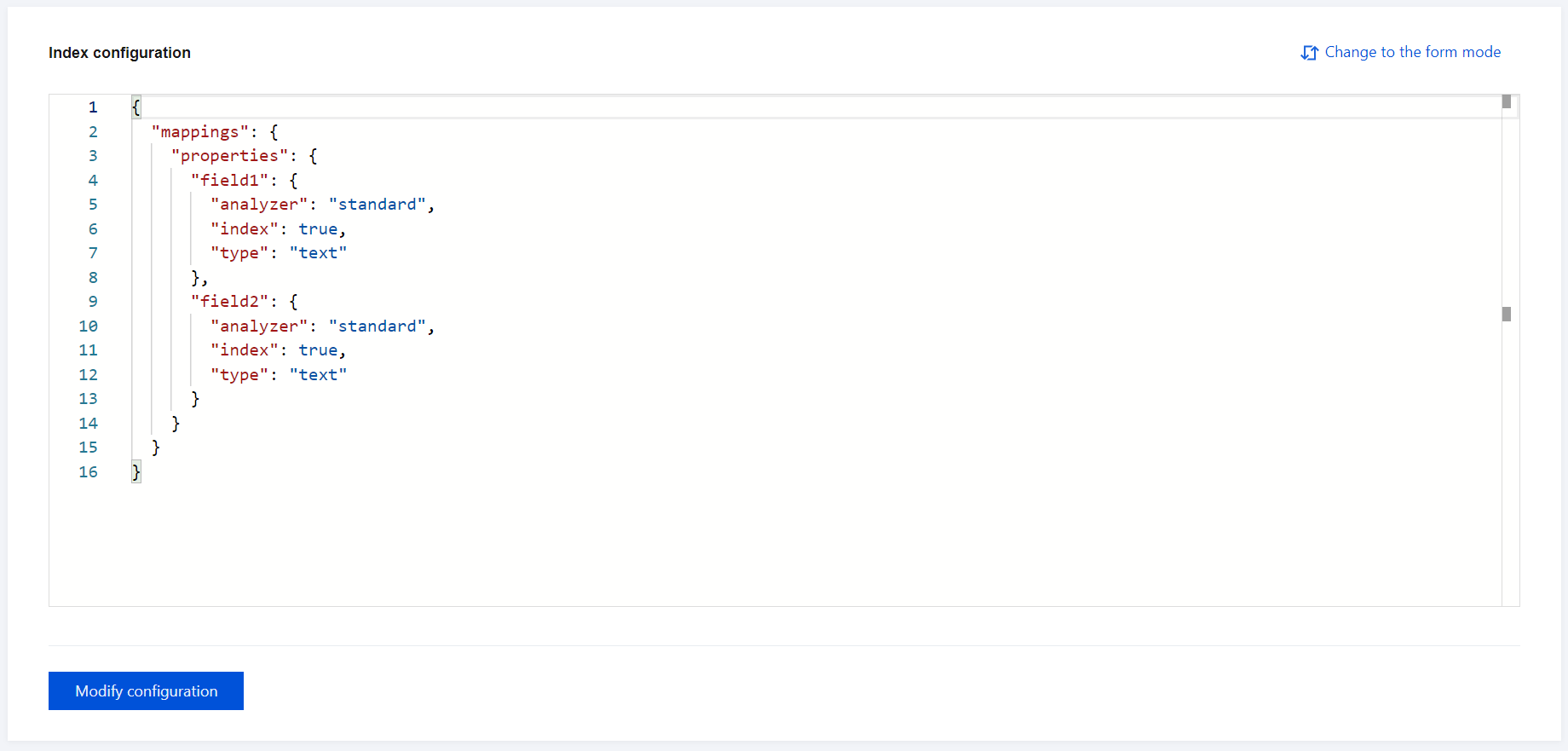
Additionally, you can click Change to JSON mode in the upper right corner to view the current index configuration in JSON format.


Modifying the Index Configuration

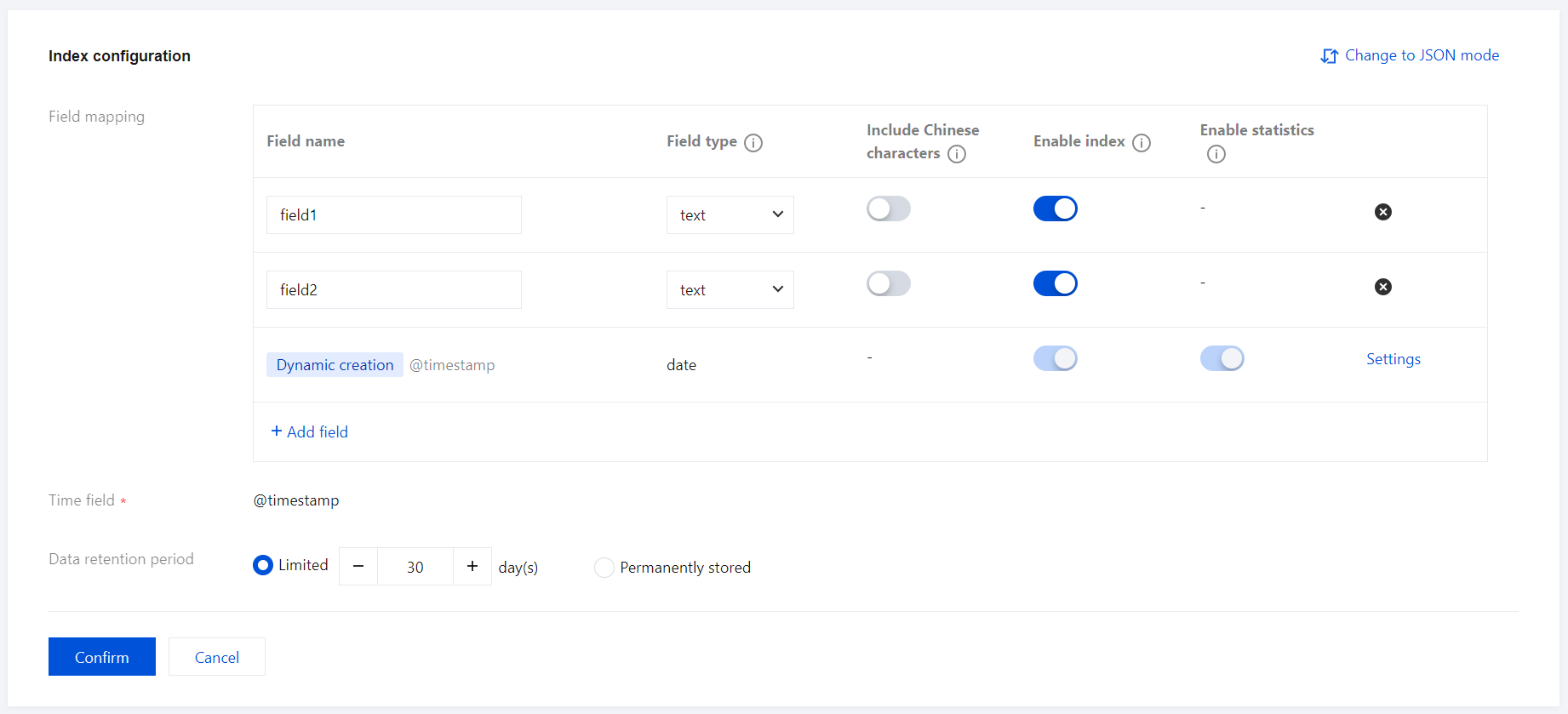
Click Modify configuration in the lower left corner to enter the edit mode, allowing you to adjust index configuration settings, such as field mappings or data storage duration.


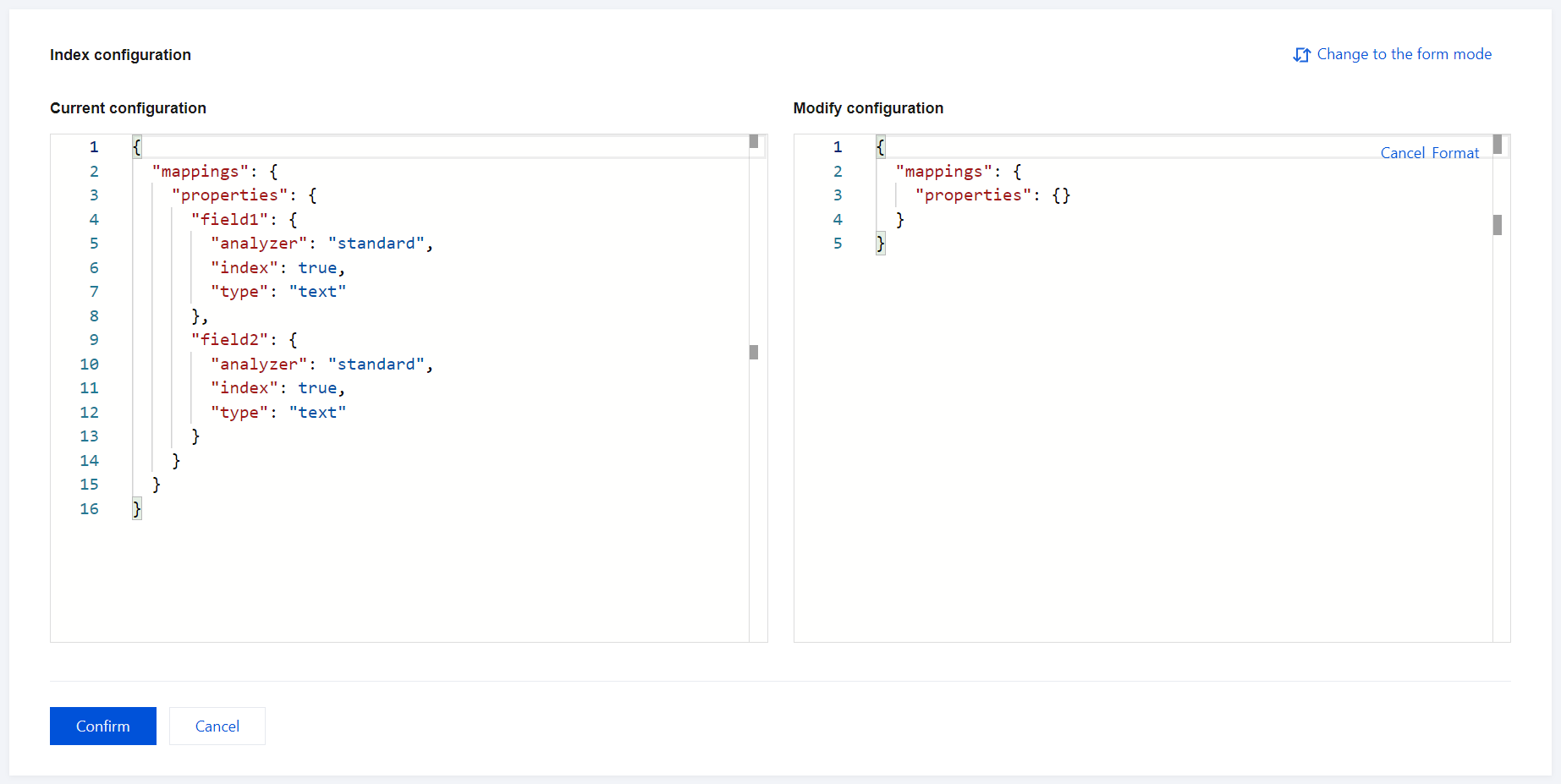
When you change to JSON mode, the left-side panel displays the current configuration for the live index, making it easy to review active settings. The right-side panel provides an input box for modifying configuration settings. Enter the corresponding configuration information to be modified in the input box. Once the modification is successful, the corresponding index configuration items will be updated.
도움말 및 지원

문제 해결에 도움이 되었나요?

피드백