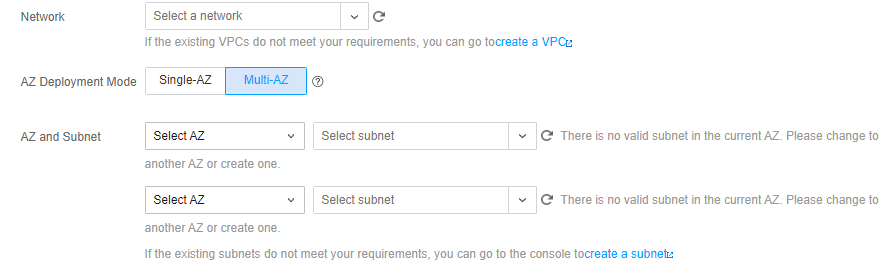
Go to the ES purchase page, select AZ Deployment Mode, and set up a multi-AZ network.
Note:
To enable multi-AZ disaster recovery, a cluster must first have at least three dedicated master nodes enabled; therefore, there must be at least three data centers selected where multi-AZ disaster recovery is supported. Currently, this feature is only supported in certain major regions such as Beijing, Shanghai, and Guangzhou, and it will be gradually rolled out in other regions as new Tencent Cloud data centers are constructed.
Other parameter settings are generally the same as those for single-AZ deployment.
Taking the Shanghai region as an example, in AZ Deployment Mode, you can create 2-AZ and 3-AZ clusters, and you need to select AZs and subnets equal to the number of AZs.
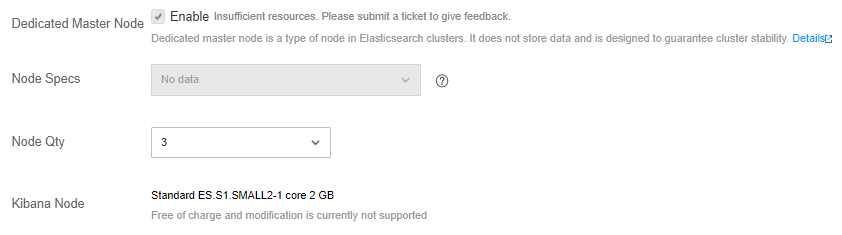
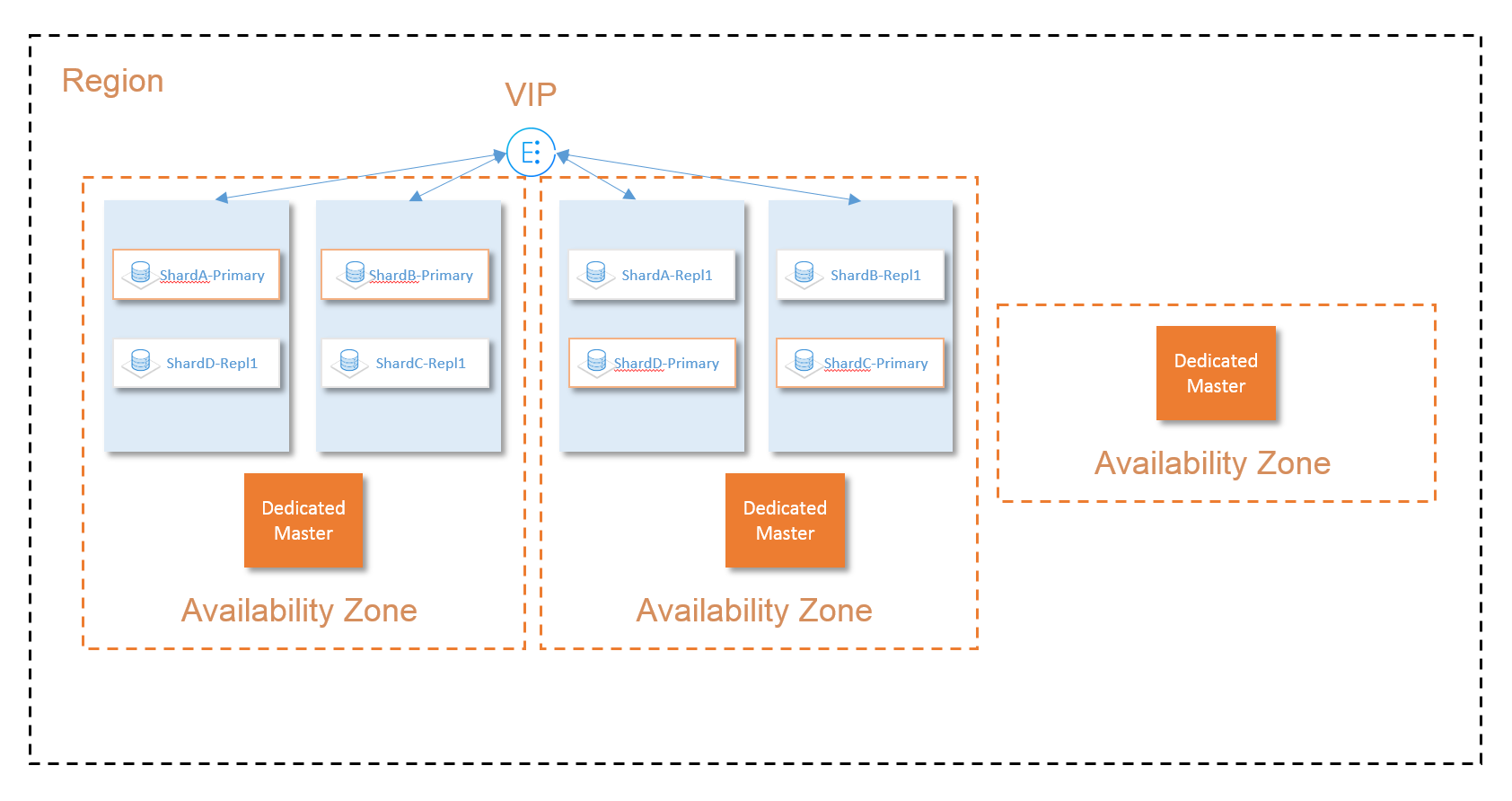
The number of data nodes will be automatically adjusted proportionally to the number of AZs. In order to ensure the stability and reliability of the cluster, Dedicated Master Node is enabled by default when you select multiple AZs, and you can select 3 or 5 dedicated master nodes. Such nodes will be evenly distributed among the three AZs to ensure that when an AZ becomes unavailable, the circumstance where more than half of the nodes are unavailable will never happen. Plus, this guarantees that the cluster always has electable nodes which form a quorum for the election of a master node, thus ensuring cluster reliability.
How Multi-AZ Disaster Recovery Works
Data node
To ensure that multi-AZ disaster recovery takes effect, you need to follow the principles below:
1. The number of data nodes in the cluster you purchase should be equal to a multiple of the number of AZs. For example, if you select two AZs for disaster recovery, the number of data nodes should be 2, 4, 6, 8, and so on.
2. At least one replica should be set for an index shard to ensure that the cluster always has more than two replicas of data.
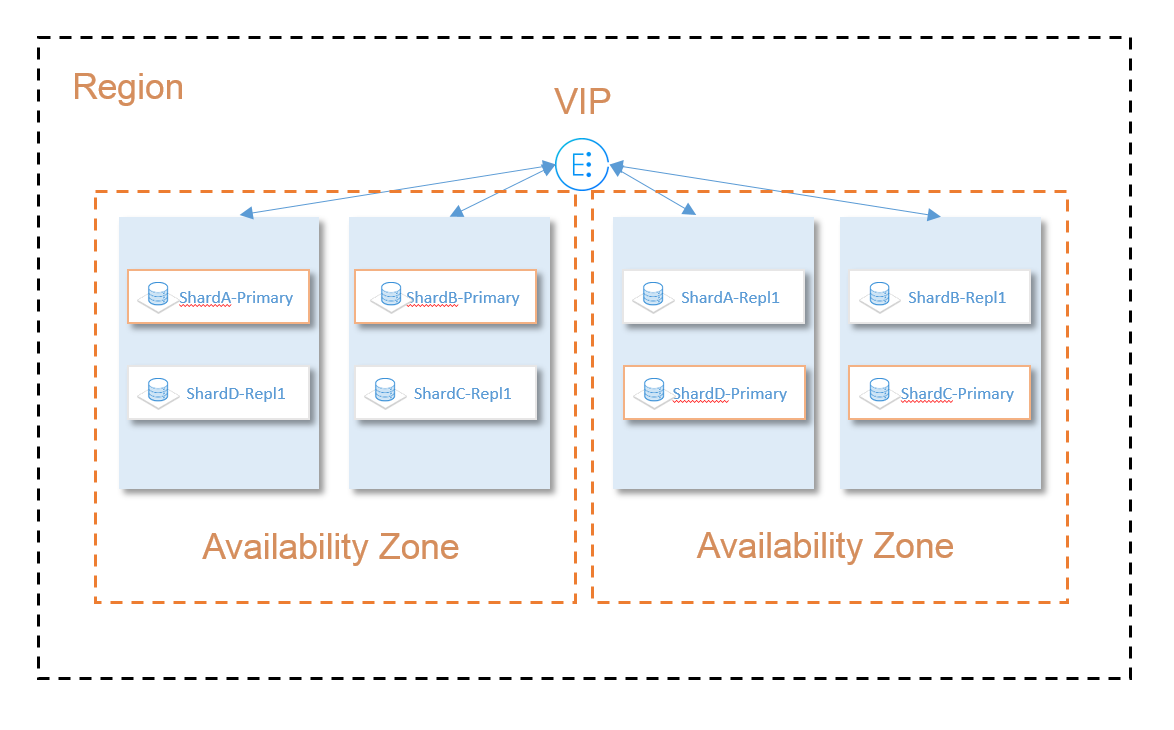
ES automatically deploys the purchased data nodes evenly among the selected AZs, and the deployed data nodes can perceive and identify the AZs. This feature distributes the replicas of your data across multiple AZs so as to make sure that there is only one replica in a single AZ.
ES offers load balancing within VPC, which allows you to connect to the cluster through the provided VIP for reading and writing data and controlling the cluster through ES APIs.
This VIP is bound to all data nodes in the cluster and offers the load balancing capability, so that all requests initiated by you will be evenly distributed across all the data nodes.
This VIP also features health check. If it is determined that a node is not responding in multiple checks within a certain period, the health checker will temporarily remove the problematic node from the list of nodes bound to the VIP until it returns to normal.
This makes sure that when a node is down, or an AZ of a data center is unavailable, the problematic node will be automatically removed, so that it will not be requested by the client. This helps implement imperceptible failover in case of an AZ failure, thus improving the stability of your business.
Dedicated master node
In order to improve the reliability of your cluster, you must create at least three dedicated master nodes when using multi-AZ disaster recovery, and they must be distributed in three different AZs. Even if you select two AZs to deploy data nodes, an additional one will be automatically chosen to deploy a dedicated master node. This deployment scheme helps ensure that when an AZ becomes unavailable, your cluster still has electable nodes which form a quorum (majority) for the election of a master node.