Creating a Bucket
Download
Focus Mode
Font Size
VOD Pro supports creating multiple regional buckets to achieve video content upload and distribution acceleration. This article will introduce how to create a bucket.
Applicable Scenario
If your users are widely distributed across multiple regions, it is recommended to create multiple regional buckets for better upload experience and video playback, enabling nearby upload and source retrieval.
Prerequisites
Activate the VOD service. For details, see Purchase Guide.
VOD Pro application has been created. The Pro application is currently available to select customers only. If you need to create a Pro application, please contact sales.
Operation Steps
1. Log in to the VOD console, click Application Management on the left sidebar to enter the application list page.
2. Locate the Pro application for which a bucket is to be created, and click the application name to go to the application management page.
3. Select Storage from the left sidebar, and click Create Storage.

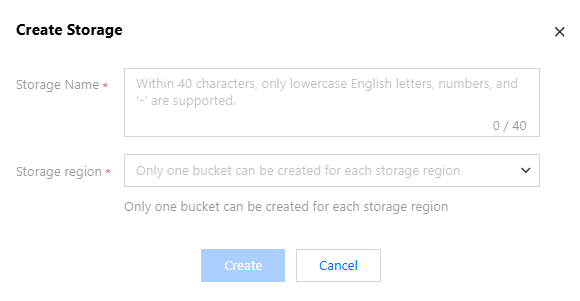
4. In the Create Bucket pop-up, enter the bucket name and region information, and click Create to complete the bucket creation.
Help and Support
Was this page helpful?
You can also Contact sales or Submit a Ticket for help.
Help us improve! Rate your documentation experience in 5 mins.
Feedback