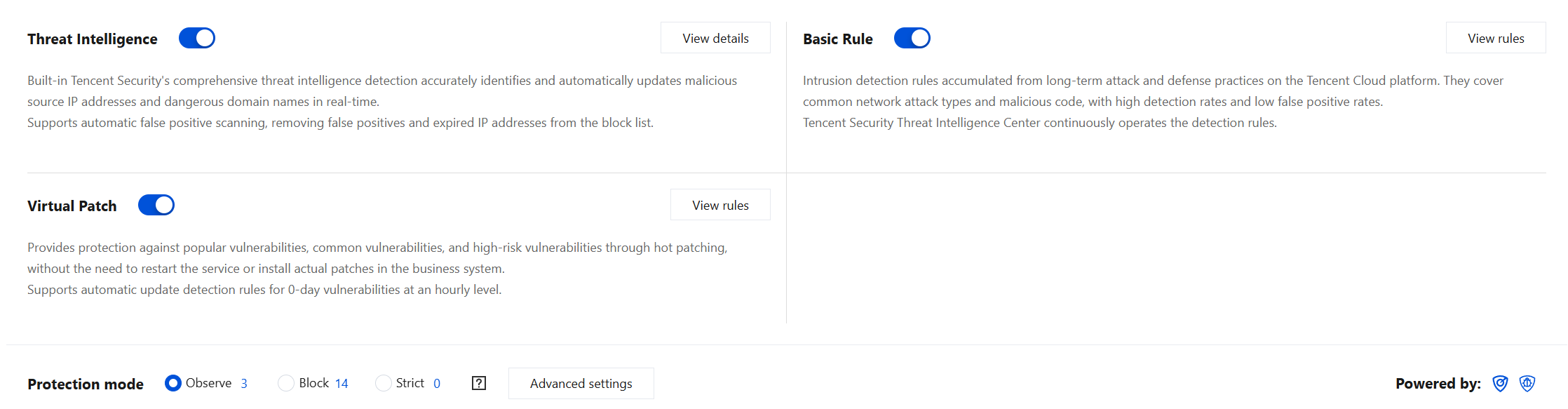
After threat intelligence is enabled, CFW feeds Internet boundary traffic to the threat intelligence detection and analysis engine to identify unknown risks beyond Access Control rules. For guarantee for important periods scenarios, the guarantee for important periods intelligence package feature was launched, enhancing risk resistance capability.
Operation Steps
1. Log in to CFW console, in the left sidebar, click Intrusion Defense.
2. On the Intrusion Defense page, click
in the threat intelligence section to enable threat intelligence.
Note:
The threat intelligence toggle and the Internet Firewall toggle are composite logic toggles. CFW will perform threat intelligence monitoring and analysis on the north-south traffic of a public IP address only when both the Internet Firewall toggle and the threat intelligence toggle are enabled for that public IP address.
3. After threat intelligence is enabled, CFW feeds Internet boundary traffic to the threat intelligence detection and analysis engine to identify unknown risks beyond access control rules:
External malicious access: CFW monitors and identifies external access to cloud assets from malicious IP addresses and threat samples, such as malicious scans, brute force cracking, mining trojans, ransomware attacks, and remote control.
Proactive outgoing access: CFW monitors and identifies proactive outgoing access from cloud assets to external malicious IP addresses or domain names, and determines potential host compromise risks through the comparative analysis of big data provided by threat intelligence.
4. In the Threat Intelligence module, click View details to go to the Advanced Settings page.
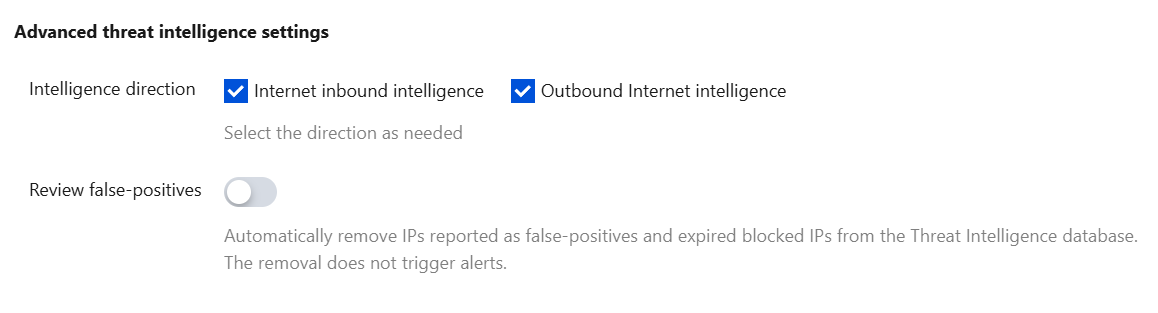
Advanced threat intelligence settings:
Intelligence direction: You can customize the selection of Internet inbound intelligence and Outbound Internet intelligence based on the direction.
Review false-positives: The false positive rescan feature automatically cleans IP addresses in the blocklist that are rescanned as false positives/expired by threat intelligence in real time, reducing business risks. When this toggle is enabled, false positive rescanned addresses are automatically removed from the threat intelligence database without triggering threat intelligence alarms.
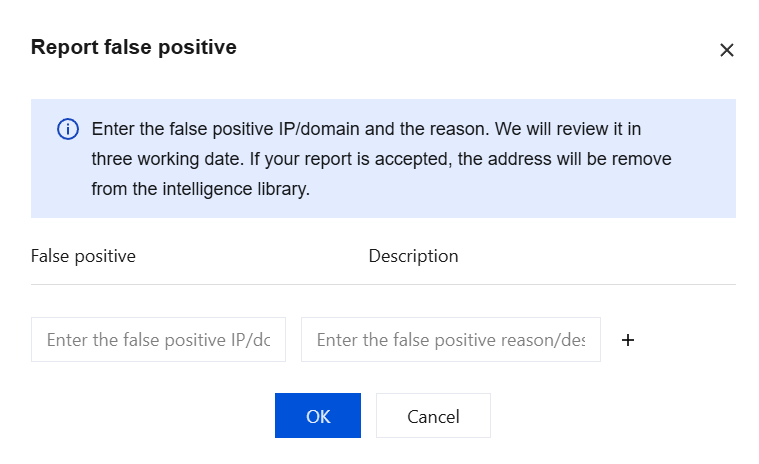
Report false positives:
Click Report false positives, fill in the false positive IP address/domain name and the reason. We will complete the evaluation within three business days. If the false positive is confirmed, the address will be removed from the threat intelligence database.
You can view false positive rescan records and feedback records. The feature supports querying by various resource attributes.
Related Information
If you encounter Intrusion Defense related issues, see the Intrusion Defense documentation.