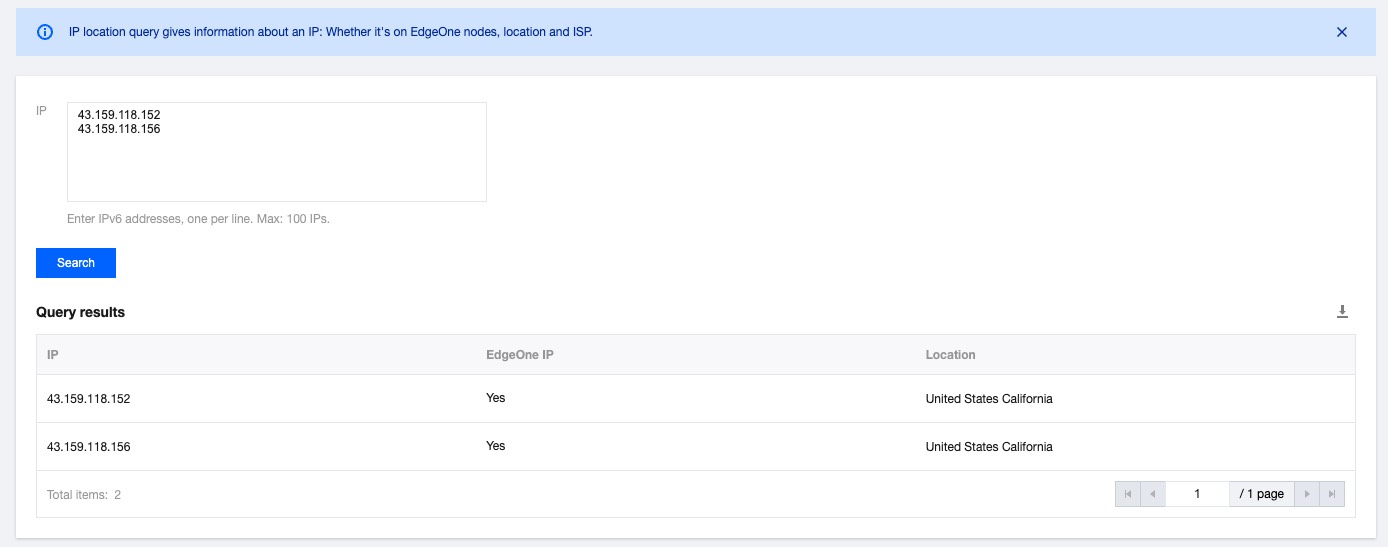
This document describes how to verify whether an IP is owned by EdgeOne and query the IP geolocation.
Directions
1. Log in to the EdgeOne console and click IP Location Query in the left sidebar.
2. On the IP Location Query page, enter the IPs to query (one per line). You can query up to 100 IP addresses at a time. IPv6 addresses are supported.
3. Click Search. The Query results table shows the IP geolocation and whether they are owned by EdgeOne nodes. To export the query results, click the download icon
in the top-right corner of the table. The query results are exported to a CSV file.