tencent cloud

Elasticsearch Service

User Guide
Release Notes and Announcements
Release Notes
Product Announcements
Security Announcement
Product Introduction
Overview
Elasticsearch Version Support Notes
Features
Elastic Stack (X-Pack)
Strengths
Scenarios
Capabilities and Restrictions
Related Concepts
Purchase Guide
Billing Overview
Pricing
Elasticsearch Service Serverless Pricing
Notes on Arrears
ES Kernel Enhancement
Kernel Release Notes
Targeted Routing Optimization
Compression Algorithm Optimization
FST Off-Heap Memory Optimization
Getting Started
Evaluation of Cluster Specification and Capacity Configuration
Creating Clusters
Accessing Clusters
ES Serverless Guide
Service Overview
Basic Concepts
5-Minute Quick Experience
Quick Start
Access Control
Writing Data
Data Query
Index Management
Alarm Management
ES API References
Related Issues
Data Application Guide
Data Application Overview
Data Management
Elasticsearch Guide
Managing Clusters
Access Control
Multi-AZ Cluster Deployment
Cluster Scaling
Cluster Configuration
Plugin Configuration
Monitoring and Alarming
Log Query
Data Backup
Upgrade
Practical Tutorial
Data Migration and Sync
Use Case Construction
Index Configuration
SQL Support
Receiving Watcher Alerts via WeCom Bot
API Documentation
History
Introduction
API Category
Instance APIs
Making API Requests
Data Types
Error Codes
FAQs
Product
ES Cluster
Service Level Agreement
Glossary
New Version Introduction
Elasticsearch Service July 2020 Release
Elasticsearch Service February 2020 Release
Elasticsearch Service December 2019 Release

Basic Index Information

PDF
Modo Foco
Tamanho da Fonte
Última atualização: 2024-11-29 21:58:05
The data management feature allows you to view basic information such as index status, cluster, and Elasticsearch version and manage backing indices.

Directions

1. Log in to the ES console.
2. Select the target cluster in Data Management. Then, click an Index name in the index list to enter the Basic Information page of the index.

Basic Information

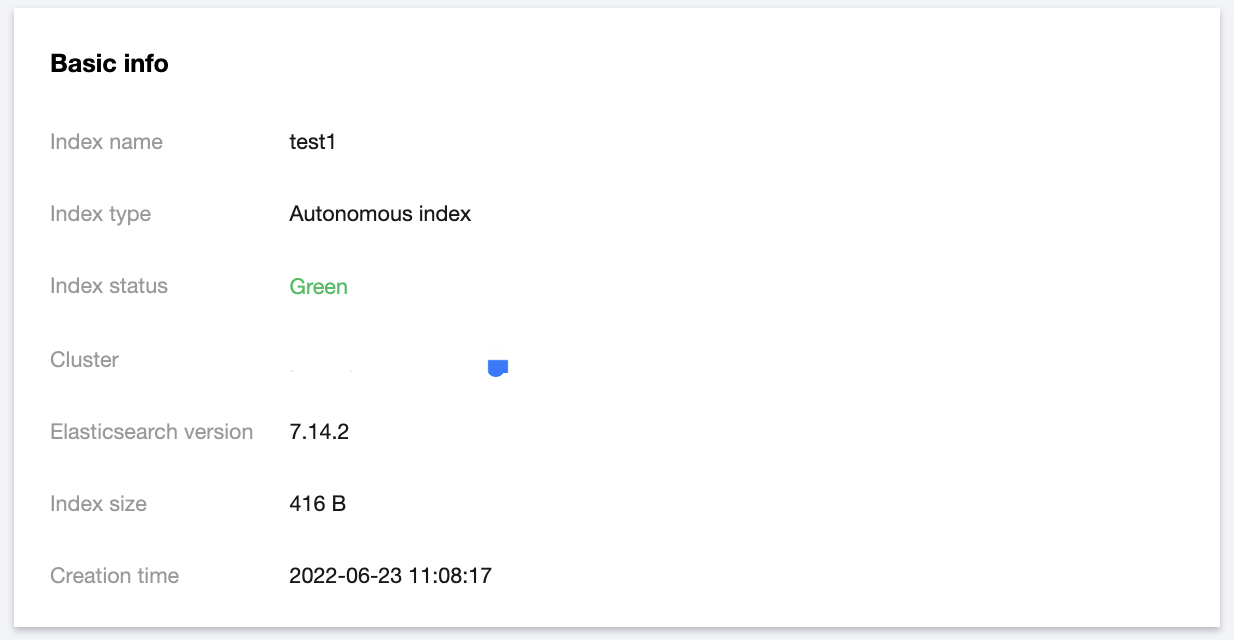
Basic information

The basic information module displays information such as index name, index status, index type, cluster, Elasticsearch version, index size, and creation time. The index size is obtained by adding the size of all backing indices in the index.


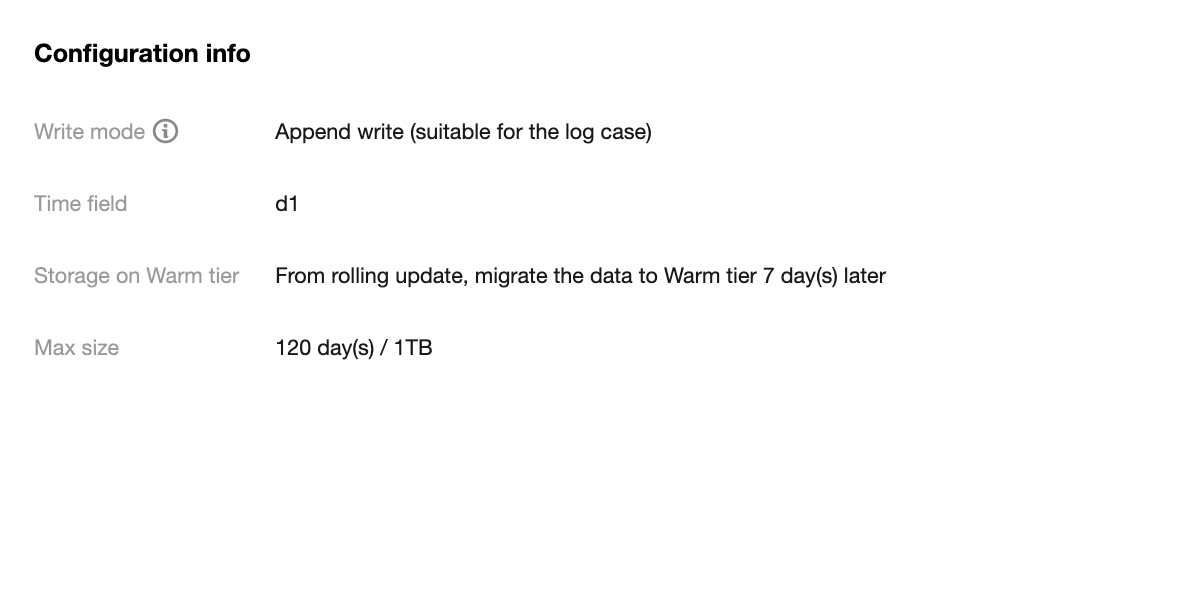
Configuration information

The configuration information module displays information such as write mode, time field, and index lifecycle settings.


Backing index management

You generally don't need to care about backing index, as it is the underlying implementation logic of autonomous index. If you want to pay more attention to and manipulate backup index, see the following: The backing index management module allows you to view the information of backing indices, including index name, index status, index size, current lifecycle phase, and creation time, as well as delete backing indices.
Note:
The latest backing index in an autonomous index and the backing index being written cannot be deleted.

A rolling update will create a new backing index for the autonomous index. Currently, two rolling update methods are supported:
Automatic rolling update: It is implemented through the built-in feature of the autonomous index. When the rollover cycle condition configured for the autonomous index is met, or when the node of the backing index currently providing the write service fails, the new backing index will be rolled over automatically.
Manual rolling update: It is implemented through the rollover API.
Ajuda e Suporte

Esta página foi útil?

comentários
