ES clusters are deployed in logically isolated VPCs, giving you full control over your environment configuration and the ability to customize network access control lists (ACLs) and security groups. In addition, to help ensure the security of your resources in the cloud, a wide variety of security capabilities are provided, including:
IP blocklist/allowlist for public network access to Kibana (you can also enable only private network access to Kibana)
Control over public network access to ES clusters and IP allowlist
Role-based access control (RBAC)
Setting ES Cluster Access Password
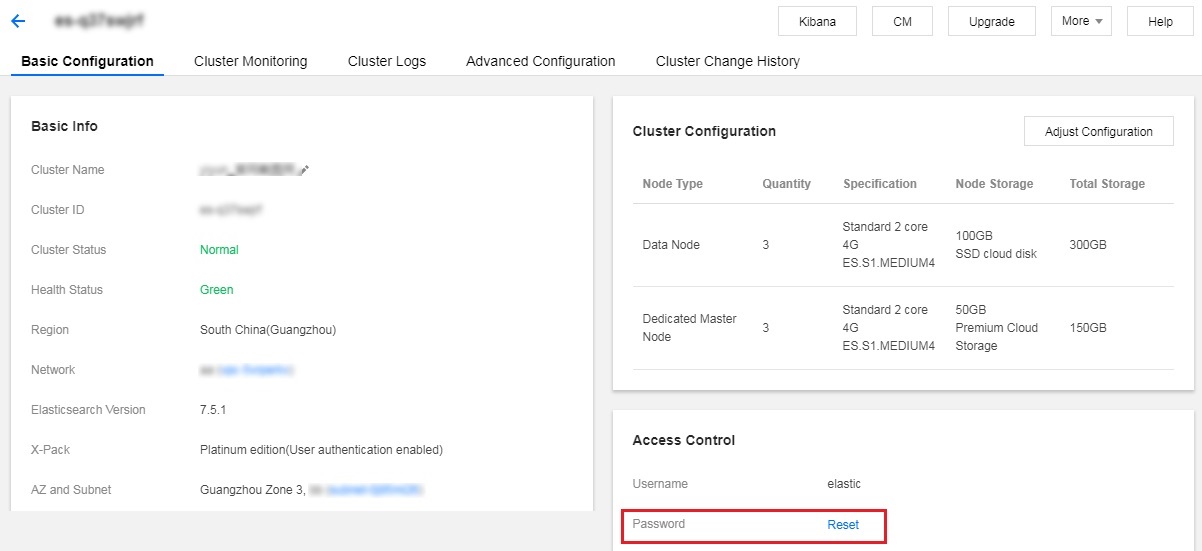
When creating an ES cluster, you will be asked to set a password for the default user elastic. The account and password will be used to log in to the Kibana page. If ES cluster user authentication has been enabled for your cluster, then they will be used for ES cluster login authentication for stricter security protection as show below:
Resetting ES Cluster Access Password
You can use the password resetting feature on the cluster details page to reset the password of the elastic account for your ES cluster as shown below:
Setting IP Blocklist/Allowlist for Public Network Access to Kibana
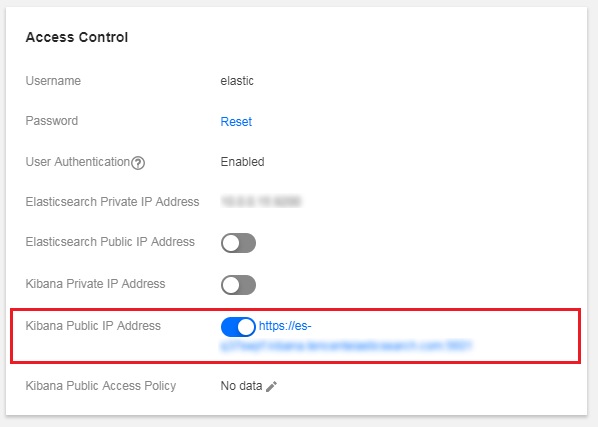
If the Kibana page can be accessed over the public network, ES provides IP blocklist/allowlist in addition to password-based authentication for Kibana access, further enhancing the access security of you clusters.
Configuration rule: up to 10 IPs in the format of 192.168.0.1 or 192.168.0.0/24 separated by commas are supported.
Blocklist/allowlist settings: you can set either of them. If both are configured, the allowlist shall prevail. The configuration items are as shown below:
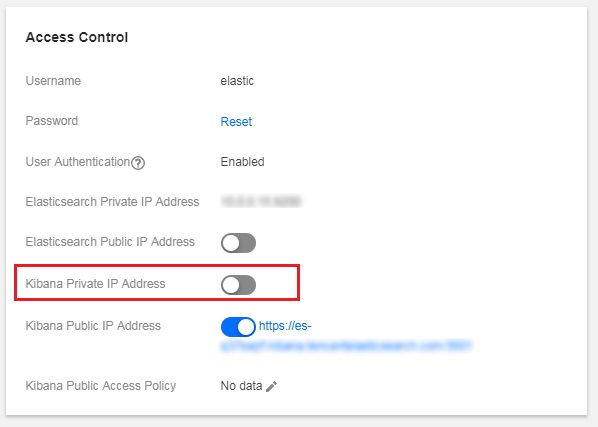
Enabling Only Private Network Access to Kibana
If you have concerns over the security of public network access, you can disable it and enable only private network access.
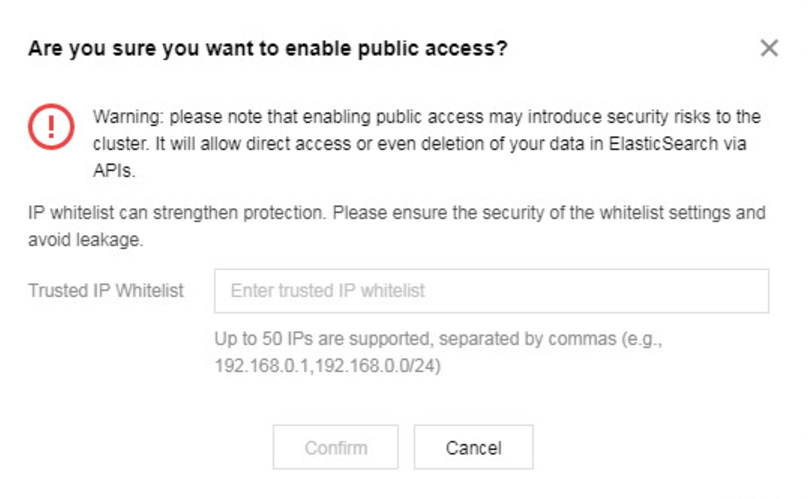
Enabling Limited Public Network Access to ES Cluster and Setting IP Allowlist
For the sake of security, access to ES clusters over the public network is disabled by default. For clusters having ES cluster user authentication enabled, you can enable access over the public network for convenience, but you need to set the IP allowlist for security protection.
Role-Based Access Control (RBAC)
For clusters having ES cluster user authentication enabled, you can use more security management features. In addition, the Platinum Edition offers more refined access control by document or field. For more information, please see Role-based access control at Elasticsearch official website.
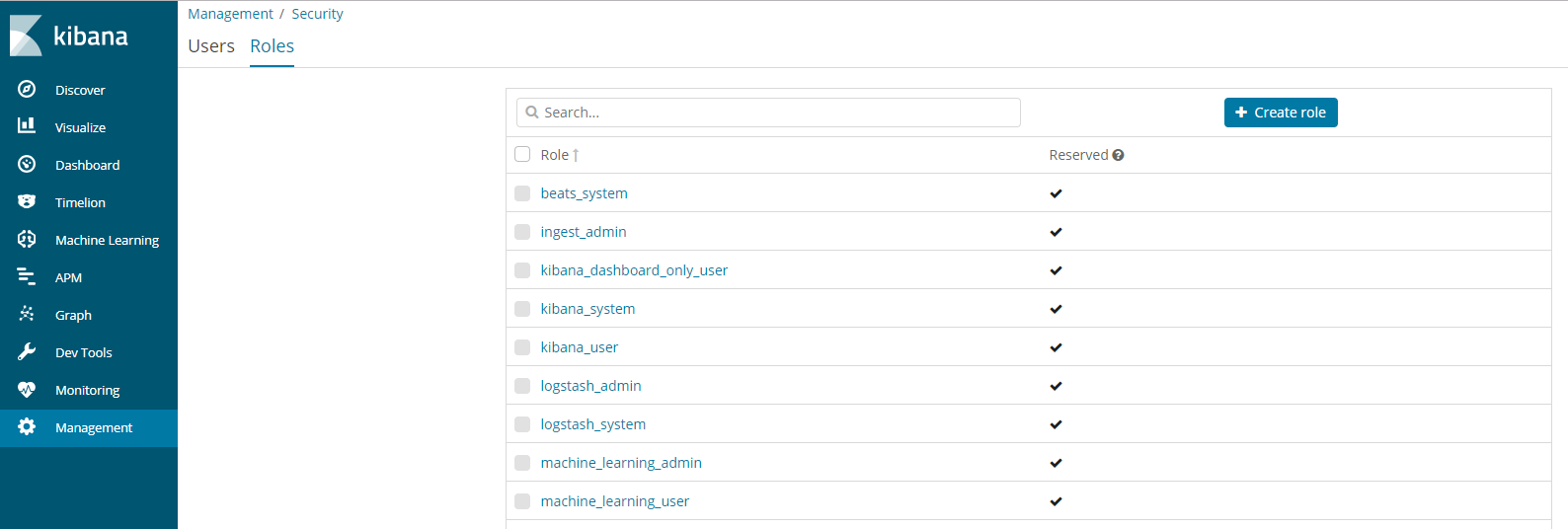
Role management
You can create, modify, and delete roles with different permissions in Management > Security > Roles on the Kibana page as shown below:
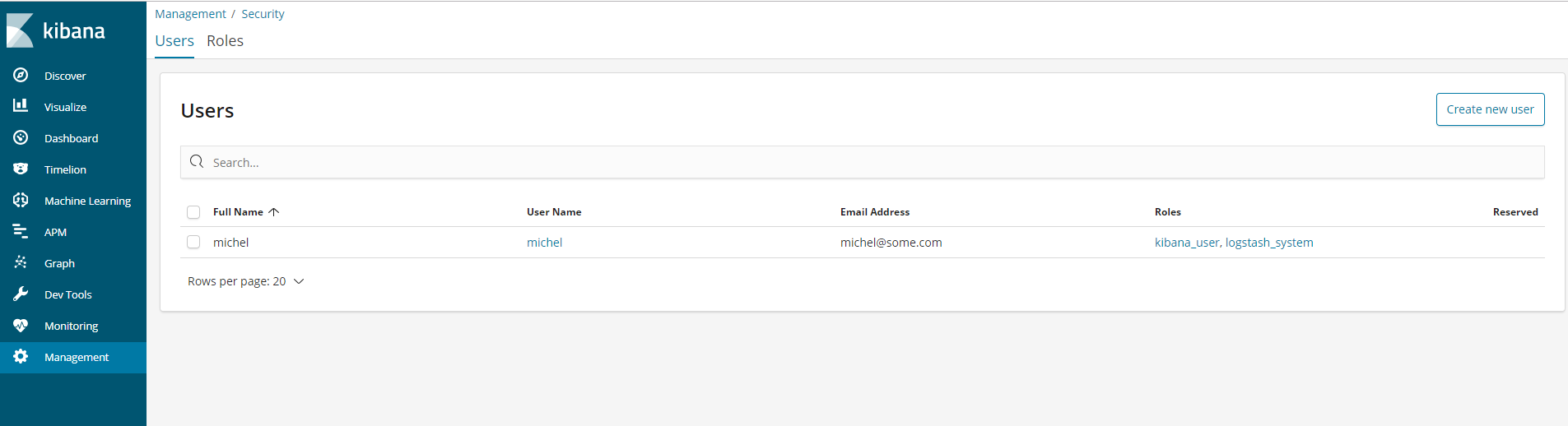
User management
You can create, modify (information, password, etc.), and delete users with multiple roles in Management > Security > Users on the Kibana page as shown below:
Note:
The password of the default ES user elastic can be reset only in the console on the official website.
For more information on how to use relevant security features, please see the following: