tencent cloud

Tencent HealthCare Omics Platform

Product Introduction
Overview
Strengths
Use Cases
Use Limits
Purchase Guide
Billing Overview
Product Pricing
Payment Overdue
Getting Started
Run an Analysis Workflow
Example: Rapid Application Execution in 5 Minutes
Operation Guide
Console
Work Items
File Management
Image Management
Development and Debugging
Permission Management
Resource Monitoring
Practical Tutorial
Visual Running Groups Submission and Management
Rerunning and Continuing Running
API
History
Introduction
API Category
Making API Requests
Environment Management APIs
Tencent Healthcare Omics Platform APIs
Data Types
Error Codes
FAQs
Service Agreement
Related Protocol
PRIVACY POLICY MODULE HEALTHCARE OMICS PLATFORM
DATA PROCESSING AND SECURITY AGREEMENT MODULE HEALTHCARE OMICS PLATFORM
Contact Us

Rerunning and Continuing Running

PDF
Modo Foco
Tamanho da Fonte
Última atualização: 2024-10-22 15:26:45
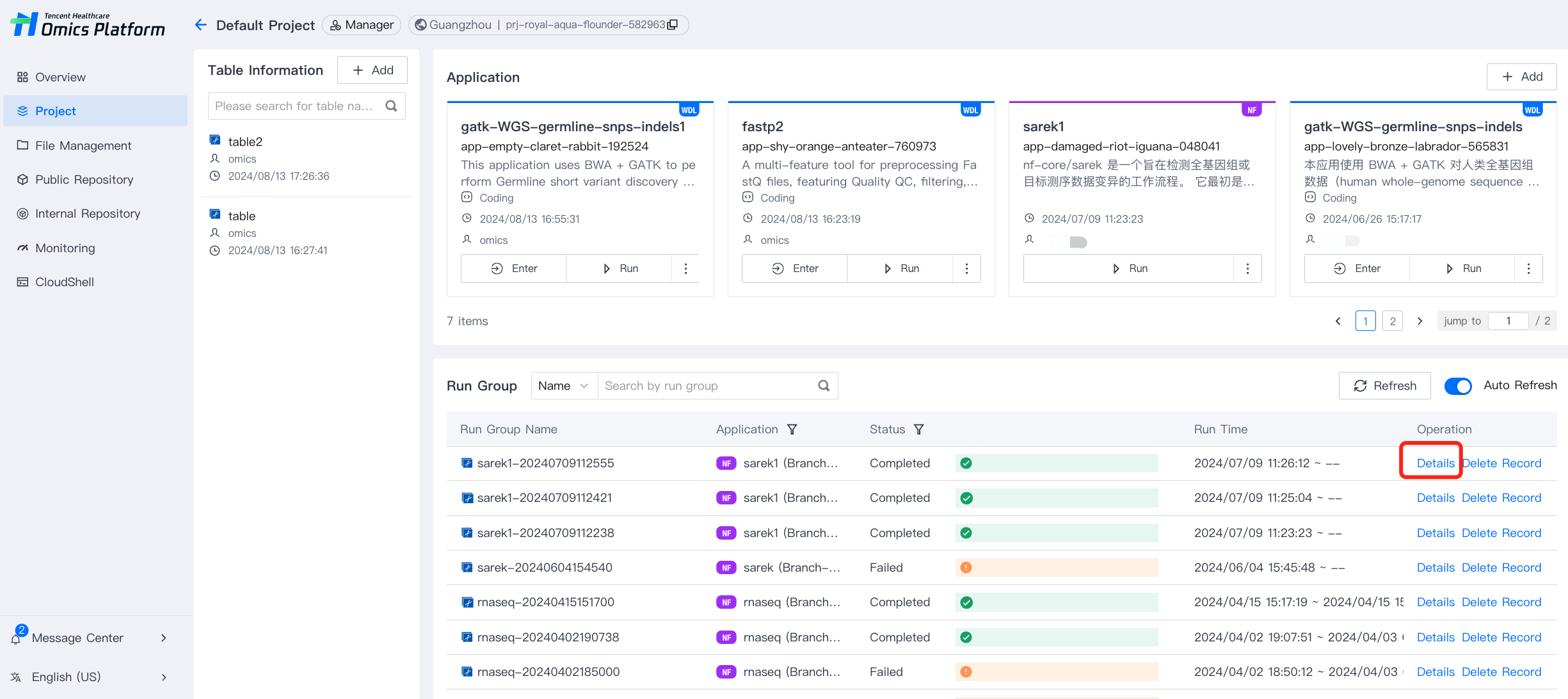
1. Select the Details option for a running group to enter its details page.


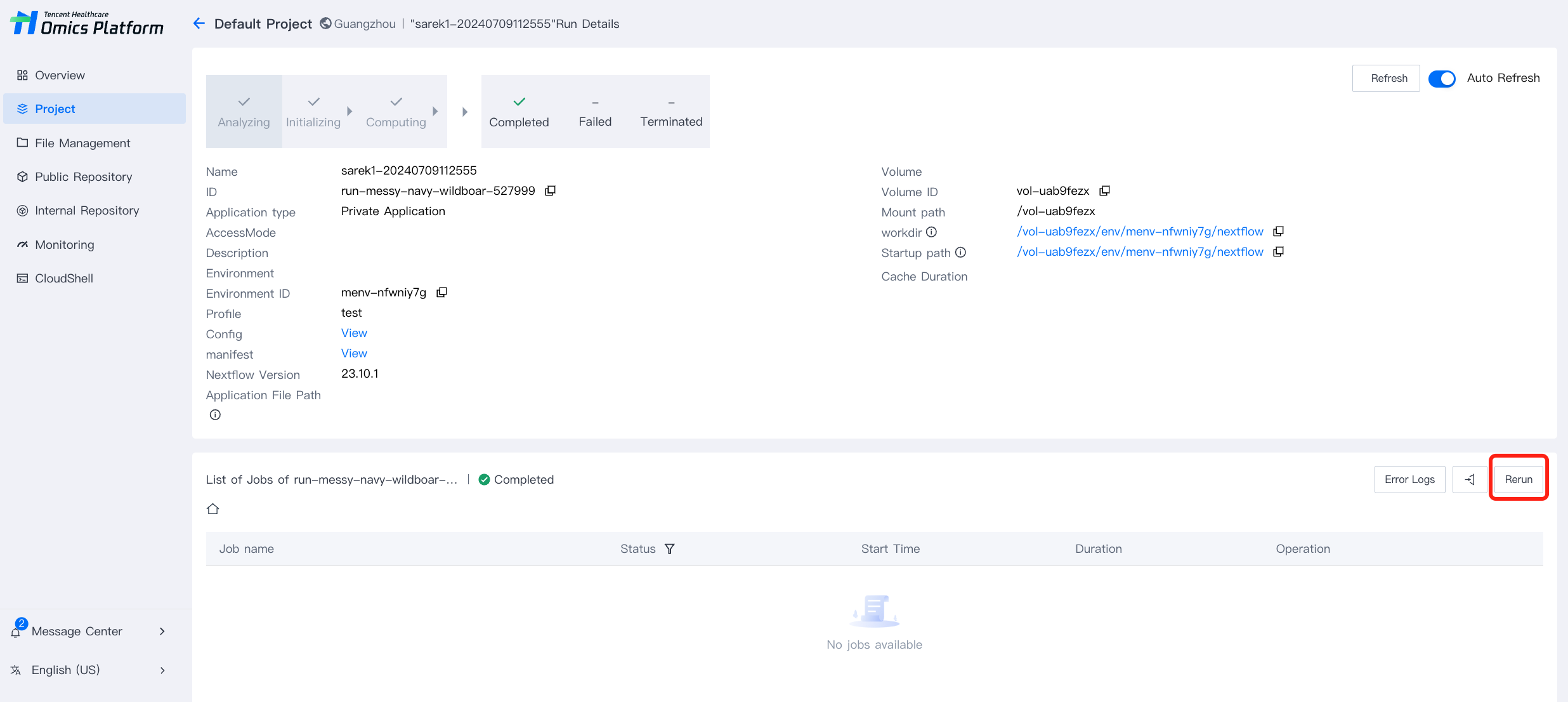
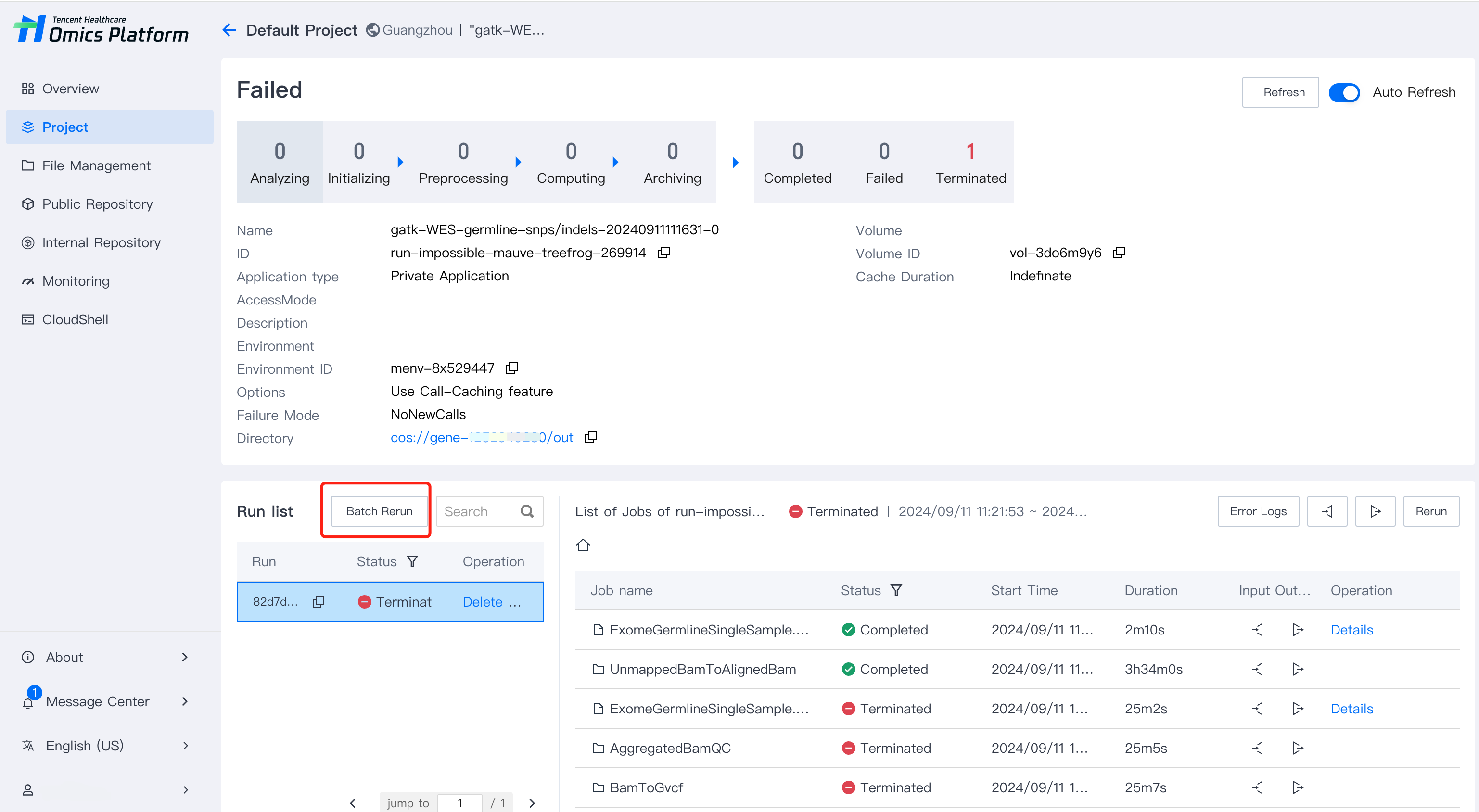
2. In the running list column of the running group details page, you can rerun the run groups.


3. After selecting the batch re-run option, you can choose the sub-tasks that need to be re-run. Only completed, failed, or terminated sub-tasks can be re-run.


4. After the rerunning, new batch information will be generated, and the original records will not be overwritten.
Ajuda e Suporte

Esta página foi útil?

comentários