tencent cloud

Tencent HealthCare Omics Platform

Product Introduction
Overview
Strengths
Use Cases
Use Limits
Purchase Guide
Billing Overview
Product Pricing
Payment Overdue
Getting Started
Run an Analysis Workflow
Example: Rapid Application Execution in 5 Minutes
Operation Guide
Console
Work Items
File Management
Image Management
Development and Debugging
Permission Management
Resource Monitoring
Practical Tutorial
Visual Running Groups Submission and Management
Rerunning and Continuing Running
API
History
Introduction
API Category
Making API Requests
Environment Management APIs
Tencent Healthcare Omics Platform APIs
Data Types
Error Codes
FAQs
Service Agreement
Related Protocol
PRIVACY POLICY MODULE HEALTHCARE OMICS PLATFORM
DATA PROCESSING AND SECURITY AGREEMENT MODULE HEALTHCARE OMICS PLATFORM
Contact Us

Resource Monitoring

PDF
Modo Foco
Tamanho da Fonte
Última atualização: 2024-10-22 16:05:05
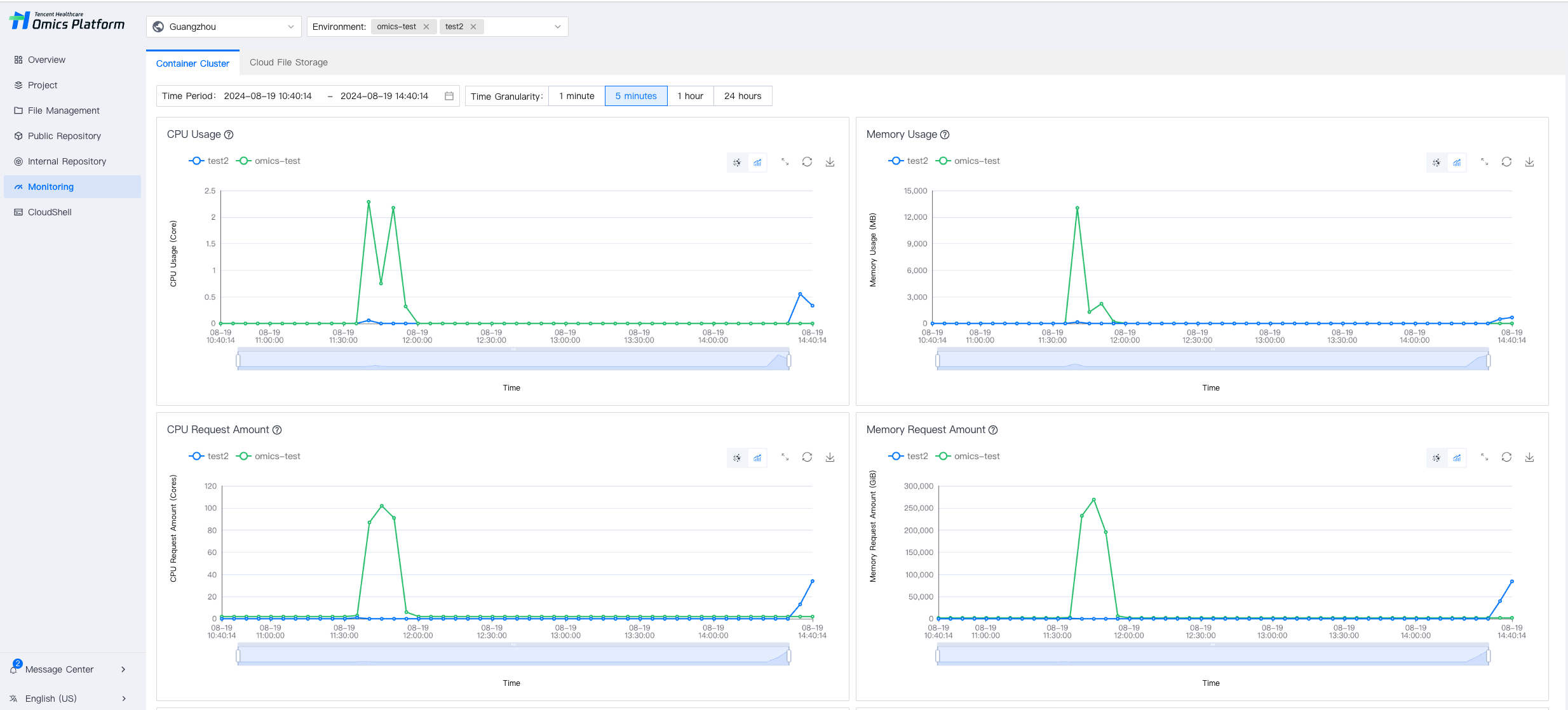
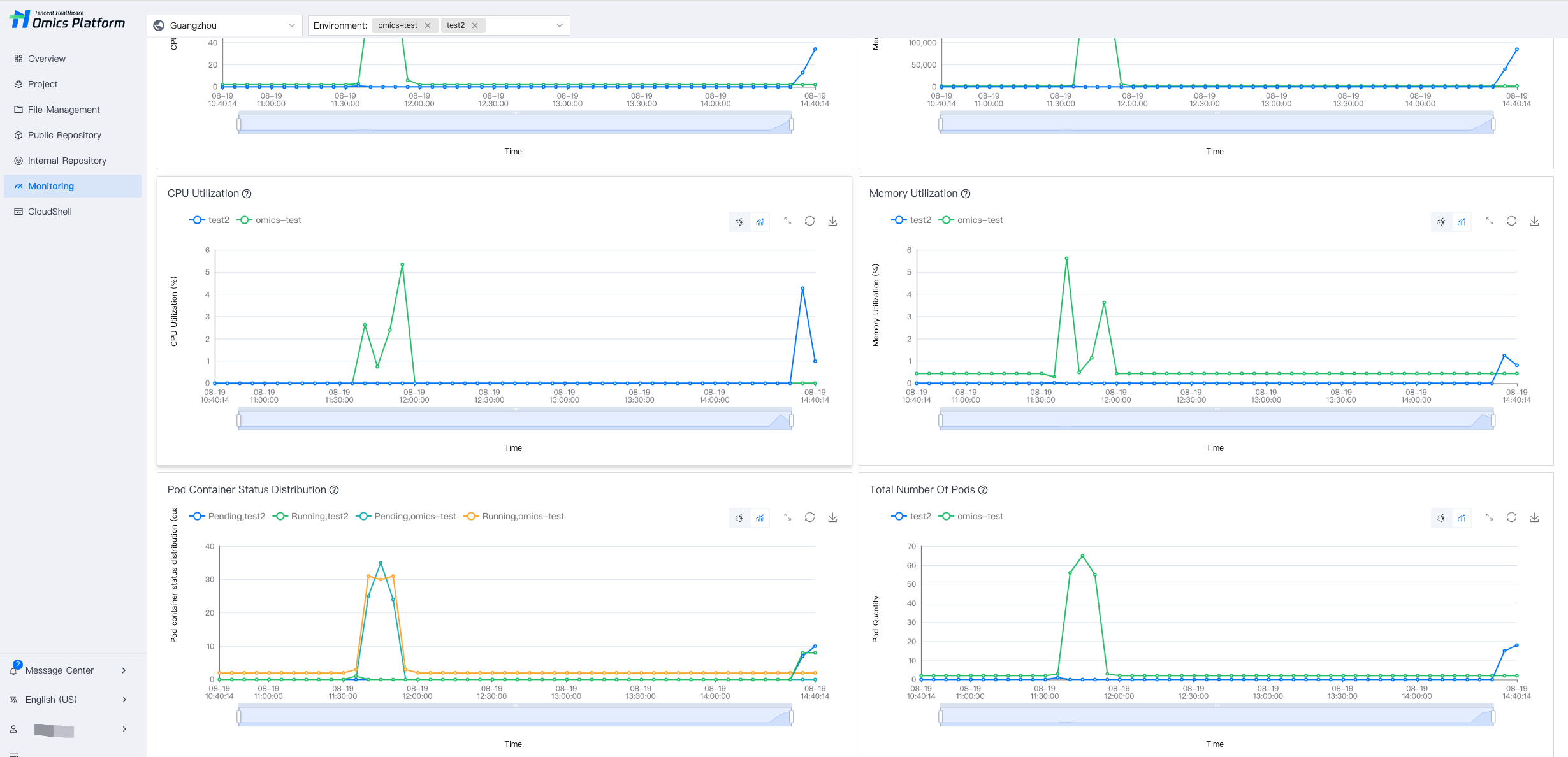
On the Resource Monitoring Page, select Container Cluster to view the current container cluster and CFS usage status.

Viewing the Resource Usage Status of the Container Cluster

1. You can select multiple environments to view resource usage status at the same time, making it easier to compare different environments and select the appropriate environment.


2. Supports viewing Pod, CPU, and memory usage.


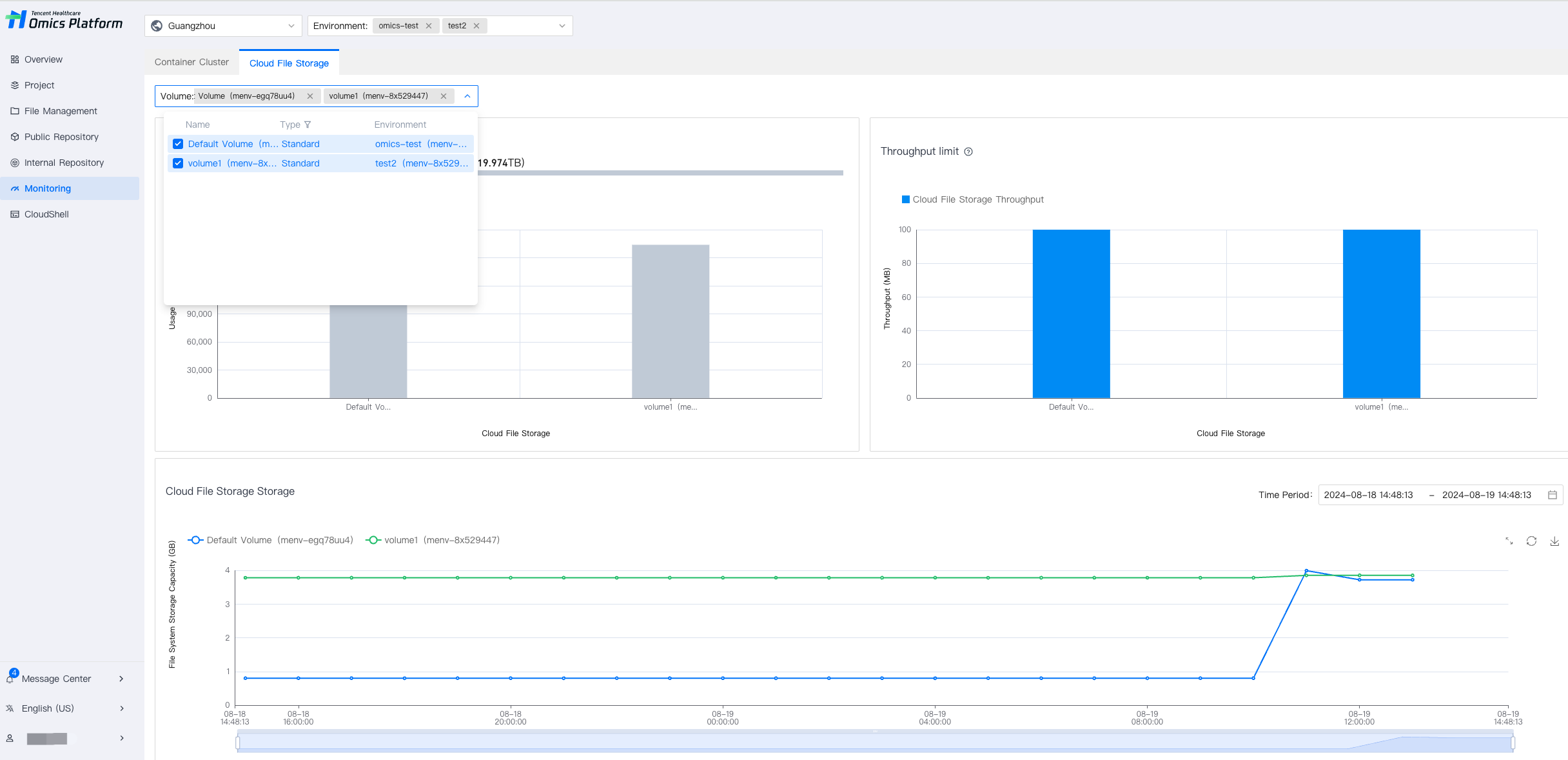
Viewing Cloud File Storage Usage Status

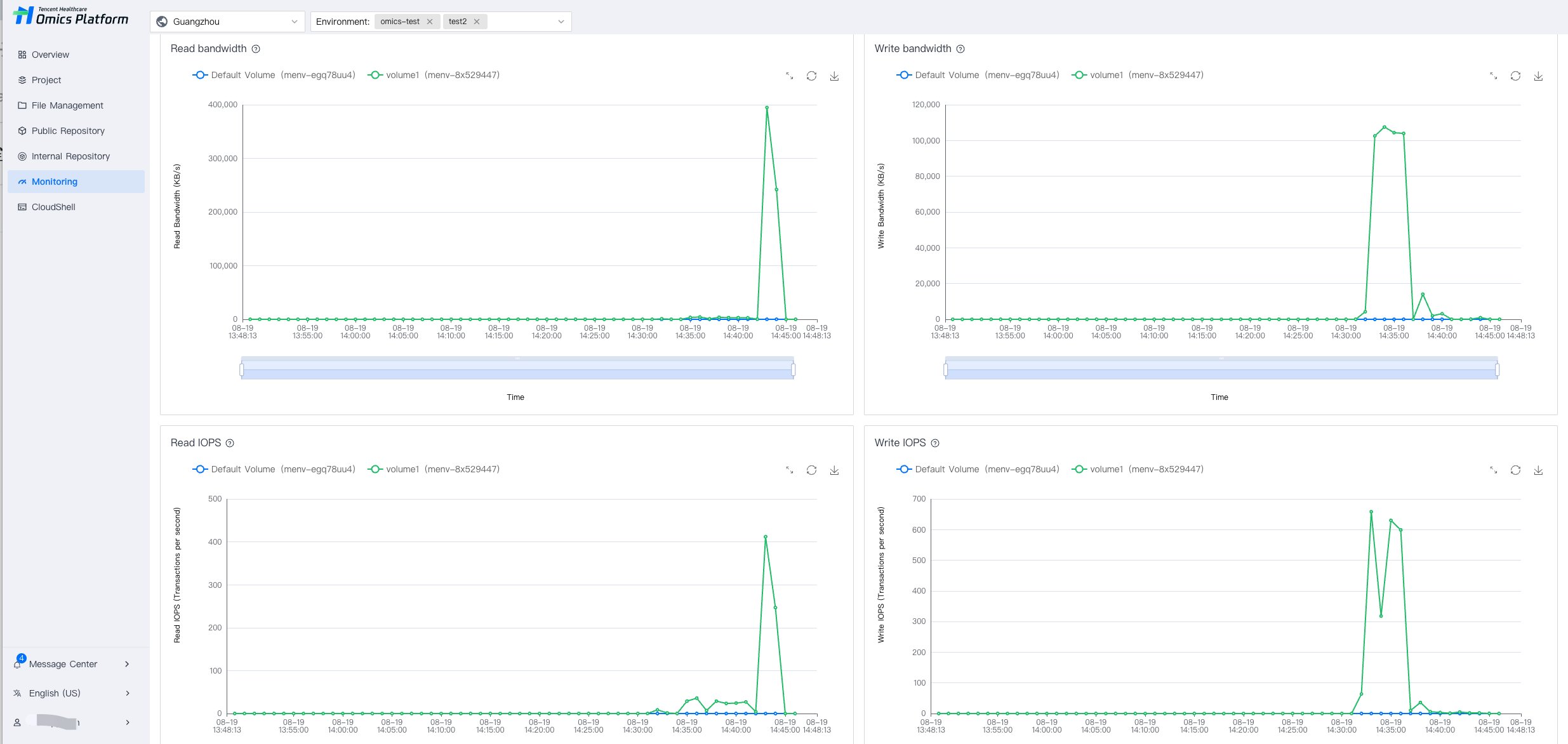
1. On the Resource Monitoring page, select Cloud File Storage to view the current cloud file storage usage status. You can select multiple environments to view resource usage status at the same time, making it easier to compare different environments and select the appropriate environment.


2. Viewing disk array usage, throughput, read/write bandwidth, read IOPS, and read/write latency is supported.
Ajuda e Suporte

Esta página foi útil?

comentários