tencent cloud

CVM Dedicated Host

Product Introduction
Overview
Regions and Zones
Strengths
Models
Purchase Guide
How to Purchase
Operation Guide
Querying CDH Instance Information
Search CDH Instance
Rename CDH Instance
Export List of CDH Instance
Assigning CVM Instances
Log into Dedicated CVM
Export List of Dedicated CVM
CVM Configuration Adjustment
Terminating Dedicated CVMs
Migrating Instances Among
FAQs
Billing
Hosts
CVM-related
문서CVM Dedicated HostOperation GuideCVM Configuration Adjustment

CVM Configuration Adjustment

PDF
포커스 모드
폰트 크기
마지막 업데이트 시간: 2019-11-07 10:04:46
You can adjust configuration of the Cloud Virtual Machine (CVM) on a dedicated host to meet service requirements during different periods. The configuration adjustment range is limited by the number of available resources on the dedicated host.

Notes

When the CVM is in the shutdown state, you can adjust configuration of the CVM in the console directly.
When the CVM is in the running state, you must forcibly shut down the CVM before configuration adjustment.
Steps

1. Log in to the CVM Console.
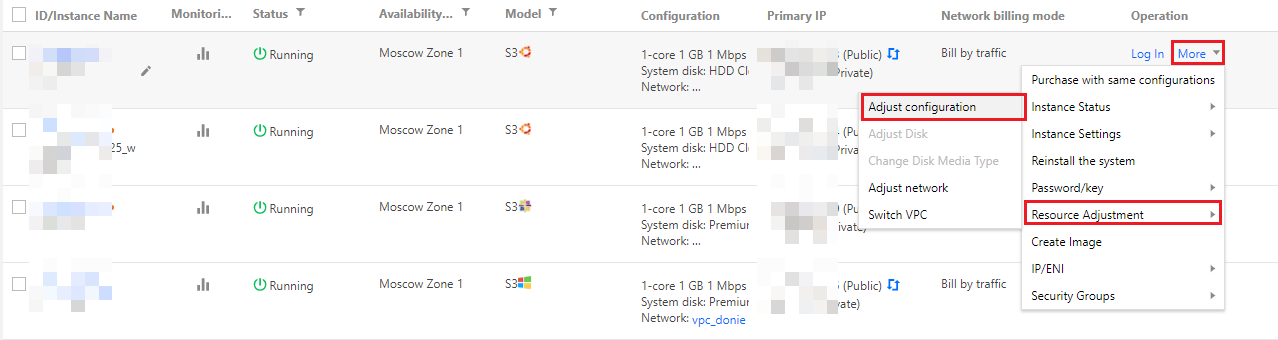
2. Find the target instance, and click More -> Resource Adjustment -> Adjust Configuration in the Operation column on the right, see the figure below.


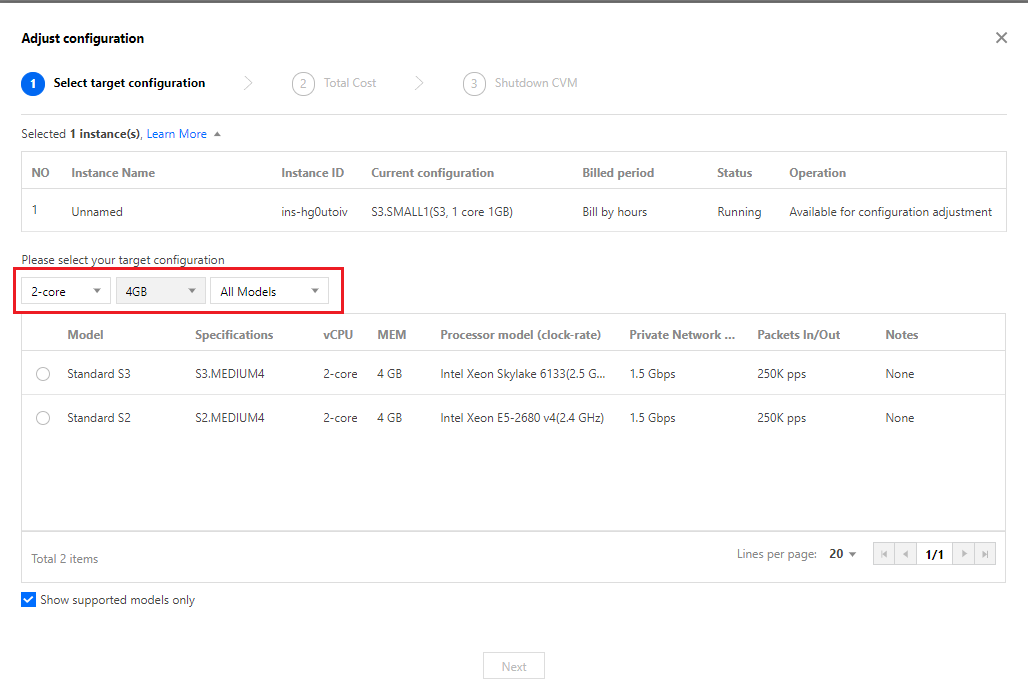
3. In the dialog box that appears, complete the settings and click Next.


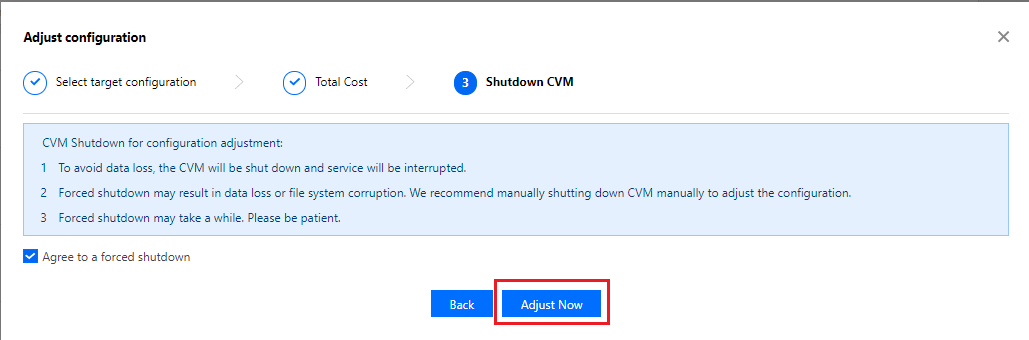
4. After confirming the settings, click Adjust Now and wait until configuration adjustment is complete.


도움말 및 지원

문제 해결에 도움이 되었나요?

피드백