Export List of Dedicated CVM
다운로드
포커스 모드
폰트 크기
You can export the list of instances on a specified host in the console and customize the fields contained in the export list. You can check up to 26 fields, including: ID, host name, status, region, availability zone, host type, operating system, image ID, CPU, memory, bandwidth, public IP, private IP, system disk type, system disk size, data disk type, data disk size, network, subnet, associated VPC, creation time, expiration time, host billing method, network billing mode, project and tag.
Steps
1. Log in to the CDH Console.
2. Select a region. Click the ID/Host Name of the target dedicated host to enter its details page, select the CVM list tab, and click Download as shown below.
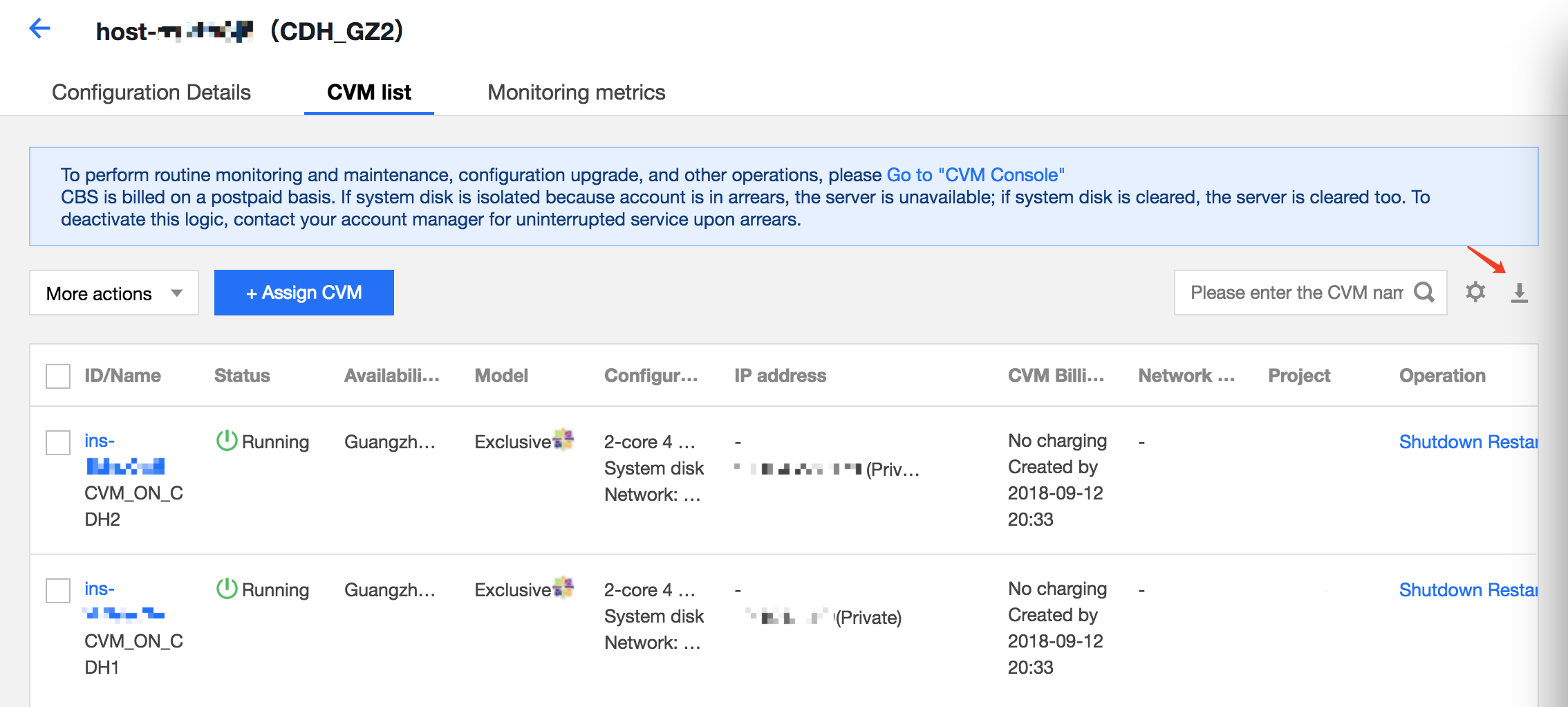
3. Select the fields to be exported and click OK.
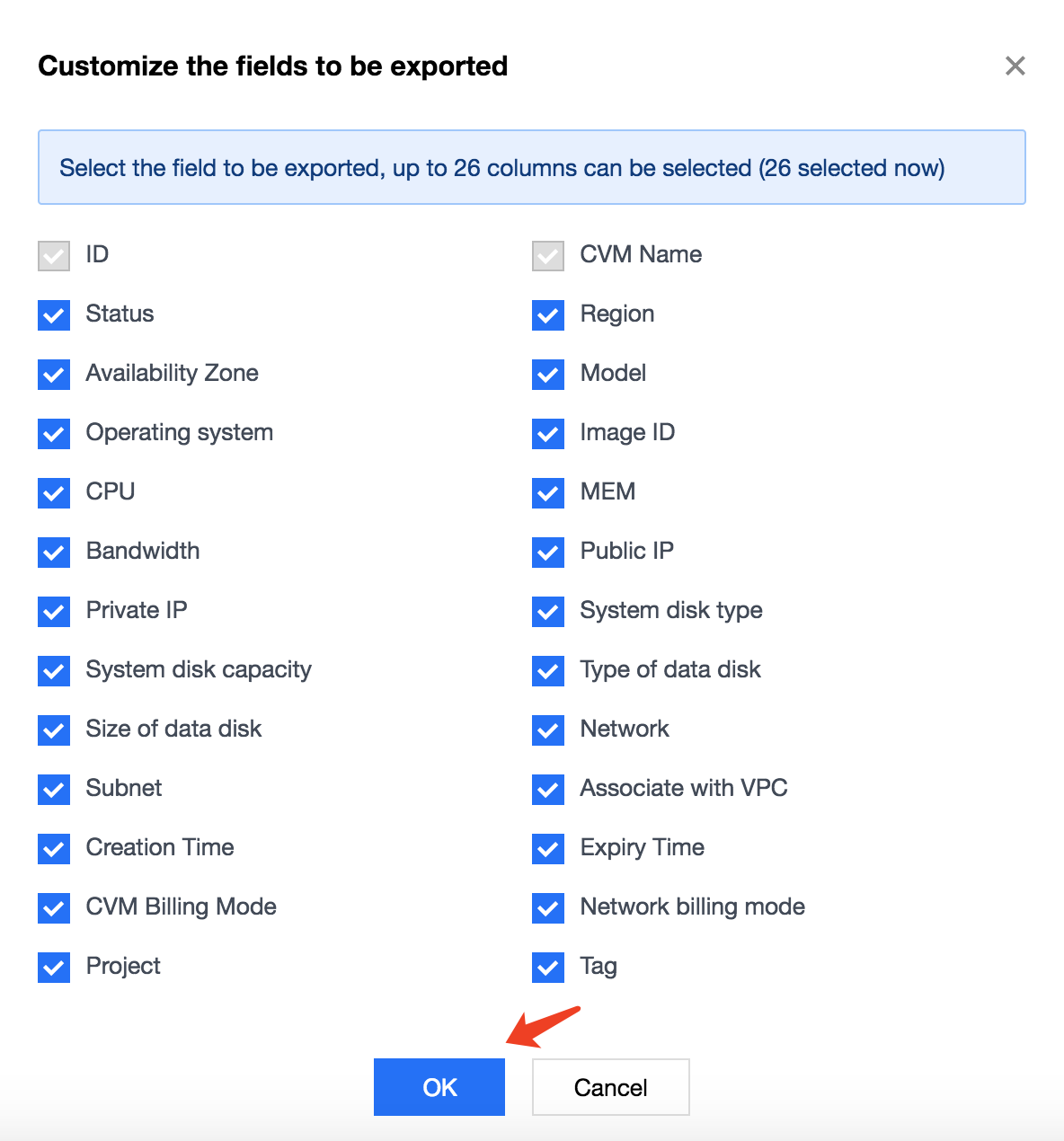
4. Download the cvm.csv which contains the following items:

피드백