Custom Definition Click Redirect
Unduh
Mode fokus
Ukuran font
Feature overview
The custom click redirect feature lets you attach specific parameters (such as extra fields) to push messages. The client app can then use these parameters to handle targeted business logic—for example, navigating to a particular page or triggering a specific function. This document describes manufacturer channel support for custom click redirect and how to implement the feature.
Manufacturer channel support
Device type | Custom redirect supported |
iOS | Supported |
FCM | Supported |
Platform-specific implementation
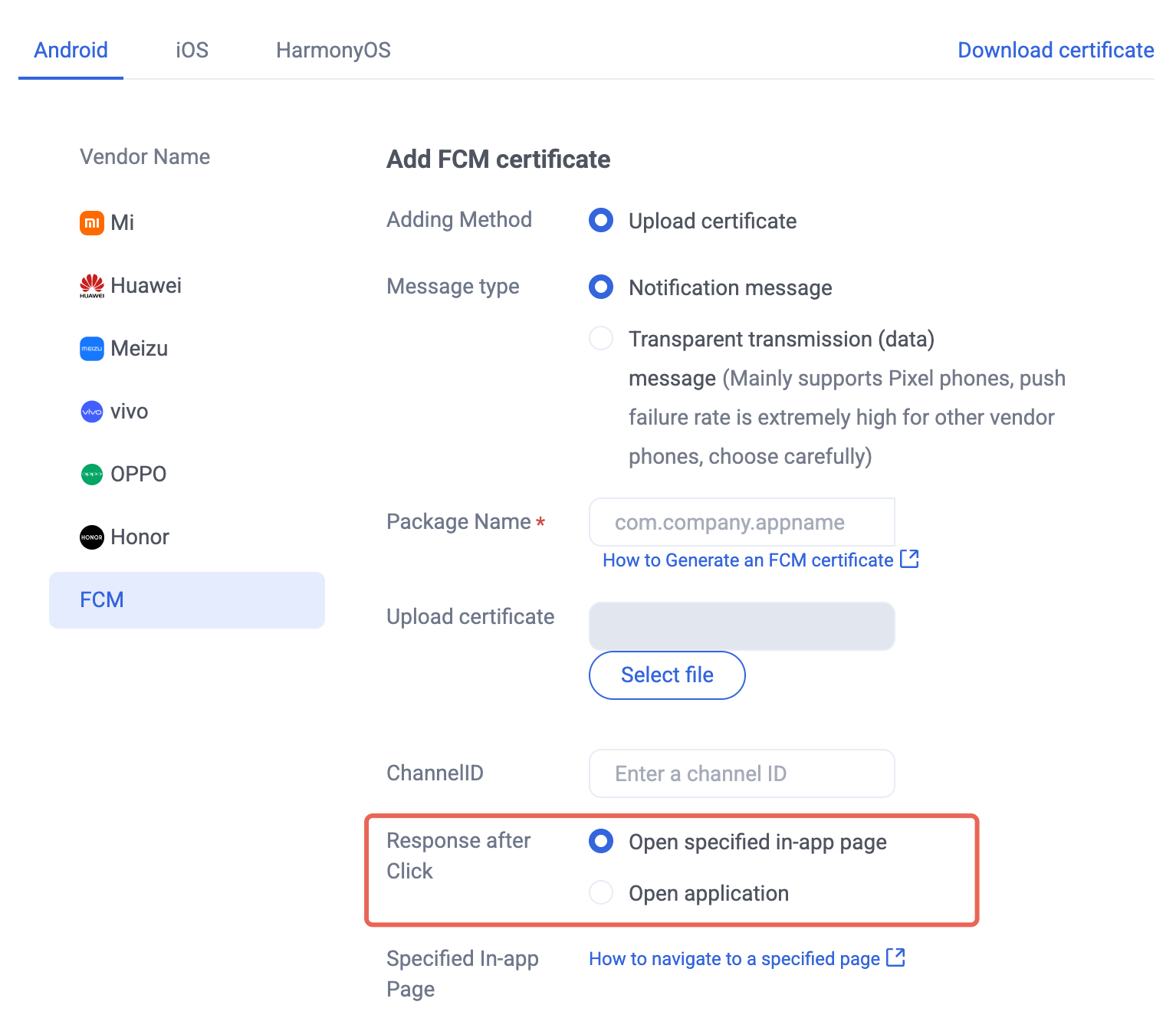
1. In the Console, configure the after-click action as follows: select Open a specified in-app page and use the default parameters.
2. When sending a message, fill in the passthrough parameters.
{"MsgBody": [...] // Same as the MsgBody description"OfflinePushInfo": {"PushFlag": 0,"Title":"Offline push title","Desc": "Offline push content","Ext": "{\\"entity\\":{\\"key1\\":\\"value1\\",\\"key2\\":\\"value2\\"}}" // Passthrough field; use a JSON string for push}}
V2TIMOfflinePushInfo v2TIMOfflinePushInfo = new V2TIMOfflinePushInfo();v2TIMOfflinePushInfo.setTitle("Push title");v2TIMOfflinePushInfo.setDesc("Push content");OfflinePushExtInfo offlinePushExtInfo = new OfflinePushExtInfo();offlinePushExtInfo.getBusinessInfo().setSenderId("senderID");offlinePushExtInfo.getBusinessInfo().setSenderNickName("senderNickName");if (chatInfo.getType() == V2TIMConversation.V2TIM_GROUP) {offlinePushExtInfo.getBusinessInfo().setChatType(V2TIMConversation.V2TIM_GROUP);offlinePushExtInfo.getBusinessInfo().setSenderId("groupID");}// Fill passthrough fieldv2TIMOfflinePushInfo.setExt(new Gson().toJson(offlinePushExtInfo).getBytes());final V2TIMMessage v2TIMMessage = message.getTimMessage();String msgID = V2TIMManager.getMessageManager().sendMessage(v2TIMMessage, isGroup ? null : userID, isGroup ? groupID : null,V2TIMMessage.V2TIM_PRIORITY_DEFAULT, false, v2TIMOfflinePushInfo, new V2TIMSendCallback<V2TIMMessage>() {@Overridepublic void onProgress(int progress) {}@Overridepublic void onError(int code, String desc) {TUIChatUtils.callbackOnError(callBack, TAG, code, desc);}@Overridepublic void onSuccess(V2TIMMessage v2TIMMessage) {TUIChatLog.v(TAG, "sendMessage onSuccess:" + v2TIMMessage.getMsgID());message.setMsgTime(v2TIMMessage.getTimestamp());TUIChatUtils.callbackOnSuccess(callBack, message);}});
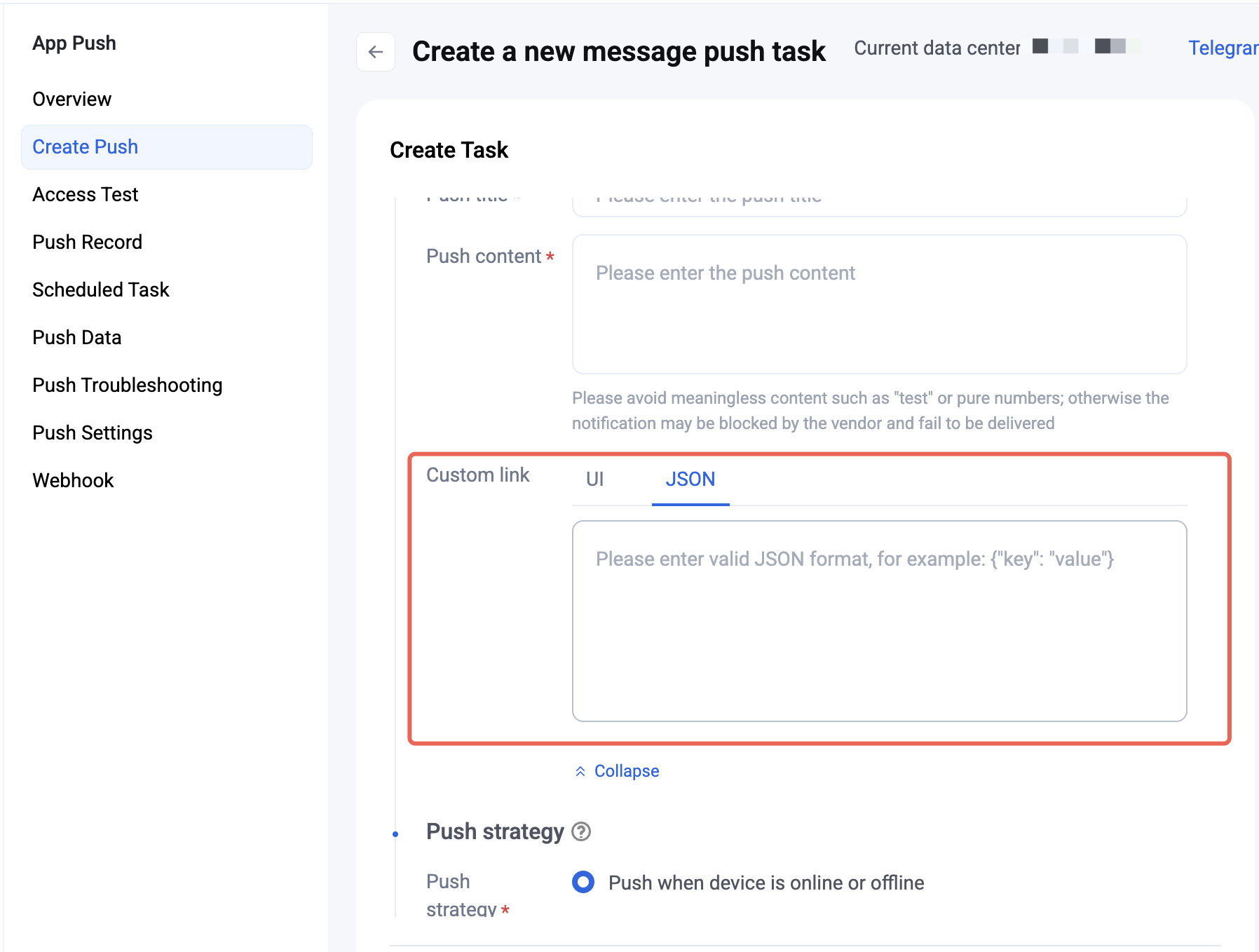
3. When the user taps an offline push notification, the component callbacks the click event and the passthrough parameters.
Note:
Register the callback in the app Application onCreate() method.
TIMPushManager.getInstance().addPushListener(new TIMPushListener() {@Overridepublic void onNotificationClicked(String ext) {Log.d(TAG, "onNotificationClicked =" + ext);// Get ext for custom redirect// Example: navigate to the corresponding chat pageOfflinePushExtInfo offlinePushExtInfo = null;try {offlinePushExtInfo = new Gson().fromJson(extString, OfflinePushExtInfo.class);if (offlinePushExtInfo.getBusinessInfo().getChatAction() == OfflinePushExtInfo.REDIRECT_ACTION_CHAT) {String senderId = offlinePushExtInfo.getBusinessInfo().getSenderId();if (TextUtils.isEmpty(senderId)) {return;}TUIUtils.startChat(senderId, offlinePushExtInfo.getBusinessInfo().getSenderNickName(), offlinePushExtInfo.getBusinessInfo().getChatType());}} catch (Exception e) {Log.e(TAG, "getOfflinePushExtInfo e: " + e);}}});
The component notifies the app through a callback or broadcast. Configure the in-app redirect page in the callback.
Note:
Register the callback in the app Application onCreate() method.
1. Callback method:
TUICore.registerEvent(TUIConstants.TIMPush.EVENT_NOTIFY, TUIConstants.TIMPush.EVENT_NOTIFY_NOTIFICATION, new ITUINotification() {@Overridepublic void onNotifyEvent(String key, String subKey, Map<String, Object> param) {Log.d(TAG, "onNotifyEvent key = " + key + "subKey = " + subKey);if (TUIConstants.TIMPush.EVENT_NOTIFY.equals(key)) {if (TUIConstants.TIMPush.EVENT_NOTIFY_NOTIFICATION.equals(subKey)) {if (param != null) {String extString = (String)param.get(TUIConstants.TIMPush.NOTIFICATION_EXT_KEY);// Get ext for custom redirect}}}}});
2. Broadcast method:
// Dynamically register the broadcastIntentFilter intentFilter = new IntentFilter();intentFilter.addAction(TUIConstants.TIMPush.NOTIFICATION_BROADCAST_ACTION);LocalBroadcastManager.getInstance(context).registerReceiver(localReceiver, intentFilter);// Broadcast receiverpublic class OfflinePushLocalReceiver extends BroadcastReceiver {public static final String TAG = OfflinePushLocalReceiver.class.getSimpleName();@Overridepublic void onReceive(Context context, Intent intent) {DemoLog.d(TAG, "BROADCAST_PUSH_RECEIVER intent = " + intent);if (intent != null) {String ext = intent.getStringExtra(TUIConstants.TIMPush.NOTIFICATION_EXT_KEY);// Get ext for custom redirect} else {Log.e(TAG, "onReceive ext is null");}}}
1. When sending a message, fill in the passthrough parameters.
{"MsgBody": [...] // Same as the MsgBody description"OfflinePushInfo": {"PushFlag": 0,"Title":"Offline push title","Desc": "Offline push content","Ext": "{\\"entity\\":{\\"key1\\":\\"value1\\",\\"key2\\":\\"value2\\"}}" // Passthrough field; use a JSON string for push}}
#import <TUICore/OfflinePushExtInfo.h>V2TIMOfflinePushInfo *pushInfo = [[V2TIMOfflinePushInfo alloc] init];pushInfo.title = @"Push title";pushInfo.desc = @"Push content";BOOL isGroup = groupID.length > 0;NSString *senderId = isGroup ? (groupID) : ([TUILogin getUserID]);NSString *nickName = isGroup ? (conversationData.title) : ([TUILogin getNickName] ?: [TUILogin getUserID]);OfflinePushExtInfo *extInfo = [[OfflinePushExtInfo alloc] init];OfflinePushExtBusinessInfo * entity = extInfo.entity;entity.action = 1;entity.content = @"Push content";entity.sender = senderId;entity.nickname = nickName;entity.faceUrl = [TUILogin getFaceUrl] ?: @"";entity.chatType = [isGroup ? @(V2TIM_GROUP) : @(V2TIM_C2C) integerValue];entity.version = kOfflinePushVersion;// Passthrough fieldpushInfo.ext = [extInfo toReportExtString];
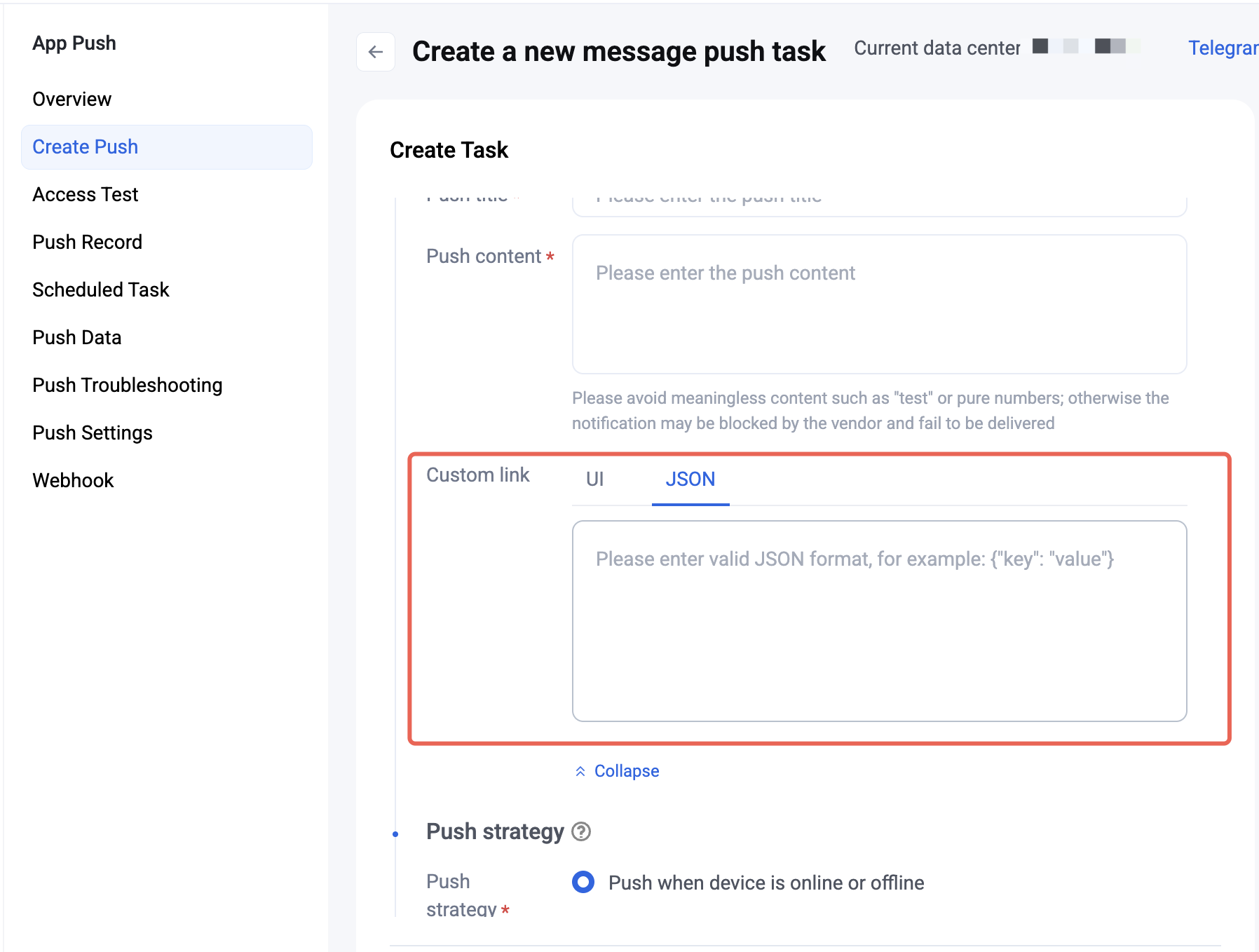
2. When the user taps an offline push notification, the component callbacks the click event and the passthrough parameters.
Note:
Register the callback in the app AppDelegate didFinishLaunchingWithOptions method.
- (BOOL)application:(UIApplication *)application didFinishLaunchingWithOptions:(NSDictionary *)launchOptions {[TIMPushManager addPushListener:self];return YES;}#pragma mark - TIMPushListener- (void)onNotificationClicked:(NSString *)ext {// Get ext for custom redirect}
Implement the
- onRemoteNotificationReceived method in AppDelegate.m.#pragma mark - TIMPush- (BOOL)onRemoteNotificationReceived:(NSString *)notice {//- If you return YES, TIMPush will not run the built-in TUIKit offline push parsing logic and you handle everything yourself;//NSString *ext = notice;//OfflinePushExtInfo *info = [OfflinePushExtInfo createWithExtString:ext];//return YES;//- If you return NO, TIMPush continues the built-in TUIKit offline push parsing logic and still callbacks - navigateToBuiltInChatViewController:groupID:.return NO;}
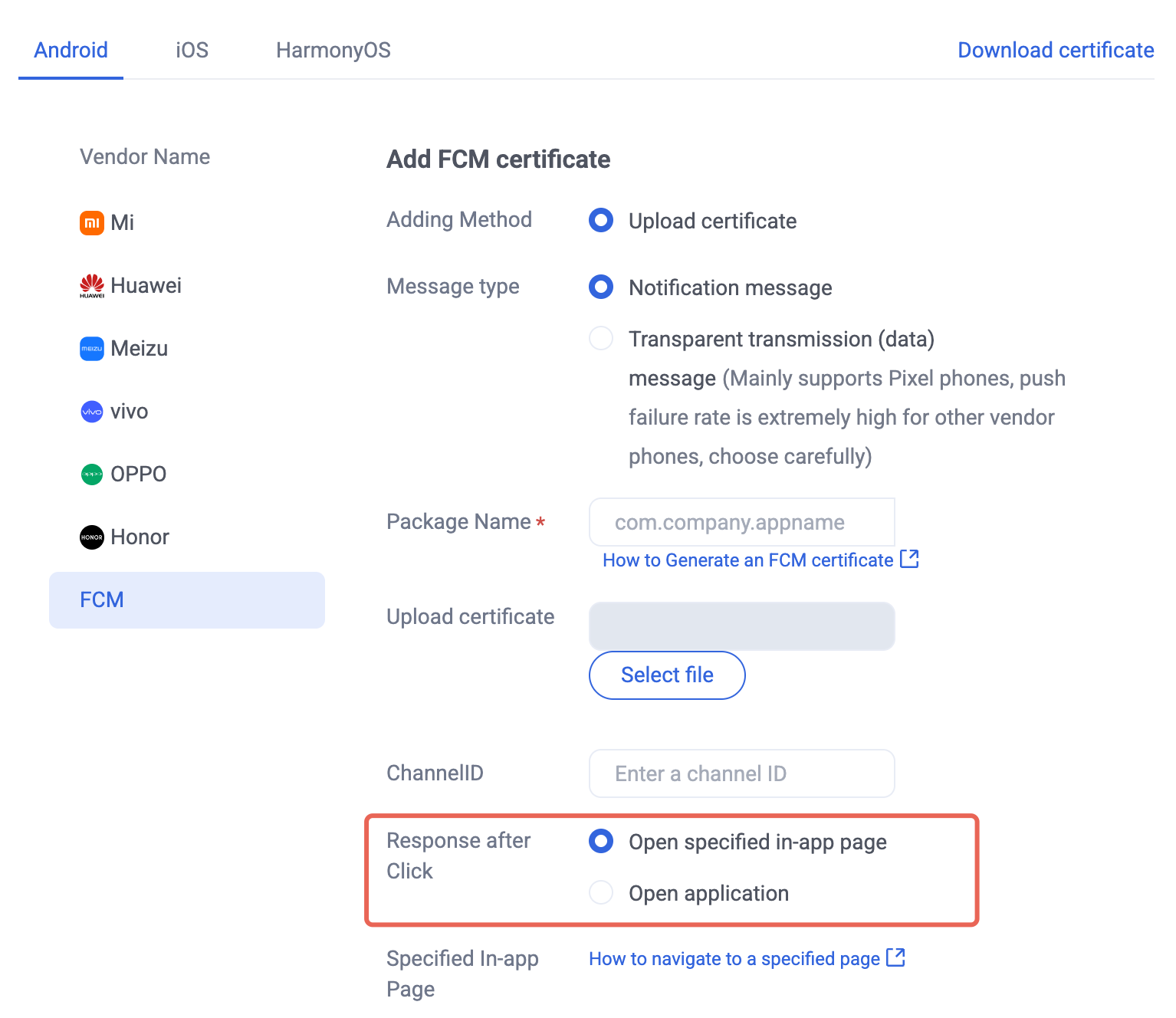
1. Manufacturer configuration. Complete the push prerequisites for the corresponding native platforms first. See iOS manufacturer configuration and Android manufacturer configuration, and in the Console configure Open a specified in-app page:
2. Client code configuration. See Client code configuration to complete the setup.
3. Handle the message click callback and parse parameters. If you need custom parsing for received remote push, implement it as follows:
Note:
Register the callback in the program entry main() function.
TIMPushListener timPushListener = TIMPushListener(onNotificationClicked: (String ext) {debugPrint("ext: $ext");// Get ext for custom redirect});tencentCloudChatPush.addPushListener(listener: timPushListener);
1. Define a function to receive the push notification click callback.
Define the function with parameters in the form
{required String ext, String? userID, String? groupID}.The ext field is the full ext payload carried by the message and specified by the sender. If not specified, a default value is used. You can parse this field and redirect to the target page.
The userID and groupID fields are automatically parsed by this plugin from the ext JSON string to get the one-to-one peer userID and group chat groupID. If you did not customize ext and it is set by the SDK or UIKit by default, you can use the default parsing here. If parsing fails, the value is null.
You can define a function to receive this callback and redirect to the corresponding conversation page or your business page.
Example:
void _onNotificationClicked({required String ext, String? userID, String? groupID}) {print("_onNotificationClicked: $ext, userID: $userID, groupID: $groupID");if (userID != null || groupID != null) {// Redirect to the corresponding Message page based on userID or groupID.} else {// Write your own parsing for the ext field and redirect to the target page.}}
2. Do not call this in the Flutter program entry main method.
After
TencentCloudChatPush().registerPush succeeds, you can receive offline push notifications.TencentCloudChatPush().registerPush(onNotificationClicked: _onNotificationClicked,sdkAppId: yourSdkAppId,appKey: "AppKey",apnsCertificateID: yourCertificateID);
1. Manufacturer configuration. Complete the push prerequisites for the corresponding native platforms first. See iOS manufacturer configuration, and Android manufacturer configuration, and in the Console configure Open a specified in-app page:
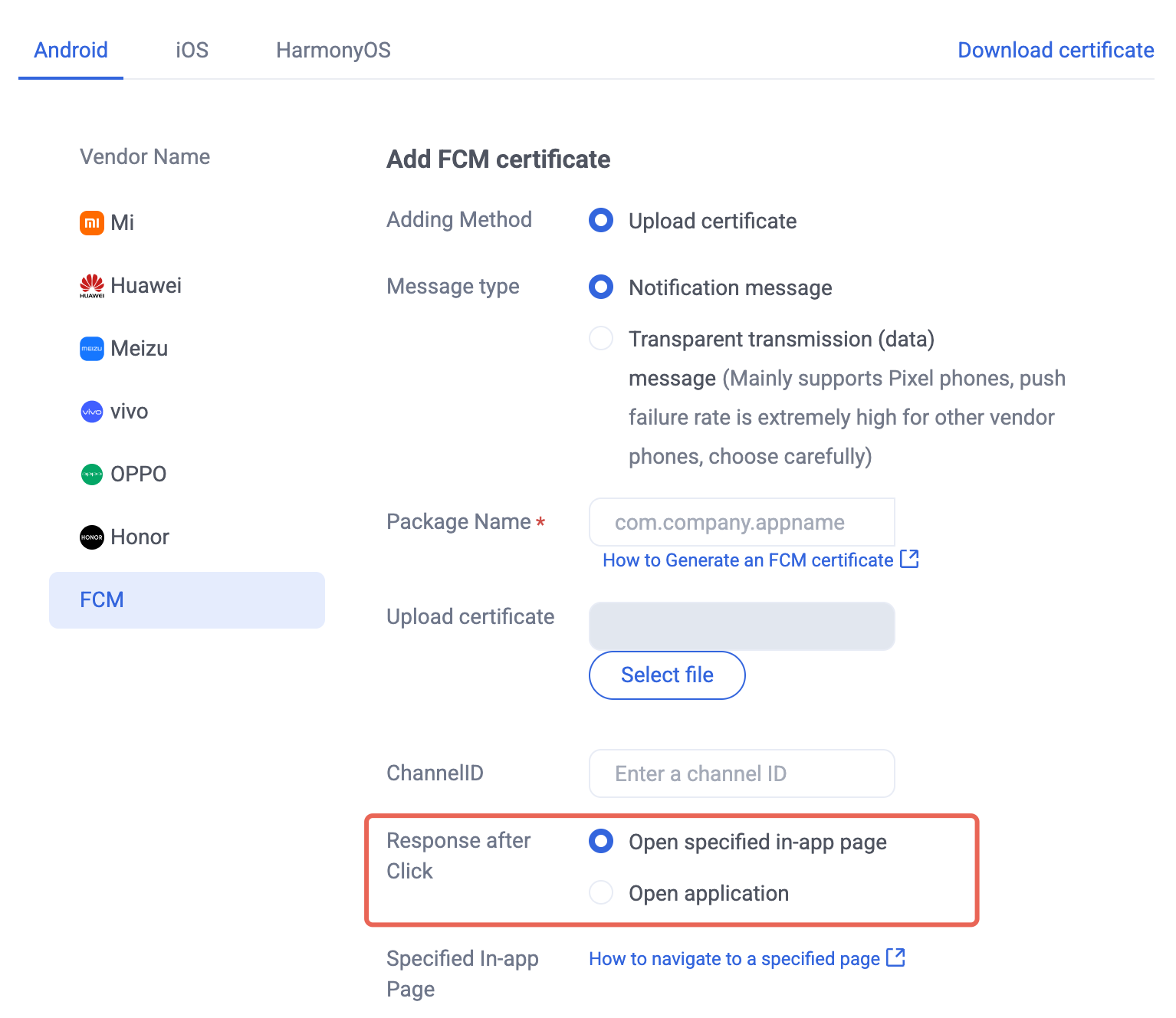
2. Get offline push extension information for custom redirect. In the
onShow callback of App.vue, when the device receives an offline push and launches the app, the business can get the push extension information through getNotificationExtInfo.export default {onLaunch: function() {},onShow: function() {console.log('App Show')Push.getNotificationExtInfo((extInfo) => {console.log('getNotificationExtInfo ok', extInfo);// Perform custom redirect here.})},onHide: function() {console.log('App Hide')}}
1. Manufacturer configuration. Complete the push prerequisites for the corresponding native platforms first. See iOS manufacturer configuration and Android manufacturer configuration, and in the Console configure Open a specified in-app page:
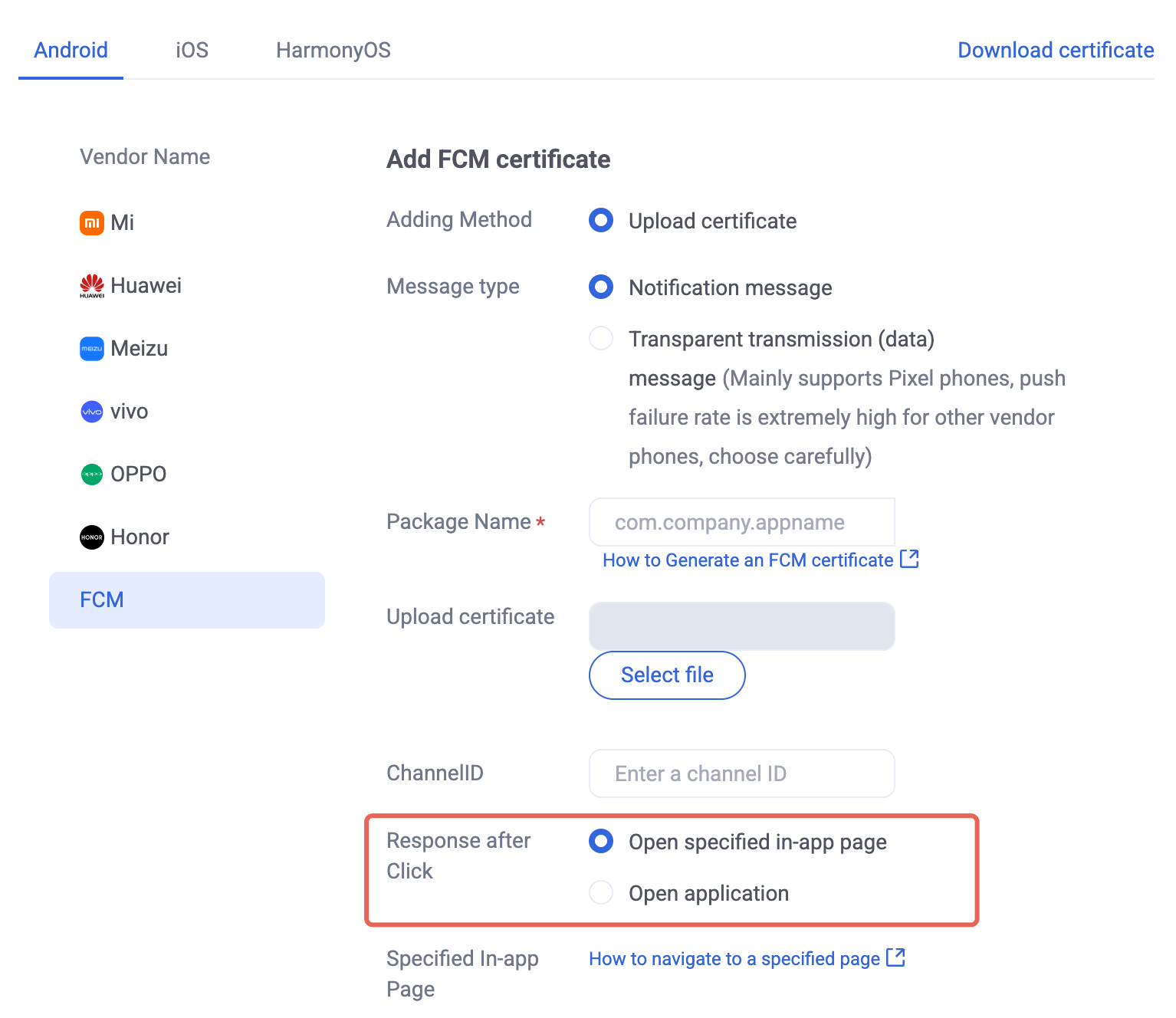
2. Get offline push extension information for custom redirect.
import Push from '@tencentcloud/react-native-push';if (Push) {// Listen for notification bar click events to get push extension informationPush.addPushListener(Push.EVENT.NOTIFICATION_CLICKED, (res) => {// res is the push extension informationconsole.log('notification clicked', res);});}
1. Manufacturer configuration. Complete the push prerequisites for the corresponding native platforms first. See iOS manufacturer configuration and Android manufacturer configuration, and in the Console configure Open a specified in-app page:
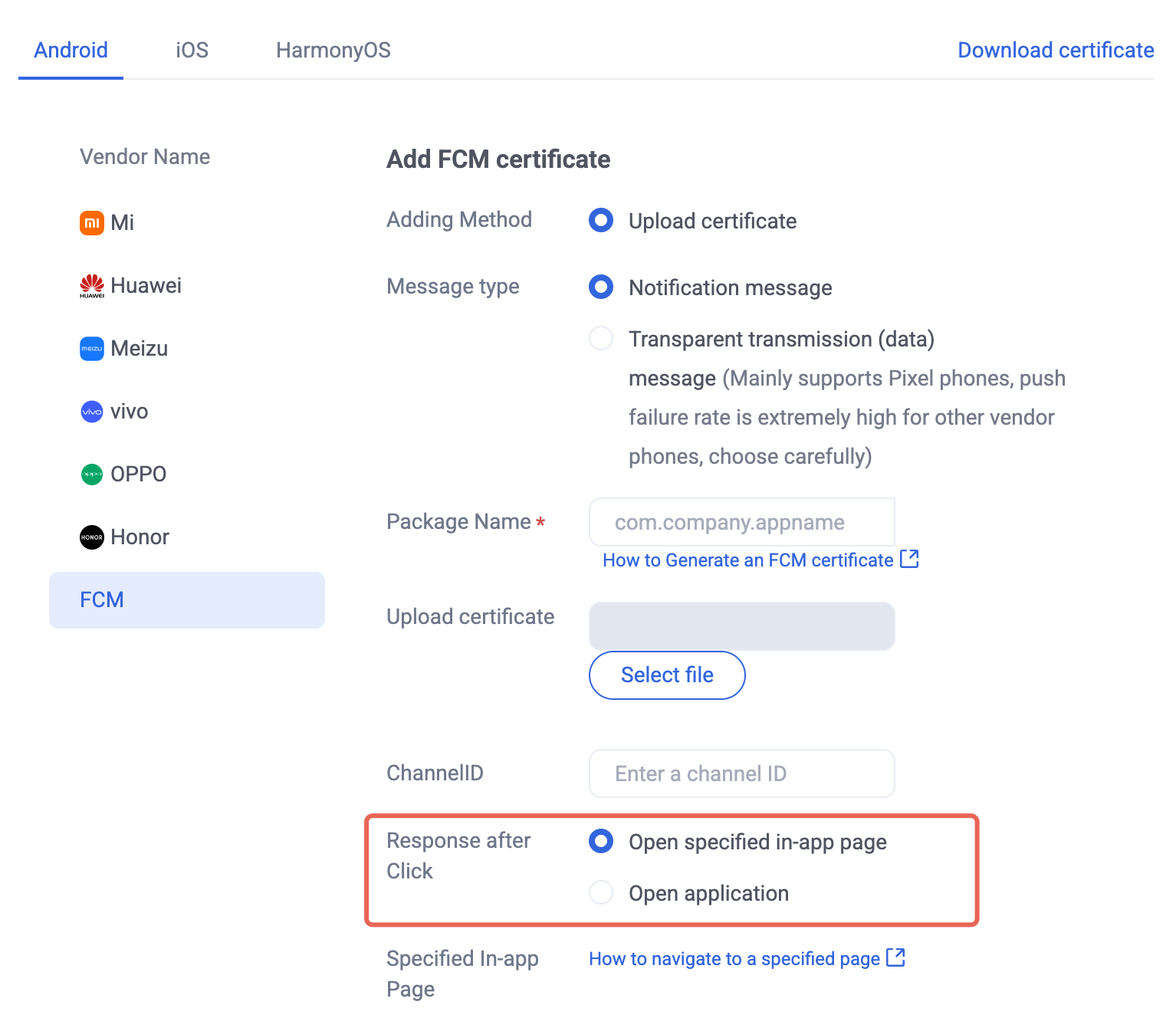
2. Register a notification click listener for custom redirect. After the mini program starts, register the notification click listener. When the user taps a notification, a click event is received and you can redirect based on the extension information.
const listener = (param) => {console.log('onEvent', JSON.stringify(param));}App({onLaunch: function () {console.log('App Show')Push.addPushListener(Push.EventName.NOTIFICATION_CLICKED, listener);}
Bantuan dan Dukungan
Apakah halaman ini membantu?
Anda juga dapat Menghubungi Penjualan atau Mengirimkan Tiket untuk meminta bantuan.
masukan