tencent cloud

Event Bridge

EB 정책
개인 정보 보호 정책
데이터 처리 및 보안 계약
문서Event Bridge

Creating Event Bus

포커스 모드
폰트 크기
마지막 업데이트 시간: 2024-07-23 15:08:07
Event bus is one of the most basic resource units in EventBridge. You can configure an event bus to receive events from an event source. This document describes how to create an event bus.

Directions

1. Log in to the EventBridge console and select Event Bus on the left sidebar.
2. At the top of the Event Bus list page, select the region where you want to create an event bus.
3. Click Create Event Bus and enter the relevant information as prompted.
Note:
For more information about event buses, see here.
Only custom event buses can be created.
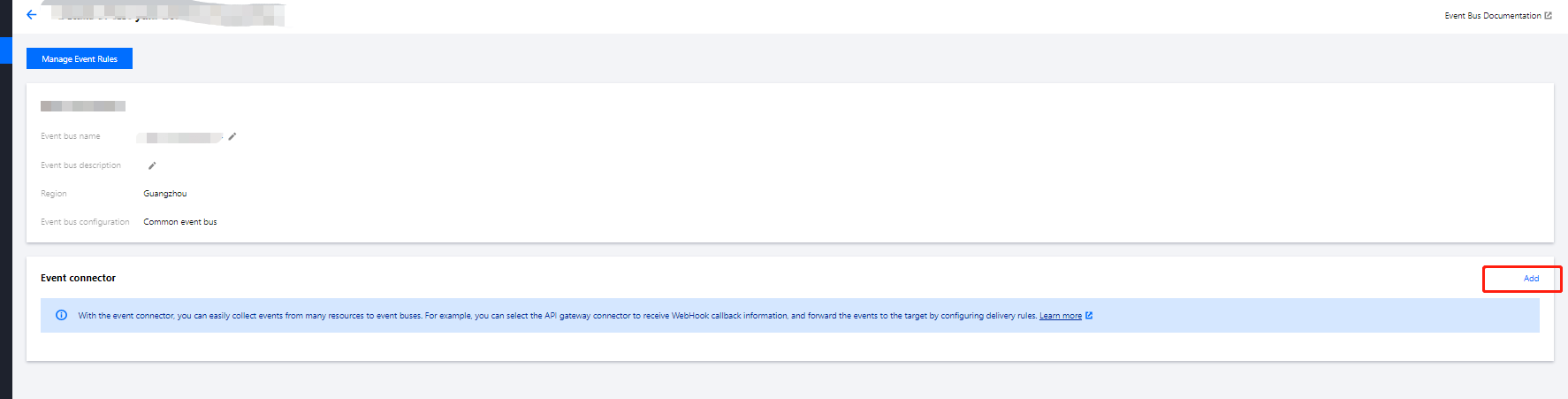
4. Click the created event bus, and you can configure an event connector as shown below:


5. In the Create Event Bus Connector pop-up window, you can select different event sources in Connector Type.
Note:
For more information on how to configure a connector, see here.
6. After completing the connector configuration, click Submit.
Note:
If you want to cancel creation, click Cancel.


도움말 및 지원

문제 해결에 도움이 되었나요?

피드백