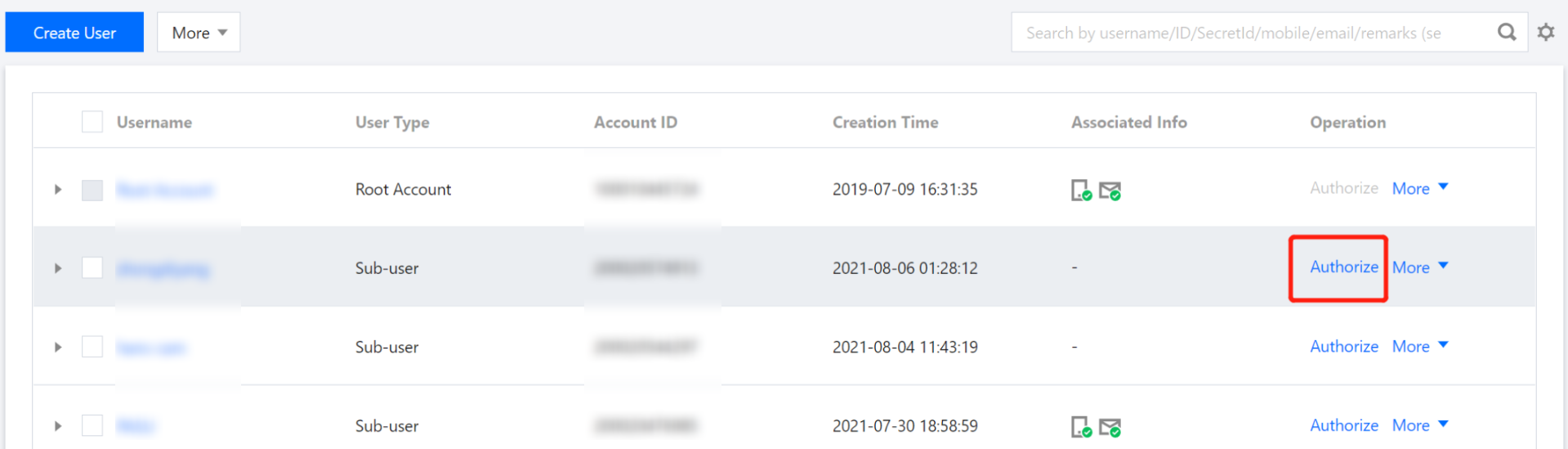
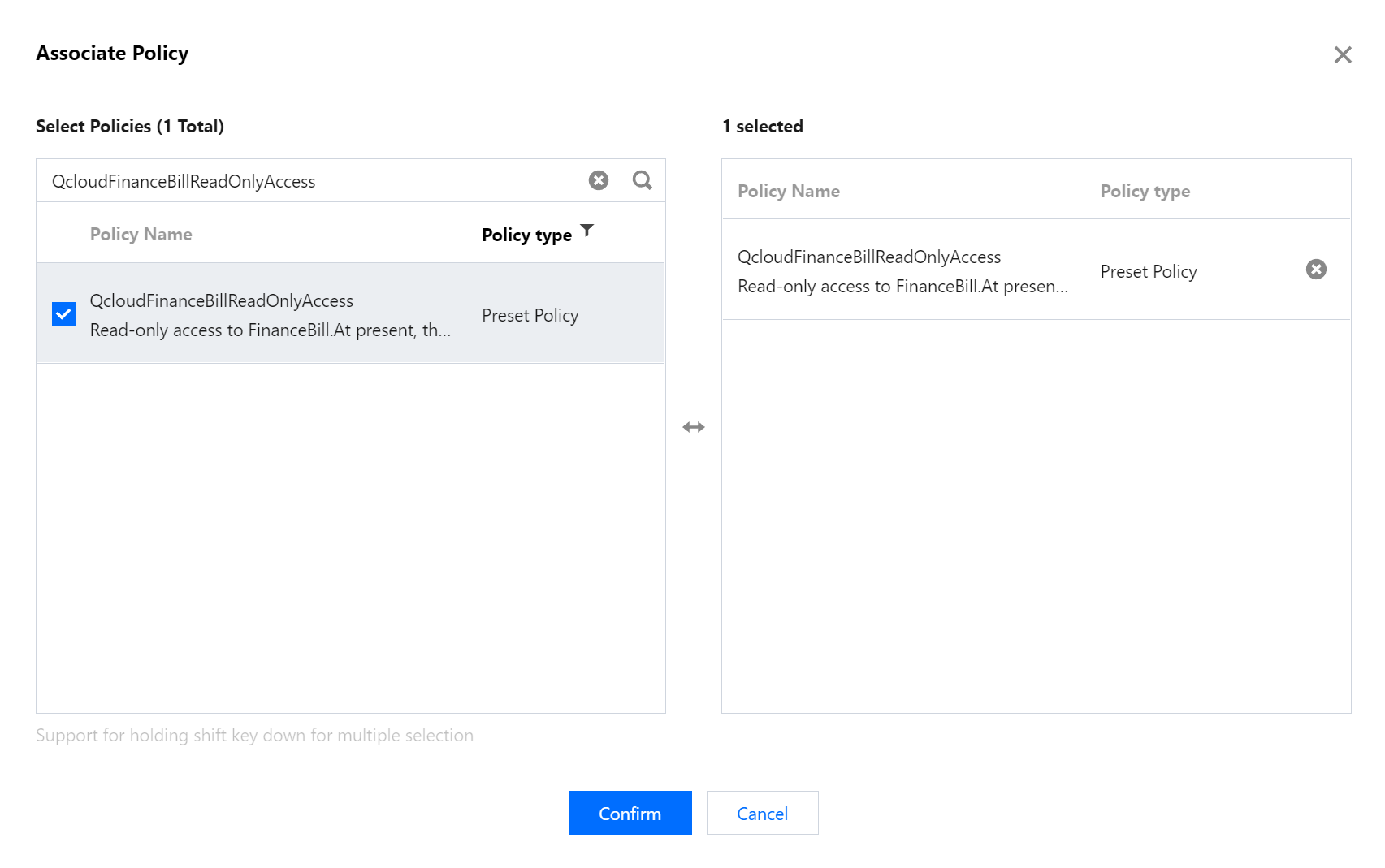
The sub-user/collaborator can read the bills of the root account and its sub-accounts, but are not allowed to configure bill storage, confirm bills, apply for stamps, or set cost allocation tags.
Note: If a sub-user/collaborator had been associated with the QCloudResourceFullAccess policy before July 29, 2021, you need to disassociate and associate the policy again; otherwise, all billing-related permissions will be denied.
QcloudFinanceBillFullAccess
Read/Write access to bills
The sub-user/collaborator has read/write access to the bills of the root account and its sub-accounts.
Notes:
If a sub-user/collaborator had been associated with the QCloudResourceFullAccess policy before July 29, 2021, you need to disassociate and associate the policy again; otherwise, all billing-related permissions will be denied.
To allow the sub-user/collaborator to configure bill storage, you also need to associate it with the following policies:
QcloudCOSGetServiceAccess (access to COS buckets)
QcloudCamSubaccountsAuthorizeRoleFullAccess (permission to authorize CAM service roles)
QCloudFinanceFullAccess
All billing-related access
The sub-user/collaborator can perform any billing-related operation, such as payment or invoicing, for the root account and its sub-accounts.
AdministratorAccess
Administrator access
The sub-user/collaborator can manage all users and their permissions, billing information, and resources under the root account.
Bills-Related Custom Policies
This section introduces how to configure bills-related custom policies and grant sub-accounts specific permissions. You can refer to the text and configure based on actual business needs.
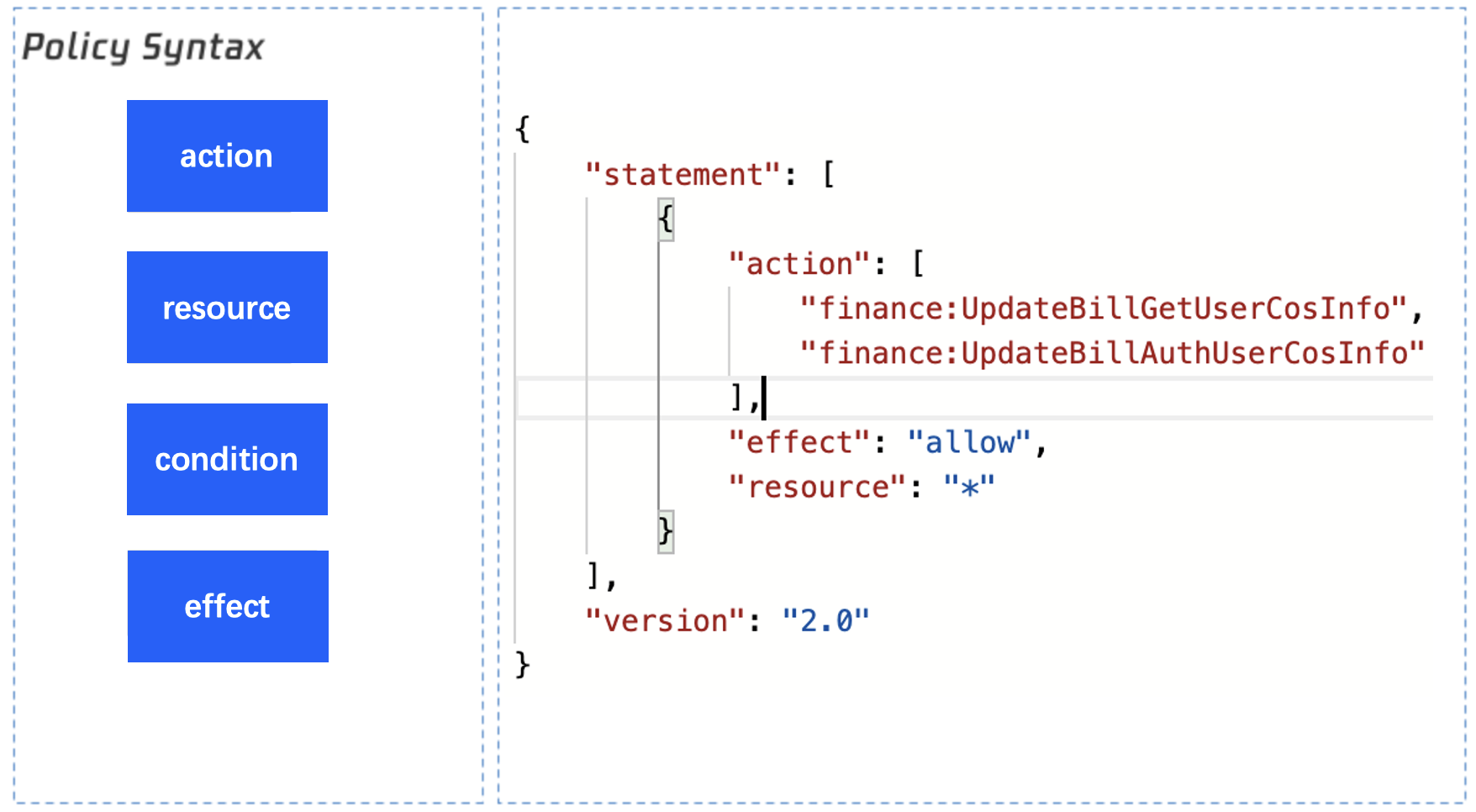
Policy Syntax Guide
action: refers to the API.
resource: Indicates the resource.
View and Download Bills Custom Policies
If you have not configured preset permissions related to bills but still need to view and download bills, please first refer to the following API list to configure permissions for bill-related read-only APIs.
Feature
Action Field
Bills-Related APIs
"finance:DescribeBill*"
"finance:DescribeResourceBill*"
Bills Download-Related APIs
"finance:DescribeConsolidatedBillDownloadUrl"
"finance:DownloadCustomizedResourceSummary"
"finance:DownloadCustomizedDetail"
Usage Detail Viewing-Related APIs
"finance:DescribeDosage*"
Cost Allocation Bill Viewing-Related APIs
"finance:DescribeAllocat*"
"finance:DescribeGather*"
Consumption Bill Viewing-Related APIs
"finance:DescribeConsumption*"
API for Retrieving the Activation Time of Consumption Bills
"finance:DescribeCostWhiteUserStatus"
Bills Storage in COS Custom Policies
If you have read-only permission for bills or have configured the above relevant APIs but still need to use custom policies for storing bills in COS, refer to the following API list and configure based on actual business needs.
Feature
Action Field
Obtaining Configuration for Storing Bills in COS
"finance:UpdateBillGetUserCosInfo"
Save configuration for storing bills in COS
"finance:UpdateBillAuthUserCosInfo"
Obtain member list for storing bills in COS
"finance:DescribeBillByBillId"
Best Practices for Storing Bills in COS
Notes:
Delete comments to use this policy.
{
"version":"2.0",
"statement":[
{
"effect":"allow",
"action":[//Permission for shipping bills to COS
"finance:UpdateBillGetUserCosInfo",
"finance:UpdateBillAuthUserCosInfo"
],
"resource":[
"*"
]
},
{
"effect":"allow",
"action":[//Permission for delivering bills involving COS