An in-cloud enterprise should pay attention to account security and resource authorization to protect the security system. To manage in-cloud resources properly, the following risks should be avoided:
Using the Tencent Cloud root account for routine operations
Over-authorizing employees’ sub-accounts
No access control over risky operations and high-permission sub-accounts
Failure to regularly audit user permissions and login information
No regulation for permission management
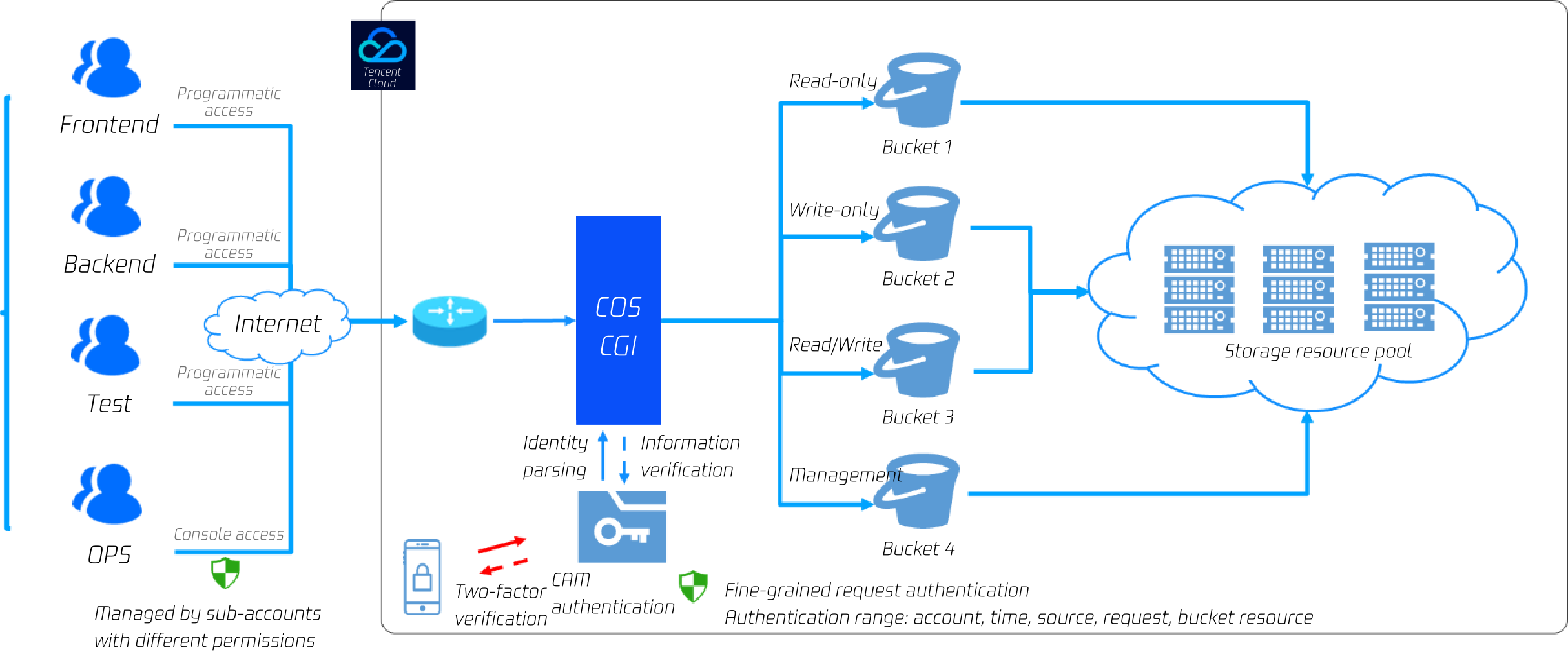
With Tencent Cloud Access Management (CAM), users can set levels for accounts and permissions for clearer and securer permission management. As for account levels, the root account can grant permissions, such as programmatic access and console access, to all valid CAM users (e.g., sub-accounts and collaborators). As for permission levels, you can grant service-level, API-level, resource-level, and other levels of permissions to CAM users. In this way, you can specify the operations a user can perform and the methods and resources the user can use under a specific condition.
For example, you can create a sub-account and grant it permissions to manage the root account’s resources without sharing the identity credential of the root account. Also, different access permissions to different resources can be granted to different users. For example, some sub-accounts can be granted the read access permission to a COS bucket, while some other sub-accounts or root accounts can own the write access to a COS object. The aforementioned resources, access permissions, and users can all be managed in batches to facilitate refined permission management.
You can also limit risky operations (for example, data deletion) to the console and enable MFA for two-factor verification at the same time. After MFA is enabled, risky operations will trigger an SMS verification code.
2. Locking objects
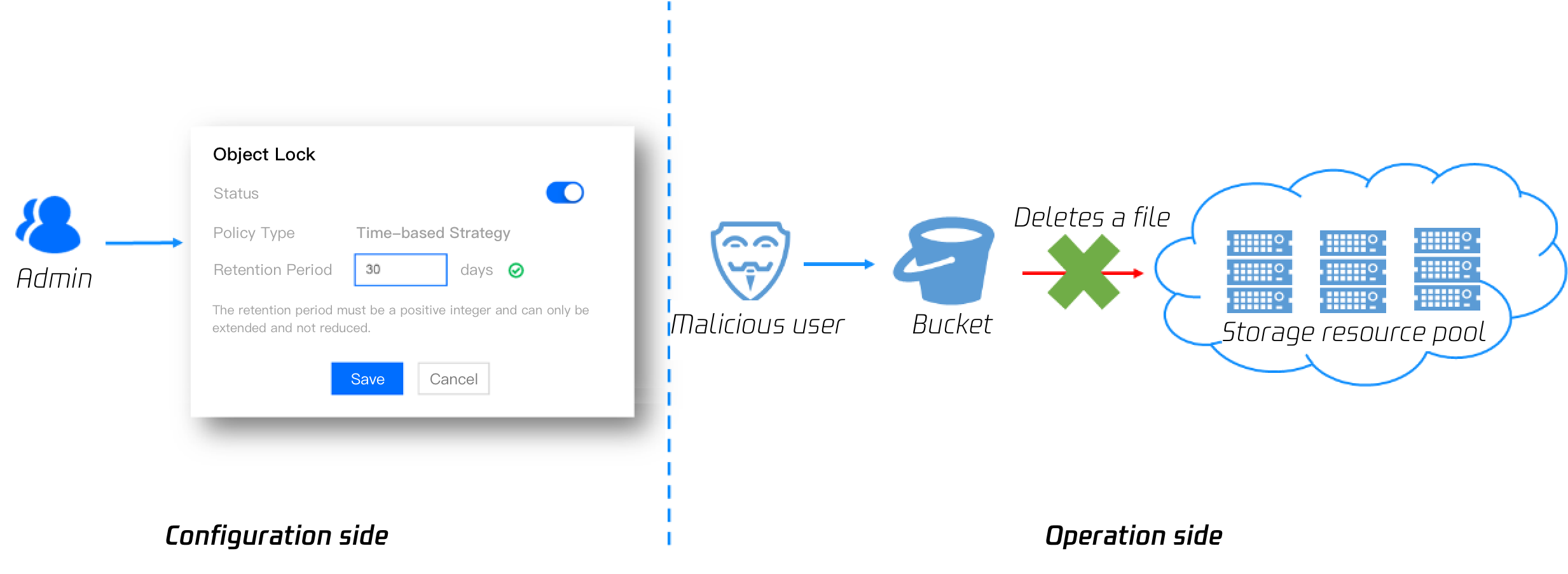
Users can enable the object locking feature for sensitive and essential data (e.g., financial transaction data and medical image data) to prevent them from being deleted or modified. After the object locking feature is enabled, all data in the bucket can only be read and cannot be overwritten or deleted during the effective period. This setting applies to all CAM users (including the root account) and anonymous users.
3. Disaster recovery
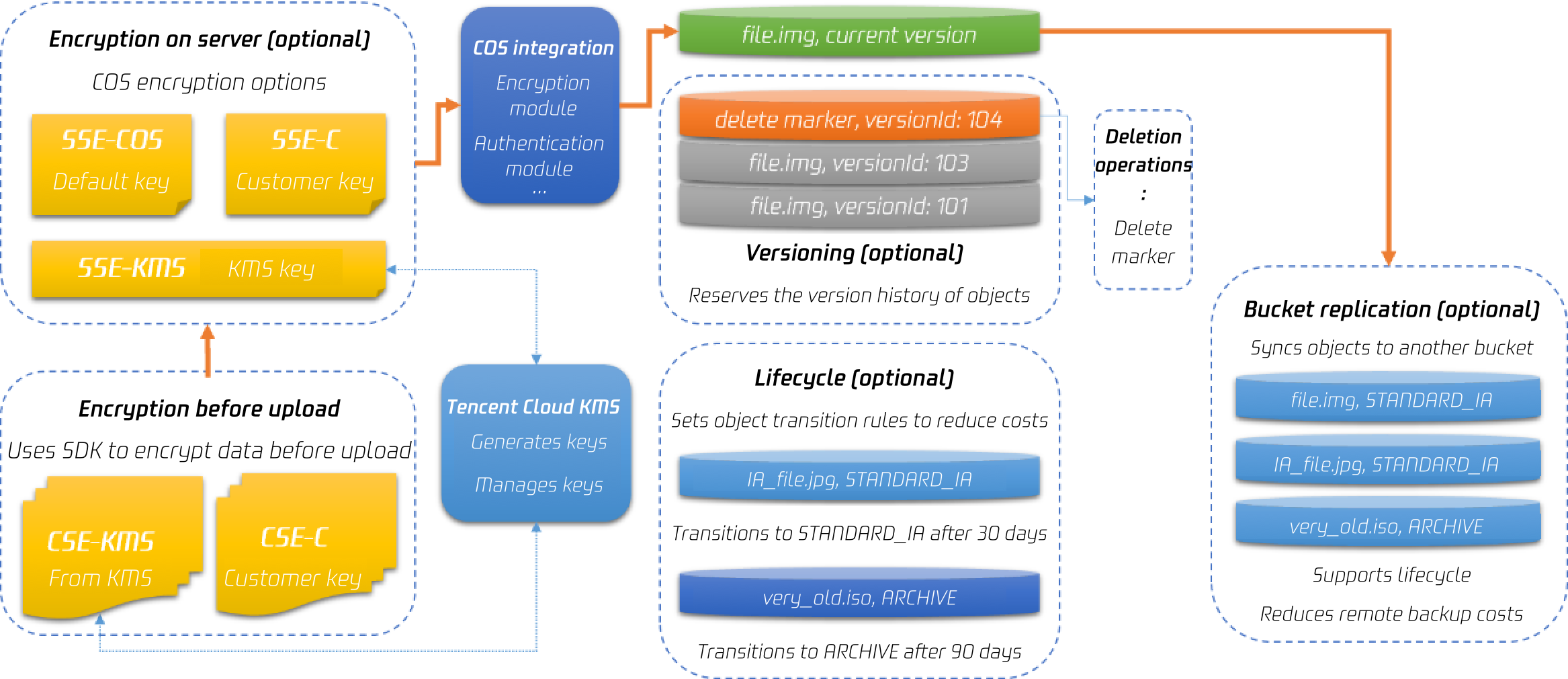
Tencent Cloud COS provides data management capabilities, including data encryption (secures read/write operations of sensitive files), versioning and bucket replication (facilitate remote disaster recovery for data persistence and data recovery for data deleted accidentally or maliciously), and lifecycle (transitions and deletes data for storage cost reduction).
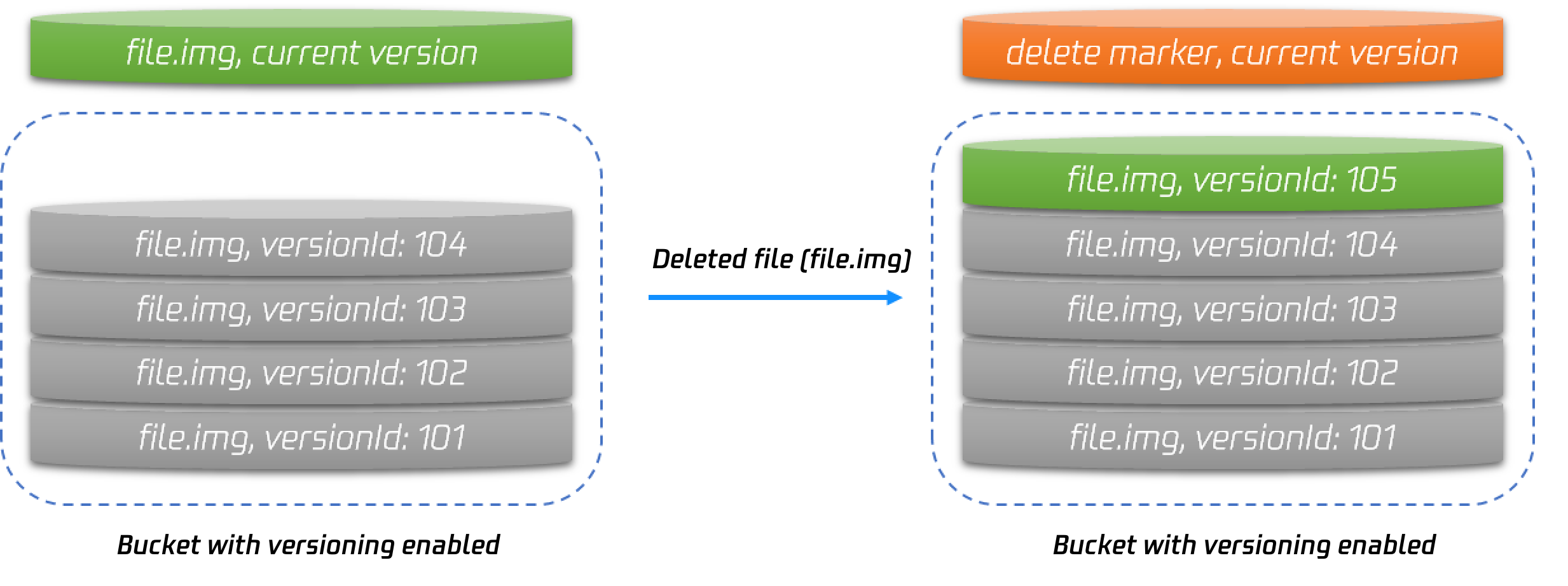
The versioning feature ensures that files will not be overwritten or deleted. After versioning is enabled, if you upload a file whose name already exists, a new version of the file will be generated. If you delete a file, a delete marker will be inserted. You can access the data of any version with a version ID to implement data rollback, freeing yourself from the hassles associated with mis-deleting or overwriting data.
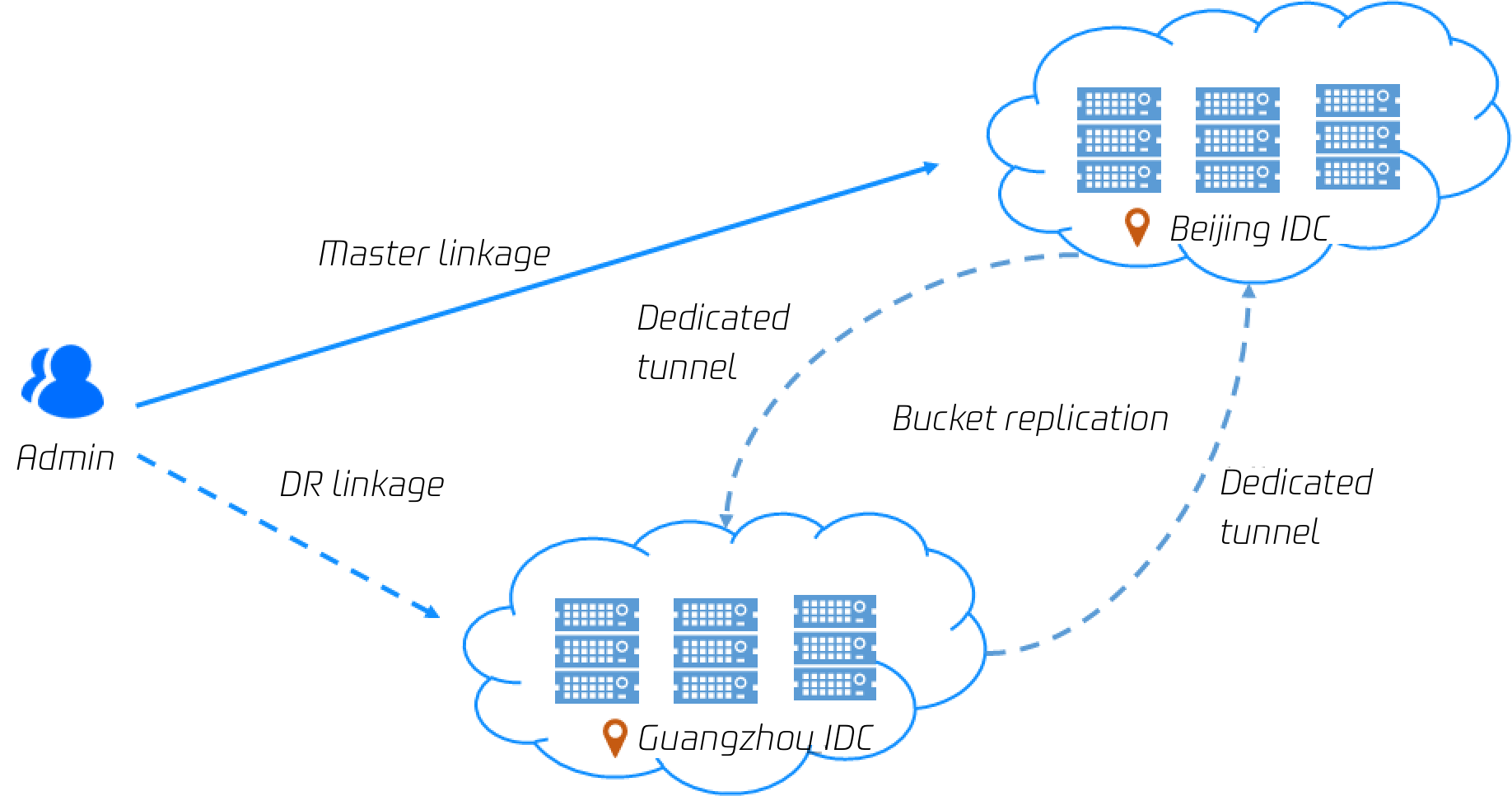
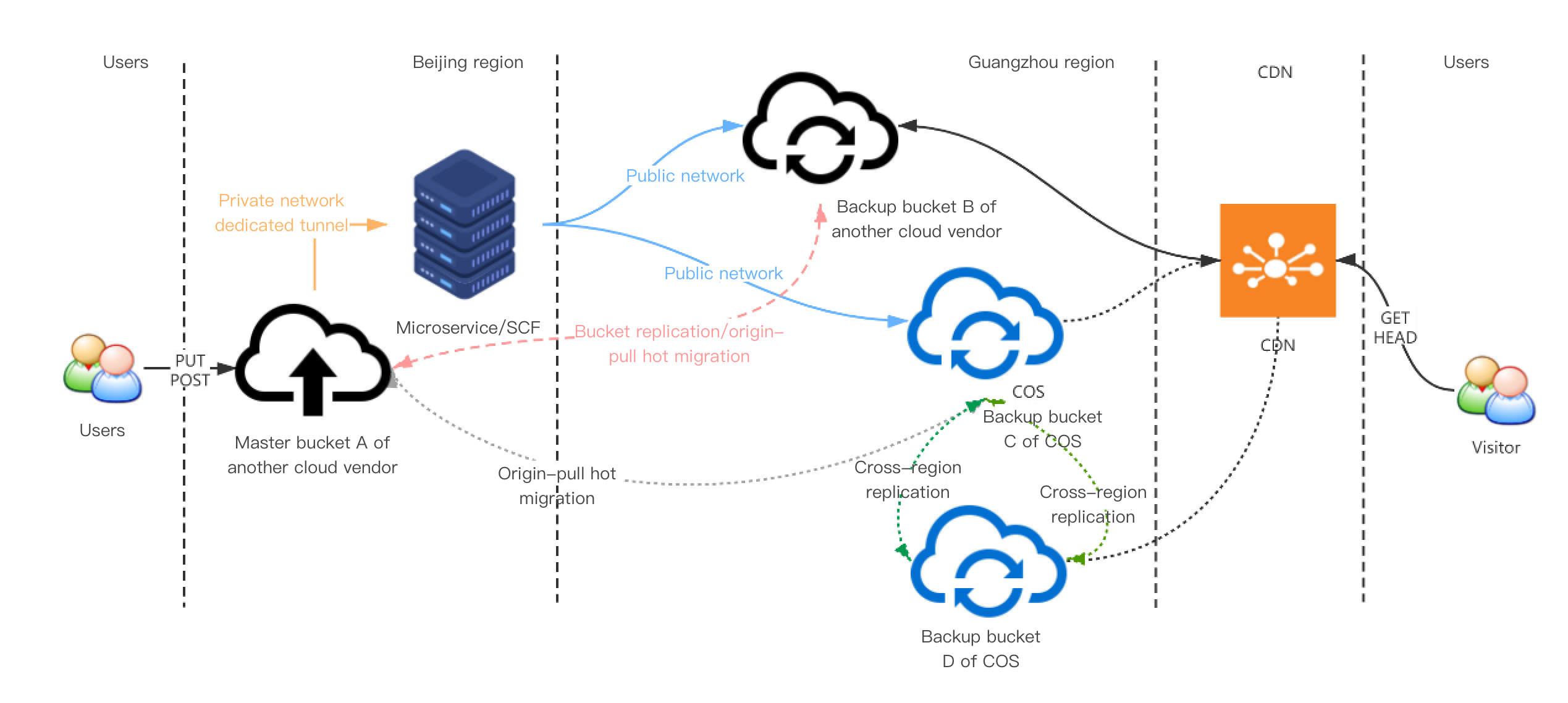
COS bucket replication enables users to copy all incremental files to IDCs in other cities over a dedicated tunnel to implement remote disaster discovery. Data deleted in the master bucket can be restored by batch-replicating data from the backup bucket.
Since versioning and bucket replication might lead to an increase in files, users can leverage the lifecycle feature to transition some backup data to a more affordable storage class (such as STANDARD_IA and ARCHIVE). Leveraging its data encryption, versioning, bucket replication, and lifecycle features, Tencent Cloud COS offers a complete code backup solution:
If you are using storage services of other cloud vendors and have strict requirements on data persistence, you can choose the SCF-based COS disaster recovery solution. For example, if your data is stored in other cloud vendors (e.g., AWS or OSS), you can implement remote disaster recovery by using SCF to trigger data sync or by using the bucket replication feature. You can also use SCF to trigger data migration to back up essential data to COS, and use the bucket replication feature for remote disaster recovery. Moreover, Tencent CAM allows you to manage the access permissions of COS data, ensuring that you can restore data from COS even in extreme cases.
Mid-Event Monitoring
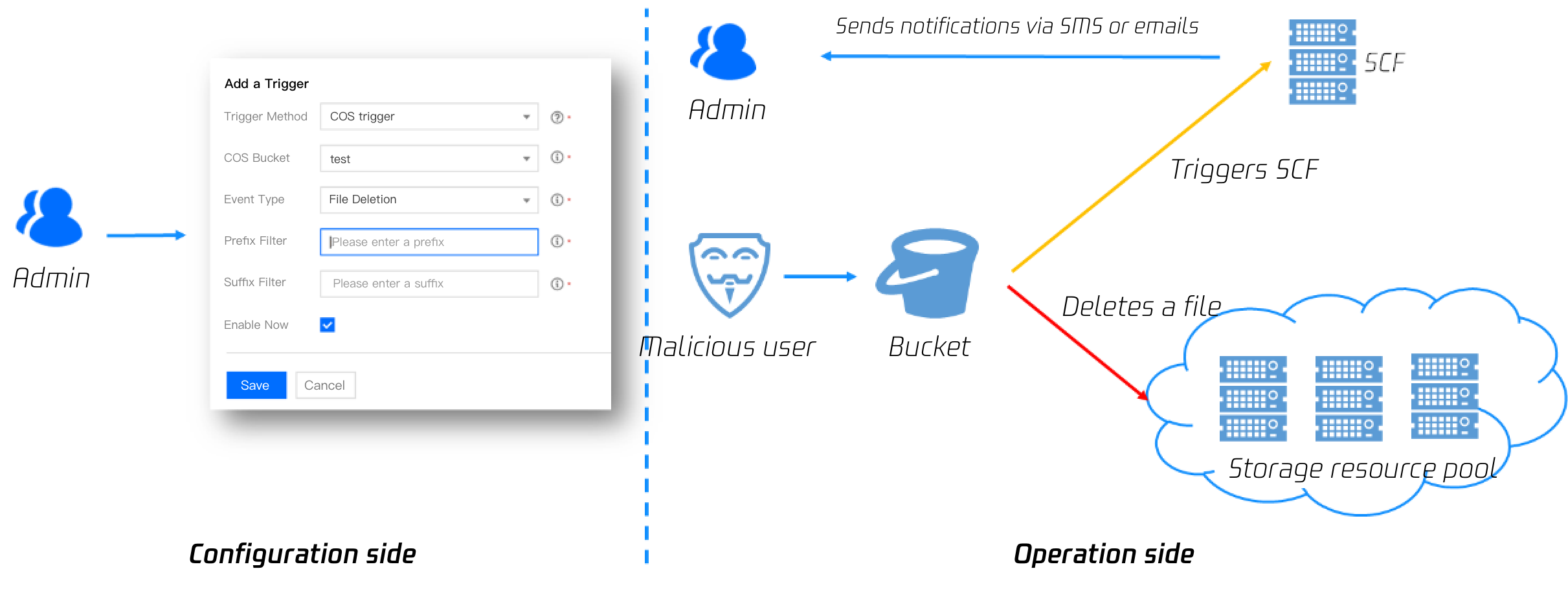
COS supports event notifications by working with SCF. You can use SCF to configure risky operations (such as DeleteObject). In this way, notifications will be sent to your email or phone when a risky operation is taking place, allowing you to promptly detect and respond to risky operations.
Post-Event Tracing
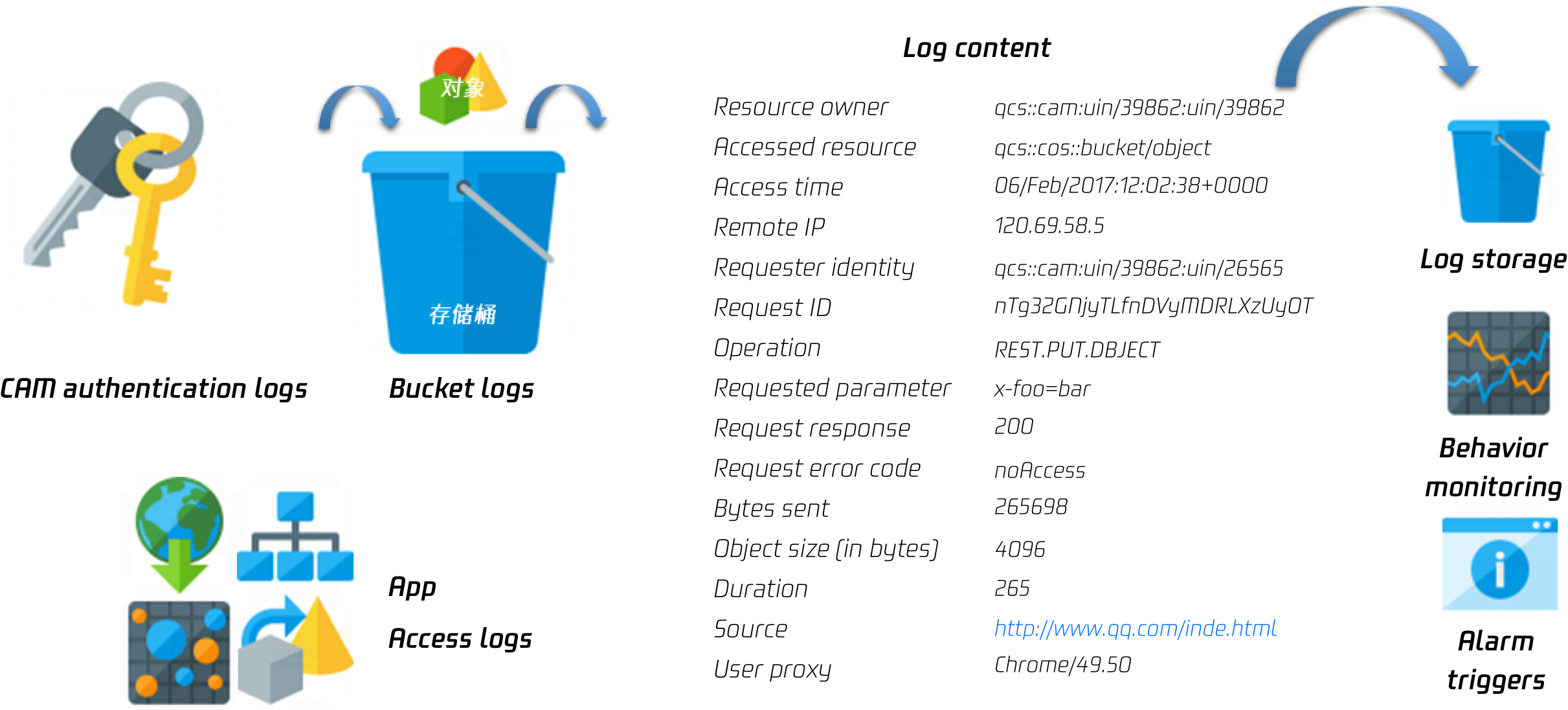
COS provides multiple methods with a low threshold for log monitoring and audit. The logging feature allows users to trace the access logs of buckets. In this way, risky operations such as DeleteObject, PutObjectCopy, and PutObjectACL can be traced. In addition, users can leverage the CloudAudit logs to trace the bucket configurations, such as DeleteBucket, PutBucketACL, and PutBucketPolicy. Moreover, a modification on the permission configuration can also be traced.