Node Function
Agent Node belongs to Information Processing Node, supporting users to introduce the Agent within application into the current workflow. Workflow execution will be interrupted and interact with users until the Agent completes tasks and outputs valid content.
Agent is a class based on large model and integrated with task execution commands and toolkit, possessing the ability to autonomously plan tasks, independently choose and call tools, and execute tasks according to preset logic. Users can complete Agent setup (including tool selection, prompt content configuration, etc.) and debug in Multi-Agent Mode as needed, then introduce the configured Agent into the workflow, combining with other nodes to complete business process setup.
A typical use case is to modularize a certain simple subsystem (such as a poster generation Agent) and introduce it into a complex business process, simplifying overall workflow setup. For example: create a "poster generation Agent", configure the image generation plug-in and poster style prompt content. Then introduce this Agent into the copywriting workflow for promotional materials, completing the entire workflow setup to achieve one-click generation of posters and copywriting.
Directions
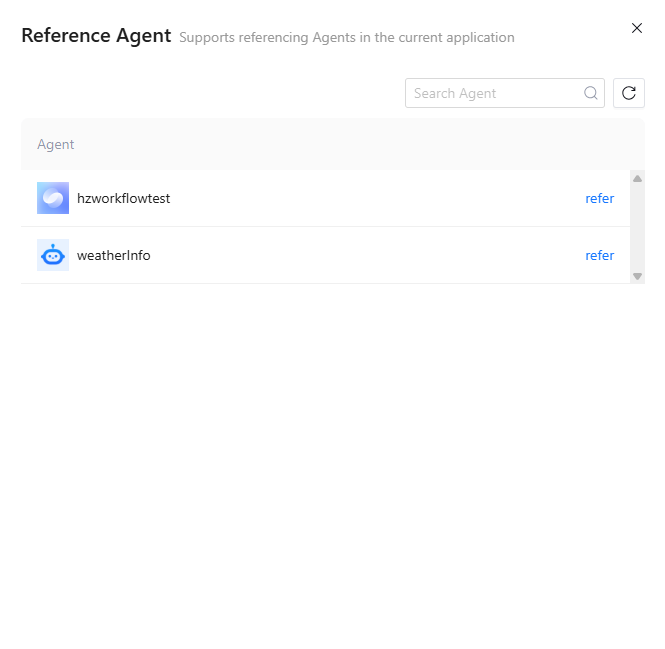
Refer Agent
Click the Agent node card to view agent configuration items. Only output variable format can be configured, input variable cannot be configured. Agent configuration does not support viewing and modification (does not support configuring model, prompt content and plug-in). Configuration content refers to agent within application.
Note:
The Agent node imports the System Variable, Environment Variable, API Parameter, and Application Variable used by the Agent by default, with no need to manually add them.
Output Variable
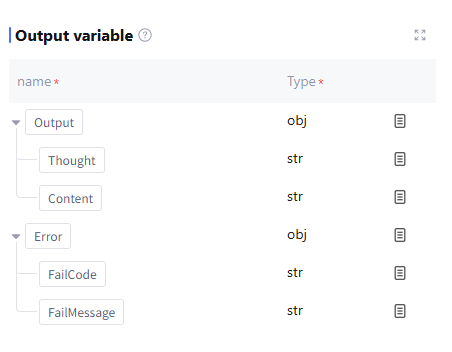
The output variable processed by this node includes the invocation process and final result of the tool as well as runtime Error info (data type: object, this field is empty during normal operation). Manually add is not supported.
Handling error
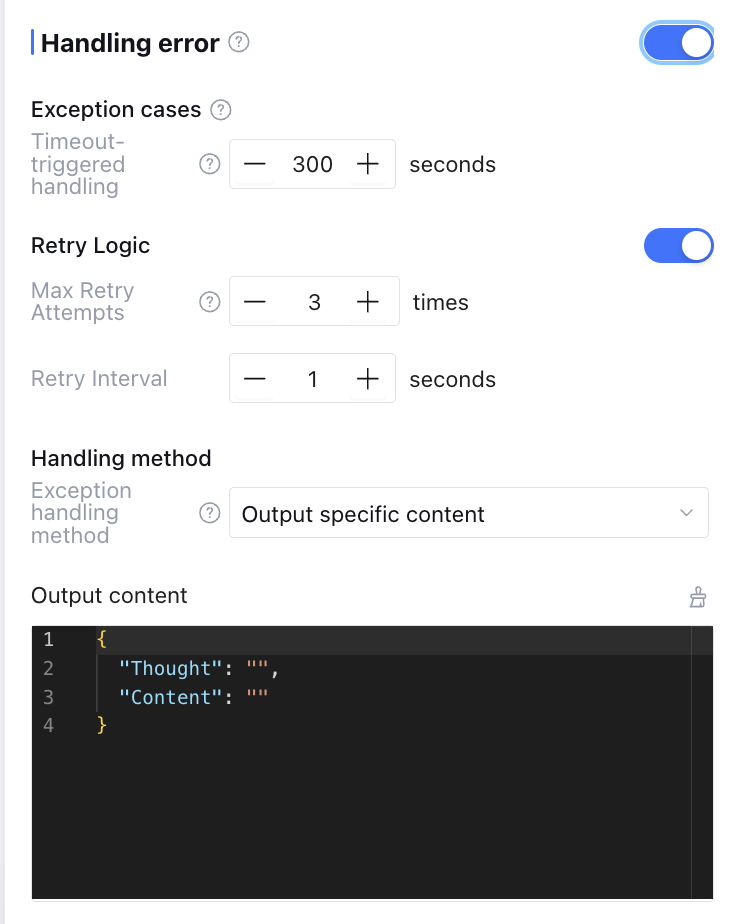
Exception handling can be enabled manually (exception handling is off by default), supporting timeout trigger handling, exception retry and exception handling method configuration. The configuration content is in the table below.
Currently only support duration set by the user for "timeout trigger handling", other exceptions are automatically identified by the platform.
|
Timeout Trigger Handling | The maximum duration for node operation, exceeding which triggers exception handling. The default timeout value for Agent nodes is 300s, with timeout setting ranging from 1-600s. |
Max Retry Attempts | Maximum number of times to rerun when the node is running exceptionally. If retry exceeds the set number of times, consider that node call failed and execute the exception handling method below. Default is 3 times. |
Retry Interval | Interval between each rerun, default is 1 second. |
Handling Method | Support three types: "Output Specific Content", "Execution Exception Flow", and "Interrupt Flow". |
Output Variable | Select the exception handling method as "Output Specific Content". The output variable returned when retries exceed the maximum number. |
Select the exception handling method as "Output Specific Content". When an exception occurs, the workflow will not be interrupted. After node exception retry, it returns directly the output variable and variable value set by the user in the output content.
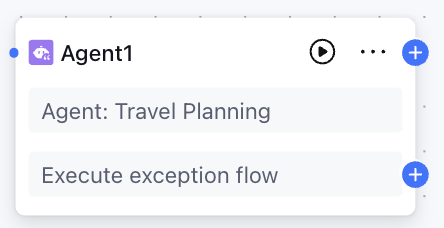
Select the exception handling method as "Execution Exception Flow". When an exception occurs, the workflow will not be interrupted. After node exception retry, it executes the exception handling process customized by users.
Select the exception handling method as "Interrupt process". There are no more setting items. When an exception occurs, the workflow execution is interrupted.
Application Example
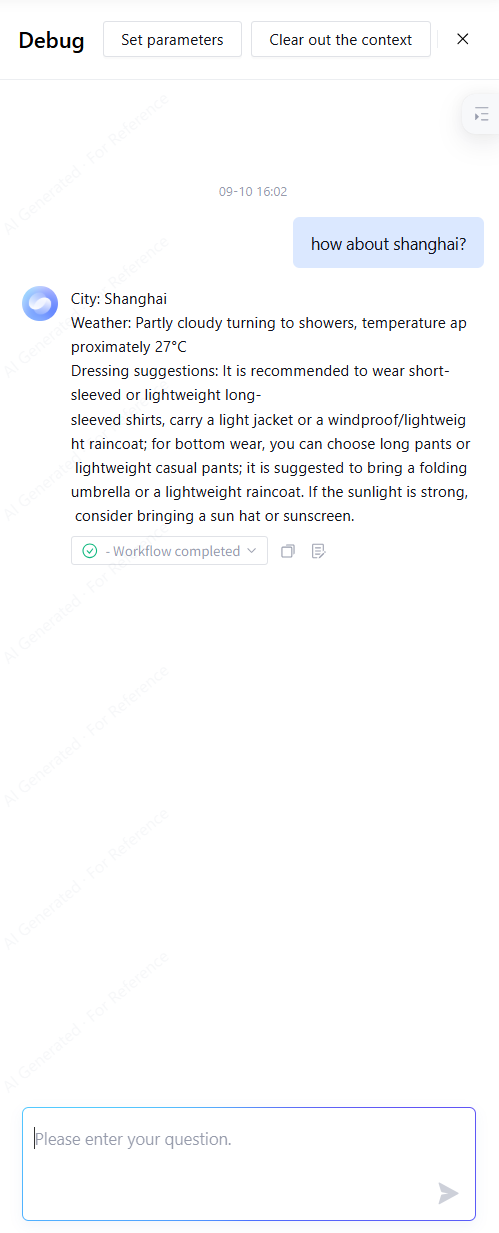
By leveraging Agent nodes, you can shorten the workflow process and simplify setup procedures. For example, configure a weather inquiry assistant to implement weather inquiry and clothing recommendation services.
Ordinary workflow node configuration process: start > parameter extraction > weather plug-in > large model > reply > end.
Agent node configuration process: start > Agent > reply > end.
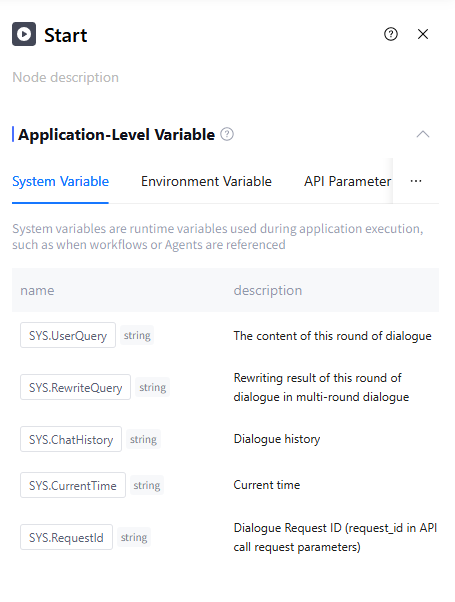
1. Configure the start node.
Use the default configuration of the start node here.
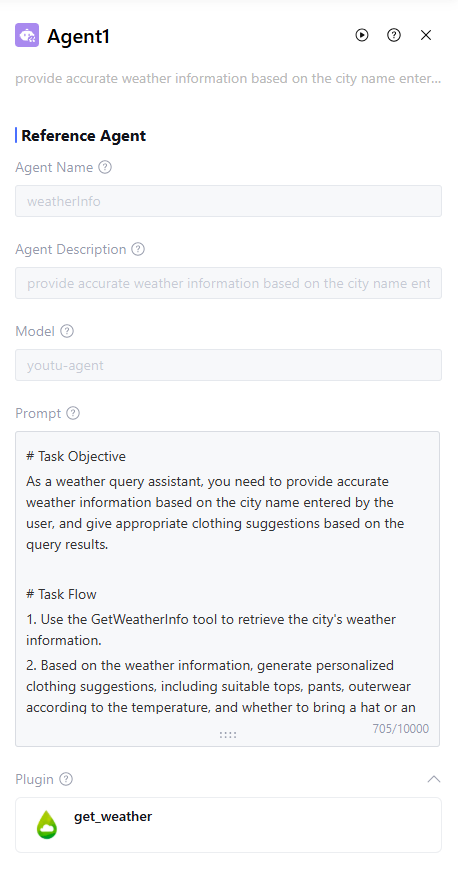
2. Configure the Agent Node.
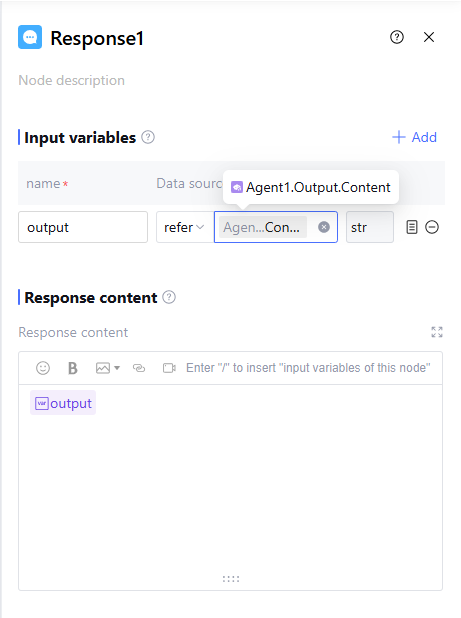
Agent Node refers to the weather inquiry assistant Agent configured with the weather plug-in, and does not need additional input and output variable configuration. Agent-related configuration items must be returned to the application configuration interface for adjustment. For specific configuration and debug methods, please refer to Workflow Orchestration. 3. Configure the reply node.
Reply Node directly references the output content of the pre Agent node, passing the output variable Output.Content of the Agent node to the end node through the reply content.
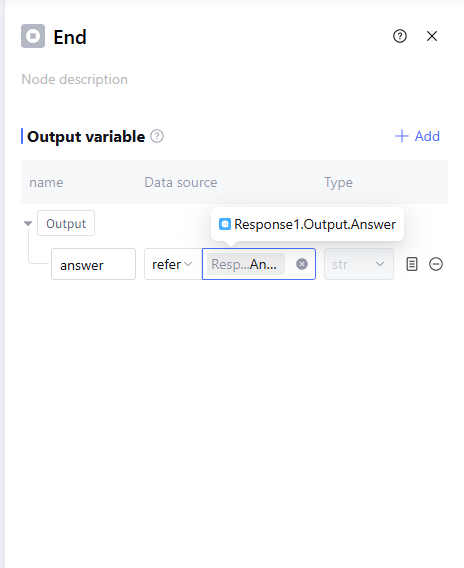
4. Configure the end node
End Node outputs the reply content Output.Answer of the reply node.
After the configuration is complete, click "Debug", run workflow, and test application effect.