Node Function
The Variable Aggregator Node belongs to Information Processing Node. It supports aggregating variables from multiple workflow branches into one variable and passing the first non-empty variable value to subsequent nodes. This node is commonly used in aggregation scenarios for multi-conditional branch results. When the workflow executes a conditional judgment node or a LLM intent recognition node, the process is split into multiple parallel branches based on conditions or user intention. Each time it runs, only one branch will be executed, and the output variables of other inactive branches remain empty. At this point, the variable aggregation node can integrate the outputs of all branches and define a uniform output variable. Regardless of which branch path is actually executed, downstream nodes can reference the execution result through the unified variable.
Directions
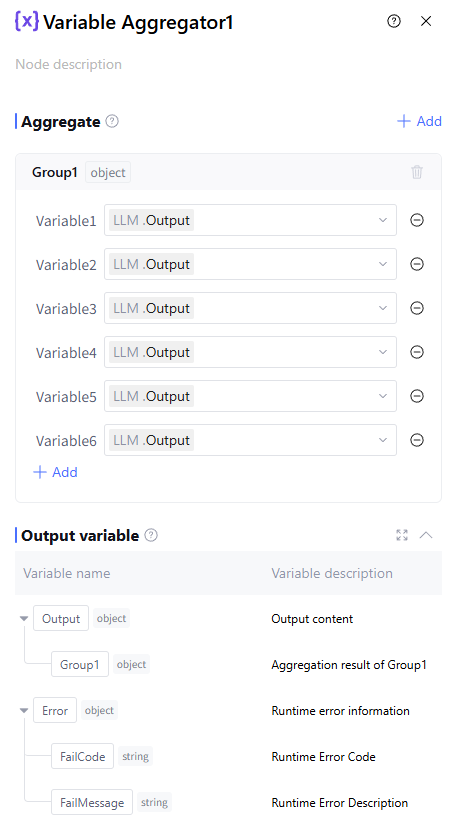
Aggregate
Group represents the aggregation group of variables. Multiple groups can be added as needed. The system determines the data type of the group based on variable1, and only variables of the same data type can be added subsequently. During aggregation, only the first non-empty variable in each group is returned. If multiple variables have values, only the first one is returned. Adjust the variable sequence according to business needs.
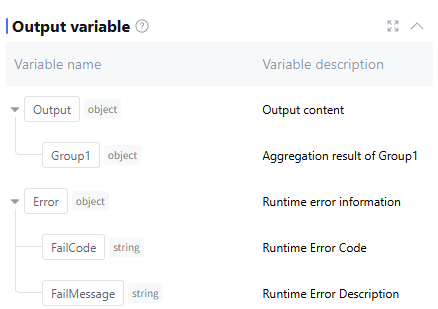
Output Variable
The output variable processed by this node. By default, it is the user-configured Group, outputting the aggregated result of each Group as well as runtime error info Error (data type is object, this field is empty during normal operation). Manually add is unsupported.
Application Example
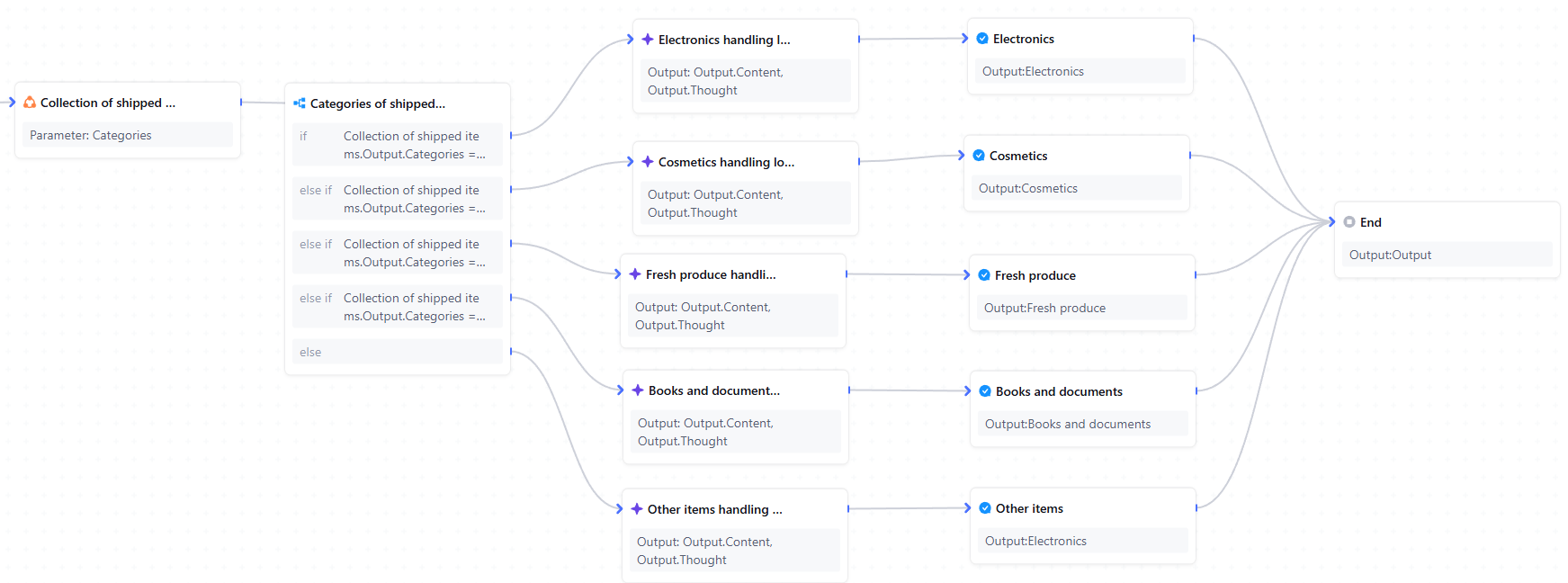
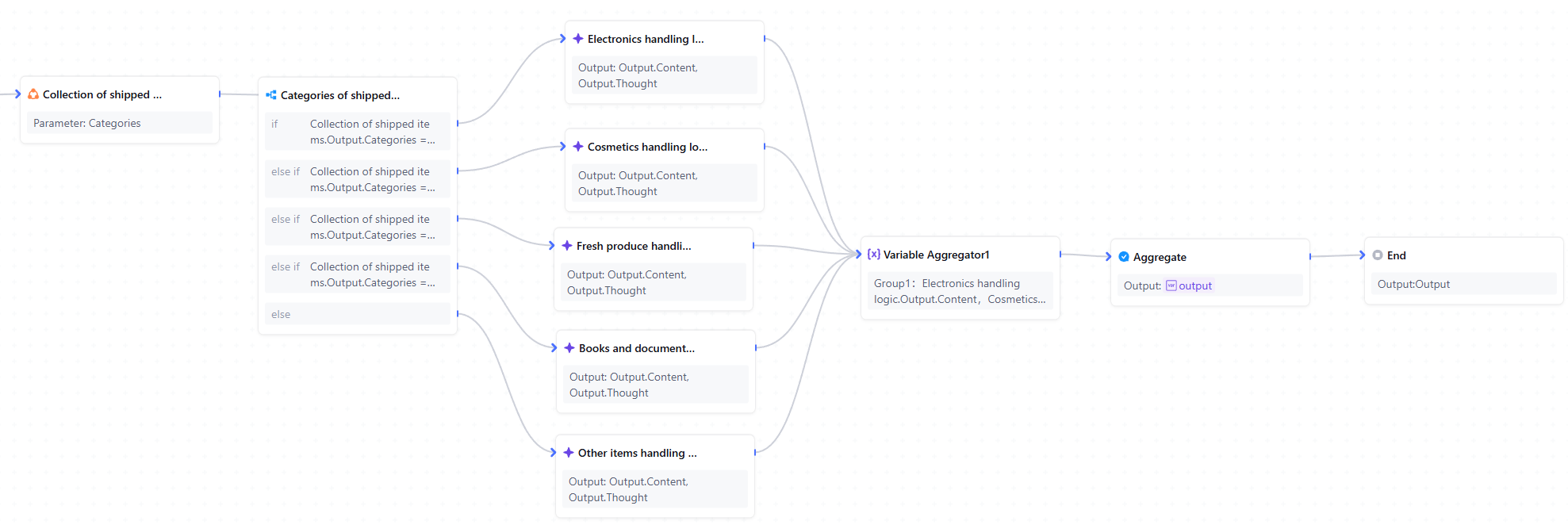
In the express delivery fee inquiry scenario, based on the different items sent, the corresponding workflow branch will be executed with specific logic. For each type of item processed, it needs to connect to the reply node to output the processing result. Using the variable aggregate node can summarize the processing results of each branch, only requiring the output of the aggregated result.
Inactive Variable Aggregate Node workflow configuration:
Workflow configuration using Variable Aggregate Node: