tencent cloud

Grafana

Product Introduction
Overview
Strengths
Use Cases
Purchase Guide
Billing Overview
Monthly Subscription
Purchase Methods
Payment Overdue
Refund
Getting Started
Operation Guide
Instance
Tencent Cloud Service Integration
Plugin Management
Logging in to Grafana
Notification Channel
Configuration Management
Image Rendering
Account Management
Guide on Grafana Common Features
FAQs
TCMG Service Level Agreements
TCMG Policy
Privacy Policy
Data Processing and Security Agreement
DocumentationGrafanaGuide on Grafana Common Features

Guide on Grafana Common Features

PDF
Focus Mode
Font Size
Last updated: 2025-04-24 16:29:39

Configuring a Prometheus Data Source

1. Log in to the TCOP console, and select Managed Service for Prometheus.
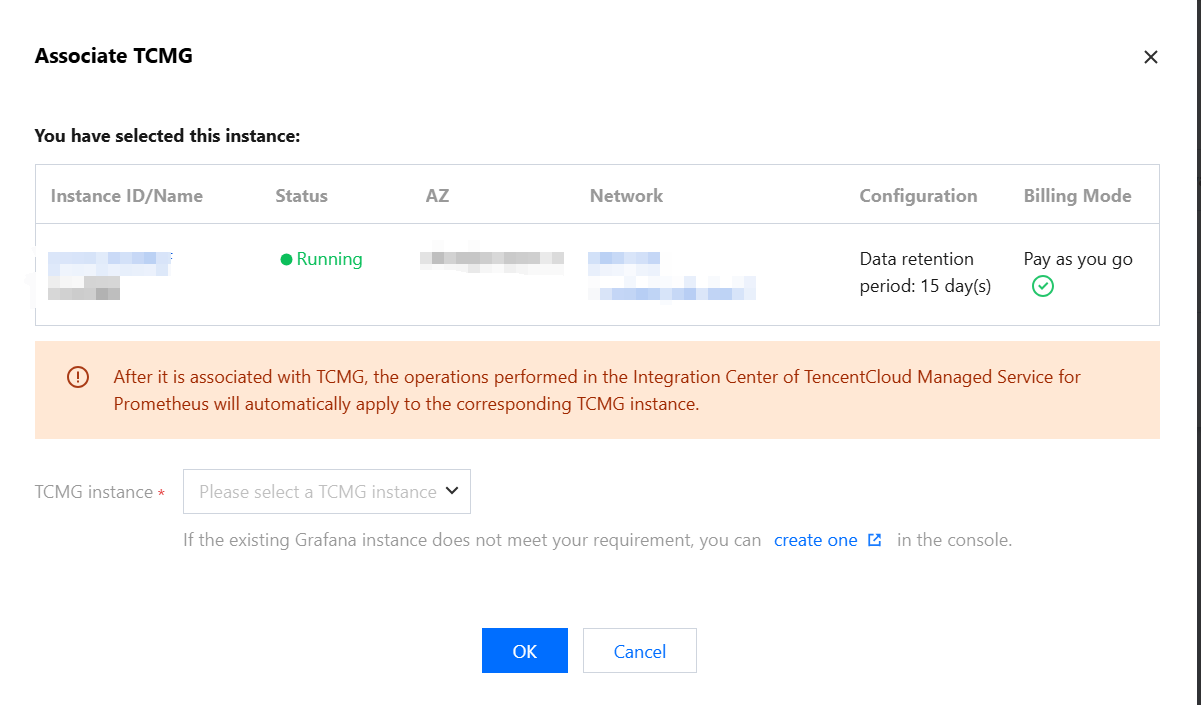
2. Find the corresponding instance in the instance list. In the Operation column, click More > Grafana > Associate with TCMG, or click Associate with TCMG in the TCMG Access Address column.
3. Select a Grafana instance in the pop-up window, and click OK.


Logging in to the Grafana Platform

1. Log in to the
1. TCOP console, and select Managed Service for Grafana.
2. In the instance list, find the corresponding instance, click

or click Log In in the Operation column.

3. On the Grafana login page, enter your account password.
Using the Grafana Platform

Dashboard Feature Guide

Description
Guide
Use dashboards
Create a dashboard
Manage dashboards
Publish a dashboard
Variables

Chart and Visualization Guide

Data Exploring Guide

Help and Support

Was this page helpful?

Help us improve! Rate your documentation experience in 5 mins.

Feedback
