2. In the instance list, find the target instance and click Instance ID.
Directions
1. Enter the instance details page and click Notification Channel in the list on the left.
2. On the Notification Channel management page, click Create in the top-left corner.
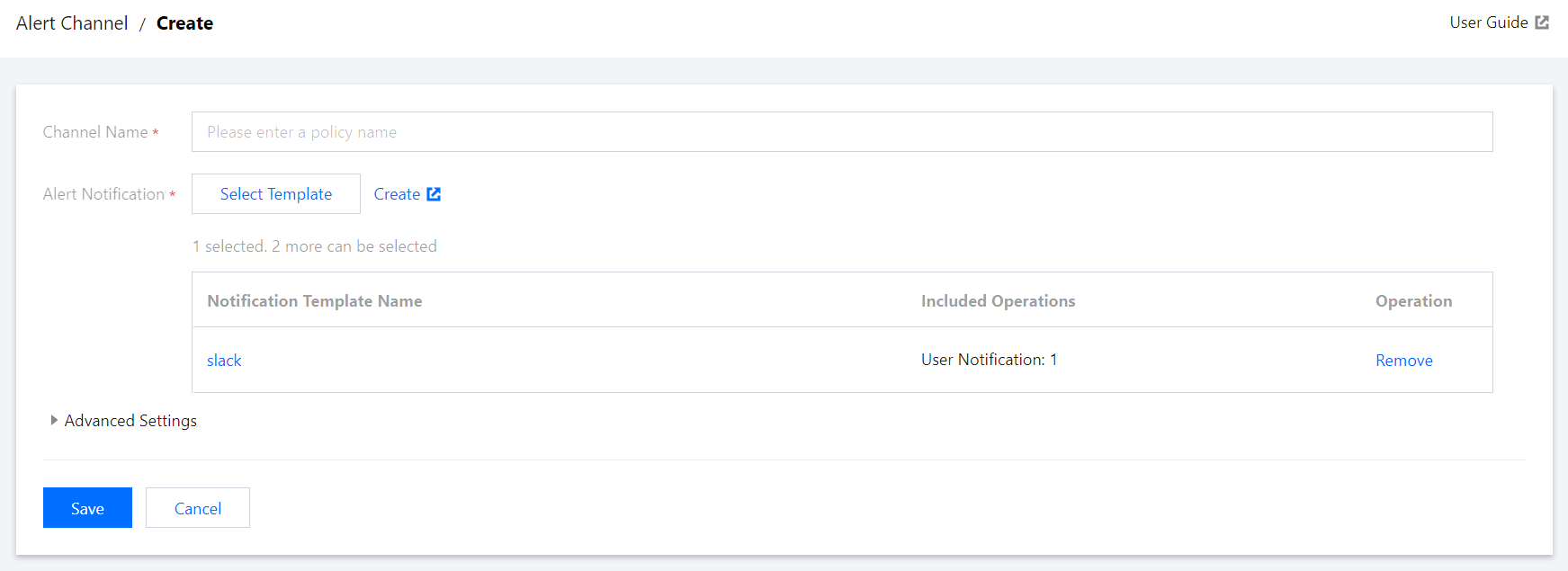
3. On the Create Notification Channel page, enter the channel name and select or create a notification template as instructed in Creating Notification Template.
4. After a notification template is created, you can return to the notification channel creation page, select the created template, and click Save. You can view the created notification channel on the Grafana Alert Notification Channel page after the instance is rebooted.
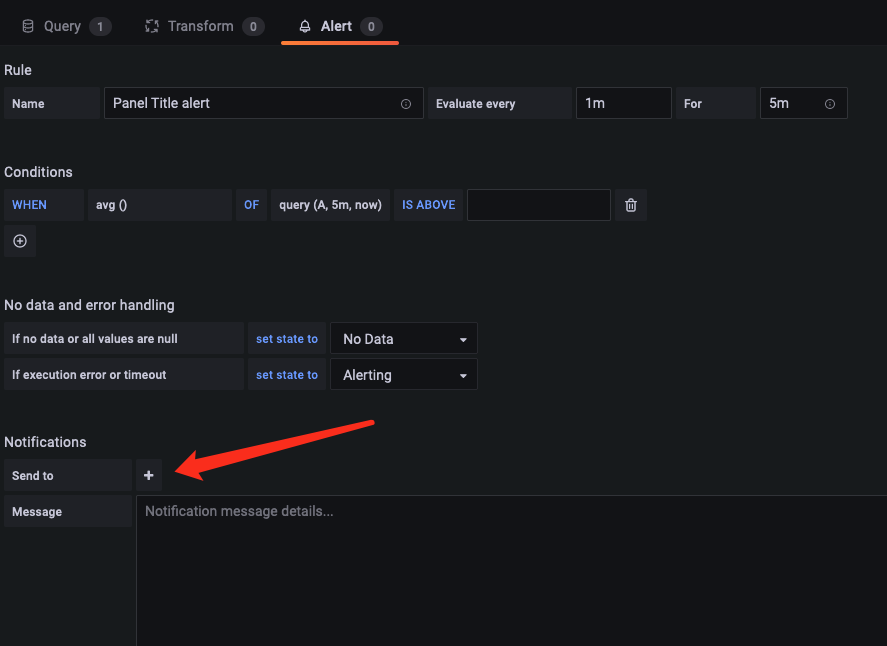
5. When configuring a Grafana alert, select the name of the added channel in the Notification Channel configuration block.