tencent cloud

Simple Email Service

Deskripsi Produk
Ikhtisar
Fitur
Keunggulan
Kasus Penggunaan
Spesifikasi
Panduan Pembelian
Harga
Panduan Konsol
Konfigurasi
Statistik
Dokumentasi SMTP
Panduan Pengiriman Email SMTP
Alamat Layanan SMTP
Contoh Panggilan untuk Java
Contoh Panggilan untuk Go
Mengirim Email dengan Lampiran
Kode Kesalahan
Dokumentasi Webhook
Pemberitahuan Peristiwa Email
Pembatasan Pengiriman Email
Jenis Lampiran
Pertanyaan Umum
Memulai
Batas Pengiriman
Fitur Pengiriman
Domain
Templat
Verifikasi dan Konfigurasi Identitas
IP Khusus
Pengiriman
Penggunaan API
Panggilan Balik
Folder Spam
Keamanan
Catatan Penting
Lainnya
Hubungi Kami
DokumentasiSimple Email Service

Regular Sending

Mode fokus
Ukuran font
Terakhir diperbarui: 2024-09-05 09:47:39

Overview

This document describes how to configure email sending (regular sending) in the SES console. Email sending is suitable for small-scale emailing scenarios and supports configuring only one variable and variable value. All recipients can see each other in the "To" field of the email.

Directions

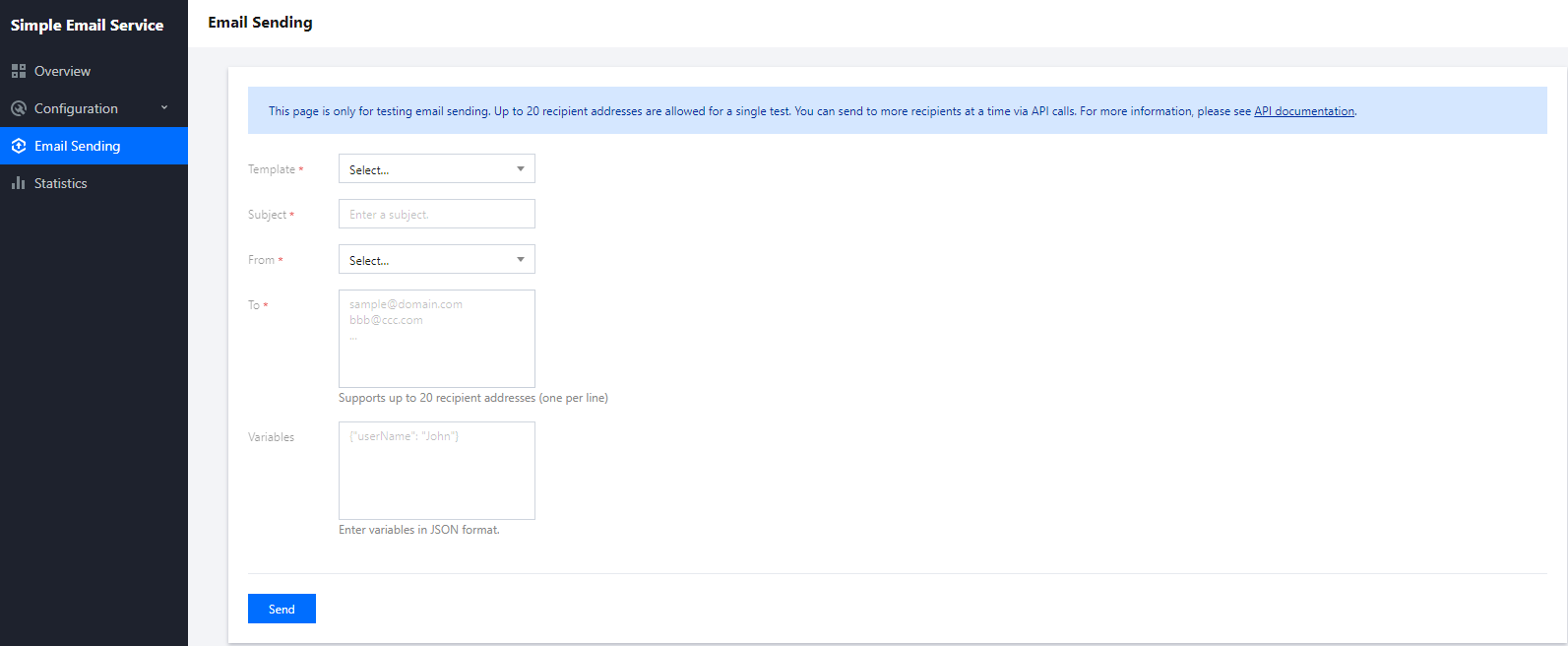
1. Log in to the SES console and click Email Sending > Email Sending to enter the Email Sending page.


2. Select an email template, enter a subject, select a sender address, enter recipient addresses, and click Send to send the email.
Note:
You can configure up to 20 recipient addresses at a time. You can't configure different variable values for different recipients in the template. If you need this capability, use the batch sending feature.
Bantuan dan Dukungan

Apakah halaman ini membantu?

masukan