Statistics
Download
Focus Mode
Font Size
Data Monitoring
Operation scenario
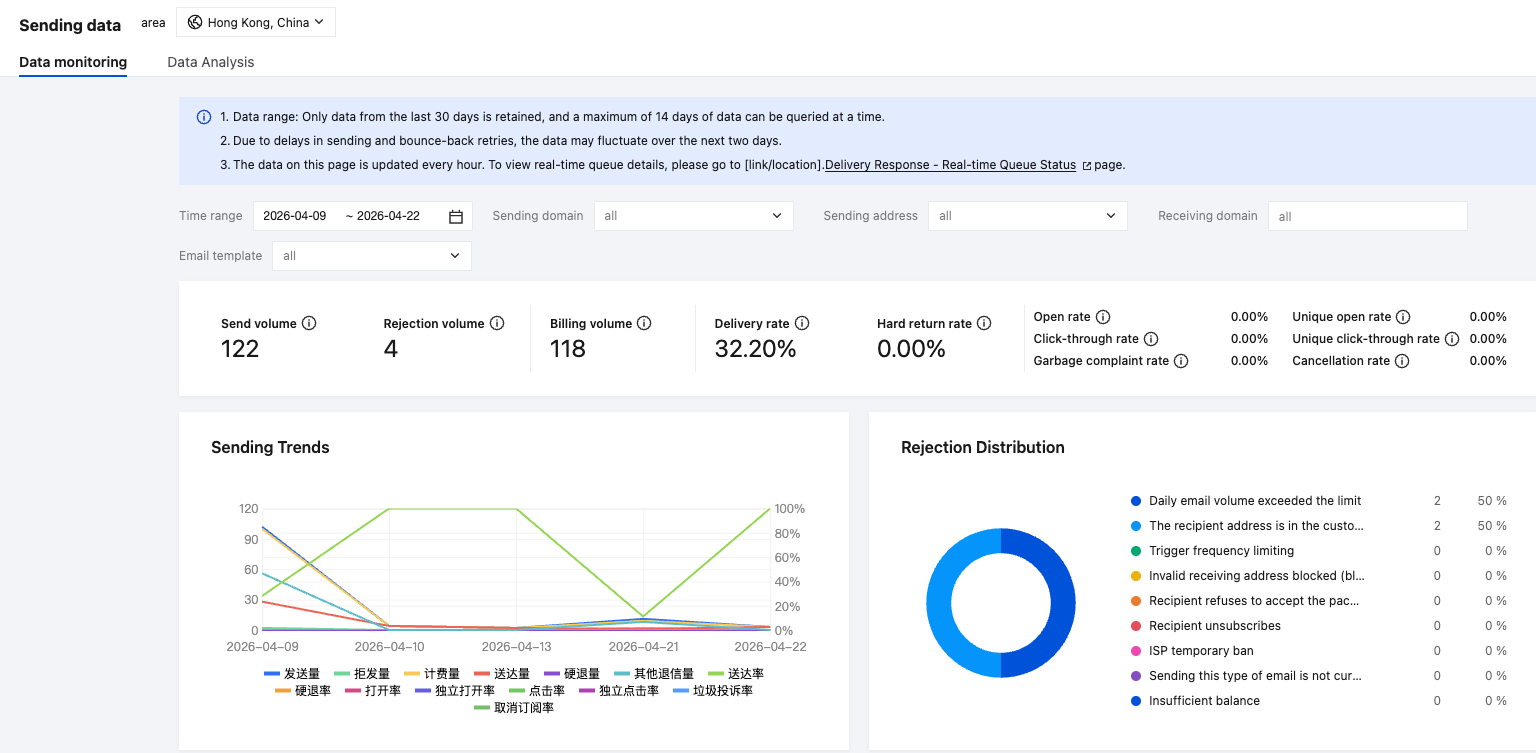
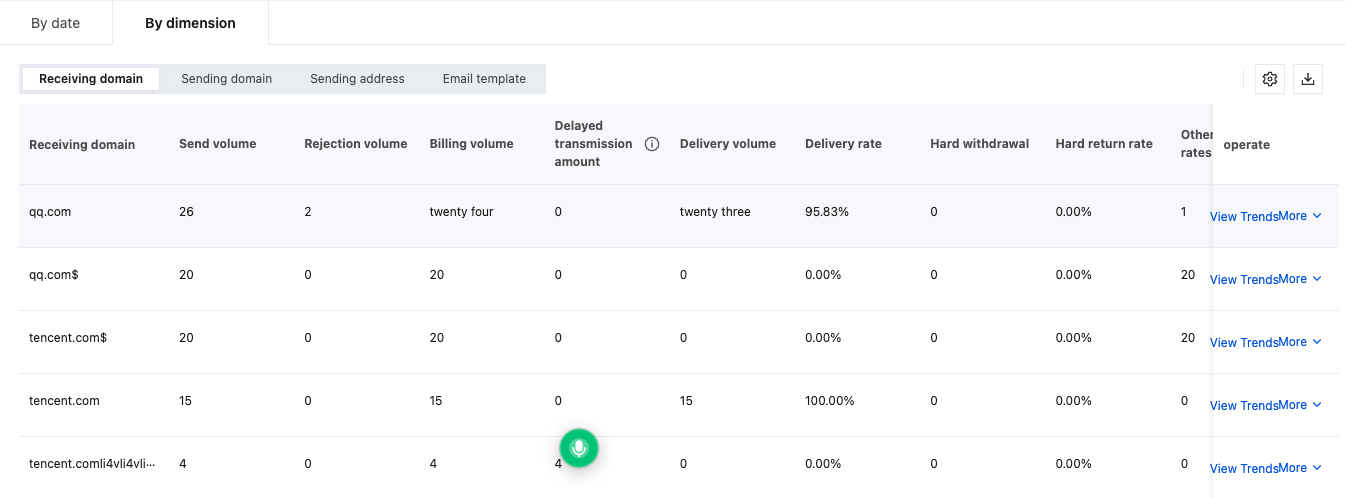
Log in to the push notification service console, click Statistics > Data Monitoring, and support viewing and downloading email sending data by sender domain name, recipient domain name, email template.
Operation steps
On the Console > Statistics > Data Monitoring page, you can view email sending details by different dimensions (such as time range, sender domain, recipient domain, email template, sender address).
Note:
Data scope: Only the data of the last 30 days is reserved, and at a time, up to 14 days of data is queryable.
Due to delayed sending and bounced retry, the data will fluctuate in the last 2 days.
The page data updates every hour. To view real-time queue detail, please visit the Delivery Response > Real-time Queue Status page.
Data Analysis
Operation scenario
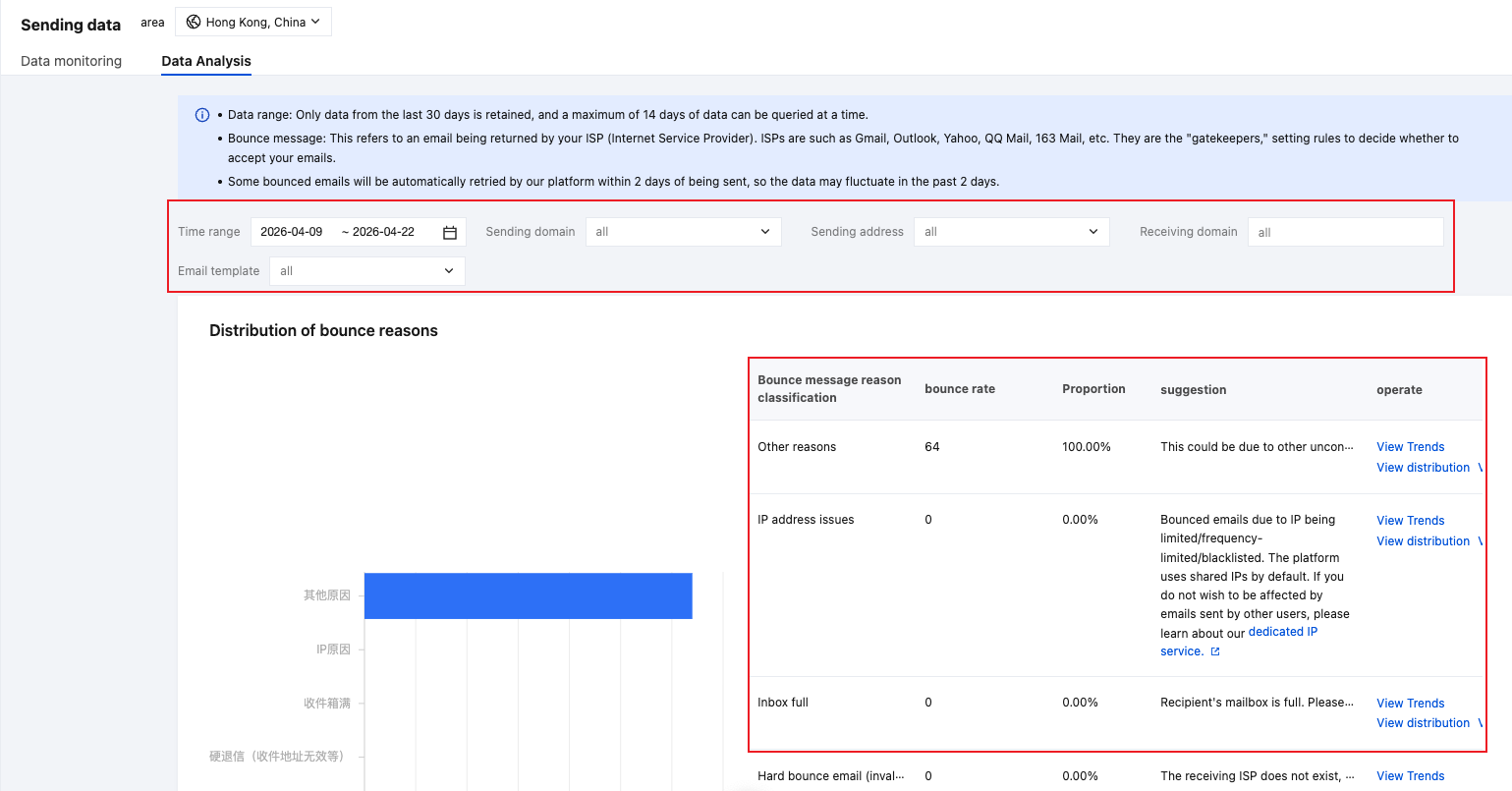
Log in to the push notification service console, click Statistics > Data Analysis, and support viewing bounced email reasons by sender domain name, recipient domain name, email template.
Operation steps
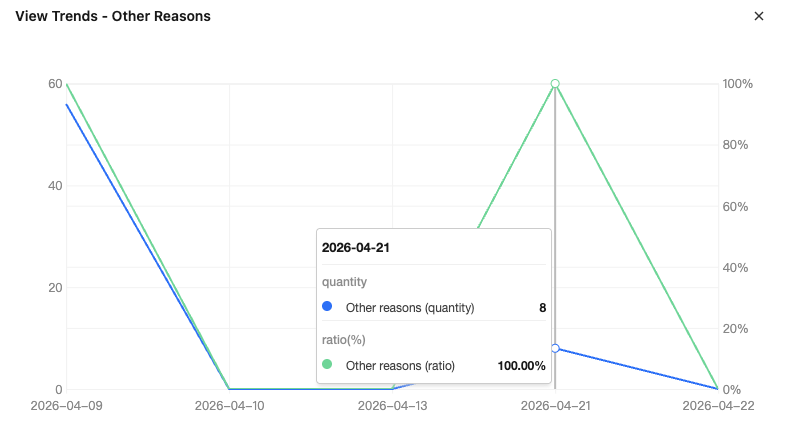
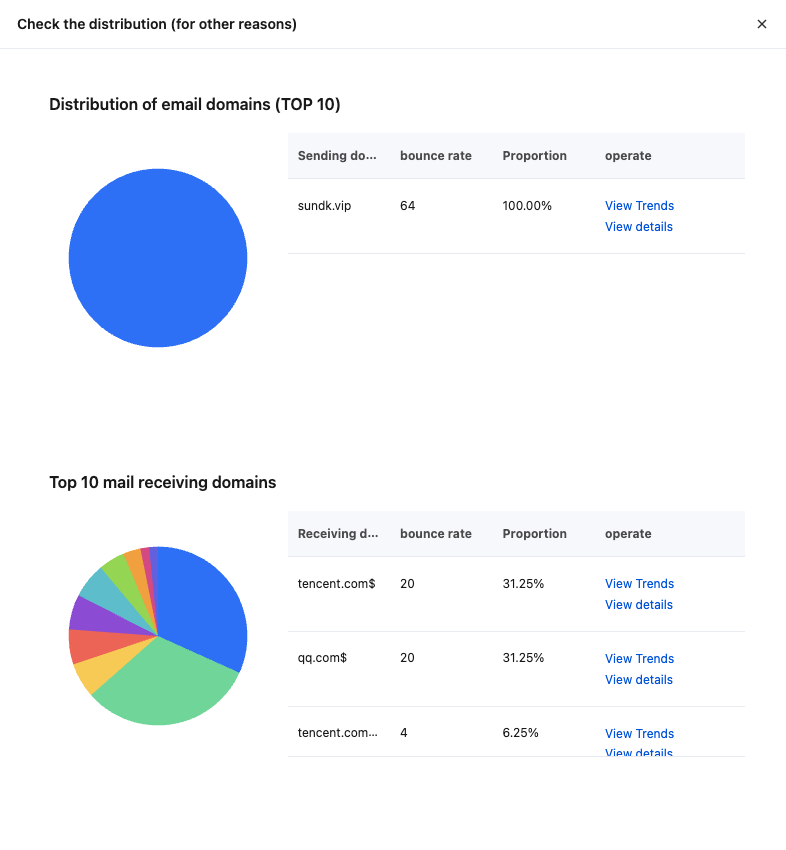
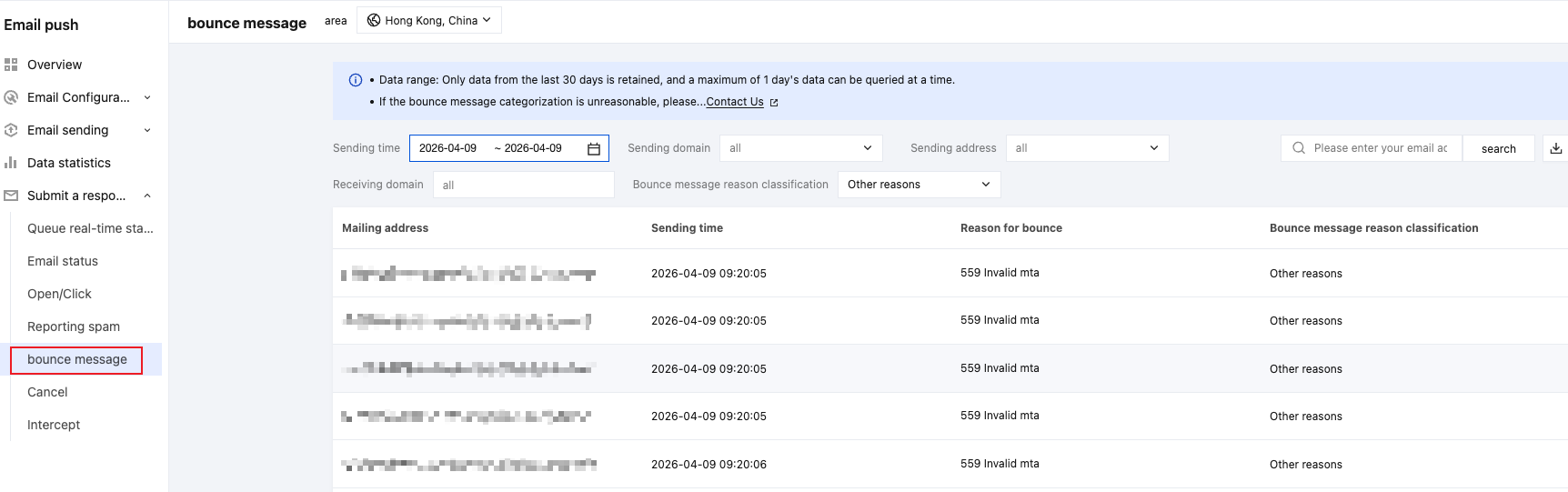
Enter Console > Statistics > Data Analysis to view bounced reasons and optimization suggestions, and support viewing bounced trends, distribution, and details.
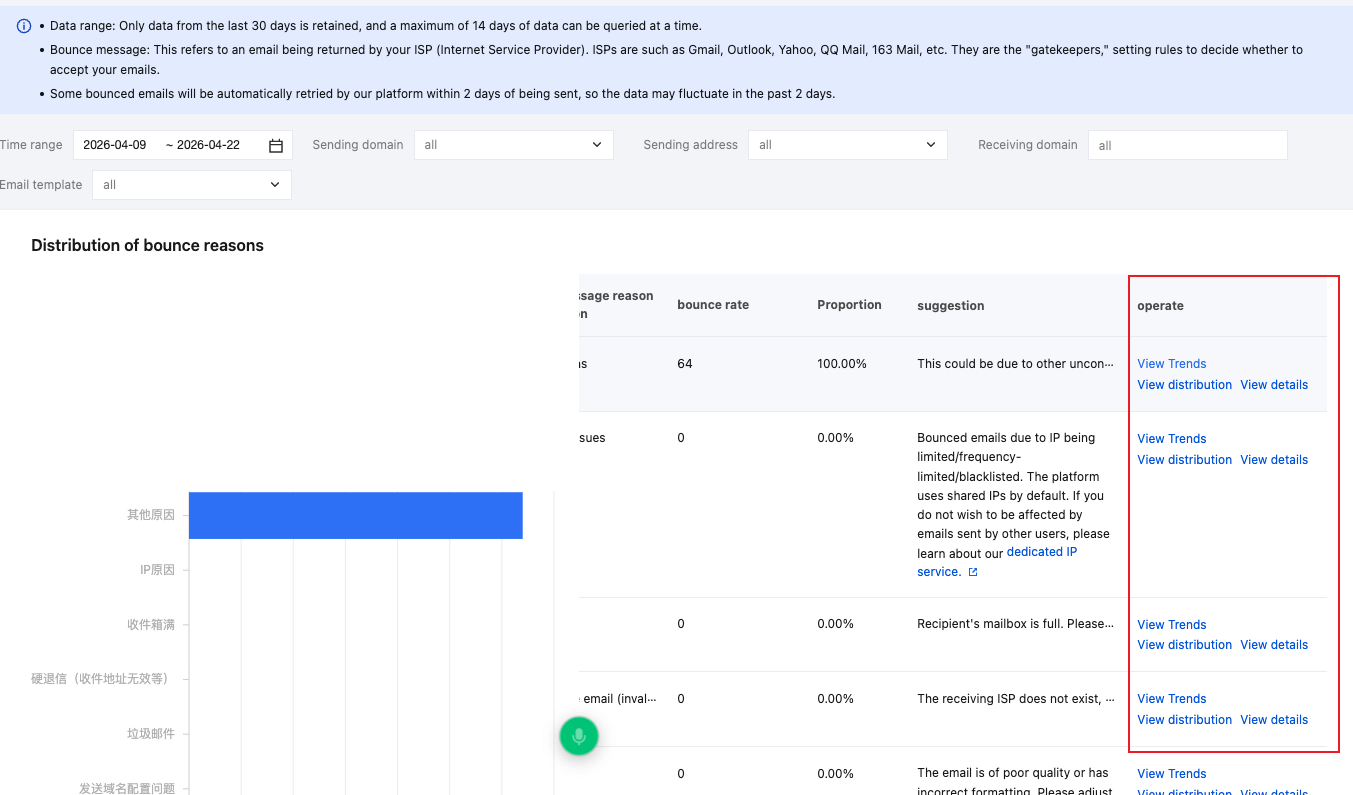
View trend
View distribution
View details
Help and Support
Was this page helpful?
You can also Contact sales or Submit a Ticket for help.
Help us improve! Rate your documentation experience in 5 mins.
Feedback