StreamLive Tag
Baixar
Modo Foco
Tamanho da Fonte
Tencent Cloud Tag is a cloud resource management tool that allows you to use different standards to categorize, search for, and aggregate cloud resources having the same attributes. A tag consists of a tag key and tag value. You can create a tag and bind it to your cloud resources. A tag key can have multiple tag values, and a key-value pair can be bound to multiple resources.
StreamLive Tag
In StreamLive, our resources are channels. You can bind tags to StreamLive channels.
Prerequisites for Use
You have activated the StreamLive service.
If you operate through the Tencent Cloud console, you can directly bind tags to StreamLive channels in the console.
If you access via the Tencent Cloud API, you need to authorize StreamLive first, granting StreamLive read and operational permissions for tag data. Only after authorization can you use tags in StreamLive API.
Method 1: Console
1. Refer to the Tag Operation Guide to create tags.
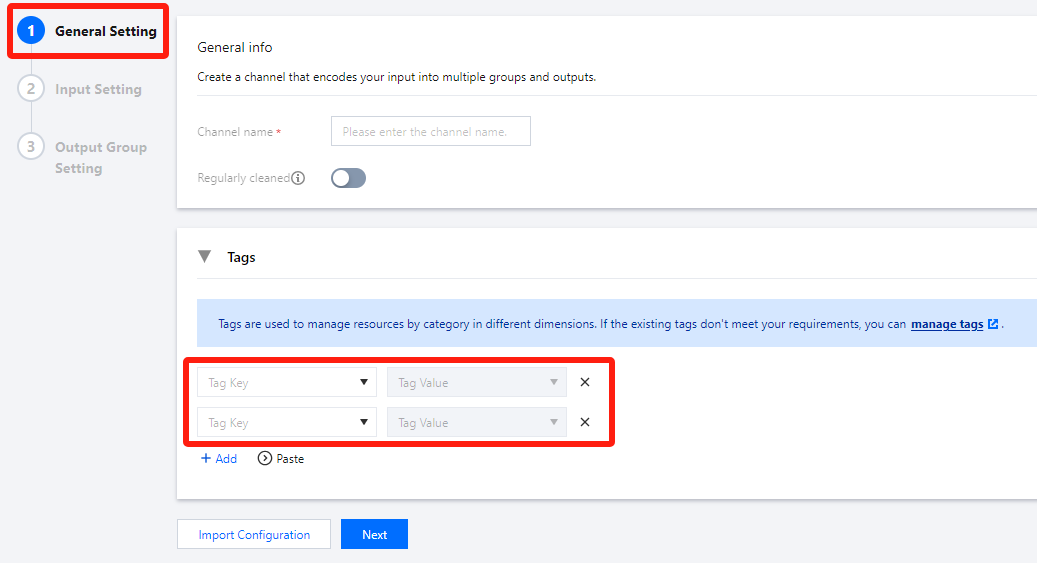
2. When creating a StreamLive channel, you can add tags in General Setting.
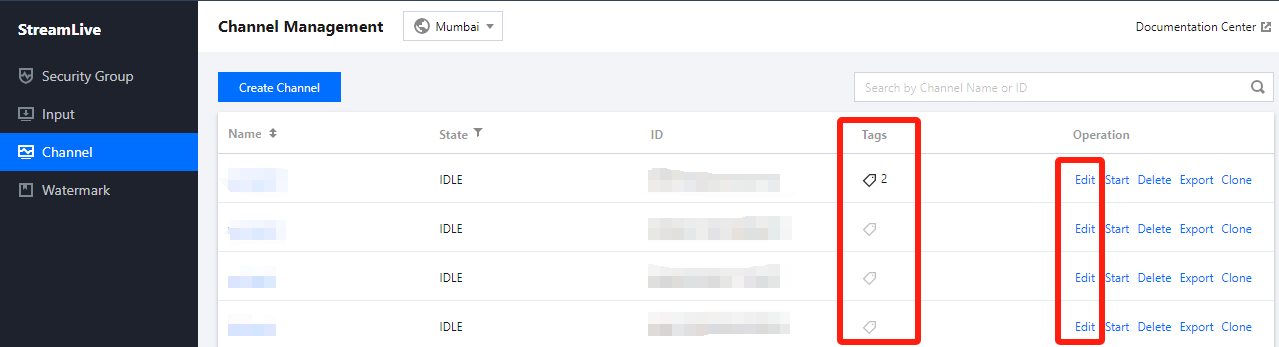
3. After creating the channel, you can view Tags in the channel List. If you need to edit tags, click Edit to enter the Channel Edit Page.
Method 2: API
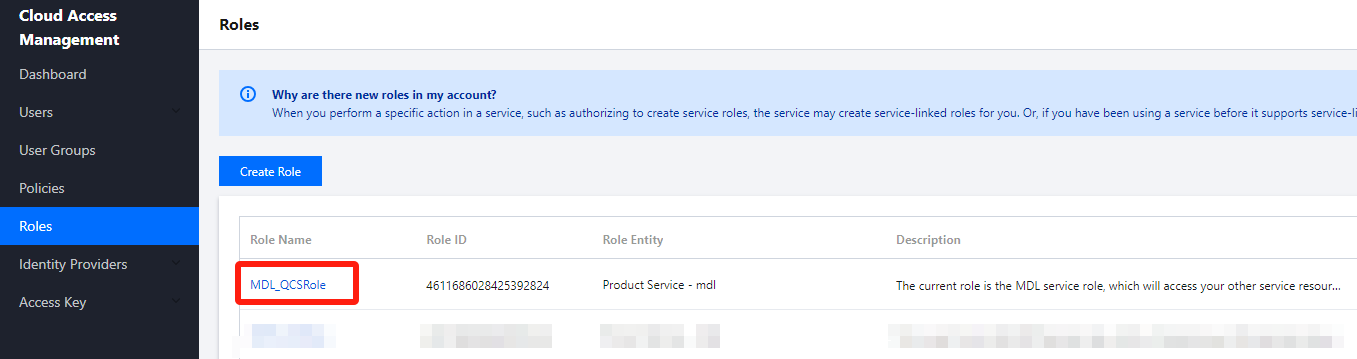
1. In Tencent Cloud Access Management, select Roles, and find the StreamLive service role MDL_QCSRole in the page.
2. Enter the details page for MDL_QCSRole, and click Associate Policy.
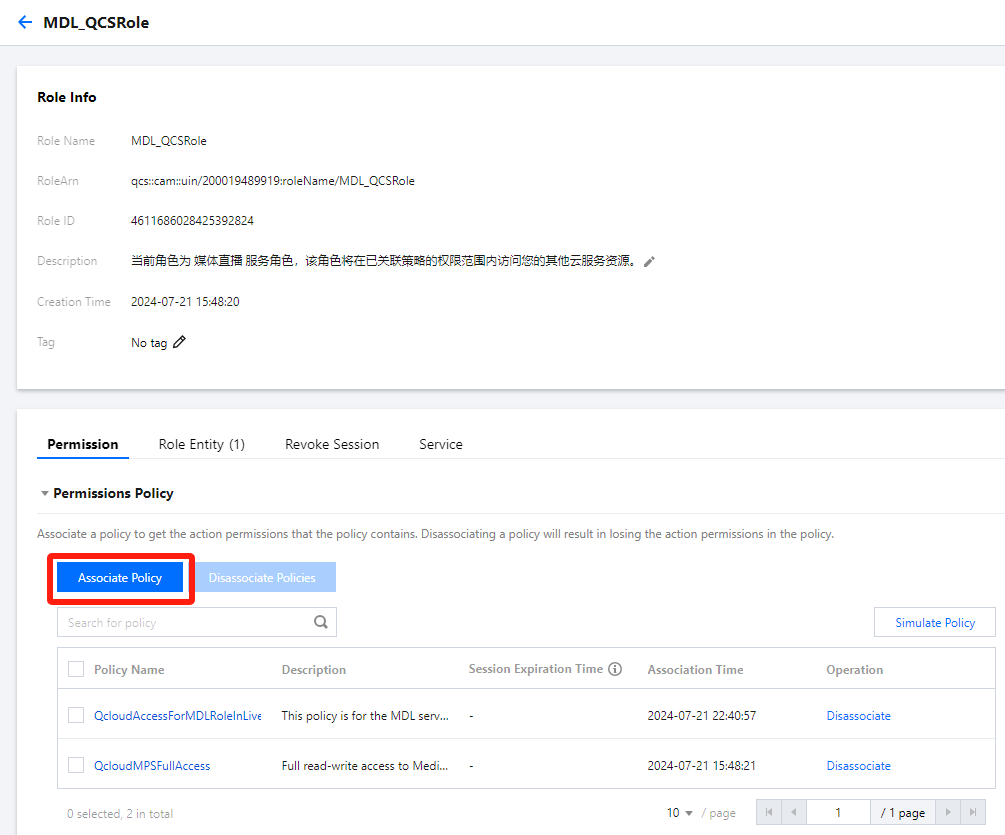
3. Then add the policy QcloudTAGFullAccess to MDL_QCSRole, in order to grant StreamLive the read and operation permissions on tag data.
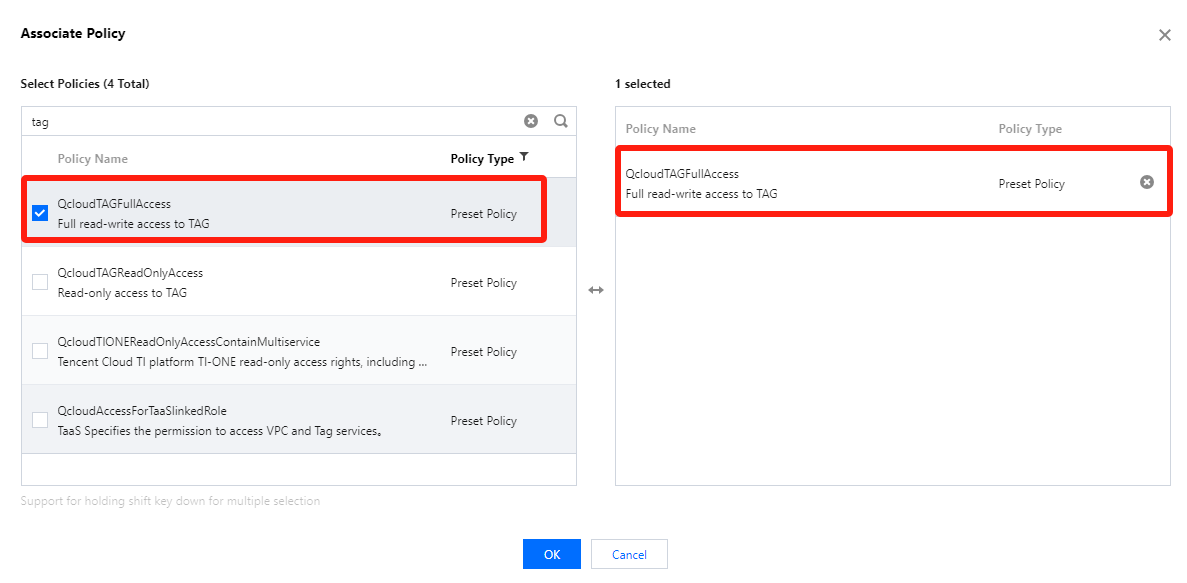
4. You can use the following APIs to bind tag to StreamLive channel:
Ajuda e Suporte
Esta página foi útil?
Você também pode entrar em contato com a Equipe de vendas ou Enviar um tíquete em caso de ajuda.
comentários