tencent cloud

Elastic MapReduce

  • Release Notes and Announcements
  • Product Introduction
  • Purchase Guide
    • EMR on CVM Billing Instructions
    • EMR on TKE Billing Instructions
    • EMR Serverless HBase Billing Instructions
    • EMR Serverless TCBase Billing Overview
  • Getting Started
  • EMR on CVM Operation Guide
    • Planning Cluster
    • Administrative rights
    • Configuring Cluster
    • Managing Cluster
    • Managing Service
    • Monitoring and Alarms
    • TCInsight
  • EMR on TKE Operation Guide
  • EMR Serverless HBase Operation Guide
  • EMR Serverless TCBase Operation Guide
  • EMR Development Guide
    • Hadoop Development Guide
    • Spark Development Guide
    • Hbase Development Guide
    • Phoenix on Hbase Development Guide
    • Hive Development Guide
    • Presto Development Guide
    • Sqoop Development Guide
    • Hue Development Guide
    • Oozie Development Guide
    • Flume Development Guide
    • Kerberos Development Guide
    • Knox Development Guide
    • Alluxio Development Guide
    • Kylin Development Guide
    • Livy Development Guide
    • Kyuubi Development Guide
    • Zeppelin Development Guide
    • Hudi Development Guide
    • Superset Development Guide
    • Impala Development Guide
    • Druid Development Guide
    • TensorFlow Development Guide
    • Kudu Development Guide
    • Ranger Development Guide
    • Kafka Development Guide
    • StarRocks Development Guide
    • Flink Development Guide
    • JupyterLab Development Guide
    • MLflow Development Guide
  • Practical Tutorial
    • Practice of EMR on CVM Ops
    • Data Migration
    • Practical Tutorial on Custom Scaling
  • API Documentation
    • History
    • Introduction
    • API Category
    • Making API Requests
    • Cluster Resource Management APIs
    • Cluster Services APIs
    • User Management APIs
    • Information Query APIs
    • Scaling APIs
    • Configuration APIs
    • Other APIs
    • Cluster Lifecycle APIs
    • Serverless HBase APIs
    • YARN Resource Scheduling APIs
    • Data Types
    • Error Codes
  • FAQs
    • EMR on CVM
  • Service Level Agreement
  • Contact Us

Instance Information

Download
フォーカスモード
フォントサイズ
最終更新日: 2026-01-14 15:26:39

Overview

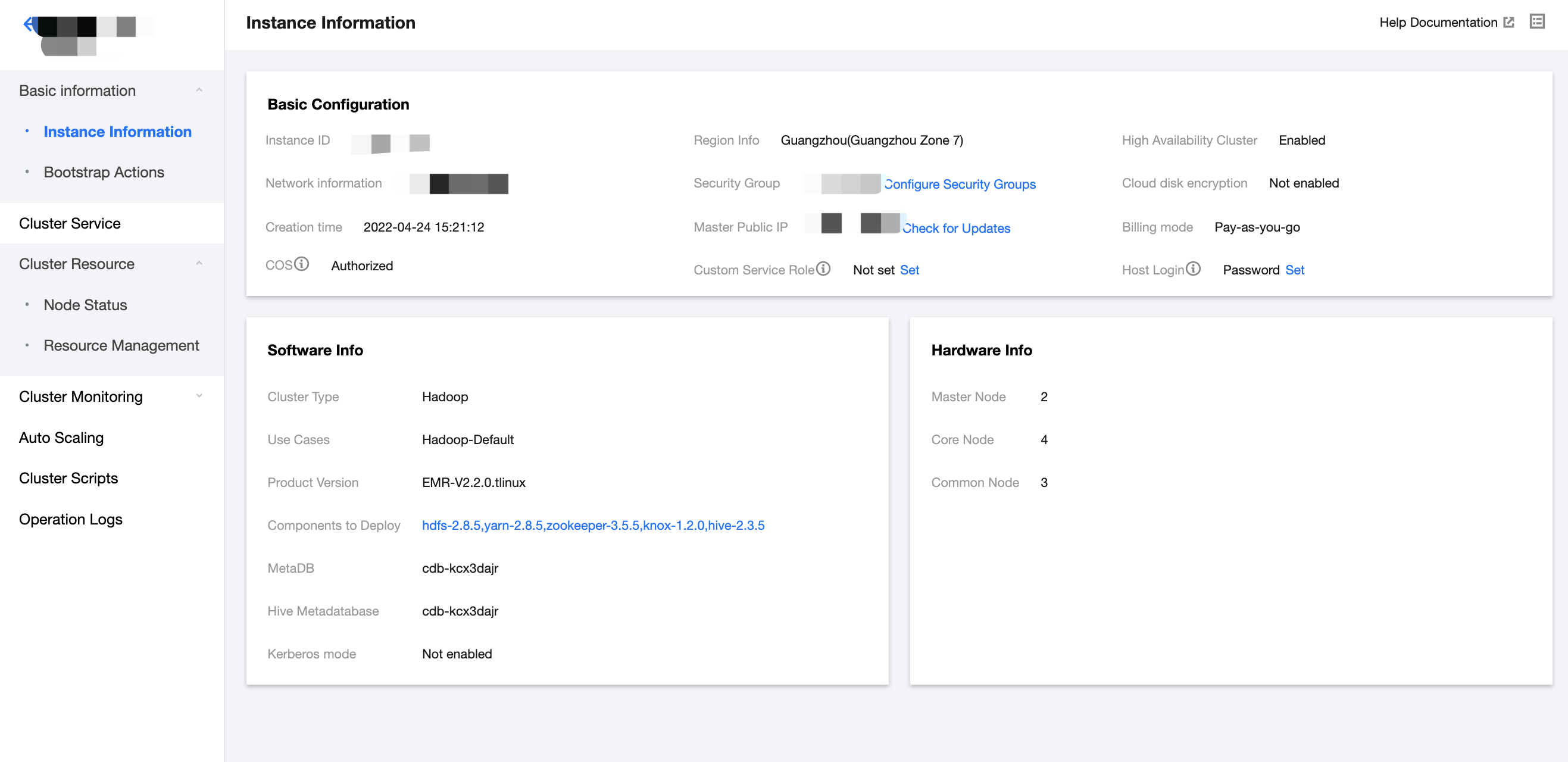
Instance information records the basic information of your EMR cluster. You can view the basic configurations, software information, and deployment information of the cluster on the Instance Information page.
The Basic Configuration section displays basic information of the cluster. The information includes the instance ID, region information, network information, creation time, security group, master public IP, billing mode, and host log-in method.
The authorization information includes whether the authorization granularity is at the cluster level. For example, grant access permissions on COS to specific accounts, grant access permissions on COS to specific clusters (cluster COS service role), or allow M Node to access Cloud HDFS.
The software information includes deployment information such as the cluster type, application scenario, product version, deployment component, MetaDB, Hive metadatabase, and whether the Kerberos mode is enabled.
The deployment information includes the quantity information of each node type.
This document describes how to view the cluster instance information in the console.

Directions

1. After successfully creating a cluster, log in to the EMR console and click the ID/Name of the cluster.
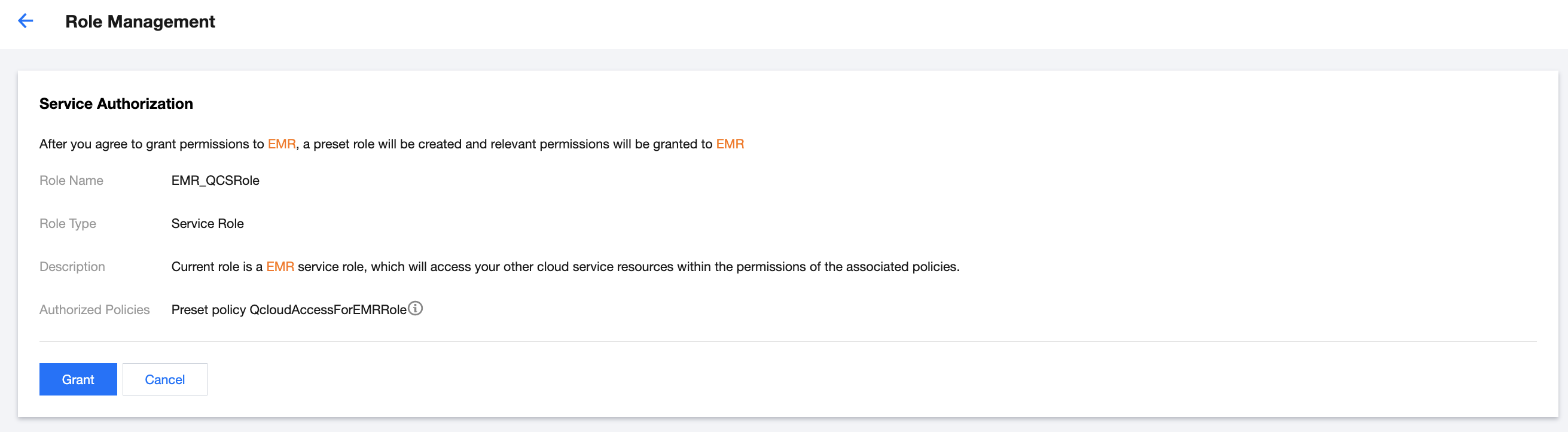
2. If COS is not enabled for the cluster, click Authorize.


Click Grant to complete the authorization.


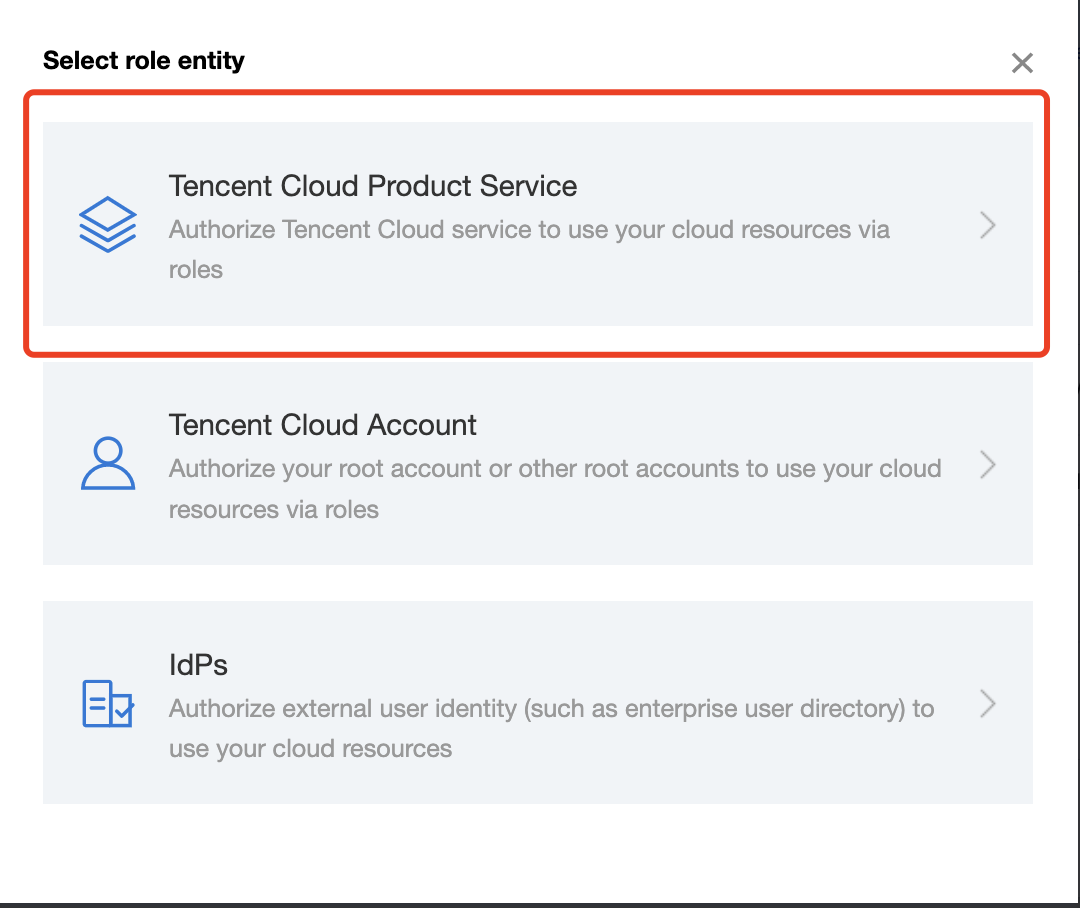
If refined authorization is required, you can set the cluster COS service role.


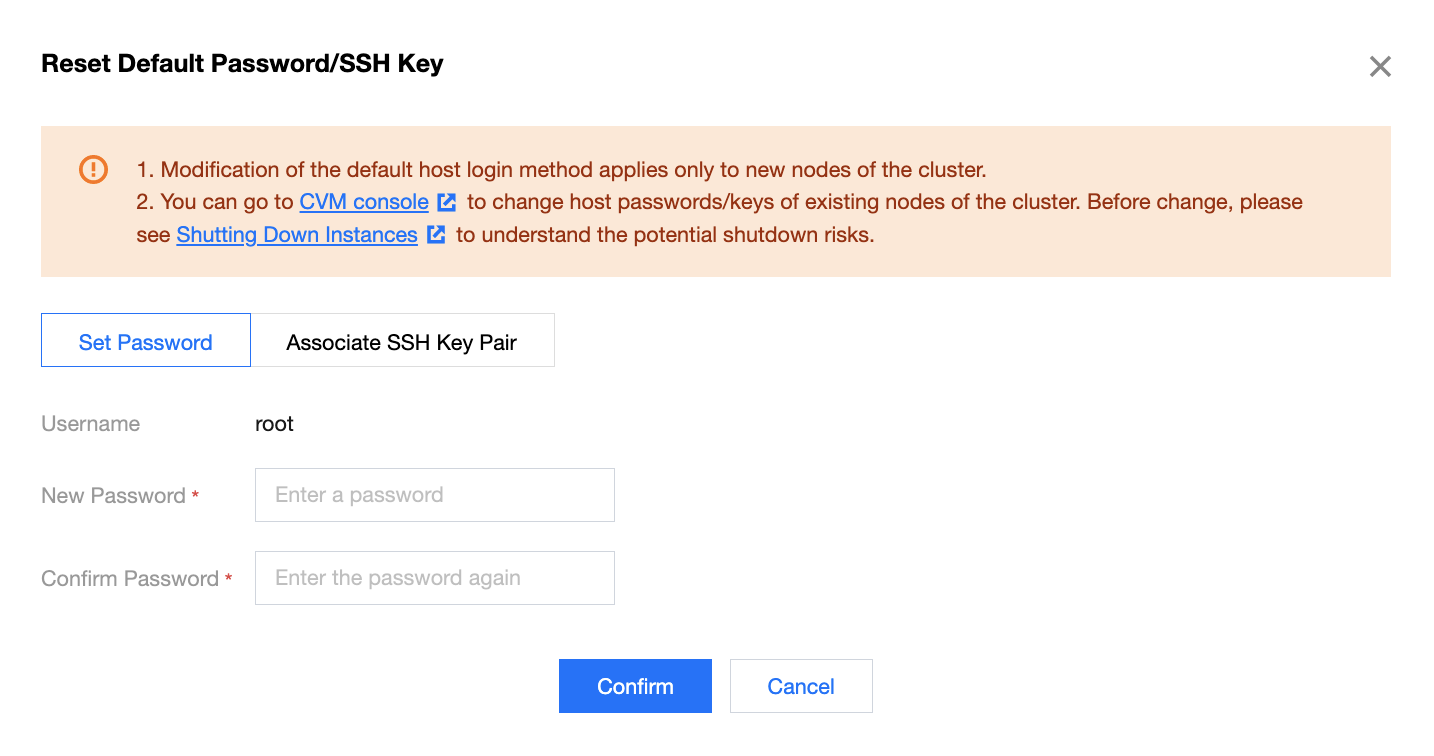
To change the host login password or method of cluster nodes after scale-out, click Change.


Note:
The login method set for initializing nodes in an EMR cluster. After the cluster is created, modification of the setting here applies only to new nodes.
You can go to the CVM console to change host passwords/keys of existing nodes of the cluster. Before change, see Shutting Down Instances to understand the potential shutdown risks.
ヘルプとサポート

この記事はお役に立ちましたか?

フィードバック