React Native
下载
聚焦模式
字号
前提条件
操作步骤
步骤1:新建项目(可选)
完成各原生平台厂商配置后,创建一个 React Native 项目,已有项目可忽略此步骤。
npx @react-native-community/cli@latest init MyReactNativeApp --version 0.75.0
步骤2:集成推送功能
进入 MyReactNativeApp 目录,集成 @tencentcloud/react-native-push。
npm install @tencentcloud/react-native-push --save
yarn add @tencentcloud/react-native-push
步骤3:注册推送
说明:
registerPush 注册推送服务成功后,您可通过 getRegistrationID 获取推送 ID 标识, 即 RegistrationID。您可以向指定的 RegistrationID 推送消息。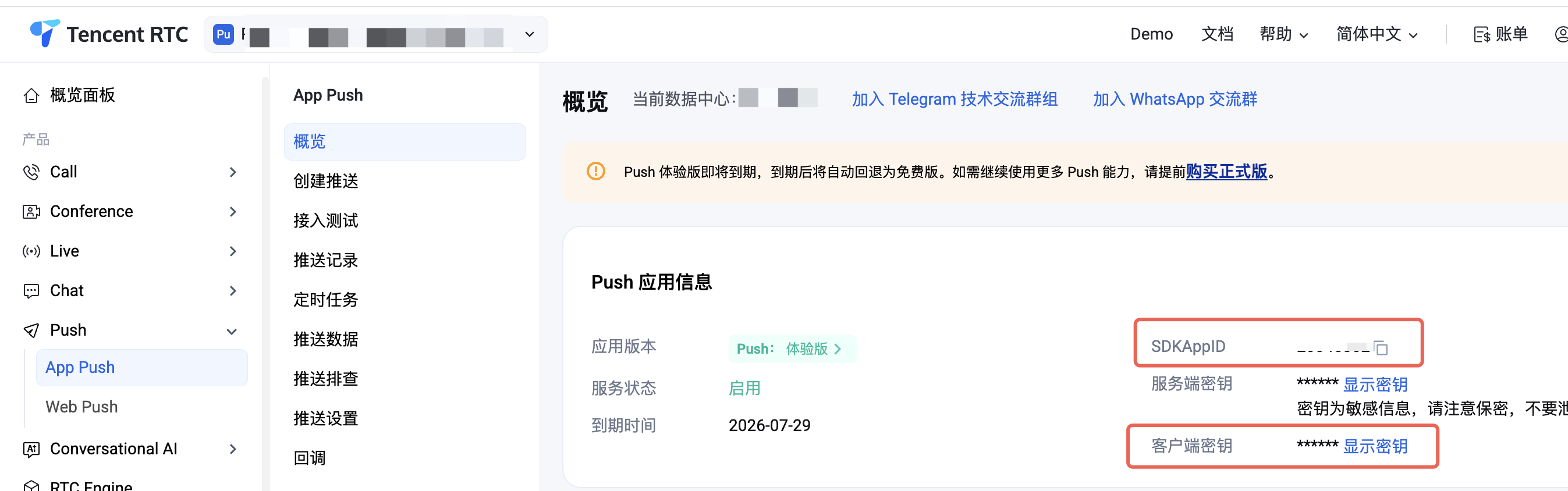
import Push from '@tencentcloud/react-native-push';const SDKAppID = 0; // 您的 SDKAppIDconst appKey = ''; // 客户端密钥if (Push) {// 如果您需要与 Chat 的登录 userID 打通(即向此 userID 推送消息),请使用 setRegistrationID 接口// Push.setRegistrationID(userID, () => {// console.log('setRegistrationID ok', userID);// });Push.registerPush(SDKAppID, appKey, (data) => {console.log('registerPush ok', data);Push.getRegistrationID((registrationID) => {console.log('getRegistrationID ok', registrationID);});}, (errCode, errMsg) => {console.error('registerPush failed', errCode, errMsg);});// 监听通知栏点击事件,获取推送扩展信息Push.addPushListener(Push.EVENT.NOTIFICATION_CLICKED, (res) => {// res 为推送扩展信息console.log('notification clicked', res);});// 监听在线推送Push.addPushListener(Push.EVENT.MESSAGE_RECEIVED, (res) => {// res 为消息内容console.log('message received', res);});// 监听在线推送被撤回Push.addPushListener(Push.EVENT.MESSAGE_REVOKED, (res) => {// res 为被撤回的消息 IDconsole.log('message revoked', res);});}
步骤4:配置厂商推送
1. 请您完成控制台厂商推送信息填写后,从控制台下载
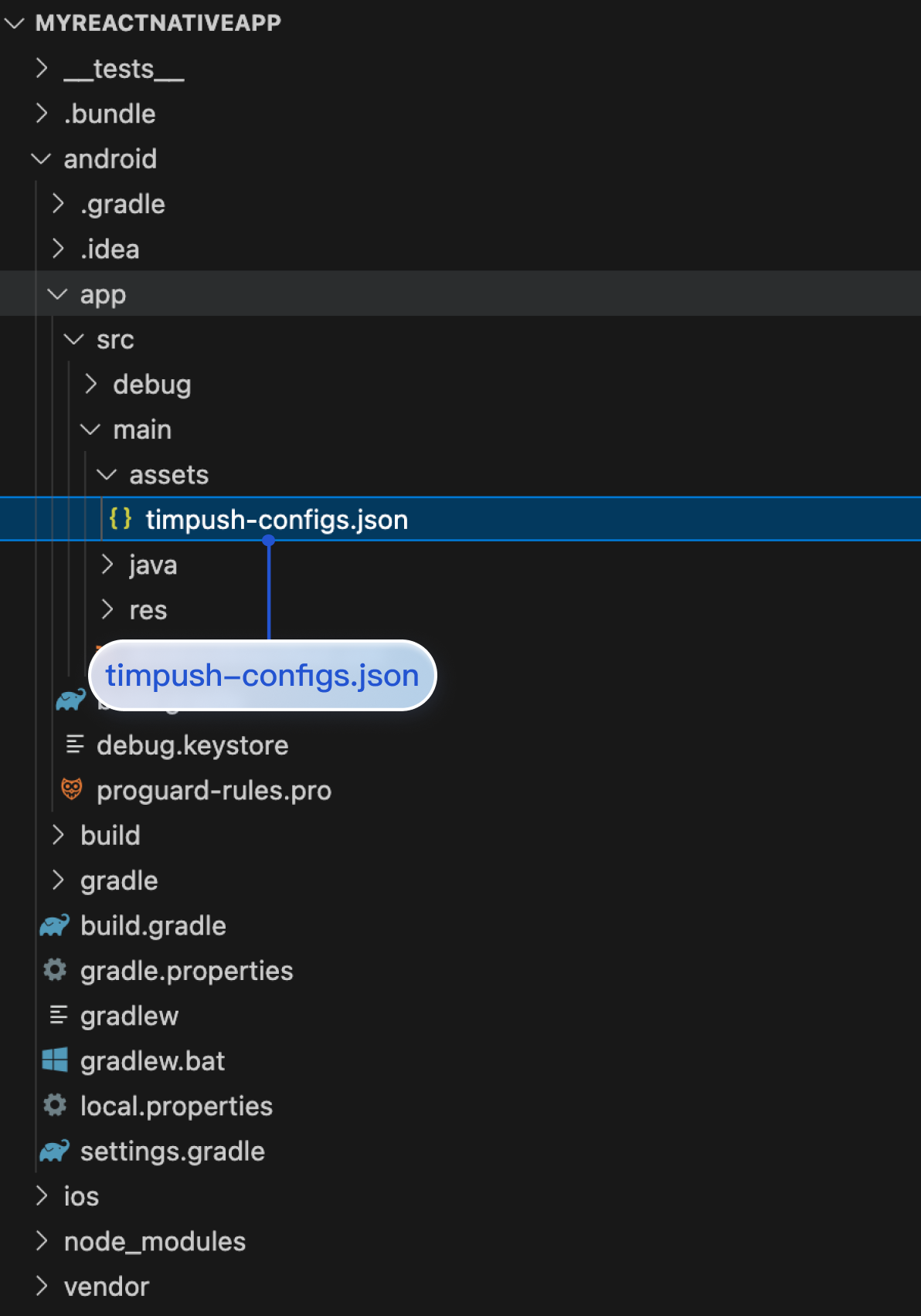
timpush-configs.json 文件,并添加到项目的 MyReactNativeApp/android/app/src/main/assets 目录下,如果该目录不存在,请手动创建。如图所示: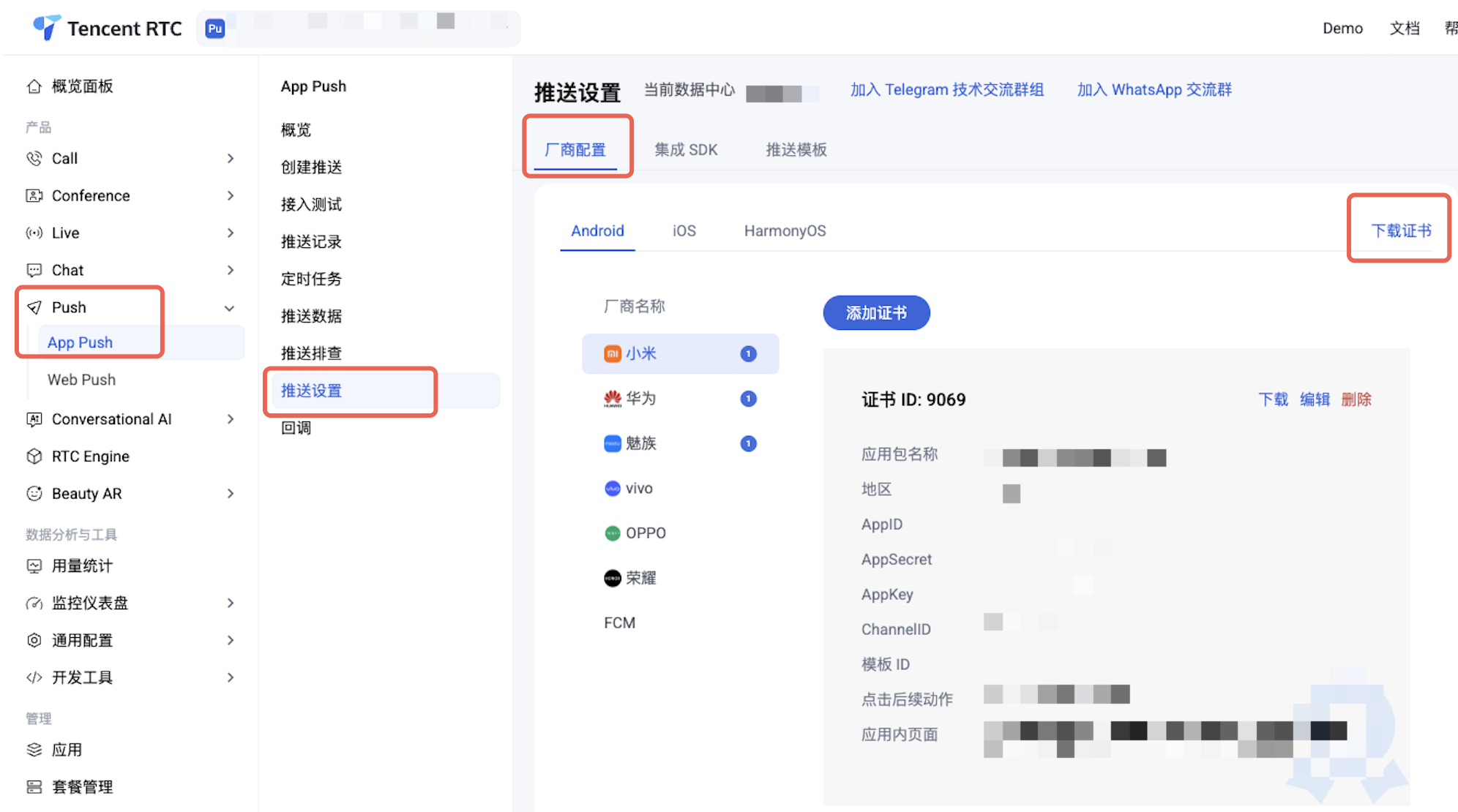
2. 配置 Google FCM 通道。
您需要支持 FCM 推送时,须配置
google-services.json 文件到 MyReactNativeApp/android/app 目录下,如图所示:(请注意:不是 "
MyReactNativeApp/android/app/src/main/assets" 目录)。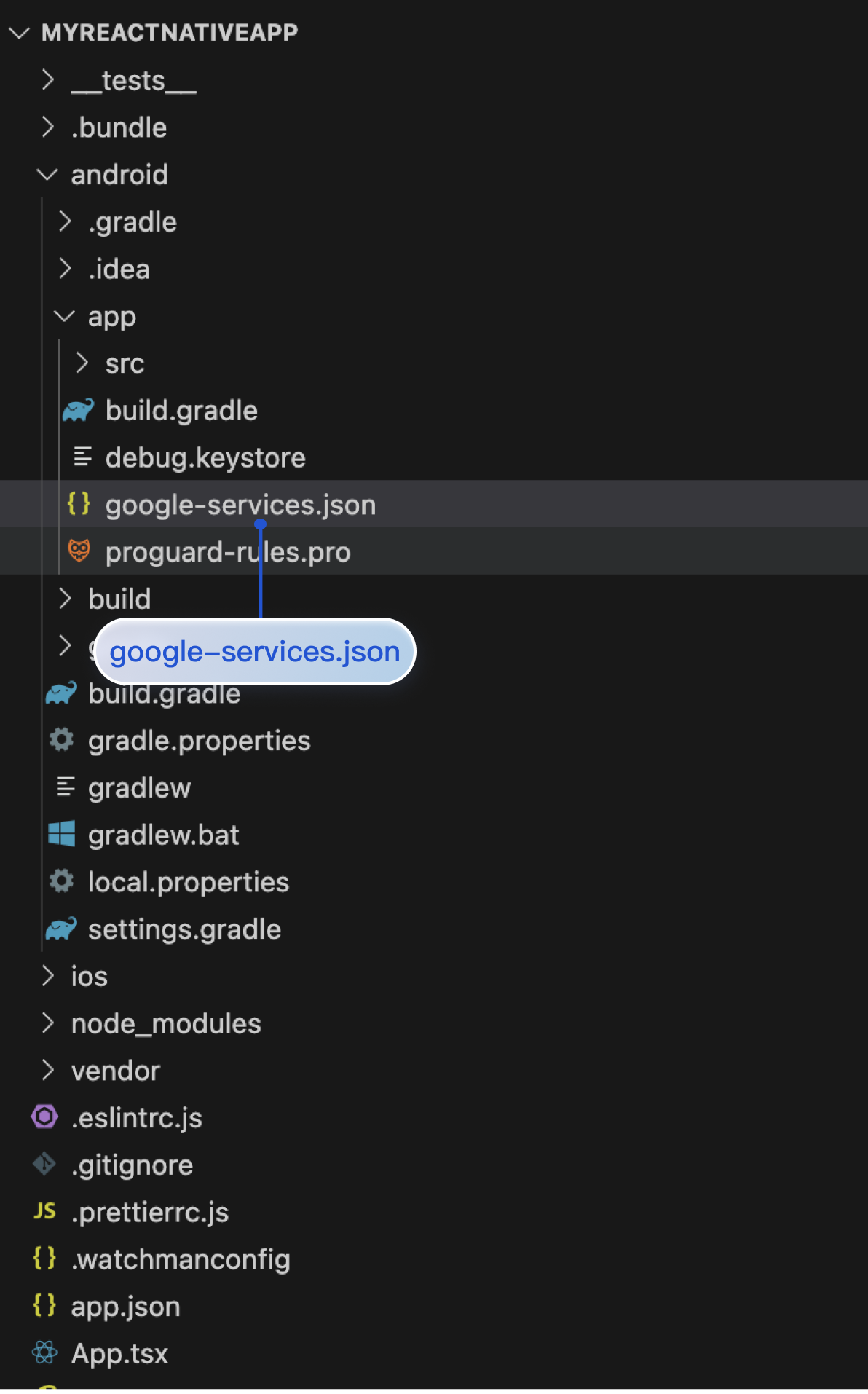
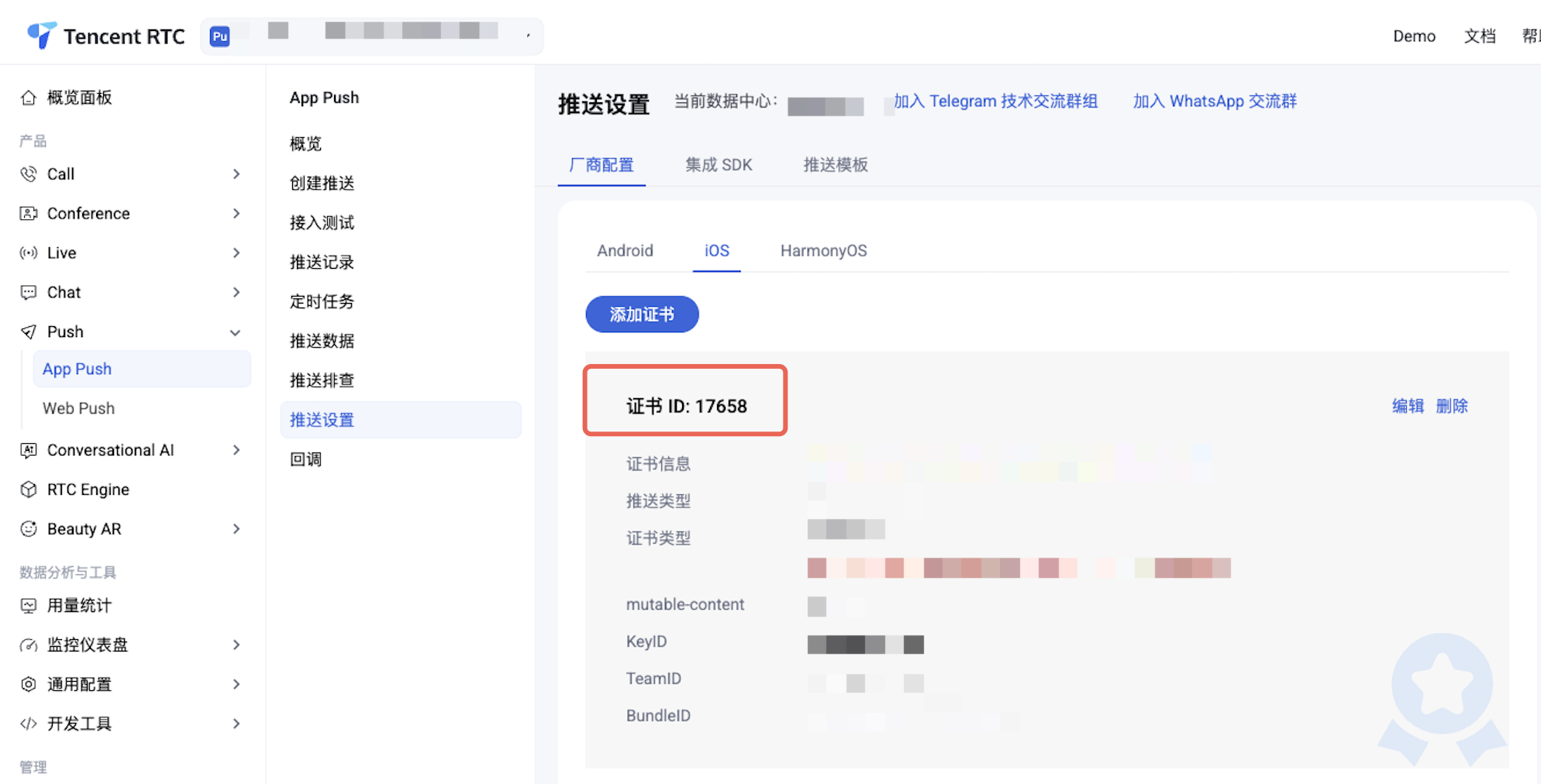
1. 请将您在厂商配置步骤中, 获取到的 iOS APNs 推送证书,上传至 控制台。控制台会为您分配一个证书 ID,如图所示:
2. 在
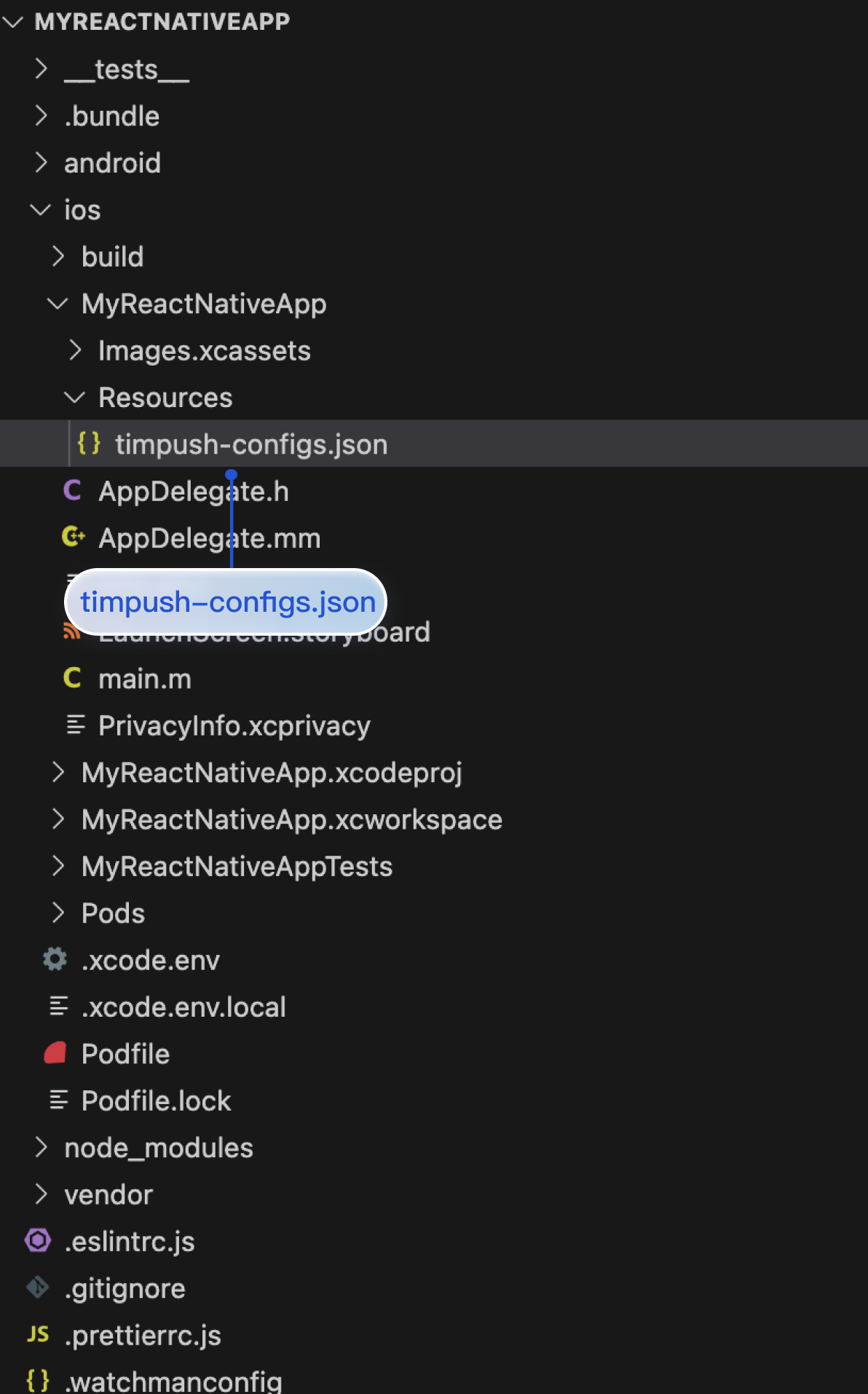
MyReactNativeApp/ios/MyReactNativeApp 目录下,新建 Resources 文件夹,并新建 timpush-configs.json 文件。编辑 timpush-configs.json,填入控制台获取的证书 ID,如下所示:{"businessID": "您的证书ID"}
3. Xcode 打开 MyReactNativeApp 项目,右键单击项目 > Add Files to "MyReactNativeApp",将
timpush-configs.json 文件添加到工程。如图所示: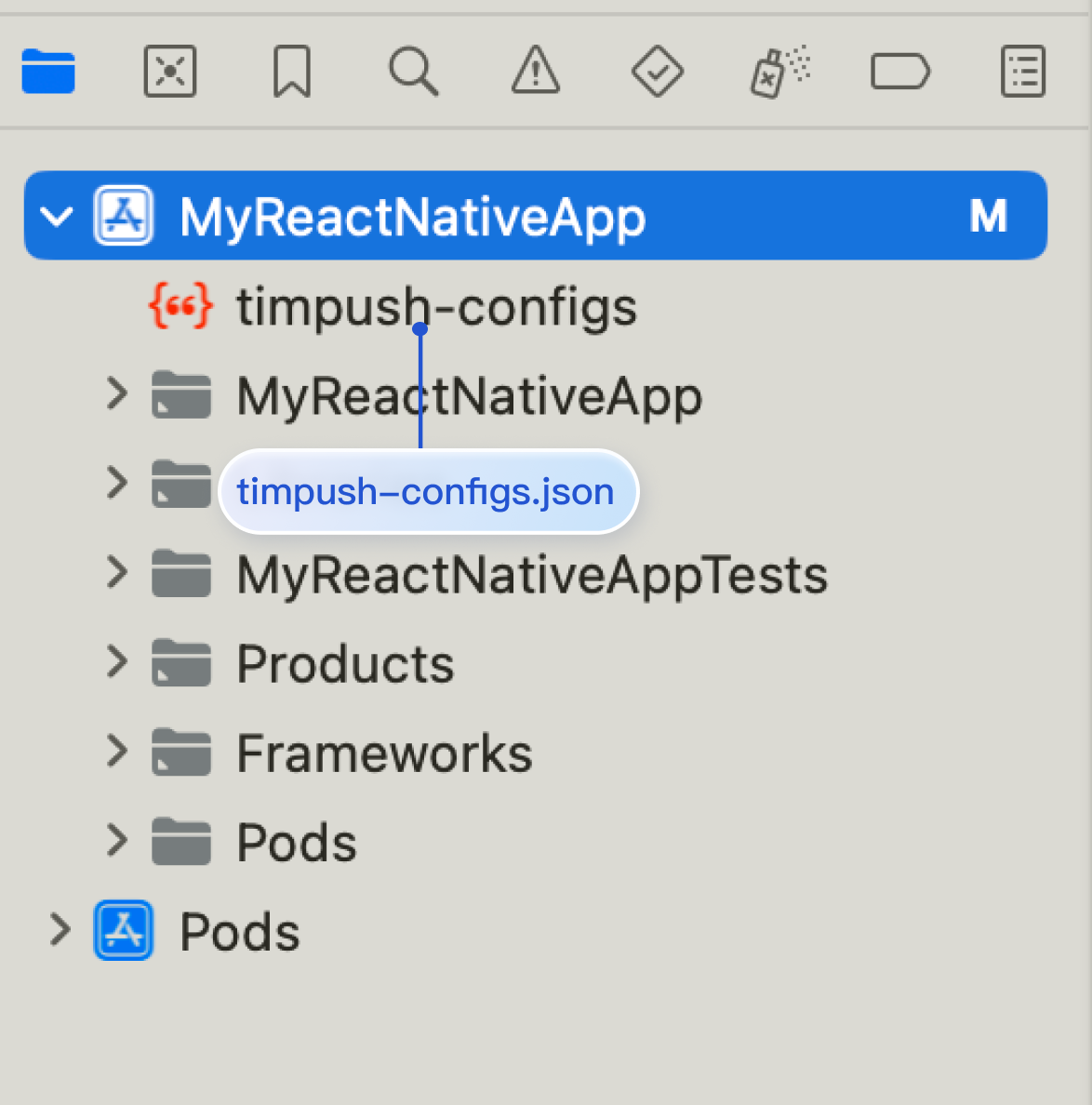
步骤5:配置 Native Modules 和相关依赖
说明:
请确保
timpush-configs.json 文件内的包名和 MyReactNativeApp/android/app/build.gradle 文件内的 applicationId 值一致,不一致则会导致离线推送不可用。1. 使用 Android Studio 打开
MyReactNativeApp/android 目录。2. 修改项目入口文件。
...import com.tencent.qcloud.rntimpush.TencentCloudPushApplication// Replace Application with TencentCloudPushApplicationclass MainApplication : TencentCloudPushApplication(), ReactApplication {...// add TencentCloudPushPackage to the list of packages returned in ReactNativeHost's getPackages() methodoverride fun getPackages(): List<ReactPackage> =PackageList(this).packages.apply {// Packages that cannot be autolinked yet can be added manually here, for example:// add(MyReactNativePackage())}}
...import com.tencent.qcloud.rntimpush.TencentCloudPushApplication;// Replace Application with TencentCloudPushApplicationpublic class MainApplication extends TencentCloudPushApplication implements ReactApplication {...// add TencentCloudPushPackage to the list of packages returned in ReactNativeHost's getPackages() method@Overrideprotected List<ReactPackage> getPackages() {List<ReactPackage> packages = new PackageList(this).getPackages();// Packages that cannot be autolinked yet can be added manually here, for example:// packages.add(new MyReactNativePackage());return packages;}...
3. 编辑
android/build.gradle 文件,更新 repositories,dependencies 和 allprojects。buildscript {...repositories {...google()mavenCentral()maven { url 'https://mirrors.tencent.com/nexus/repository/maven-public/' }}dependencies {...// 如果您创建的项目 com.android.tools.build:gradle 未带版本号,请设置为 8.5.0// classpath("com.android.tools.build:gradle:8.5.0")classpath 'com.google.gms:google-services:4.3.15'}}allprojects {repositories {mavenCentral()maven { url 'https://mirrors.tencent.com/nexus/repository/maven-public/' }}}...
4. 编辑
android/app/build.gradle 文件,按需配置厂商的推送包并应用插件。...// 如果您的 APP 需要 FCM 推送,请取消下行的注释// apply plugin: 'com.google.gms.google-services'...android {...defaultConfig {...manifestPlaceholders = []}}dependencies {...// 请您根据需要,引入厂商的推送包。只有引入对应厂商的推送包,才能启用该厂商的原生推送能力。implementation 'com.tencent.timpush:fcm:8.5.6864'}
5. 以上操作都完成后,选择 File > Sync Project with Gradle Files。
1. 使用 Xcode 打开 MyReactNativeApp/ios/MyReactNativeApp.xcworkspace。
2. 进入
MyReactNativeApp/ios 目录,安装 TIMPush。pod install# 如果无法安装最新版本,执行以下命令更新本地的 CocoaPods 仓库列表pod repo update
3. 在 App 中启用推送通知功能。参考 iOS 配置消息触达统计。
步骤6:运行
在真机上运行(测试前请务必打开手机通知权限,允许应用通知),从项目根目录开始,在命令提示符中运行以下命令,在设备上安装并启动您的应用程序:
npm run android
npm run ios
步骤7:消息推送触达统计
Google FCM 暂不支持推送统计功能。
接入排查
文档反馈