Using CLS for CKafka to CLS Migration
Baixar
Modo Foco
Tamanho da Fonte
I. Migration Scenarios
Objective: CKafka data is written to CLS.
Existing Data Migration Solution: Use the Kafka subscription feature provided by CLS.
For new synchronization links, refer directly to Part IV of this document.
II. Migration Steps
Summary: Perform dual-write first and then single-write to complete a smooth migration. The specific migration steps are as follows:
1. Dual-write: Query topic information in the CKafka console. Then, in the CLS platform, configure the Kafka subscription in the log topic and start pulling data from the latest logs.
2. After dual-write, data is produced to the CLS log topic simultaneously through the connector and the CLS Kafka subscription.
3. Single-write: After it is confirmed that the CLS Kafka data subscription task is running normally, stop the CKafka connector task to achieve single-write.
4. After single-write, CLS logs are no longer duplicated.
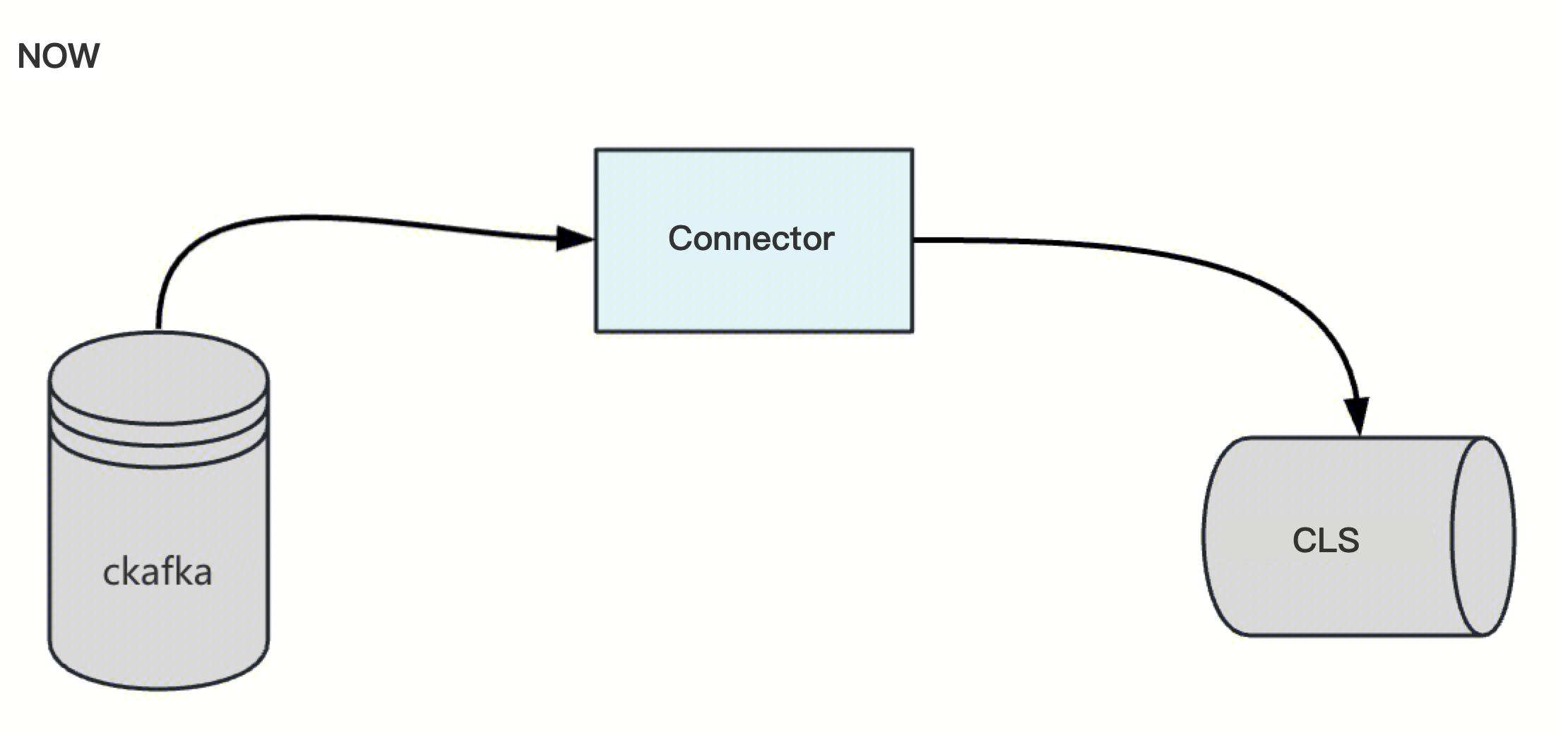
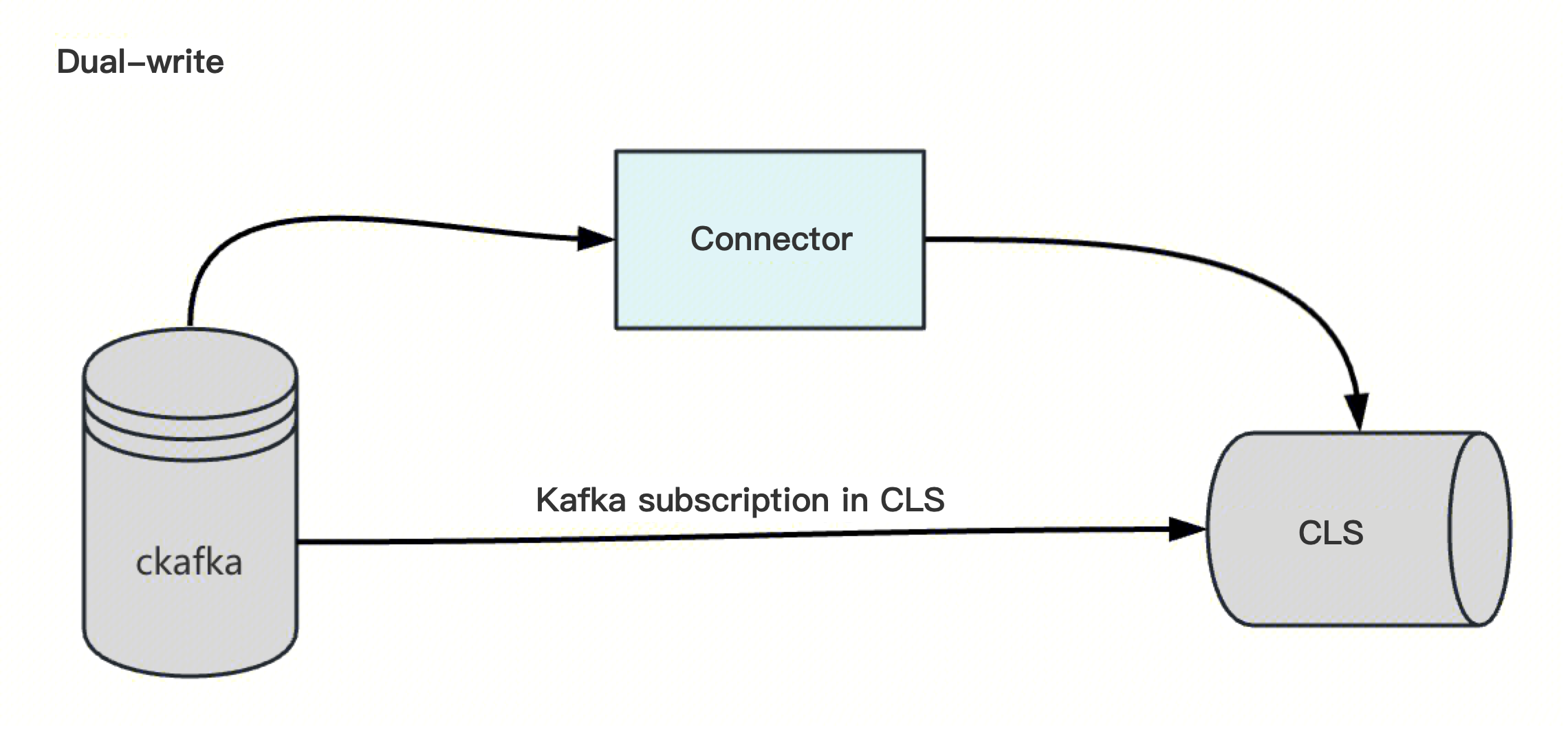
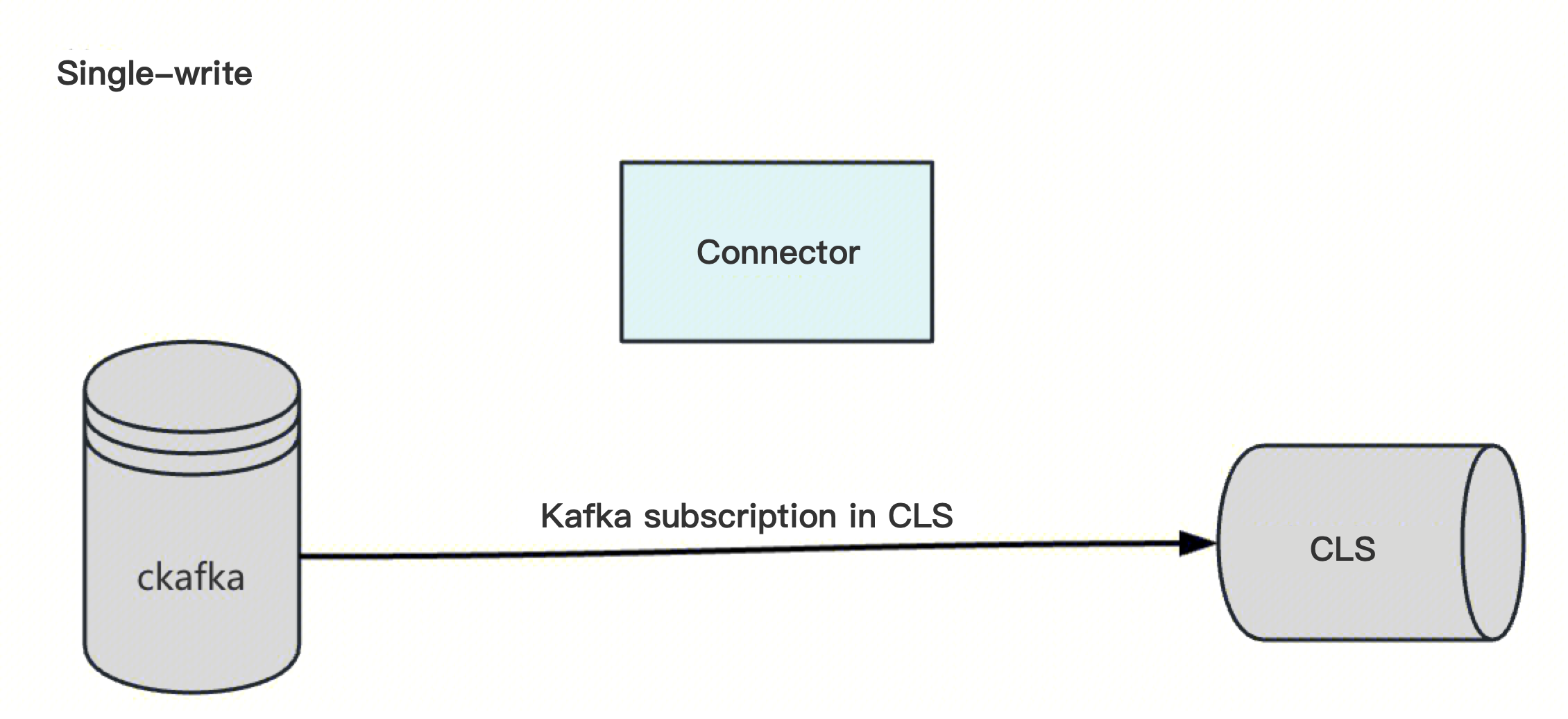
Risk: Log data may be duplicated to a small extent.
Recommendation: Perform the operation during off-peak hours to minimize impact.
III. Solution
3.1. Solution Comparison
Solution | Solution 1: Proactive Migration to Mitigate Risks in Advance | Solution 2: Passive Migration to Prevent Secondary Failures. |
Approach | Start CLS Kafka subscription data synchronization during off-peak hours and decommission the cKafka connector. | Pre-configure the CLS Kafka subscription service, and start the CLS data synchronization task after the connector fails. Create the CLS Kafka subscription service task in advance and set it to a paused state. After a connector failure or exception, reset the consumption offset of the CLS Kafka subscription to the latest or to the failure moment on the CKafka platform. Start the CLS Kafka subscription service. |
Advantage | Operation during off-peak hours, with controllable risk. | Existing tasks remain unchanged for the time being, and business is not affected in the short term. |
Disadvantage | Data imported into CLS may have minor duplicates. | The post-failure mitigation plan has low timeliness, and the scope of the failure impact is uncontrollable. CLS may contain a small amount of missing or duplicate data. |
Rollback Plan | - | Dual-write phase: If the outcome does not meet expectations, you can directly pause or delete the task on the CLS platform. Single-write phase: If the outcome does not meet expectations, you can restart the connector and pause the CLS Kafka subscription task. |
Fallback Plan | - | Pause or delete the CLS Kafka subscription task. Restart the CKafka connector task. |
3.2. Precautions
Note that once a CLS Kafka subscription task is created, it starts by default, creates a subscription and generates consumption progress in CKafka, which may lead to duplicate data collection.
IV. POC Verification
Reference: Collect Logs Using Kafka Data Subscription.
1. In the Log Topic section, select a topic and click Collection Configuration.
2. In the Kafka Data Subscription Configuration section, click Add and configure as prompted.
3. Configure the cluster and subscription rules, including the consumer group. For the starting position, select the earliest.
Note:
The consumer group name must not be the same as the connector name. Otherwise, data may be lost or duplicated. (This is because the CLS Kafka subscription configuration can choose to consume from either the latest or the earliest position.)
4. After the subscription task is created successfully, its status changes to In Progress.
5. After the CLS Kafka subscription task is collecting data normally, go to the Message Queue CKafka console and click More > Pause Task to stop the connector task.
Ajuda e Suporte
Esta página foi útil?
Você também pode entrar em contato com a Equipe de vendas ou Enviar um tíquete em caso de ajuda.
comentários