ip-masq-agent NonMasqueradeCIDRs Missing Configuration Cluster Container Ip Range
Baixar
Modo Foco
Tamanho da Fonte
Issue Background
In clusters created between July and August 2025 with Global Router network mode, the ip-masq-agent configuration may miss the cluster container CIDR. In some scenarios, the following risks may exist:
1. If high-concurrency Pods within the cluster access one another, causing a large number of SNATs, some connections may time out due to failed conntrack insertion.
2. If a unique bidirectional connection usage exists within the cluster, connection refusal may occur: Assume there are two Pods, A and B. After A establishes a connection to B, B then initiates a new connection using A's source address as the destination. At this point, since the source address of A seen by B is the SNAT-translated address (not the actual address A is listening on), the connection initiated to it will be rejected.
3. If the cluster has a network policy (such as NetworkPolicy) configured to only allow specific Pods (like those in a specified namespace or with specified labels) to access it, the security policy may fail because the source IP seen by the target Pod's node is the SNAT-translated node IP address, making it unable to associate with the real source Pod.
4. If there is a need to "obtain the real Pod source IP," business anomalies may occur (the obtained source IP might be the SNAT-translated node IP).
Handling Suggestion
Modify the configmap named ip-masq-agent-config in the kube-system namespace to add the cluster container IP range to the NonMasqueradeCIDRs configuration.
FAQs
How to Check the Current Cluster IP Range
In the TKE cluster list, click the cluster ID to enter the Basic Information webpage. Under the Basic Information tab, check the Node and Network Information section for the Container Network, where the CIDR list represents the cluster container IP range.

How to Modify ip-masq-agent-config
The following provides two modification methods using kubectl and the TKE console. Choose either one.
Using Kubectl
1. Ensure the kubeconfig is configured correctly, execute the following commands to modify the ip-masq-agent-config configmap:
kubectl -n kube-system edit configmap ip-masq-agent-config
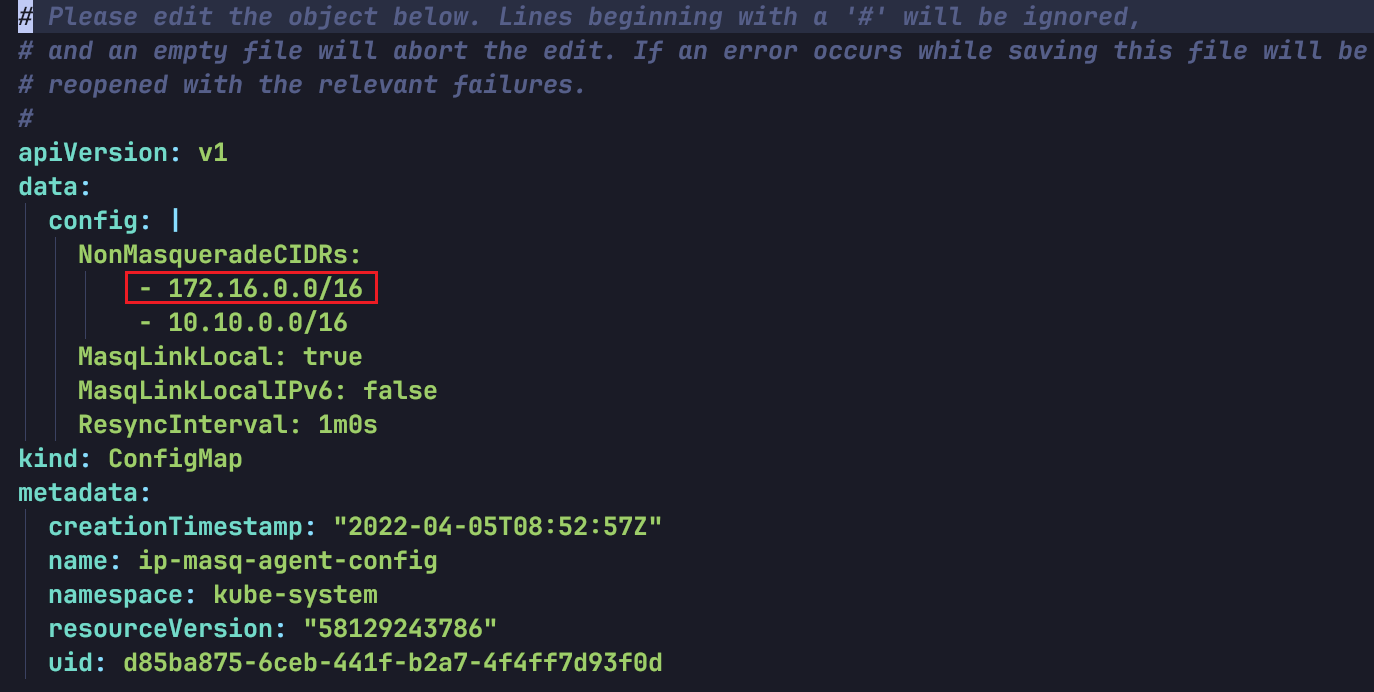
2. Add the missing cluster container IP range to the NonMasqueradeCIDRs array and save. As shown below:
Via the TKE Console
1. In the TKE cluster list, click the cluster ID to enter the cluster details page.
2. Select Configuration Management in the left sidebar, then choose the kube-system namespace on the ConfigMap tab.
3. In the ip-masq-agent-config row, click Edit YAML on the right.
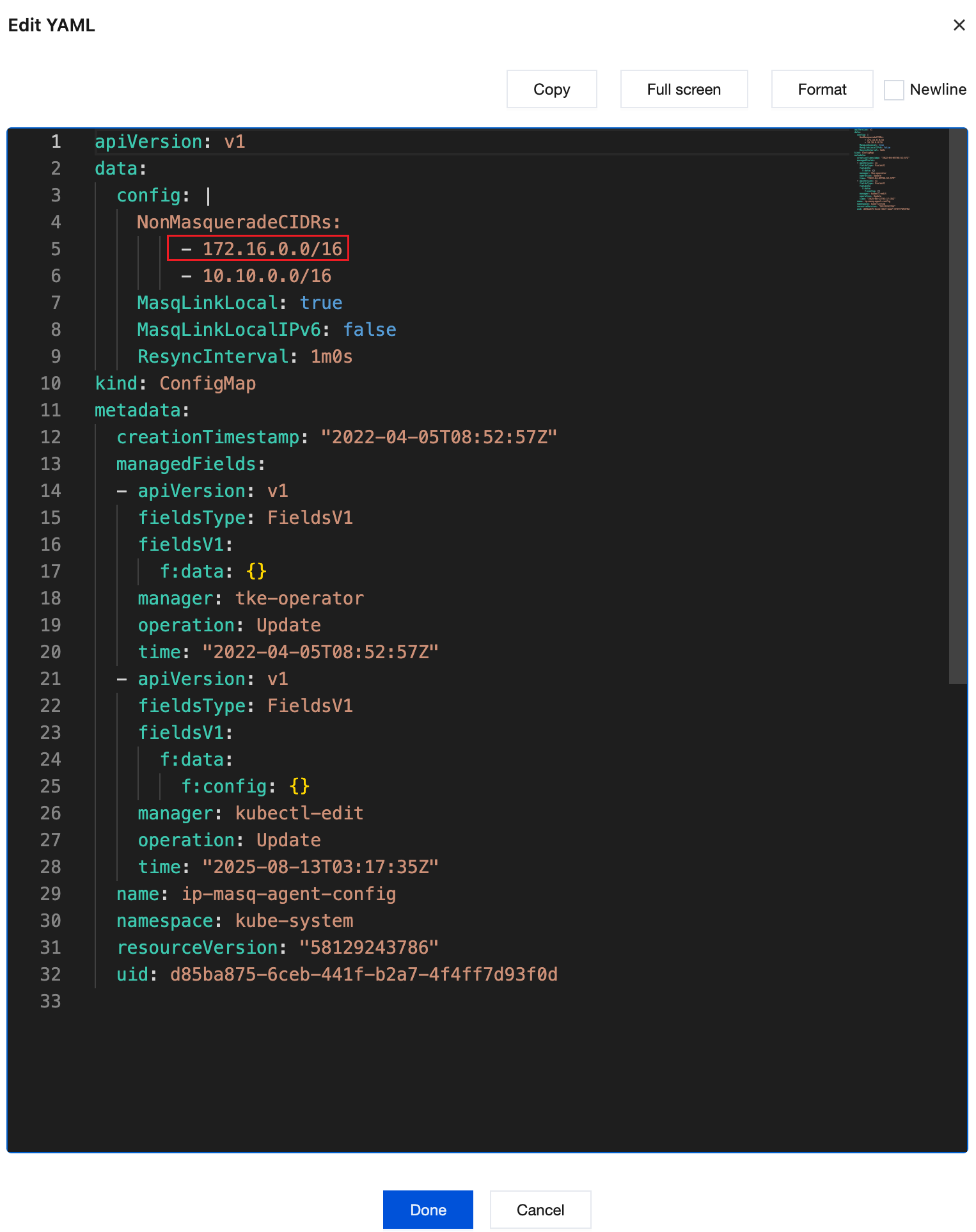
4. Add the missing cluster container IP range to the NonMasqueradeCIDRs array. As shown below:
5. Click Done.
Ajuda e Suporte
Esta página foi útil?
Você também pode entrar em contato com a Equipe de vendas ou Enviar um tíquete em caso de ajuda.
comentários